Writing articles one by one can slow you down, especially if you’re managing multiple content projects, clients, or websites.
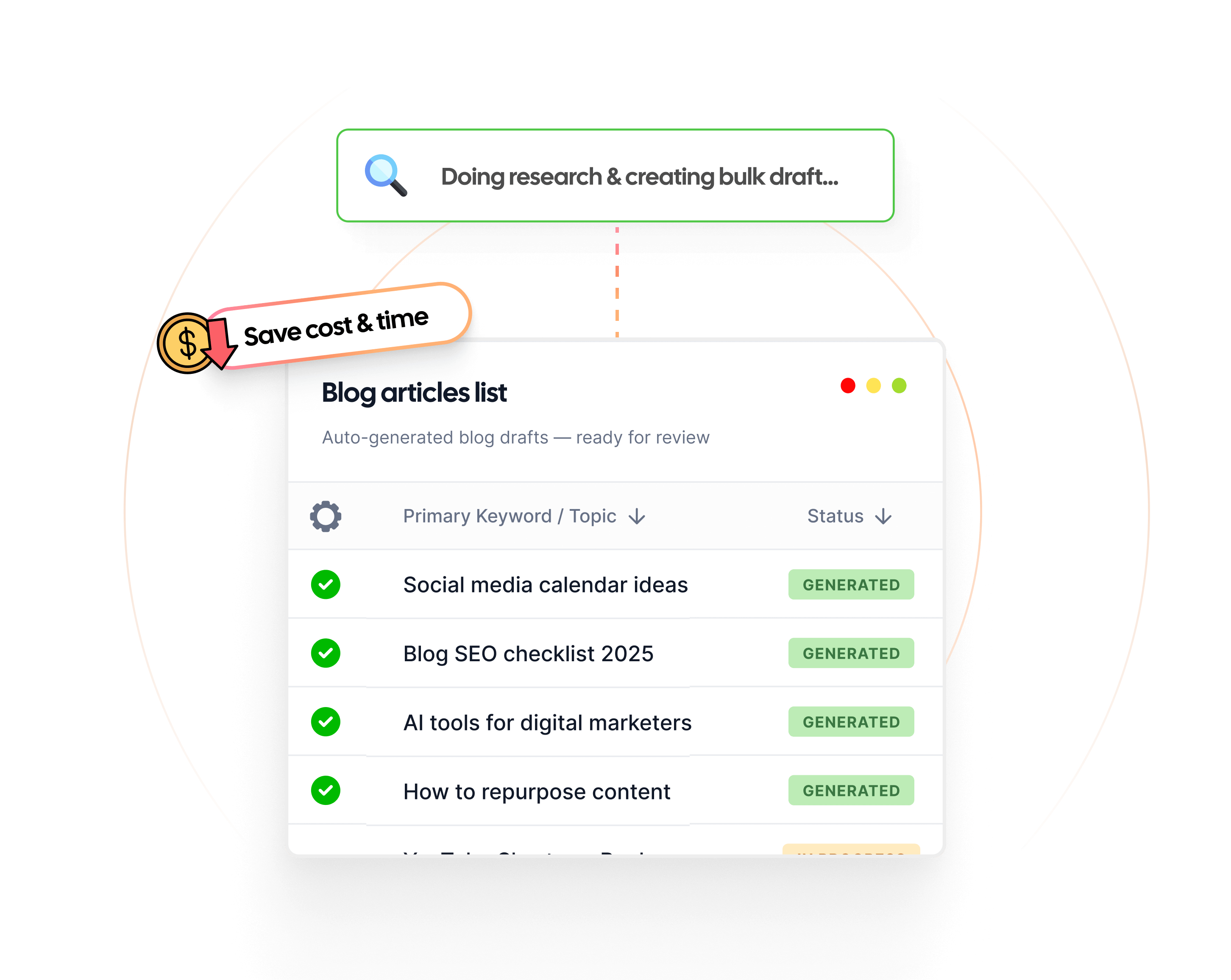
That’s where Contentpen’s bulk article generation feature comes in. It allows you to create dozens of articles using presets and keywords in just a few clicks, saving you hours of manual work.
Whether you’re building a niche blog network or preparing content for the entire month, our AI writer simplifies the process.
In this guide, we’ll walk you through each step of creating articles in bulk using Contentpen and share tips to make the most out of the feature.
Start by logging in to your Contentpen account. If you don’t have one, you can sign up in seconds. Once inside, head to the main dashboard.
Step 02: Go to the bulk article generator
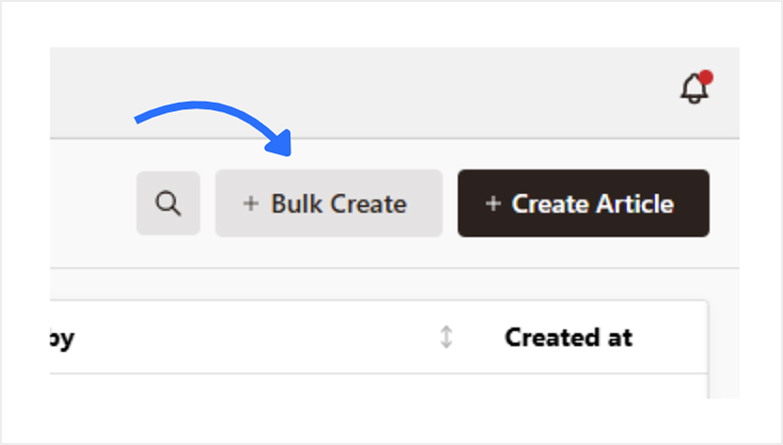
On the dashboard, look for the option labeled “Bulk Article Generator.” This feature is designed specifically for creating multiple articles in one go.
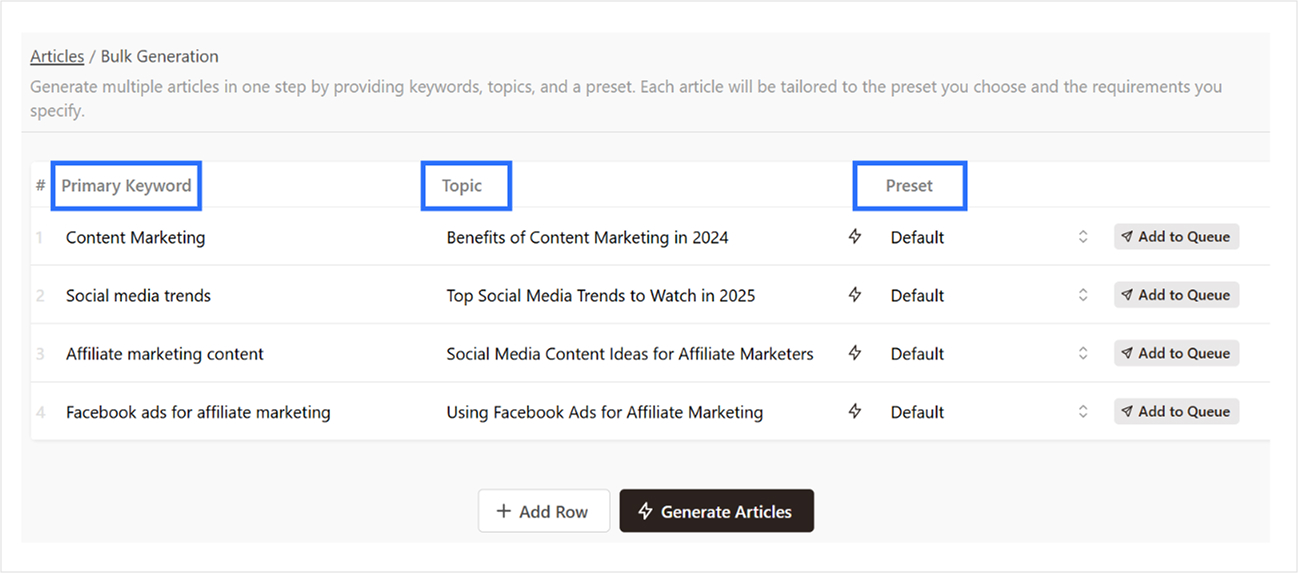
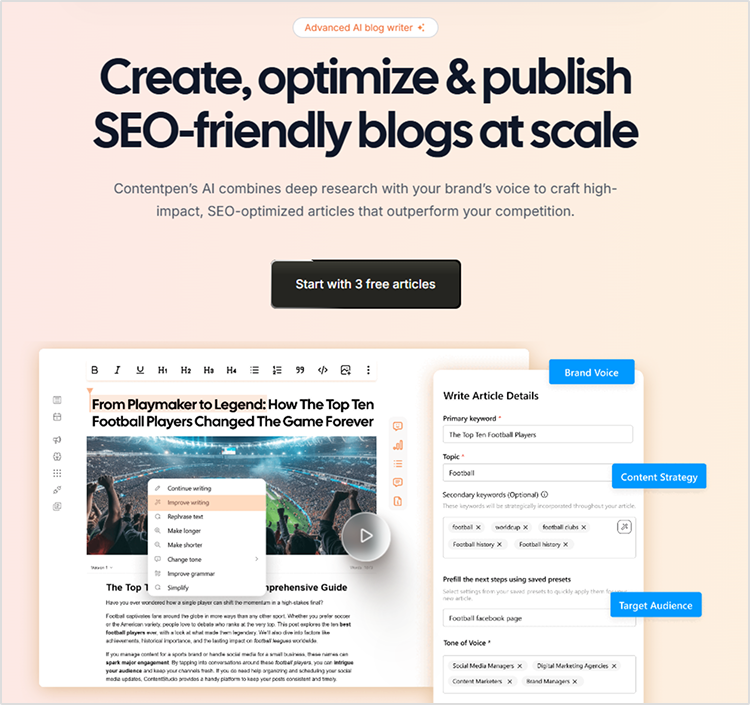
Step 03: Add keywords, topics, and presets
To create articles in bulk:
Add a primary keyword
Enter your topic
Choose a preset if you’ve set one (or just stick with the default template)
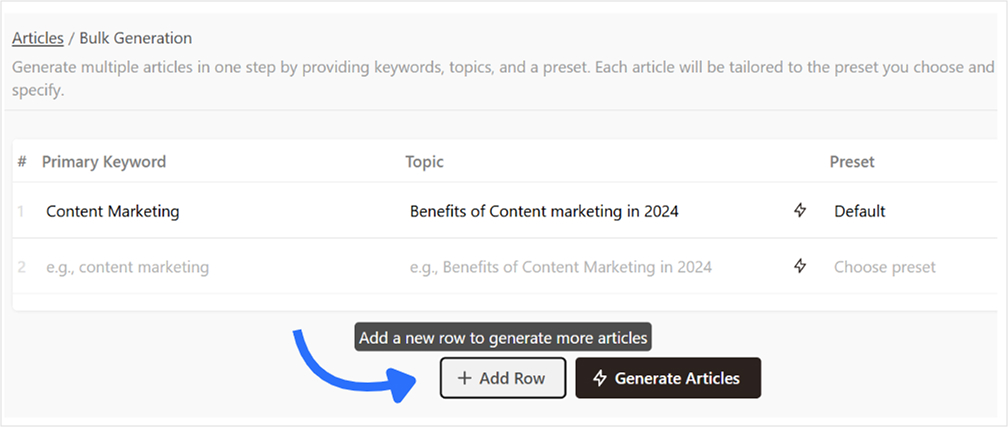
To add a row, just click on “Add Row”.
💡 Tip: Want to generate a topic based on a keyword? Just hit the button next to the topic field, and it will auto-suggest one for you.
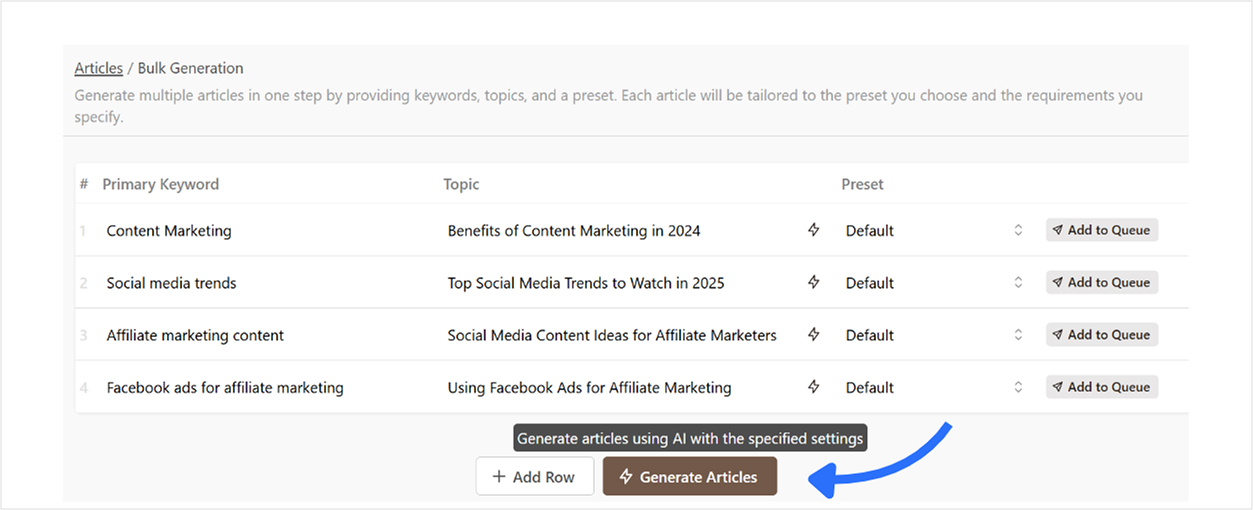
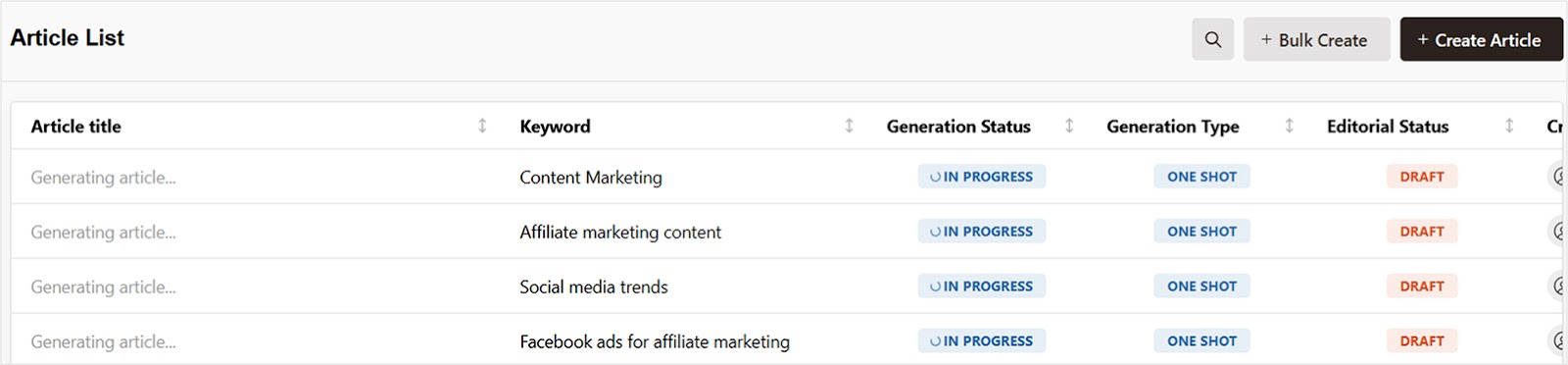
Once your rows are ready, click the “Generate Articles” button. Contentpen will begin generating content based on the inputs you’ve provided. You’ll see real-time status updates on your dashboard.
Step 05: Review, edit, and export your content
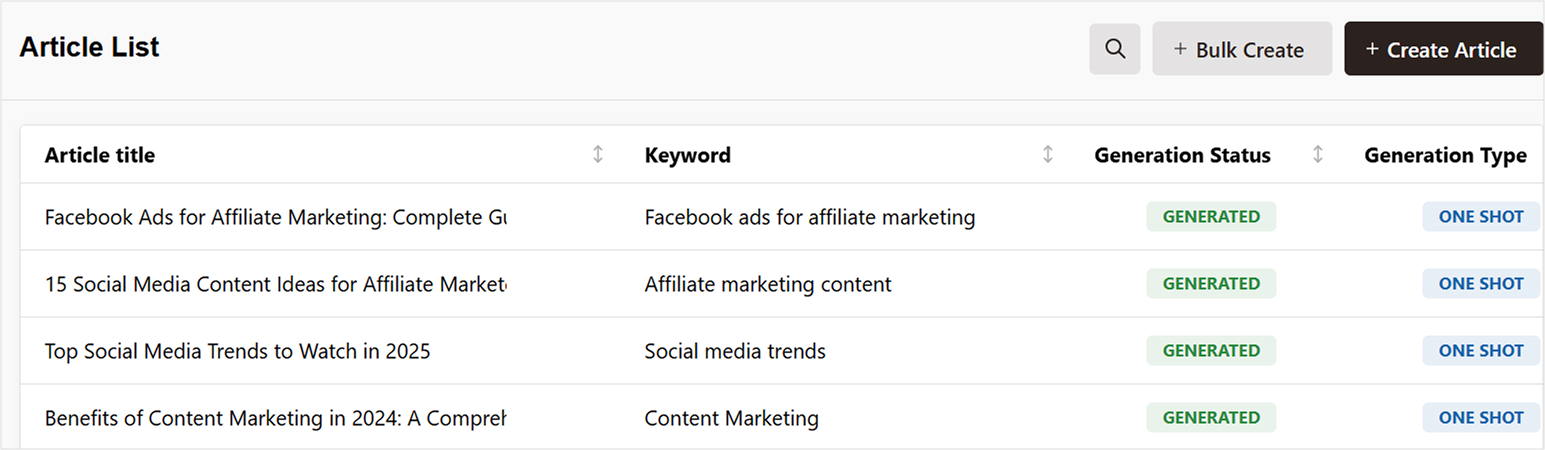
Head back to your dashboard once the generation process is complete.
Once all articles are generated, you can:
Preview each article inside Contentpen’s editor to make quick edits or optimize it further.
From there, you can:
Download as .html, .md, or .docx (Google Docs format)
If you’re tired of creating content one piece at a time, Contentpen’s bulk article generator is a game-changer when it comes to content automation. It’s fast, flexible, and perfect for marketers, bloggers, agencies, and anyone dealing with high-volume content needs.
Frequently asked questions
How many articles can I generate at once?
It depends on your Contentpen plan. With the premium plan, you can generate up to 30 bulk articles at once, though with the agency plan, you can generate up to 100 articles.
Can I use the same template for all articles?
Yes, presets allow you to apply the same formatting, tone, structure, and style to all articles in a single bulk session.
Does the tool generate unique articles for each keyword/topic?
Yes, our AI blog writer online each generate each article uniquely based on the keyword and topic you enter, no duplication across content unless you input repetitive data.
Can I reuse the same keyword in multiple rows?
Yes, you can use the same keyword for different topics if you’re targeting variations of the same niche.
Can I bulk publish to WordPress directly?
Yes, if your WordPress site is connected to Contentpen, you can publish articles in bulk directly from your dashboard.
SEO has evolved from the tedious process of manually researching keywords for hours and crafting content based on educated guesses. Today’s leading marketers use AI-powered analytics that dissect competitor strategies in minutes, generate data-backed content frameworks, and align with search intent using predictive algorithms.
But here’s the challenge: with over 300 AI SEO tools flooding the market, how do you separate the best from the glorified content spinners?
We’ve tested the top AI SEO tools for three months, using them on actual websites across different industries.
This blog shows you exactly which tools work, which ones waste your money, and how to choose the right one for your business.
How do we test these AI SEO tools?
Before diving into the rankings, let me explain our testing methodology. Each tool was evaluated across five critical criteria:
Content quality & SEO optimization: How well does the AI understand search intent and create genuinely helpful content that ranks?
Data accuracy & insights: Are the keyword suggestions, competitor analysis, and SEO recommendations based on reliable, up-to-date data?
Ease of use & learning curve: Can your team implement and benefit from this tool without extensive training?
Integration & workflow: How seamlessly does it fit into existing marketing stacks and content workflows?
ROI & Value: Does the tool deliver measurable results that justify its cost?
We tested each platform using real client websites in different industries, from local businesses to enterprise e-commerce sites. The results might surprise you.
Quick comparison: Top AI SEO tools at a glance
Tool
Best for
Starting price
Key strength
Contentpen.ai
Complete AI SEO content generation
$39/month
Multi-agent AI system
Semrush Copilot
SEO strategy & insights
$139/month
Comprehensive data analysis
ChatGPT
Versatile AI assistant
$20/month
Flexible prompt-based tasks
Frase
Content optimization
$45/month
SERP analysis integration
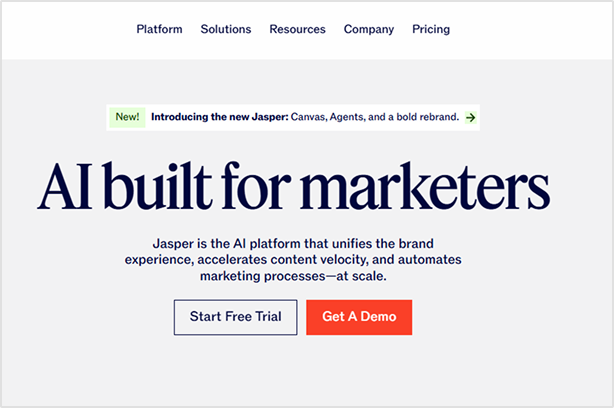
Jasper AI
Long-form content
$49/month
Brand voice consistency
Surfer SEO
On-page optimization
$79/month
Content scoring system
Writesonic
Competitive analysis
$20/month
Real-time competitor insights
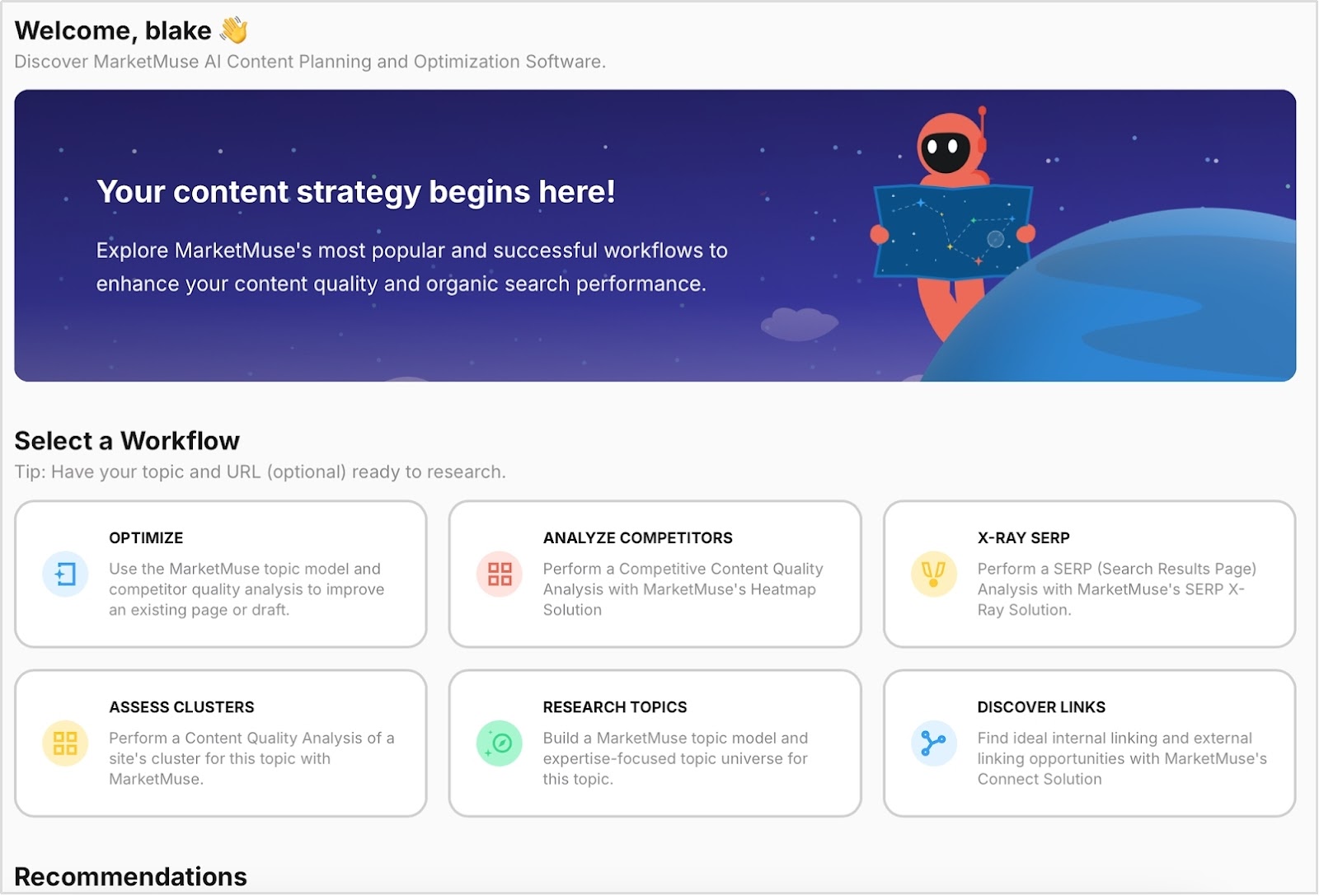
MarketMuse
Content strategy
$149/month
Topic modeling expertise
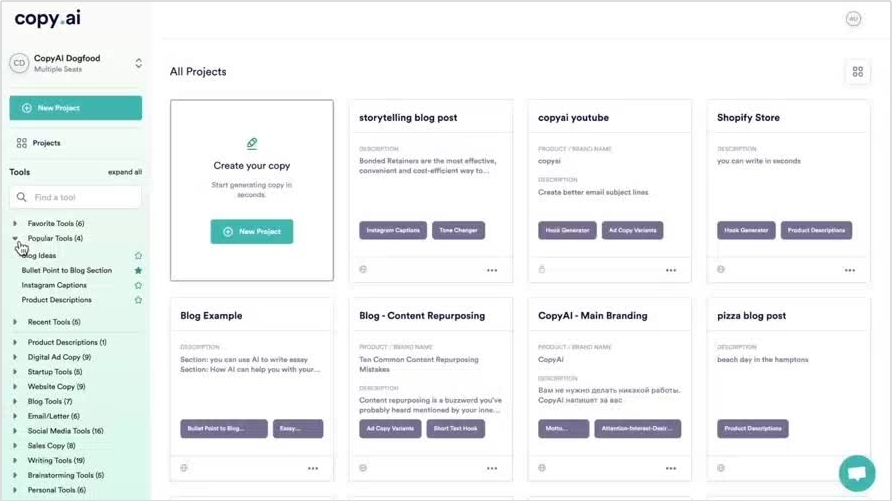
Copy.ai
SEO workflows
$49/month
Automation capabilities
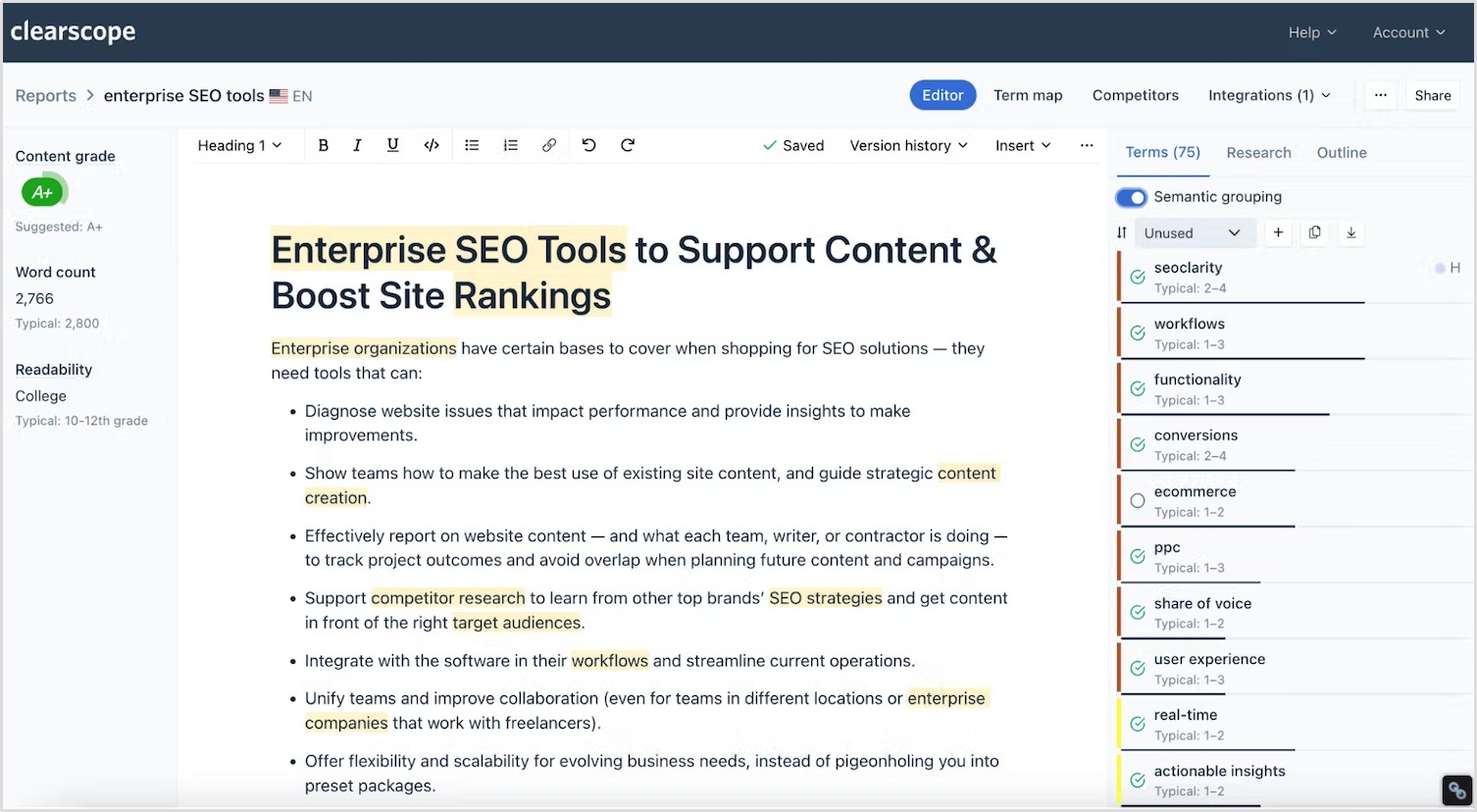
Clearscope
Content quality
$189/month
Readability optimization
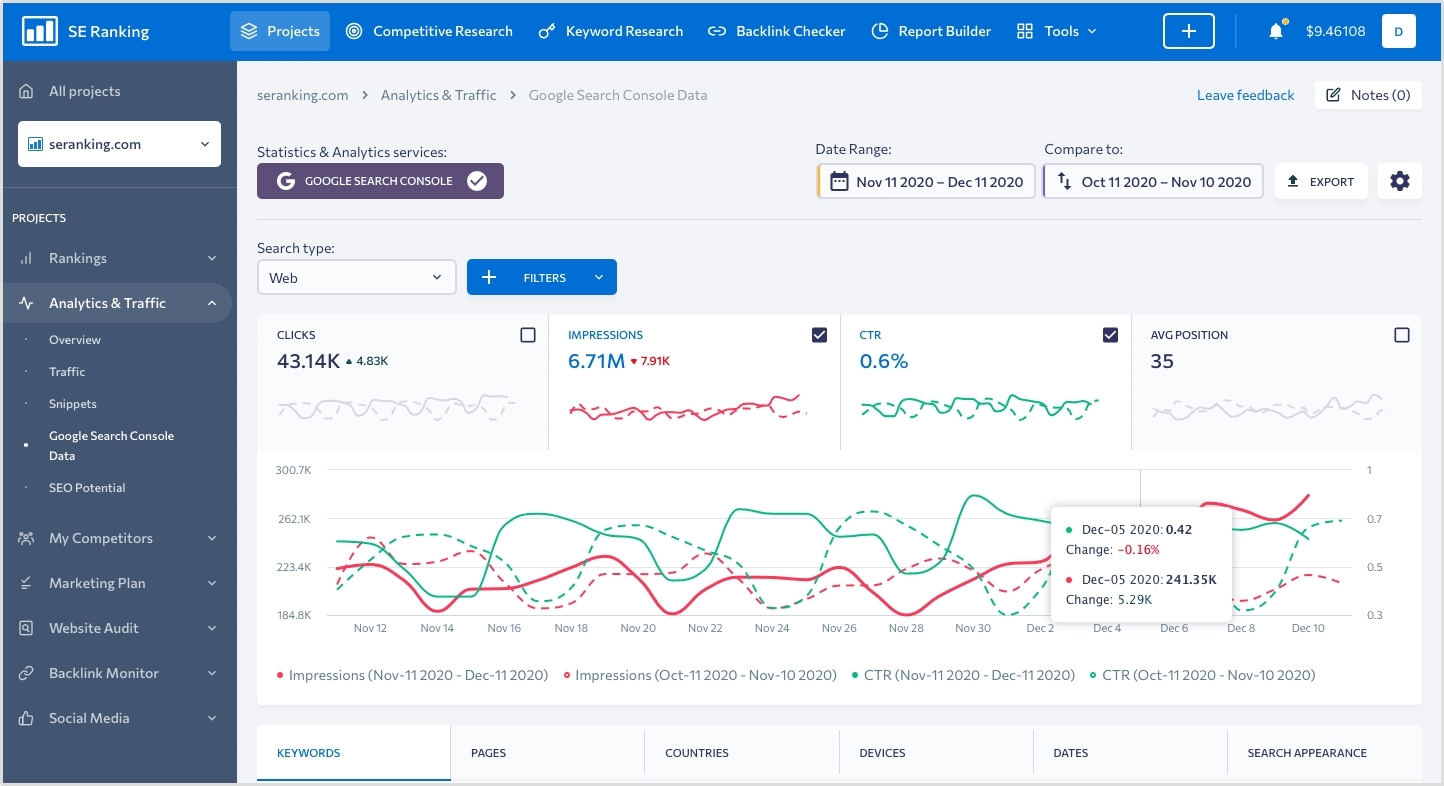
SE Ranking
All-in-One platform
$65/month
Complete SEO suite
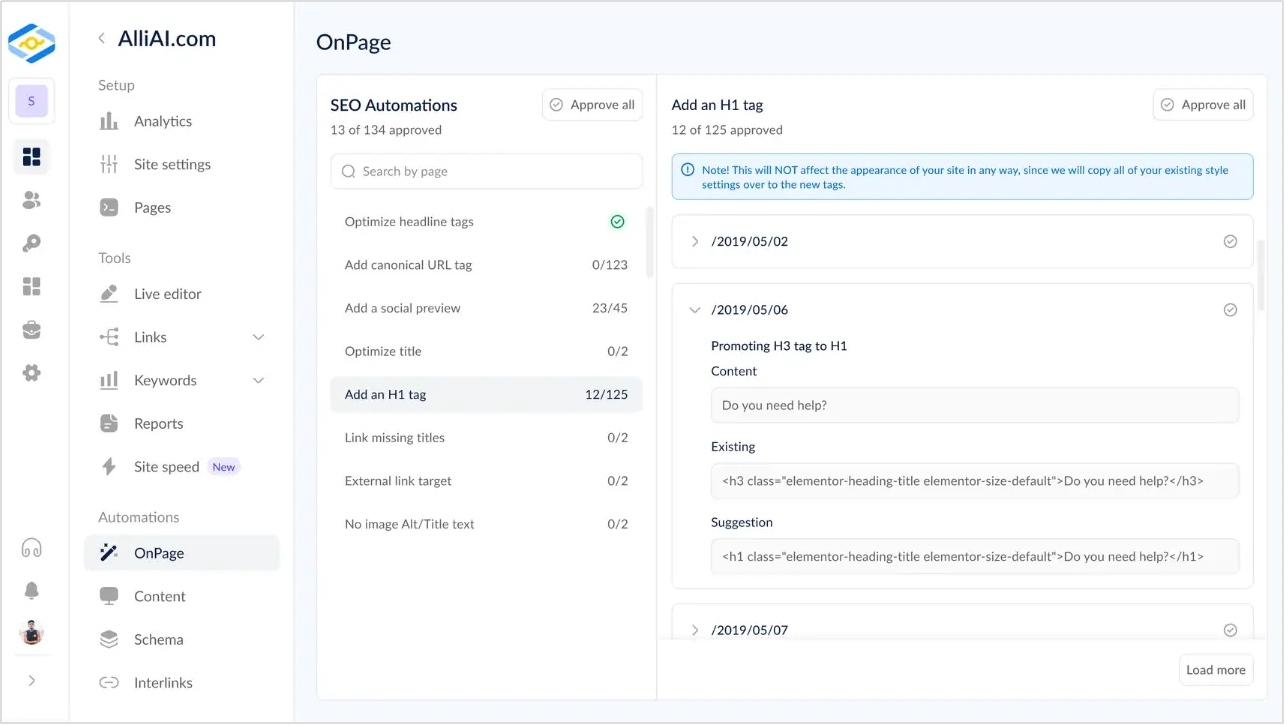
Alli AI
Technical SEO
$169/month
Automated optimization
The 12 best AI SEO tools for 2026
1. Contentpen.ai – Best AI-powered SEO content generator
Contentpen creates SEO content using four different AI agents. One agent researches competitors and keywords, another learns your brand’s writing style, the third optimizes content for search engines, and the fourth plans your content calendar and strategy.
What it does:
Contentpen transforms the traditional content creation process by automating research, writing, and optimization through intelligent AI agents. The platform analyzes top-ranking competitors, learns your brand voice, creates comprehensive content outlines, generates SEO-optimized articles, and manages your content calendar, ensuring consistency with your brand messaging and search intent alignment.
Key features
Multi-agent AI system: Four specialized AI agents handle research, brand voice, SEO optimization, and content strategy
Advanced SERP analysis: Deep competitor analysis with content gap identification and semantic keyword discovery
Brand voice cloning: AI learns your writing style and brand personality from existing content samples
2. Semrush Copilot – Best for SEO strategy & insights
Semrush Copilot is an AI-powered dashboard assistant integrated into the comprehensive Semrush SEO platform. It acts as your personal SEO analyst, automatically monitoring website performance across multiple metrics and delivering personalized, actionable insights instead of overwhelming you with raw data.
What it does
Copilot analyzes your Semrush data from tools like Position tracking, Site audit, and Competitive research, then translates complex metrics into clear, prioritized action items. It monitors your SEO performance 24/7, alerts you to opportunities and threats, and provides specific recommendations for improving your search rankings.
Key features
Personalized daily insights: Automated analysis of your SEO performance with actionable recommendations
Competitor monitoring: Real-time alerts about competitor movements and new opportunities
Technical SEO alerts: Automatic detection of crawl errors, broken links, and optimization issues
Keyword opportunity detection: Identifies new keyword opportunities and ranking improvements
Performance trend analysis: Tracks your progress and predicts potential issues
Content gap identification: Spots missing content opportunities in your strategy
Limitations
Requires an existing Semrush subscription (higher cost barrier)
Limited customization of insight types
Can be overwhelming for SEO beginners
Insights quality depends on your existing Semrush data setup
Pricing
Pro plan: $139/month – Includes Copilot with fundamental insights
Guru plan: $249/month – Enhanced Copilot features and historical data
Business plan: $499/month – Full Copilot capabilities with advanced analytics
Free trial: 14-day trial available
3. ChatGPT – Best overall AI assistant for SEO
ChatGPT is OpenAI’s versatile conversational AI that has become an indispensable tool for SEO professionals. While not specifically designed for SEO, its flexibility and advanced language understanding make it excellent for various optimization tasks when prompted correctly.
What it does
ChatGPT is a flexible AI assistant that can handle multiple SEO tasks through custom prompts. It analyzes content, generates SEO-optimized copy, creates detailed outlines based on competitor research, and helps with various optimization strategies, all through conversational interactions.
Key features
Flexible, prompt engineering: Unlimited customization for any SEO task
Content analysis: Evaluate existing content for optimization opportunities
Meta tag generation: Creates optimized titles and descriptions at scale
SERP analysis: Analyzes competitor content to identify gaps and opportunities
FAQ development: Generates featured snippet-optimized question sections
Internal linking strategy: Suggests linking opportunities and anchor text variations
Limitations
Requires SEO knowledge to craft effective prompts
No built-in SEO data or SERP analysis capabilities
Results quality varies significantly based on prompt quality
No direct integrations with SEO tools or platforms
Pricing
Free tier: Limited access to GPT-4.1 with usage restrictions
Team plan: $200/user/month – Team collaboration features, access to OpenAI o3‑pro
4. Frase – Best for content optimization
Frase is an AI-powered content optimization platform that analyzes top-ranking content and provides specific, actionable recommendations for improving its search performance. With data-driven insights, it bridges the gap between content creation and SEO optimization.
What it does
Frase analyzes search engine results pages (SERPs) for your target keywords, examines what makes top-ranking content successful, and provides detailed recommendations for optimizing your content. It combines content research, writing assistance, and optimization scoring in one streamlined workflow.
Key features
SERP Analysis with topic modeling: Detailed analysis of top-ranking pages with content structure insights
AI Article wizard: Step-by-step content creation based on competitor analysis
Real-time content scoring: Live optimization feedback as you write
Question research tool: Identifies common questions for FAQ optimization
Content brief generator: Creates detailed briefs based on top-performer analysis
Competitor content comparison: Side-by-side analysis of your content vs. competitors
Limitations
Limited content generation compared to dedicated AI writers
Requires manual input for best results
SERP analysis is limited to Google search results
Can be overwhelming for complete SEO beginners
Pricing
Starter plan: $45/month – 1 user, 15 content projects, SEO analytics for one domain
Professional plan: $45/month – 1 user, 30 search queries, advanced features
Jasper AI is a comprehensive AI writing platform that excels at creating long-form, brand-consistent content at scale. Initially focused on copywriting, it has evolved into a powerful tool for businesses that need to maintain consistent messaging across large volumes of SEO content.
What it does
Jasper generates high-quality, long-form content while maintaining your brand voice and style guidelines. It creates comprehensive blog posts, pillar pages, and detailed articles that align with your SEO strategy while ensuring consistency across all content pieces.
Key features
Brand voice training: AI learns and maintains your specific writing style and messaging
SEO mode integration: Built-in optimization features with Surfer SEO integration
Long-form templates: Pre-built templates for blogs, pillar pages, and comprehensive guides
Team collaboration: Multiple users can work within consistent brand guidelines
Content expansion: Transforms short briefs into comprehensive, detailed articles
Multiple output formats: Blog posts, social content, emails, and more from single inputs
Limitations
The higher learning curve for maximizing brand voice features
SEO optimization requires additional tool integrations
Can be expensive for smaller teams or individual users
Content may require significant editing for technical topics
Pricing
Creator plan: $49/month – 1 user, one brand voice training
Pro plan: $69/month – 5 users, three brand voices, AI Image generation & editing toolsets
Business plan: Contact them for this – Advanced team features, custom integrations
Free trial: 7-day trial available
6. Surfer SEO – Best for on-page optimization
Surfer SEO is a data-driven content optimization platform that pioneered the concept of content scoring based on SERP analysis. It provides real-time feedback on how well your content matches the optimization patterns of top-ranking pages for your target keywords.
What it does
Surfer analyzes the top-ranking pages for your target keywords and provides specific optimization recommendations, including keyword density, content length, heading structure, and semantic keyword usage. It offers real-time scoring as you write, ensuring your content meets optimization benchmarks.
Key features
Real-time content scoring: Live optimization feedback while writing
SERP analyzer: Detailed analysis of top-ranking competitor content
Content editor: Writing interface with built-in optimization recommendations
Keyword research tool: Data-driven keyword suggestions with difficulty scores
Content audit: Analysis of existing content with improvement recommendations
Content planning: Strategic planning tools for content clusters and topics
Limitations
Can lead to over-optimization if followed too strictly
Focuses heavily on keyword metrics rather than user experience
Limited content generation capabilities
May not account for brand voice and messaging nuances
MarketMuse is an AI-powered content intelligence platform that goes beyond individual content pieces to help you build comprehensive content strategies. It uses advanced topic modeling to identify content gaps and develop authority-building content plans for competitive niches.
What it does
MarketMuse analyzes your content against competitors to identify topical gaps, suggests content clusters that build authority, and provides strategic recommendations for content planning. It helps you understand what to write and how individual pieces fit into your broader content strategy.
Key Features
Topic modeling and authority analysis: Identifies content gaps and authority-building opportunities
Content planning dashboard: Strategic overview of your content landscape vs. competitors
Competitive content analysis: Deep analysis of competitor content strategies
Content scoring: A quality assessment based on topical coverage and depth
Content brief generation: Detailed briefs with strategic context and requirements
Content optimization: Recommendations for improving existing content performance
Limitations
Steep learning curve for new users
Higher price point than simpler content tools
Can be overwhelming for small businesses with simple needs
Requires strategic thinking to maximize value
Pricing
Free plan: Limited analysis, 10 queries per month
Standard plan: $149/month – 100 queries, content briefs, optimization
Team plan: $399/month – Unlimited queries and briefs, team features
Premium plan: Custom pricing for enterprise needs
8. Writesonic – Best for competitive analysis
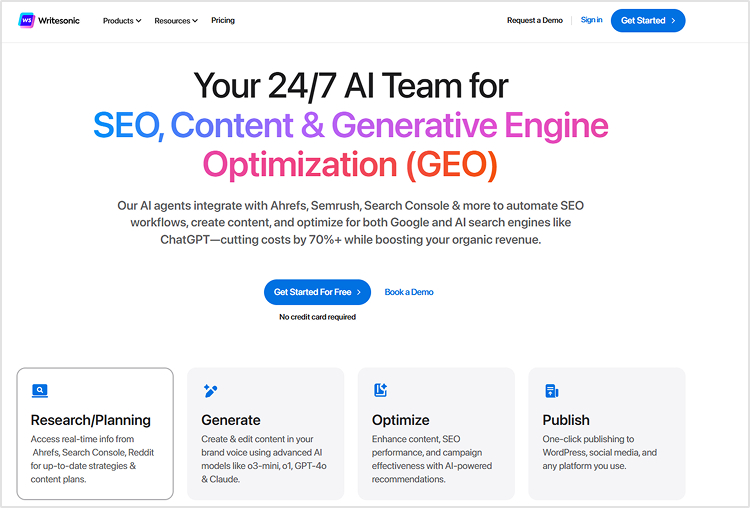
Writesonic has evolved from a simple AI writing tool into a comprehensive SEO platform with powerful competitive analysis capabilities. It combines AI-powered content creation with real-time competitive intelligence to help you stay ahead of competitors in fast-moving industries.
What it does
Writesonic analyzes competitor content strategies, identifies trending topics in your industry, and generates content that outperforms competition. It provides real-time insights into competitors’ actions and helps you create superior content based on competitive gaps.
Key features
Real-time competitive analysis: Live monitoring of competitor content and strategy changes
Trending topic identification: AI-powered detection of emerging trends in your niche
Content gap analysis: Identifies opportunities competitors are missing
Multi-format content generation: Blogs, social posts, ads, and more from a single input
SERP integration: Creates content based on the current search result analysis
Brand voice adaptation: Maintains consistent messaging across all content types
Limitations
Competitive analysis depth varies by industry
Content quality can be inconsistent without proper prompting
Limited advanced SEO features compared to dedicated SEO tools
Requires manual verification of competitive insights
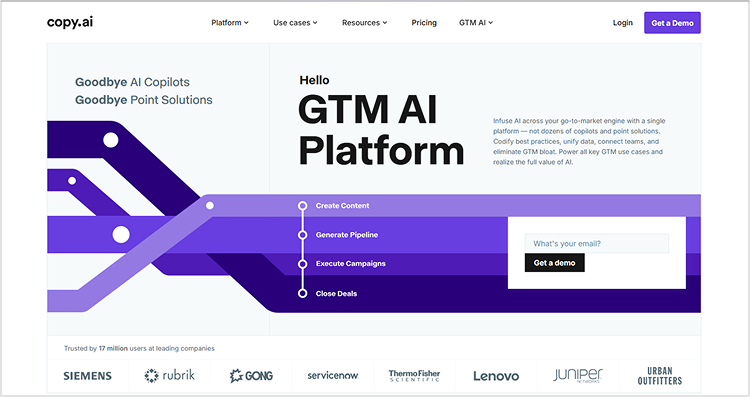
Copy.ai has transformed from a simple content generator into a comprehensive workflow automation platform for SEO teams. It specializes in creating systematic, repeatable content creation and optimization processes, making it ideal for teams that want to scale their SEO efforts efficiently.
What it does
Copy.ai automates entire SEO content workflows through customizable templates and multi-step processes. It creates systematic approaches to content creation, from keyword research to final optimization, allowing teams to maintain consistency and quality across all content pieces.
Key features
Workflow automation: Multi-step processes for complete SEO content creation
Template library: Pre-built workflows for common SEO tasks
Team collaboration tools: Shared workflows and approval processes
Integration capabilities: Connects with popular marketing and SEO tools
Custom workflow builder: Create unique processes tailored to your needs
Quality control systems: Built-in review and approval mechanisms
Limitations
Requires time investment to set up effective workflows
Advanced plan: $249/month – Advanced collaboration and integrations
10. Clearscope – Best for content quality
Clearscope is a premium content optimization platform that focuses exclusively on helping you create the highest-quality, most comprehensive content possible for your target keywords. It emphasizes content depth, user intent matching, and readability optimization over simple keyword targeting.
What it does
Clearscope analyzes top-performing content to identify not just what keywords to use but also how to structure content for maximum user value and search performance. Based on what actually ranks well, it provides detailed recommendations for improving content quality, readability, and comprehensiveness.
Key features
Advanced readability analysis: Detailed scoring and recommendations for user engagement
Business plan: $399/month – Advanced features, unlimited reports
Enterprise plan: Custom pricing – Full feature suite, dedicated support
Demo: Available upon request, no free trial
11. SE Ranking – Best all-in-one platform
SE Ranking is a comprehensive SEO platform offering a complete suite of optimization tools enhanced with AI capabilities, all at a more affordable price than premium alternatives. It provides everything from rank tracking to content optimization in a single, integrated platform.
What it does
SE Ranking combines traditional SEO tools with AI-powered insights to provide comprehensive website optimization capabilities. It handles rank tracking, technical audits, content optimization, competitor analysis, and performance reporting in one unified dashboard.
Key features
Complete SEO suite: Rank tracking, site audits, keyword research, and competitor analysis
AI-powered content editor: Smart content optimization with real-time scoring
Technical SEO automation: Automated site audits with AI-driven recommendations
Competitor intelligence: Comprehensive competitor analysis and monitoring
Local SEO tools: Specialized features for local business optimization
White-label reporting: Customizable reports for agencies and clients
Limitations
Individual tools may not be as advanced as specialized alternatives
Learning curve due to the comprehensive feature set
Limited advanced AI features compared to cutting-edge tools
Customer support can be slower than premium platforms
Pricing
Essential plan: $65/month – Basic features, suitable for small websites
Pro plan: $119/month – Advanced features, multiple projects
Business plan: $259/month – Full feature suite, agency tools
Free trial: 14-day trial available
12. Alli AI – Best for technical SEO
Alli AI is a specialized technical SEO platform that automates complex optimization tasks normally requiring developer resources. It focuses on implementing technical SEO improvements across websites without requiring coding knowledge or extensive development time.
What it does
Alli AI automatically identifies and fixes technical SEO issues across your website, from meta tag optimization to schema markup implementation. It performs bulk optimizations, automates routine technical tasks, and implements SEO best practices at scale without requiring manual coding.
Key features
Automated technical optimization: Bulk fixes for meta tags, headers, and technical elements
Schema markup automation: Automatic generation and implementation of structured data
Page speed optimization: Automated improvements for site performance
Internal linking automation: AI-powered internal link optimization and management
Technical SEO monitoring: Continuous monitoring and fixing of technical issues
A/B testing for SEO: Test different optimization approaches automatically
Limitations
High price point compared to content-focused tools
Requires careful monitoring to avoid over-optimization
Limited content creation capabilities
Setup complexity for advanced features
Pricing
Small plan: $169/month – Up to 1 site, basic automation features
Consultant plan: $399/month – Up to 5 sites, advanced features, team access
Agency plan: $699/month – 15 Sites, API access, AI agents
Enterprise plan: $1,249/month – Up to 50 sites, full feature suite
Free trial: 10-day trial available
How to use AI SEO tools without getting penalized?
Use AI as a starting point, not the finish line
AI tools create first drafts and research outlines. You need to add your expertise, real examples, and unique insights before publishing. This combination of AI speed and human knowledge creates content that ranks and provides real value.
Focus on search intent, not just keywords
Don’t just stuff keywords into AI-generated content. Make sure your content actually answers what people are searching for. Use AI to analyze top-ranking pages, then create content that solves problems better than competitors.
Maintain your brand voice
Train AI tools with your best content so they understand your writing style. Review everything before publishing to ensure it sounds like your brand, not a generic AI writer.
Fact-check everything
AI tools can make mistakes or use outdated information. Always verify facts, statistics, and claims before publishing. Add recent examples and current data to keep content accurate and relevant.
Build E-E-A-T Into Your Content
Google values Experience, Expertise, Authority, and Trust. Add author bios, personal examples, and case studies, and cite authoritative sources. Link to reputable websites and get quality backlinks to your content.
Don’t over-optimize
AI tools might suggest using keywords too frequently. Focus on natural language that helps readers first and search engines second. If the content sounds robotic, it needs more human editing.
Track performance and adjust
Monitor how AI-generated content performs compared to human-written pieces. Use this data to improve your prompts and processes. Not all AI content will rank well immediately.
Conclusion
SEO has changed completely in the past two years. AI tools now handle tasks that used to take hours of manual work.
After extensive testing, Contentpen emerges as the best seo platform for agencies, thanks to its innovative multi-agent approach and laser focus on creating content that ranks.
For businesses serious about scaling their SEO efforts, combining Contentpen.ai for content creation, Semrush Copilot for strategic insights, and ChatGPT (or a strong ChatGPT alternative like Jasper or Copy.ai) for flexible AI assistance creates a powerful toolkit that can compete with much larger competitors.
Frequently asked questions
Are AI SEO tools worth the investment in 2026?
Absolutely. The time savings alone justify the cost for most businesses. AI SEO tools can reduce content creation time by 70-80% while improving quality and optimization. The key is choosing tools that fit your specific needs and budget.
Will Google penalize AI-generated content?
Google doesn’t penalize content based on how it’s created—they focus on quality and user value. AI-generated content that’s well-researched, factually accurate, and serves user intent performs just as well as human-written content.
Can AI replace human SEO experts?
Not yet, and probably not entirely. AI excels at data analysis, content optimization, and routine tasks, but humans are still needed for strategy, creativity, and complex problem-solving. The most successful approach combines AI efficiency with human expertise.
How does Contentpen.ai compare to other AI SEO tools?
Contentpen.ai stands out for its multi-agent AI system and focus specifically on SEO content creation. While tools like Jasper are great for general content, Contentpen.ai is built specifically for content that needs to rank well in search engines.
The digital landscape is buzzing with excitement and anxiety about AI writing tools. From Contentpen’s intelligent content generation to ChatGPT’s conversational prowess and Jasper’s marketing copy expertise, artificial intelligence has stormed into the writing world with impressive capabilities. This technological leap forward has sparked a burning question that keeps writers awake at night: Will AI replace writers?
The short answer? It’s complicated. While AI is undeniably transforming how we approach writing, the reality is far more nuanced than a simple replacement scenario. Let’s dive deep into what this means for writers across every specialty, from technical documentation to creative fiction.
Key takeaways:
AI will not replace skilled writers , it will make them more productive and effective
Fiction and medical writers face the lowest risk of being replaced by AI
Basic content writers need to evolve by developing strategic and creative skills
AI excels at speed and research but lacks human creativity and emotional depth
Writers should use AI as a writing assistant, not fear it as competition
The future is collaboration between human writers and AI tools
Contentpen and similar tools help writers focus on strategy while AI handles routine tasks
What AI writing tools can actually do
AI has made remarkable strides in recent years, delivering capabilities that seemed like science fiction just a decade ago:
Content generation at lightning speed: Modern AI tools can produce first drafts in minutes rather than hours. Contentpen, for instance, can generate blog posts, social media content, and marketing copy with just a few prompts, significantly reducing the time from concept to completion.
Brainstorming and ideation support: Stuck staring at a blank page? AI excels at generating topic ideas, headlines, and content angles. Tools like Contentpen offer intelligent suggestions based on your target keywords and audience preferences.
SEO optimization made simple: AI writing assistants can analyze search intent, suggest relevant keywords, and structure content for better search engine visibility, taking the guesswork out of SEO content creation.
Personalization: AI can adapt tone, style, and messaging for different audience segments, enabling brands to create personalized content for thousands of users without manual customization.
Multi-language translation and repurposing: Advanced AI tools can translate content across languages and transform long-form articles into social media posts, email newsletters, or video scripts.
Learn more about AI-generated content and how it’s transforming content marketing.
What AI tools can’t replace: The human element
Despite these impressive capabilities, AI faces significant limitations that highlight why human writers remain irreplaceable:
Authentic human experience
AI can mimic emotional language, but it cannot genuinely experience emotions, relationships, or personal struggles that resonate with readers on a deep level.
Cultural nuance and contextual humor
Understanding cultural references, local idioms, and timing-dependent humor requires lived experience that AI simply cannot replicate authentically.
Deep industry expertise
While AI can process information quickly, it lacks the years of hands-on experience that allow expert writers to identify subtle trends, challenge assumptions, and provide insider perspectives.
Unique brand voice development
Creating and maintaining a distinctive brand voice requires understanding company culture, values, and audience relationships in ways that go beyond data analysis.
Ethical decision-making
Writers often face complex ethical considerations like what to include, how to frame sensitive topics, and when to challenge popular narratives. This all requires human judgment and moral reasoning.
Will AI replace specific types of writers?
Will AI replace
AI capabilities
Replacement risk
Human advantage
Technical writers
Template generation, basic explanations
Low
Complex system understanding, audience-specific translation, accuracy in evolving fields
Content writers
Generic article creation, basic research
Medium (for basic content)
Strategic storytelling, audience research, brand development expertise
Fiction writers
Plot ideas, overcoming writer’s block
Very Low
Character development, emotional depth, authentic human experience
SEO writers
Keyword research, basic optimization
Low
Search intent understanding, user behavior analysis, audience-focused strategy
Dramatic structure, character development, visual storytelling, creative vision
What would replacing writers with AI even look like?
Imagine a world where AI handles all writing tasks. Content would become homogenized, lacking the diverse perspectives that make communication rich and engaging. Brands would sound identical, stories would follow predictable patterns, and the authentic human voice that connects with audiences would disappear.
This scenario reveals why complete replacement isn’t realistic or desirable. Writing isn’t just about arranging words; it’s about making choices that reflect values, experiences, and intentions that resonate with human readers.
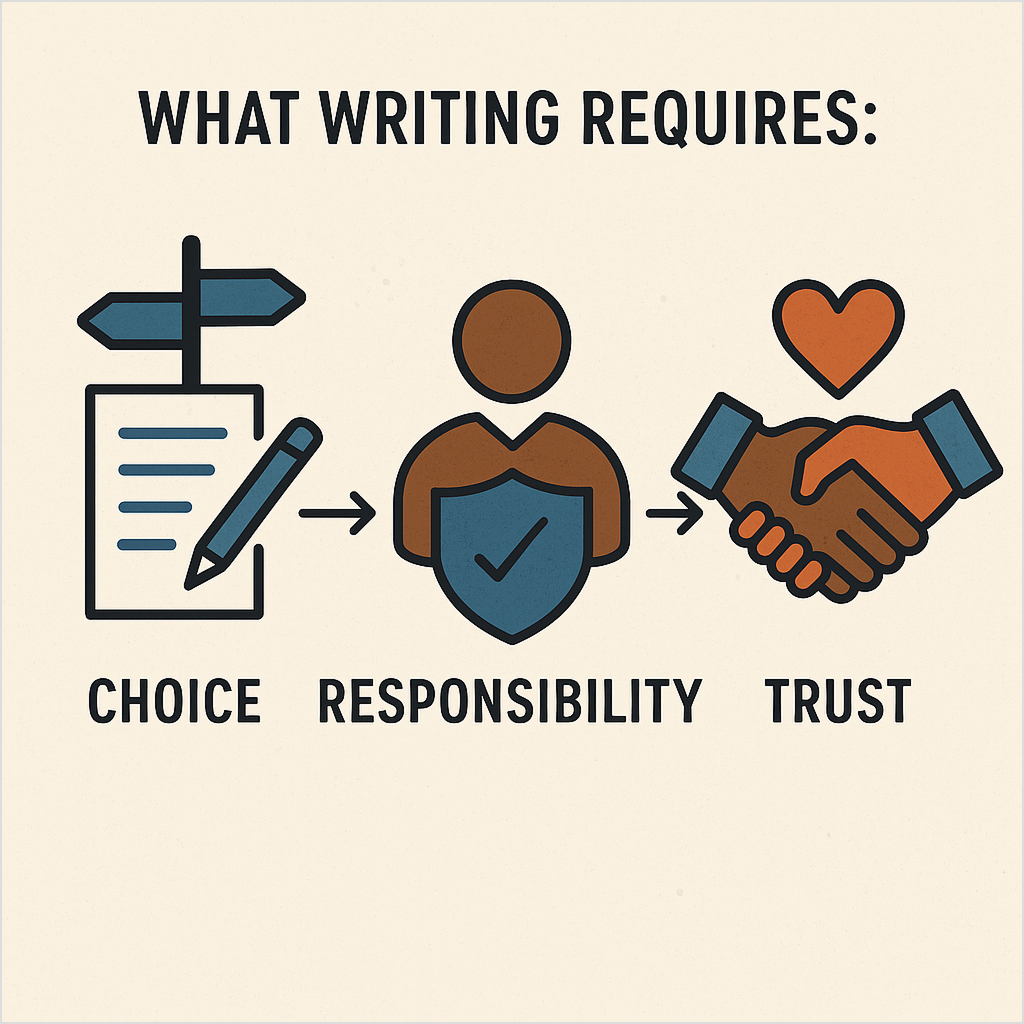
What writing requires: Choice, responsibility, and trust
Great writing involves three critical elements that remain uniquely human:
1. Choice: Every word, sentence, and paragraph represents a decision. Writers choose not just what to say, but how to say it, what to emphasize, and what to leave unsaid.
2. Responsibility: Writers bear responsibility for accuracy, ethics, and impact. They must consider how their words might affect readers and take ownership of their message.
3. Trust: Readers trust writers to provide honest, valuable, and authentic content. This trust is built through consistent quality, expertise, and genuine connection elements that require human integrity.
AI vs. humans: A comparative analysis
Creates a genuine personal connection
AI capabilities
Human strengths
Speed
Generate content in minutes
Thoughtful, deliberate creation
Consistency
Maintains tone across large volumes
Adapts style contextually
Research
Processes vast information quickly
Evaluates sources critically
Creativity
Combines existing patterns
Generates truly original ideas
Emotion
Mimics emotional language
Authentic emotional connection
Ethics
Follows programmed guidelines
Makes nuanced moral judgments
Expertise
Accesses broad knowledge base
Provides deep, specialized insight
Personalization
Scales to thousands of variations
Creates genuine personal connection
Cost
Low variable costs
Higher per-hour costs
Availability
24/7 operation
Limited by human schedules
Benefits of using AI as your writing assistant
Smart writers aren’t fighting AI, they’re actually embracing it as a powerful ally:
Eliminate first draft paralysis: AI tools can generate initial drafts, giving writers a starting point to refine and perfect rather than staring at a blank page.
Conquer writer’s block: AI can suggest angles, headlines, and approaches when creativity runs dry, keeping projects moving forward.
Maintain brand consistency: AI can learn brand voice guidelines and help maintain consistent messaging across all content channels.
Quality content creation: By handling research and initial drafts, AI allows writers to focus on strategy, creativity, and refinement, producing more high-quality content.
Creative freedom: With AI handling routine tasks, writers have more mental energy for creative problem-solving and innovative content approaches.
Contentpen: The ultimate AI writing partner for modern writers
Among the numerous AI writing tools available today, Contentpen has emerged as the best AI writer that truly understands the writer’s workflow and challenges. Unlike generic AI tools that simply generate text, Contentpen is specifically designed to enhance human creativity rather than replace it.
What makes Contentpen different?
While many AI writing tools focus on generic content generation, Contentpen takes a fundamentally different approach, one designed to help serious content marketers, agencies, and businesses create high-quality, brand-aligned, SEO-optimized content that ranks.iWhile many AI writing tools focus on generic content generation, Contentpen takes a fundamentally different approach, one designed to help serious content marketers, agencies, and businesses create high-quality, brand-aligned, SEO-optimized content that ranks.
Brand knowledge & custom intelligence
When a workspace is created, a dedicated AI agent dives deep into the website, learning unique brand knowledge, selling points, target audience, and even competitors. One can further enrich this by uploading PDFs, help docs, or any other internal assets, giving Contentpen a deeper understanding of your business.
Smart keyword & title selection
Contentpen helps you select target keywords and automatically suggests high-CTR titles based on search intent and audience behavior, ensuring your content aligns with what your audience is searching for.
2-Step optimized blogs
Using the insights gathered, Contentpen builds a research-backed outline and SEO-optimized blog in just two simple steps. Providing a solid foundation for crafting high-quality articles that both engage readers and rank on search engines. You can create a blog in 10 minutes, complete with an SEO-friendly structure and table of contents.
High-quality first draft
Unlike generic AI text, Contentpen activates multiple specialized AI agents to generate content for each section, blending brand insights with deep topic research. The result is a well-structured, authoritative first draft that sounds human, resonates with your audience, and reflects your brand’s unique voice.
Internal/external linking
Contentpen adds strategic internal and external links, along with relevant images, to further strengthen the article’s authority and visual appeal, giving you a polished piece ready for immediate publication.
Effortless publishing
With everything complete, your optimized article is ready for publishing. Then, you’ll be able to publish directly to WordPress and other popular CMS platforms from within Contentpen.
How Contentpen supports writers (not replaces them)
Contentpen positions itself as the ideal middle ground between complete AI content automation and traditional writing methods. It recognizes that the best content comes from combining AI efficiency with human creativity, expertise, and strategic thinking.
Writers using Contentpen report significant improvements in productivity without sacrificing quality, often producing 3x more content while maintaining their authentic voice and creative control.
The platform serves as a sophisticated writing assistant that learns from your preferences and adapts to your workflow, making it an indispensable tool for writers who want to stay competitive in an AI-driven landscape.
The future is collaboration, not replacement
The question “Will AI replace writers?” misses the bigger picture. AI will not replace great writers! It will empower them to do their best work more efficiently and effectively.
Think of AI writing tools like Contentpen not as threats, but as sophisticated assistants that handle the heavy lifting so you can focus on what humans do best: creating meaningful connections, telling compelling stories, and bringing authentic perspectives to your audience.
The writers who will thrive in this new landscape are those who embrace AI as a tool for enhancement rather than fear it as competition. They’ll use AI to eliminate busywork, accelerate research, and generate ideas. Then apply their uniquely human skills to create content that truly resonates.
Hence, AI won’t replace writers who understand their unique value and adapt to new tools. Instead, it will separate strategic, creative writers from those who simply fill pages with words. The future belongs to writers who combine human insight with AI efficiency to create content that’s both scalable and genuinely valuable.
Frequently asked questions
Will AI really replace writers?
No, AI won’t replace great writers, but it will change how content is created. AI can handle repetitive tasks, generate drafts, and assist with research, but it can’t match human creativity, emotional depth, or strategic thinking. Writers who learn to collaborate with AI tools like Contentpen will only become more valuable.
Is AI a threat to writers?
AI isn’t a threat to skilled writers; it’s an opportunity. Writers who embrace AI can work faster, scale their output, and focus on higher-level creative tasks. Those who resist may struggle to keep up in a competitive content landscape.
Are content writers being replaced by AI?
Basic content writing is becoming more automated, but strategic content creation, brand storytelling, and thought leadership still require a human touch. Instead of replacing content writers, AI tools like Contentpen are helping them write better content in less time.
Can AI replace scriptwriters?
AI can assist script writers by generating ideas, dialogue snippets, and formatting, but it can’t replace the creative vision, emotional nuance, or storytelling expertise of human script writers. AI is best used as a tool to enhance, not replace, script writing.
AI writing tools have transformed the way we create content – making it faster, easier, and more scalable than ever before. Whether you’re a blogger, marketer, or business owner, AI content writing tools can save you time and deliver impressive results.
In this list, we’ve rounded up the 10 best AI writing tools available today. From generating SEO blog posts to crafting product descriptions and ad copy, these artificial intelligence writing tools cater to a wide range of content needs. And leading the pack is Contentpen, built to handle bulk content production without sacrificing quality.
Let’s dive in.
1. Contentpen – scalable, brand-aligned blog creation
Contentpen is the best AI writing tool for bulk content generation. Designed specifically for agencies, content teams, and marketers, this AI writing software handles everything from ideation to publishing using a multi-agent system. Learn how to write an article using Contentpen for optimal results.
Key features:
Brand-aligned content using your custom voice, tone, and messaging
Data-driven keyword and topic suggestions based on intent and SERP analysis
Research-backed SEO outlines with headings, questions, and keyword clusters
Automated long-form drafting with internal linking and relevant references
SEO optimization tools for metadata, alt text, and plagiarism checks
Visual generation with AI-created featured and in-line images
Whether you’re managing one brand or multiple clients, Contentpen empowers your team to create consistent, SEO-optimized content faster and more efficiently—without compromising your brand’s voice or editorial standards.
Pricing:
Free trial: Available
Starter: $39/month
Premium: $79/month
Agency: $199/month
Best for: Bulk content generation, SEO teams, and agencies View pricing
2. Jasper
Jasper is one of the recognized AI writing platforms, known for its versatility and ease of use. It’s a popular AI writing tool offering templates for long- and short-form content. It’s among the best AI for writing across marketing campaigns.
Ideal for marketing teams and solopreneurs looking for customizable AI writing support.
Pricing
Creator: $39/month
Pro: $59/month
Business: Custom pricing
Best for: Teams needing high-quality, versatile content generation
3. Copy.ai
Copy.ai is another powerful tool aimed at creating short-form content like ads, emails, social media posts, and product descriptions. It’s one of the best AI content generation tools for marketers.
Key features:
Dozens of content templates
Easy-to-use interface
Workflow automation for bulk tasks
Multilingual support
Free plan available
Copy.ai is best suited for small businesses and entrepreneurs needing quick, snappy copy.
Pricing
Free plan: Available (limited features)
Starter: $49/month
Advanced: $249/month
Best for: Quick marketing copy and short-form content
4. Writesonic
Writesonic is popular among budget-conscious users who still want rich content outputs. It supports both short-form and long-form content and includes a chat interface for custom writing instructions. It’s great for blogs, landing pages, and ecommerce content writing.
Writesonic offers a solid combination of functionality and pricing flexibility.
Basic plan: $20/month
Lite plan: $49/month
Standard: $99/month
Best for: Affordable content creation for blogs and landing pages
5. Rytr
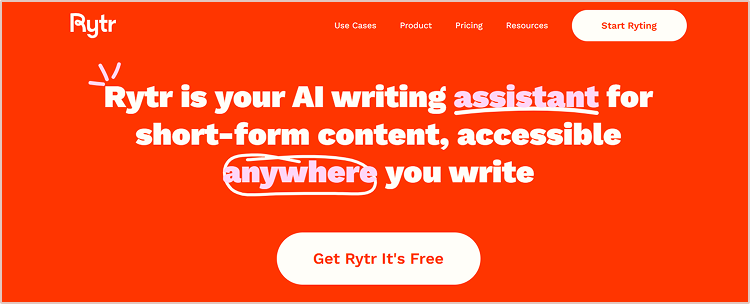
Rytr is known for its simplicity and affordability. Rytr is a straightforward, affordable tool for freelancers. It’s one of the best free AI writing tools to start with.
Key features:
40+ use cases across content types
Simple document editor
Built-in plagiarism checker
Affordable pricing
Browser extension
If you’re looking for a clean and budget-friendly writing tool, Rytr is a strong choice.
Pricing:
Free plan: $0/month
Saver plan: $9/month
Unlimited plan: $29/month
Best for: Individuals and freelancers
6. Scalenut
Scalenut combines AI for writing with deep SEO research. It’s perfect for teams focused on ranking and topic clusters.
Key features:
Topic cluster planning
AI content generation
Cruise mode for guided writing
SERP analysis tools
Content brief generator
Scalenut is great for marketers who want to blend AI efficiency with SEO best practices.
Pricing:
Essential: $49/month
Growth: $79/month
Pro: $149/month
Best for: SEO-focused content strategies
7. Frase
Frase offers SEO-focused AI writing software that studies top-ranking pages and generates optimized content. It’s best suited for content marketers and strategists.
Key features:
Content briefs from top-ranking pages
AI-assisted writing and optimization
Answer engine for FAQs
Topic and keyword suggestions
Integrations with Google Search Console
Frase excels when research and relevance are top priorities.
Pricing:
Starter: $45/month
Professional: $115/month
Enterprise: Custom
8. Wordtune
Wordtune enhances your existing text. It’s a writing AI tool ideal for rephrasing and improving clarity. It’s perfect for writers who want to improve sentence clarity, rewrite paragraphs, and tailor tone for different audiences.
Key features:
Sentence-level suggestions
Tone customization
Summarization and expansion tools
Chrome extension available
Google Docs integration
Wordtune is best for editors, bloggers, and professionals polishing their own content.
Pricing:
Free plan: Available
Plus: $13.99/month
Unlimited: $19.99/month
Best for: Rewriting and improving clarity of text
9. INK
INK is a content writing AI software that includes a proprietary SEO score to improve content visibility.
Key features:
AI content writer
SEO content score
Readability improvements
Plagiarism checker
Desktop app
INK is helpful for those who need writing and ranking assistance in one tool.
Pricing:
Professional: $39/month
Enterprise: Custom pricing
Best for: SEO-focused writers and marketers
10. Hypotenuse AI
Hypotenuse AI is tailored for ecommerce businesses that need product descriptions, collection pages, and ads. It is designed for ecommerce product content. It’s one of the best AI content generators for Shopify users.
Key features:
Bulk product description generator
AI art generator
Shopify integration
Tone customization
Research-backed blog writing
If you run an online store, Hypotenuse AI is a tool worth considering.
Pricing:
Basic: $150/month
E-commerce Pro: Custom pricing
E-commerce Enterprise: Custom pricing
Best for: Ecommerce content and bulk product descriptions
Whether you’re looking for an AI writing program to create SEO articles, a content AI writer to produce product pages, or simply the best AI tool for writing blogs, the tools above are excellent choices. With options ranging from free plans to enterprise-grade solutions, these content writing apps cover every use case.
Want to ensure your AI-generated content remains brand-aligned? Contentpen and similar AI writing assistants can be trained to match your tone and voice, offering superior results for high-volume campaigns.
Start by identifying your content goals—volume, quality, SEO, or speed—and choose the tool that aligns best with your workflow.
For those who want to scale up fast without compromising quality, Contentpen remains one of the strongest options out there.
FAQs about AI writing tools
What are AI writing tools?
AI writing tools are software powered by artificial intelligence and natural language processing to create or optimize text. These tools can generate content for blogs, social posts, emails, and more.
Which is the best AI writing tool for bulk content creation?
Contentpen is among the best AI writing tools for bulk content creation, thanks to its multi-agent workflow and CMS integration.
Are AI writing tools SEO-friendly?
Yes. Many AI tools for writing (like Contentpen) include SEO features such as SERP analysis, keyword suggestions, and on-page SEO scoring.
Can AI writing tools completely replace human writers?
AI content writing tools can streamline production, but human writers remain essential for creativity, emotion, and strategy.
Can AI writing tools help with brand voice consistency?
Yes, advanced AI tools like Contentpen can analyze your existing content, help docs, and brand materials to learn your unique tone and voice. This ensures every piece of generated content stays aligned with your brand identity—especially helpful for agencies and multi-brand teams.
Do AI writing tools support publishing directly to my CMS?
Tools like Contentpen, Writesonic, and Hypotenuse AI allow direct publishing to CMSs like WordPress.
Blogging has changed quite a bit since the advent of AI tools, but some things have never changed. Budding bloggers are still curious about that magic question: “How long does it take to write a blog post?”
The common answer to this question is that it depends on each blogger’s writing process. It’s not fair to fixate on the duration of blog post writing. Sure, speed is the mark of a professional blogger, but there’s more to this.
Almost every seasoned blogger goes through multiple stages of blog post creation to complete a worth-reading piece.
In this post, we’ll explore what the experts say, share some studies, and then break down how long it should take to write a blog post, plus how tools like Contentpen can help speed things up without compromising quality.
What do studies say about average blog writing time?
The duration of the blog post writing can be influenced by niche, the blogger’s experience, the subject matter, and the article’s size.
However, a lot of bloggers still want to get into this rabbit hole. So, let’s take a look at some of the studies about average blog writing time:
Nina from SheKnowsSEO ran a poll across different all of these social media channels asking followers about this very question. She found out that 40.3% followers said 5-6 hours and 32.2% followers said 3-4 hours.
Neil Patel also shared his statistics about how long it takes to write a blog post that ranks in Google, even in the AI-generated content era. He revealed the average blog writing time from 2015 to 2025. In 2015, it took 2 hours and 10 minutes to write a blog post on average, whereas in 2025, it took 2 hours and 59 minutes to write a blog post.
These studies tell us that it usually takes 3 to 5 hours to write a blog post, but this can vary depending on different factors.
How long does it take to write a blog post, and how much time does each stage take?
Here are the stages involved, from finding the idea to hitting the publish button in your content management system:
i. Ideation
Ideation is the earliest stage in the process. It’s the time when you start brainstorming ideas for blog posts. You can draw inspiration from trending topics, frequently asked questions, your personal experiences, or competitor content. A good blog idea should be relevant to your target audience, timely, and capable of delivering value.
ii. Keyword research
Several keyword research tools like Ahrefs, Semrush, and Google Keyword Planner help bloggers and SEOs find keywords people are actively searching for. Striking a balance between high search volume and low competition is the way to go.
iii. Blog outline
Before starting to write the article, create an outline to organize your thoughts. It’s best to break your topic into main sections using H2, H3, and H4 subheadings. Add bullet points or short notes under each section to stay focused while writing. A clear outline improves the article’s structure and helps deliver the right message.
iv. First draft
The first draft is crucial to writing an impactful piece. Write your first draft based on the blog outline as soon as possible. Focus on getting your ideas down without worrying too much about structure, formatting, and grammar. Use a conversational tone, support your points with examples or data, and aim to keep your readers engaged throughout.
v. Editing phase
After finishing the first draft, revise your content for clarity, structure, grammar, and engagement. Remove unnecessary words, improve sentence flow, and ensure smooth transitions between sections. Don’t hesitate to go through several times during the editing phase to refine your message.
vi. Image creation
Images make your blog post more engaging and easier to understand. Blog post images include screenshots, infographics, featured images, and other example images that support the message. Try tools like Canva or VistaCreate to design custom images, and don’t forget to optimize image size and file names for SEO.
vii. Grammar check
Run your content through grammar-checking tools like Grammarly or Quillbot to catch spelling and grammar issues. Also, check for sentence clarity, passive voice, and wordiness. A well-polished blog post builds trust with readers and reflects professionalism. So, don’t rush to hit publish after the editing phase. Instead, take your time to improve the article.
viii. Formatting
Formatting is a critical phase in the blog writing process. Format your blog post to enhance readability, attract eyeballs, and improve engagement. Use headings, bullet points, short paragraphs, and bold text for emphasis. Make sure all links work correctly, and the article contains the basic sections, such as the intro, body, and conclusion.
ix. Publishing/scheduling
Once everything is perfectly done, it’s time to upload your blog post to your blogging platform and add essential elements like SEO metadata, images, internal links, and external links. After completing this process, you can publish the blog post immediately or schedule it according to your blog content calendar.
How to write blog posts faster without losing quality?
Speeding up your content creation process doesn’t have to mean compromising on quality. The key is to use a smart AI-powered writing assistant like Contentpen — a powerful SEO content writer for bloggers designed to help you generate content, expand on ideas, and overcome writer’s block while maintaining a consistent tone and structure.
1. Pick your topic and define a clear angle
Start by narrowing down your topic. Instead of writing about broad subjects like “digital marketing,” choose specific angles such as “how small businesses can use email marketing to boost repeat sales.” A focused topic gives your blog a clear direction, improves reader engagement, and speeds up the writing process.
2. Set up your content preset in Contentpen
This is where Contentpen truly sets itself apart. It allows you to create a customized content preset to match your brand voice and style.
Tone of voice: Choose from options like clear and helpful, professional and friendly, or confident but concise to keep your tone consistent across every blog post.
Target audience: Specify exactly who you’re writing for—be it marketers, SaaS founders, freelancers, or product teams.
Formatting preferences: Automate how key ideas are styled—use bold for emphasis, bullet points for easy scanning, and tables or quotes where needed.
Article structure: Set your ideal post length and enable optional sections like FAQs, takeaways, or a conclusion to make every post reader-friendly.
Linking strategy: Configure how internal and external links are handled to ensure SEO-friendliness and maintain trustworthiness.
With all these presets in place, Contentpen handles the structure, tone, and formatting while you focus on the actual content.
3. Write without distractions
Now that your preset is in place, you can dive straight into writing. Contentpen ensures formatting and style consistency in the background, so you don’t need to switch between writing and editing modes.
This lets you put all your energy into explaining ideas clearly, building arguments, and adding value. Writers often find that this workflow leads to better writing in less time.
4. Add visuals seamlessly
Visuals make blog posts more engaging, but manually handling them can eat up time. With Contentpen:
Featured images are automatically sized and placed
In-content visuals retain a consistent style
Tables are formatted neatly
The overall visual hierarchy stays intact
You simply choose the right images—Contentpen ensures they look great and don’t disrupt your workflow.
5. Review and schedule with ease
With structure and formatting already handled, your review can focus purely on content quality. Look over the main takeaways, flow, grammar, and headline effectiveness. Once you’re happy, either publish it right away or schedule it for later.
Factors that affect the duration of writing a blog post
Before we discuss the debate about how long it takes to write a blog post, it’s essential to discuss the factors that determine that time.
1. Time constraints
Time constraints refer to the hurdles that limit the amount of time available to complete a task. Each individual has different time constraints depending on their day job, working hours, or part-time gigs.
2. Writer’s block
Writer’s block is a condition in which writers fail to think and write about the topic they want to write about. It freezes their creative thinking, resulting in frustration and demotivation.
3. Clarity of thoughts
Clarity of thoughts means the person is mentally ready to take the challenge head-on. It shows that the person is pretty clear about the pathway and prepared to move forward with confidence.
4. Mental and physical health
Both mental and physical health are crucial to the creative writing process and surely impact the duration of writing a blog post.
5. Workload or multiple jobs
One of the factors that affects quite a lot of bloggers is the workload or juggling multiple jobs at once. When someone is buried under a lot of work or managing multiple projects, this person might not be able to complete the tasks on time.
Now, let’s discuss various stages of blog post writing and publishing just to clear the context.
Conclusion
Due to time constraints and obligations, bloggers optimize their processes to make the most of their time.
While it shouldn’t matter how long it takes to write a blog post, it’s important to keep track of the time as we’re on the clock. Therefore, we learned that it takes somewhere between 3 to 6 hours to write a blog post.
However, make sure that the content is helpful, valuable, and worth sharing. At the end of the day, nobody cares how long it took you to write that blog post. All that matters is what “value” it delivers.
So, be mindful of that and put out blog posts that make an impact!
FAQs about blog post writing duration
How long does it take to write a 1000-word blog post?
A 1000-word blog post shouldn’t take any longer than 2 hours. However, there are always exceptions to the rule.
Is a 500-word blog post too short?
Usually, a 500-word blog post is considered concise unless it completely answers the query and satisfies the readers.
How long should SEO blogs be?
There are no hard and fast rules for the length of SEO blog posts. However, it’s best to write slightly longer yet relevant articles than competitors in the SERP.
How many words should a blog post be for SEO 2026?
SEO has changed siginificantly in 2026, and will continue to do so going forward. However, the blog post length should be somewhere between 3,000 to 4,000 words.
Artificial intelligence (AI) has shaken the world with its quick adoption across all mainstream fields, such as medicine, education, engineering, agriculture, IT, and technology.
This has led to the opening of new information portals through AI-generated content. However, fact-checking AI-generated content has been a challenge since its inception.
Given that AI can mass-produce content within a few seconds, the chances are that the AI content generators might spit out some misleading information.
So, to cope with these AI-based content creation challenges, marketers, agencies, and publishers must rely on trusted tools like Contentpen. It’s an advanced AI blog content generator that streamlines AI-based content generation for both personal and professional users.
Write better blogs in less time, without sacrificing quality.
Let AI handle structure, clarity, and flow while you stay in control of the message.
The best part about Contentpen is that it equips bloggers, SEOs, marketers, and influencers to create and publish high-quality, SEO-optimized articles in no time.
Why is it important to fact-check AI content?
AI-powered content is gaining massive popularity, especially among digital marketing circles. The reason is that it’s easy to create and affordable for everyone, making AI content verification and authentication challenging. Therefore, AI content fact-checking has never been this important.
Let’s go through some of the key reasons for fact-checking AI content:
Risk of spreading misinformation
Spreading incorrect information generated with AI can be extremely damaging to your brand. Not only does it hurt your brand voice, but it also affects the audience that consumes the content. This is why it’s important to have checks and balances on AI-generated content.
AI hallucinations
While AI content generators can give answers or generate pieces that have low content accuracy, an AI tool may generate content that contains completely unverified, incorrect information. This behavior of AI content creation tools is called AI hallucinations.
Inaccurate explanation of critical subjects
One of the key reasons why it’s important to have a fact-checking system for AI content in place is that inaccurate information on critically important subjects, such as medicine, health, fitness, finance, and others, could have serious consequences on people’s lives.
Reputation at stake
Reputation is hard to make but even harder to maintain. In the digital marketing world, where every individual and brand wants to dominate the space with high-ranking articles, viral TikTok videos, and million-view YouTube videos, reputation is always at stake. So, publishing AI content without fact-checking puts the brand reputation at risk.
7 steps to fact-check AI-generated text
Experienced digital marketers and professional bloggers ensure they fact-check AI-generated content before publishing on their blogs. Here are seven steps to take when fact-checking AI-generated content:
Step 1: Identify the source and context
AI generates text by scanning relevant sources and compiling information from them. Therefore, it’s necessary to take a moment to examine its origin and purpose. Blindly trusting or sharing AI-generated content can lead to certain issues.
You must have some idea of the source of AI-generated text to get a clear picture. AI-generated outputs can be shaped by prompts, user intent, or platform defaults, so context matters. Make sure the source of the AI content is identified and mentioned.
Step 2: Cross-verify claims with trusted sources
One of the essential steps is the cross-verification of the claims. Don’t accept facts at face value. Check key claims against credible sources such as government websites, well-known media outlets, statistics portals, or academic databases.
This is especially important for data-driven content (that includes statistics, dates, or numbers) or news-based content. When using AI for content creation, supplement it with your manual research process to ensure accuracy.
For example, Statista is the go-to website for various types of statistics:
Step 3: Analyze citations and references
It’s easier to get carried away when generating text with AI-powered writing tools. It’s no surprise that AI can sometimes generate fake or misrepresented citations. When it comes to cited sources, they can be fake or unavailable. So, always check whether the cited sources exist, are properly formatted, and genuinely support the statements made.
Sometimes, tools like ChatGPT can create hyperlinks based on the prompt, but the pages it’s linking out to don’t exist.
To solve this, Contentpen comes equipped with built-in sitemap integration, allowing it to automatically add internal links to your content if you choose to enable it. You can also take advantage of the external linking feature, which keeps your content accurate and SEO-optimized.
It intelligently suggests relevant links from your own site or trusted external sources, so you’re not just linking for the sake of it; you’re linking with purpose. With Contentpen, you can eliminate broken links, strengthen your site structure, and build reader trust with confidence.
Step 4: Use fact-checking tools and extensions
One important aspect of using AI-generated text is fact-checking. Publishing AI content without proper examination, either manually or using a third-party fact-checking tool, can have serious consequences. Nobody wants to put their credibility on the line.
Fact-checking tools can make your work faster and more reliable, thanks to tools like Google Fact Check Explorer, Snopes, and others. Moreover, browser extensions such as NewsGuard or Media Bias/Fact Check can also help validate trending topics or controversial claims.
Step 5: Detect bias or hallucination in AI text
Most AI tools give a heads-up to the users about the possibility of incorrect information. The reason is that these AI models can “hallucinate”, meaning make up facts or inject bias through overly confident or emotionally charged phrases.
Users are advised to be alert to statements that sound overly definitive without support or sources. Contentpen helps you clean up these biases and tone issues by refining AI drafts into accurate, neutral, and human-sounding content that fits your editorial standards.
Step 6: Review data, stats, and quotes separately
Since AI writing tools can find references or cite sources in the generated content, there is no guarantee that those citations or references are 100% right.
AI-generated content may mix accurate information with plausible-sounding but incorrect data. Always double-check statistics, dates, and quoted statements using sources like official reports, press releases, or verified interviews.
The whole point is that you don’t blindly rely on automated writing tools alone. Try to build a habit of confirming details manually, especially when publishing content on data-heavy topics.
You must have seen a tag saying “medically reviewed by [doctor’s name]” on top of the medical or health-related articles. The purpose is to showcase that a subject matter expert verifies this information.
However, this verification shouldn’t be limited to medicinal or health content. If you publish content in legal, scientific, finance, and fitness niches, it’s wise to consult experts before publishing.
AI can mimic confidence or hallucinate without seeming dodgy, so getting a professional’s input can be the difference between credible and misleading content. Whether you’re refining a blog post or publishing an eBook, combine AI support with real-world insights for high-authority publishing.
Conclusion
The purpose of writing this piece about fact-checking AI-generated content is to ensure that the brand’s reputation isn’t affected by low-quality AI-based content.
When a brand publishes unverified content or doesn’t support the claims with citations, it starts to affect its credibility.
Since AI tools can add gibberish or link out to non-existent sources, automated fact-checking seems inevitable, especially for publishers that heavily rely on AI writing tools.
Here are the key takeaways to apply when fact-checking AI-generated content:
The answers AI-powered writing tools generate must make sense to a common person. The advanced AI models can work on in-depth scientific and technical topics to assist users.
The real-life implementation of the suggested solutions is important. The solutions AI suggests must be doable in real life and shouldn’t be vague, resulting in ambiguity.
Users must adhere to the responsible and fair use policy of the AI writing tools to create valuable and effective content that impacts readers’ lives.
Users must not solely rely on the AI tools for answering questions related to health, medicine, food, finance, and other sensitive areas.
No wonder fact-checking for AI-generated content can be a tedious task unless you have a system in place or a tool that streamlines the whole process.
Contentpen is a state-of-the-art AI blog writing tool that creates and publishes highly effective, SEO-friendly articles without breaking the bank.
It’s an advanced AI writer that dives deep into the user’s website to gather brand knowledge. Users can also provide brand assets, such as docs or PDFs, to let the AI agent know everything about the brand.
It can create an effective blog outline that transforms the blog writing purpose. It offers a research-backed structure and semantic SEO build-up from the very base.
Contentpen employs multiple AI agents that collaborate and work in coherence. Moreover, it’s able to produce both authoritative and engaging content across different social media channels.
FAQs about fact-checking AI-generated content
How to fact-check AI information?
There are several fact-checking AI information tools available on the market, for instance, Automated Fact-Checker and AI Fact-Checking are two popular ones.
Does Google fact-check AI content?
Google seems to be working on its fact-checking AI content tool that might be available sometime in the future. However, there are no confirmations whatsoever.
Does ChatGPT do its fact-checking?
ChatGPT doesn’t have its fact-checking system in place as of now, but you never know what it will come up with in the future. Users have to rely on third-party tools for this.
AI-generated content quickly transforms how individuals and businesses create written, visual, and audio material. From blog posts and product descriptions to social media captions and marketing videos, artificial intelligence is now capable of producing content that closely mimics human creativity.
This shift isn’t just a passing trend; it’s becoming an essential tool in modern content strategies, offering speed, efficiency, and scalability like never before.
But what exactly is AI-generated content, and how does it work? In this article, we’ll explore the fundamentals of AI-driven content creation, the tools behind it, its benefits and limitations, and how it compares to traditional human-made content.
Whether you’re a marketer, writer, or curious reader, understanding AI-generated content is key to staying ahead in the evolving digital landscape.
What is AI-generated content?
AI-generated content refers to any type of media; text, images, video, or audio created with artificial intelligence. Instead of relying solely on human input, this content is produced using machine learning models that can understand context, patterns, and language structures to generate human-like results.
For example, a marketer might use an AI writing tool like Contentpen to generate a blog post outline or a complete article based on a short prompt such as “Top 5 social media trends for 2026.” The AI will analyze the prompt, draw from its training data, and produce coherent and relevant content within seconds.
AI-generated content can range from social media captions and product descriptions to music tracks and digital artwork, making it a powerful resource for creators and businesses looking to scale content production quickly and efficiently.
Types of AI-generated content
AI can produce various content formats depending on the purpose and platform. Here are the most common types:
Text-based content: Blog posts, articles, social media captions, emails, product descriptions, ad copy.
Visual content: AI-generated images, infographics, and designs.
Audio content: Voiceovers, podcast scripts, and AI-cloned voices for narration or interactive media.
Video content: Scriptwriting, subtitles, and even fully AI-generated video clips or avatars.
Interactive content: Chatbot conversations, quizzes, personalized recommendations, and customer support flows.
Each type uniquely serves in modern marketing and communication, helping creators and teams scale content faster than ever.
How does AI generate content?
Aspect
Description
Core technologies
Uses Natural Language Processing (NLP) and Machine Learning (ML) to understand and generate text.
Training data
Trained on vast datasets like books, websites, articles, and more to learn structure, grammar, and tone.
Language models
Models like Contentpen predict words and generate coherent content based on the input.
Visual content creation
Tools like DALL·E and Midjourney turn text prompts into images using AI-based image generation models.
Audio and music
AI can clone voices or compose music by identifying and mimicking patterns in sound data.
Human vs. AI creation
Humans use intuition and experience; AI relies on data and algorithms to simulate creativity.
In short, AI mimics how humans create content, but instead of intuition and experience, it relies on data and algorithms.
Uses of AI-generated content
AI-generated content is transforming how individuals and businesses create, scale, and manage content. Here are some of the most common and impactful use cases:
Blog writing & SEO
AI blog writer tools like Contentpen help generate keyword-optimized articles, meta descriptions, and blog outlines—making it easier to maintain content consistency and improve search rankings.
Social media content
Platforms like ContentStudio use AI to create engaging captions, hashtags, and platform-specific posts, saving time and boosting engagement.
Email marketing
AI assists in writing personalized subject lines, email bodies, and product recommendations—improving open and conversion rates.
E-commerce product descriptions
Retailers use AI to automatically generate thousands of product descriptions while maintaining tone and structure across listings.
Customer support & chatbots
AI powers chatbots, auto-replies, and help center content, offering 24/7 support and reducing the need for manual intervention.
Video scripts & podcast outlines
Creators use AI to draft scripts, show notes, and episode summaries for YouTube, TikTok, and podcasts. Marketers also use avatars from tools, such as the avatar generator, to turn scripts into professional videos without cameras, studios, or actors.
Internal reports & summaries
AI helps teams generate meeting notes, executive summaries, and status updates quickly and consistently.
Benefits of using AI for content creation
AI is reshaping content creation by offering practical advantages that help creators, marketers, and businesses work faster and smarter. Here are the key benefits explained:
1. Speed and efficiency
AI can produce content in seconds that might take human hours or even days to create. Whether generating an article outline, writing a product description, or designing a social media post, AI helps streamline repetitive tasks and accelerates content workflows. This allows teams to focus more on strategy and creativity.
2. Scalability
One of AI’s biggest advantages is its ability to consistently create a large volume of content. Brands managing multiple platforms or targeting global audiences can use AI to generate variations of content quickly, making it easier to scale campaigns without burning out internal teams.
3. Cost-effectiveness
Hiring writers, designers, or video editors for every piece of content can be expensive. AI reduces this burden by automating parts of the process, lowering production costs. While it may not replace human expertise in all areas, it can handle simpler, high-volume tasks at a fraction of the cost.
4. Multilingual capabilities
Many AI tools support content generation in multiple languages. This helps businesses reach international audiences without needing a separate translator or writer for each market. AI can localize content while maintaining tone and context, speeding up global content strategies.
5. Consistency and personalization
AI can consistently follow brand guidelines, tone, and messaging across all pieces of content. At the same time, it can personalize messages at scale, for example, by creating customized email subject lines or ad copy based on user behavior or preferences.
When used strategically, AI boosts productivity and enhances brands’ communication with their audiences, making it a valuable asset in today’s content-driven world.
Popular tools for AI content generation
With the rise of AI in content creation, a wide range of tools have emerged, each offering unique features to help writers, marketers, and businesses scale their efforts. Below are some of the most widely used and trusted AI content generation tools:
1. Contentpen
Contentpen is a powerful AI content generation tool designed to help businesses scale their content output efficiently without sacrificing quality or SEO performance. Built for growth-driven teams, it blends speed, creativity, and optimization to simplify content production across the board.
Key features:
Bulk content generation
Automated keyword suggestions
Built-in SEO optimization tools
Deep brand voice analysis and integration
Built-in content approval workflow
Multiple specialized AI agents
Direct WordPress publishing integration
Pricing:
Starter: $27/month
Premium: $55/month
Agency: $139/month
2. ContentStudio’s AI Assistant
ContentStudio’s AI Assistant is designed to help marketers, content creators, and businesses generate high-quality, engaging content faster and more efficiently.
Its customizable writing tones, text enhancement, and a predefined prompt library make the job easy. The AI assists in creating social media captions, generating images, generating text from images, hashtags, and more, all tailored to your brand voice and audience.
Best for: Generating and editing short-form social media content and images.
3. Canva & Canva Magic Write
Canva is no longer a simple graphic design tool but an efficient AI-driven content creation platform. Its user-friendly drag-and-drop interface makes designing social media posts, presentations, and videos accessible to everyone without any pro-level design skills.
Canva Write Magic is an AI writing tool built into Canva that assists in generating short-form content for presentations, social posts, and designs. It pairs well with Canva’s visual editing features.
Best for: Designers and marketers who want quick, AI-powered copy for visual content.
Choosing the right AI tool depends on your specific content goals, whether you need fast output, tailored copy, or polished language. Many professionals use a combination of tools to generate, refine, and scale content efficiently.
AI-Generated content vs human-written content
As AI becomes more prevalent in content creation, it’s important to understand how it compares to traditional human writing. Each approach has its strengths and weaknesses, and the best results often come from knowing when to use one over the other or how to combine both.
The table below will provide a quick glance:
Aspect
AI-generated content
Human-written content
Speed & volume
Extremely fast; can create high volumes of content in seconds
Slower, but allows for thoughtful, deliberate writing
Highly creative; draws on unique experiences, emotions, and storytelling
Accuracy
Can generate factual errors; does not verify information
Can research and fact-check for reliable, up-to-date content
Tone & voice
Can imitate tone styles but may lack brand consistency or nuance
Captures subtle tone variations and maintains consistent brand voice
Cost & Efficiency
Low cost, high efficiency for repetitive tasks
Higher cost, but with greater attention to detail and quality
Emotional connection
Lacks emotional depth; harder to build authentic audience relationships
Connects with readers on a deeper, emotional level
Best used for
Product descriptions, social media posts, drafts, bulk content
Storytelling, opinion pieces, thought leadership, sensitive or in-depth topics
AI-generated content is a powerful tool for fast, scalable content production, but it can’t fully replace human insight, creativity, and emotional intelligence. The most effective content strategies often combine both, letting AI handle the heavy lifting while humans polish, guide, and elevate the final output.
Is AI content ethical and legal?
As AI-generated content becomes more widespread, important ethical and legal questions arise. Understanding these concerns is critical for creators and businesses to use AI responsibly and avoid pitfalls.
1. Copyright and intellectual property
One of the most significant legal questions around AI content is ownership. Since AI models learn from vast amounts of existing work, there’s a debate over whether AI-generated content infringes on copyright. For example, in 2023, the U.S. Copyright Office clarified that works created entirely by AI without human authorship may not qualify for copyright protection. However, copyright can be claimed if a human edits or guides the AI output.
Example: OpenAI’s content is governed by usage policies that clarify user ownership of AI-generated content, but creators must ensure that they do not infringe on copyrighted material used in training.
2. Transparency and disclosure
Ethical use of AI content often involves disclosing when AI generates or assists content. This transparency builds trust with audiences and avoids misleading readers who might assume all content is human-created.
Example: The Associated Press openly stated it uses AI to generate earnings reports and weather updates, but clarifies when content is AI-assisted to maintain credibility.
3. Bias and fairness
AI models can inherit biases from the data they were trained on, leading to discriminatory or unfair content. For example, facial recognition AI and language models have shown biases against minority groups due to unbalanced datasets.
Example: IBM’s AI Fairness 360 toolkit helps developers detect and mitigate bias in AI models.
AI-generated content can unintentionally spread false or misleading information because AI doesn’t verify facts. For example, during the COVID-19 pandemic, some AI-generated content circulated misinformation, highlighting the need for human review.
Example: Fact-checking organizations like Snopes emphasize the importance of human oversight for AI content.
5. Job displacement concerns
The rise of AI in content creation has sparked debates about potential job losses among writers, editors, and creatives. However, AI is also seen as a tool to augment human work rather than replace it entirely.
Example: The World Economic Forum reports that while AI may displace some jobs, it will also create new roles focused on managing and enhancing AI technology.
6. Compromised SEO rankings
Although AI can help optimize content for search engines, overreliance on it can lead to keyword stuffing or content that lacks true value, both of which can hurt SEO rankings. Additionally, since AI draws from large datasets, there’s a possibility of unintentionally reproducing phrases that are too similar to existing content, raising plagiarism concerns.
7. Lack of human emotion and creativity
AI struggles to replicate human nuance, emotional intelligence, and storytelling ability. It can’t truly empathize with readers or deliver content with a unique voice or flair. This can be a disadvantage in content where tone, emotional resonance, or originality is key, such as brand campaigns or opinion pieces.
AI-generated content offers incredible possibilities, but ethical and legal considerations must guide its use. Transparency, accountability, and human involvement are key to ensuring AI supports creativity without compromising trust or integrity. Staying informed about evolving laws and best practices will help users navigate this complex landscape responsibly.
Wrapping up: The future of AI in content generation
AI is not just a trend; it’s reshaping how content is ideated, created, distributed, and optimized. As the technology advances, its role in content creation will continue to evolve, moving beyond assistance into true collaboration with human writers.
In the near future, we can expect AI tools to become more context-aware, better at understanding nuance, and more integrated across creative workflows. Personalized content at scale, real-time language translation, and predictive content strategies will become the norm.
Writers and marketers will work alongside AI as co-creators using it to speed up production, test variations, and unlock deeper insights from data.
However, human creativity, emotion, and storytelling will remain irreplaceable. The future lies in striking the right balance: letting AI handle repetitive tasks while humans lead with originality, empathy, and ethical judgment.
In essence, AI won’t replace content creators; it will empower them to do more, faster, and smarter.
FAQs on AI-generated content
What is AI-generated content?
AI-generated content refers to text, images, audio, or video created by artificial intelligence tools or algorithms, often trained on large datasets. These tools can produce blog posts, product descriptions, social media content, and more with minimal human input.
How does AI create content?
AI uses natural language processing (NLP) and machine learning to understand patterns in data. It analyzes existing content and then generates new material based on prompts or instructions given by the user.
What types of content can AI generate?
AI can create a wide range of content, including articles, marketing copy, social media posts, emails, poetry, code, images, and even videos. The quality and accuracy depend on the tool and the input provided.
Is AI-generated content original?
Yes, AI-generated content is typically original in the sense that it produces unique outputs based on training data. However, it’s essential to review for accuracy, tone, and potential plagiarism—especially for sensitive or factual content.
Can AI-generated content replace human writers?
AI can assist or speed up content creation, but it’s not a full replacement for human creativity, critical thinking, or emotional nuance. The best results often come from combining AI with human editing and oversight.
Content doesn’t just need to be created, it needs to stay relevant, accurate, and engaging. That’s why Contentpen’s article refresh feature is a game-changer for bloggers, marketers, and SEO professionals alike.
Whether you’re updating outdated stats, improving SEO, or giving your piece a modern twist, Contentpen makes refreshing articles quick and simple.
In this guide, we’ll walk you through step-by-step instructions on how to refresh an existing article in Contentpen.
Why refresh an existing article?
Before diving in, let’s quickly understand the value of refreshing content:
Boost SEO performance – Google loves fresh content.
Update outdated information – Stats, trends, and tools change.
Improve readability and structure – Content evolves as user expectations shift.
Optimize for conversions – Refresh your CTAs or align with new campaign goals.
Instead of writing from scratch, Contentpen allows you to breathe new life into existing content with minimal effort.
Step-by-step: How to refresh an existing article in Contentpen
Step 01: Start from the dashboard
Log into your Contentpen account. Once you’re inside, you’ll land directly on the main dashboard.
From here, click the “Create Article” button in the top right corner. A popup will appear with three options. Select “Start Blank.”
Step 02: Add your content
You’ll now have a blank canvas to work with. Here, paste the article you want to refresh.
Important: Analyze the existing content
Before you start making edits, take a moment to read through the entire article. Ask yourself the following questions:
Is the content still relevant?
Does it have outdated information?
Are there any broken links or outdated statistics?
Can you add any new insights, case studies, or recent trends?
Having a clear picture of what needs updating will guide your editing process.
Step 03: Click on “Ask AI”
Once your content is added, it’s time to start the refresh process.
On the right-hand menu, you’ll see the “Ask AI” option. Click on it, and the Contentpen AI bot will appear.
Tip: Use tools like Contentpen’s SEO assistant to check keyword optimization for your title and meta description.
Step 04: Give instructions to the Contentpen AI bot
You can give the AI bot specific instructions for what you want to improve. Some example prompts include:
“Add internal linking suggestions for related blog posts on our site.”
“Adjust the tone to fit better a younger audience (20–30 years old).”
“Add a FAQ section addressing common reader questions.”
Or simply say: “Update this content based on the latest data and SEO trends.”
Bonus tip:Rewrite specific paragraphs sentences or change the tone for clarity. If a paragraph feels awkward or unclear, Contentpen can help rephrase it more readably.
The AI can also modify the tone of specific sections to match your brand voice, whether you want it to be more casual, formal, or persuasive.
Step 05: Enjoy your updated content
Once the AI processes your request, you’ll receive a refreshed version of your article. Review it, make any necessary manual tweaks, and you’ll be good to go.
Once you’re happy with the updates, hit the “Publish” button. Contentpen will automatically save and publish the refreshed article. You can also choose to schedule the update for a later time if preferred.
How to refresh an already published article?
Let’s say you want to update a previously published piece. Here’s how to do that:
Log into your Contentpen account – If you haven’t already, sign in.
Navigate to your dashboard – You’ll see a list of all your saved or published articles.
Locate your article – Click the “Edit” button next to the article you want to refresh. This will open the content editor where you can make all necessary updates.
Refreshing your article? Don’t forget about the visuals:
Replace outdated images with fresh ones
Optimize image sizes for better load times
Add descriptive alt text for SEO
Contentpen allows you to easily integrate visuals, infographics, and even video content to enhance engagement.
Check your CTAs
Make sure your calls-to-action are still relevant to your current goals or campaigns.
Check formatting
Ensure headings, lists, and spacing look clean and consistent.
Test links and image visibility
Click through all internal and external links and confirm all visuals load properly.
Final thoughts
Refreshing your existing articles with our blog writer is an effective way to ensure your content remains relevant, valuable, and optimized for both search engines and readers. By following these steps, you can quickly and easily update your content, improve SEO, and maintain a high-quality blog. Make it a regular practice to refresh older articles to keep them competitive and engaging.
Frequently asked questions
Can I refresh an article without starting from scratch in Contentpen?
Yes! Contentpen allows you to paste and edit your existing article directly. You can update content, change tone, improve SEO, and more, without rewriting the whole thing.
Will Contentpen keep my original formatting during the refresh?
Contentpen maintains most of your formatting, but it’s always a good idea to review headings, lists, and spacing in the preview before publishing the refreshed version.
How can I make sure my refreshed content is SEO-friendly?
Use the built-in SEO assistant in Contentpen to check your keywords, meta tags, and headings. You can also instruct the AI to optimize your article based on the latest SEO trends.
Can Contentpen help rewrite just certain paragraphs or sentences?
Absolutely. You can highlight specific sections and ask the AI to rephrase them for clarity, adjust tone, or improve readability—without changing the rest of your content.
Effective internal and external linking is essential for SEO, guiding users through your website and building content authority. Proper links help search engines understand your site structure and direct readers to related content. While manual linking works for smaller sites, it becomes time-consuming and error-prone as your content grows.
Automation streamlines this process by scanning your site and inserting valuable links without manual effort, saving time and ensuring consistency.
Wondering how much time manual linking costs you?
By the end of this guide, you’ll see why automating your linking strategy boosts SEO, improves crawlability, and enhances user engagement. Contentpen makes this process simple and scalable, whether you’re a small business owner, content manager, or SEO specialist.
Why automate internal and external linking?
Manual link management quickly becomes overwhelming as your content volume increases. When you handle links on a case-by-case basis, inconsistencies inevitably emerge, with some pages receiving too many links while others remain underlinked or completely disconnected. This uneven approach not only wastes precious time but also creates an imbalanced site structure that confuses both users and search engines.
Manual linking creates several challenges as your content grows:
Time-consuming process that diverts resources from content creation
Inconsistent implementation leading to unbalanced site structure
Difficulty in maintaining links as content volume increases
Higher risk of missed linking opportunities
Challenges in identifying the most valuable linking connections
Automated linking eliminates these challenges by systematically scanning your entire website for linking opportunities and inserting connections based on predefined rules and contextual relevance. Small business owners can maintain a professional site structure without hiring additional staff, while marketing teams can ensure linking consistency across hundreds or thousands of pages with minimal effort.
Manual linking
Automated linking with Contentpen
A slow process that needs constant attention.
Saves hours of work through intelligent automation
Inconsistent implementation across content
Ensures uniform linking strategy site-wide
Links often added based on convenience rather than strategy
Strategic link placement based on relevance and SEO value
Difficult to scale as content library grows
Effortlessly scales with expanding content libraries
Prone to human error and oversight
Systematically identifies all potential linking opportunities
Requires ongoing manual review to maintain
Self-maintains with minimal oversight required
How much of your workweek currently goes toward manual link-building and maintenance tasks?
The benefits extend beyond mere time savings. Automated linking creates a balanced link profile that clearly signals site relevance and authority to search engines, driving improved search visibility and organic traffic.
It prevents common issues like broken links, orphaned pages, and thin content areas while strengthening your overall site architecture. For websites with extensive content libraries, automation transforms linking from an insurmountable task into a strategic advantage that consistently supports your SEO goals.
Getting started: Automating linking with Contentpen
Automating linking with Contentpen is simple and integrates easily into your content workflow:
Start by logging in to your Contentpen account. From the dashboard you’ll see a feature menu on teh left from there go to Knowledge> Website.
You’ll spot the “Add sitemap” and “Find Sitemap” option
Step 01: Add your sitemap
Upload your sitemap so Contentpen can understand your website’s internal structure.
Step 02: Filter internal links (Optional step)
Use Contentpen’s filtering options to exclude specific internal links you don’t want inserted. This helps you maintain control over your link strategy by avoiding redundant or low-priority pages.
Step 03: Manage your sitemaps
Once added, your sitemap(s) will appear with status indicators. You can test URLs or edit/remove entries as needed. Internal linking works based on these sitemaps – no keyword filtering or domain exclusions are needed for this step.
Step 04: Enable external linking (optional)
Turn on the external linking toggle if you want Contentpen to automatically insert relevant external links. It will find high-quality articles based on your niche and language preferences.
Pro tip: Specify which domains you want to include or exclude from external links. This keeps your content free from competitor links and ensures only trusted sources are used.
Step 05: Proceed to next step
Click Next to move forward and continue setting up the rest of your content optimization.
The benefits of automated linking for SEO and user experience
Implementing automated linking delivers substantial advantages for both your site’s search engine performance and visitor experience:
Boosted search engine crawlability and indexing
Strategic distribution of authority across your site
Improved page rankings for key content
Enhanced user navigation and engagement
Reduced likelihood of orphaned pages
Consistent implementation of your linking strategy
Boosting search engine crawlability and indexing
Automated internal linking creates clear pathways for search engine bots to discover and index every corner of your website. Pages that might otherwise remain isolated (commonly called “orphan pages”) become seamlessly integrated into your site’s structure through contextually relevant links.
When search engines can easily navigate your site, they’re more likely to discover, crawl, and index all your valuable content. This comprehensive linking network signals to Google and other search engines that your site is well-organized and thorough – qualities that positively influence your overall rankings.
Improved crawlability also means that updates and new content get picked up more quickly, keeping your site fresh and relevant in search results. Each automated internal link acts as a signpost, guiding both users and crawlers through your content ecosystem and ensuring that no valuable page gets overlooked or undervalued in search results.
Distributing authority and improving page rankings
Internal links distribute authority (sometimes called “link juice”) from high-performing pages to those that need a ranking boost. Automated linking systems ensure this distribution happens strategically and consistently across your entire website.
By identifying your cornerstone content and automatically linking it to related, less prominent pages, the system helps elevate the overall ranking potential of your site. This balanced flow of authority distribution enhances individual page rankings while supporting a cohesive site-wide SEO strategy that builds on your existing strengths.
Have you noticed certain pages on your site performing well while others struggle to gain visibility?
Automation minimizes human error in authority distribution and ensures important pages receive necessary attention at scale. With methodical link placement, every page benefits from the collective strength of your website, leading to noticeable improvements in search engine visibility and performance across your entire content library.
Enhancing user navigation and engagement
Well-placed internal links guide readers naturally through your content, directing them to related articles and valuable resources they might otherwise miss. This intuitive navigation encourages visitors to spend more time exploring your site, reducing bounce rates and increasing engagement metrics that search engines value.
Automated linking ensures every content piece connects logically to related topics, creating a seamless user journey that feels natural rather than forced. As visitors find it easier to locate relevant information, their overall experience improves significantly – they’re more likely to view multiple pages, return for future visits, and perceive your site as an authoritative resource.
The interconnected environment created through automated linking serves both functional and strategic purposes, making navigation intuitive while simultaneously strengthening your site’s topical authority in the eyes of search engines.
Conclusion
Automating internal and external linking is no longer a luxury – it’s essential for scaling content marketing. As content grows, manual linking becomes unmanageable and inconsistent, hurting SEO and user experience.
Contentpen solves this with intelligent automation, offering sitemap integration, contextual link suggestions, and customizable presets to keep your site structure strategic and user-friendly.
With Contentpen by your side, you can rank on Google, as you get better crawlability, improved authority flow, and smoother user journeys – without the manual effort.
It lets you focus on creating valuable content while ensuring every page is meaningfully connected. As search engines prioritize relevance and experience, automated linking gives you a lasting edge.
Frequently asked questions
Why is internal linking important for SEO?
Internal linking helps search engines understand your website structure and distribute link equity across your pages. It also guides users to related content, increasing time on site and improving engagement metrics that support better rankings.
How does Contentpen automate internal linking?
Contentpen uses your website’s sitemap to identify related pages and automatically inserts contextually relevant internal links. This ensures comprehensive coverage and consistent implementation across all content without manual effort.
How does Contentpen choose external links?
Contentpen scans your content for relevant topics and context, then recommends authoritative external sources that match your content’s theme. It also allows you to block competitor domains to avoid linking to unwanted sources.
Will automated linking hurt my content’s readability?
No. Contentpen is designed to preserve the natural reading flow. It places links contextually and intelligently, ensuring that the reader experience remains seamless and engaging.
How does Contentpen handle existing content?
Contentpen scans your entire site, including existing pages, and inserts links based on contextual relevance and sitemap structure. This ensures older content also benefits from updated and strategic linking.
Who should use Contentpen?
Contentpen is ideal for content marketers, SEO professionals, editors, and website owners who manage growing content libraries and want to scale their linking strategy without sacrificing quality or consistency.
Creating high-quality content consistently is one of the biggest challenges modern brands face, especially when working with multiple writers or relying on AI assistance.
That’s where the brand knowledge feature in Contentpen comes in. It allows you to define your brand’s identity, voice, target audience, and strategic messaging, all in one place, so every piece of AI-generated content reflects your unique positioning.
Whether you’re a B2B SaaS company, digital marketing agency, or content manager running multiple campaigns, aligning your content with your brand identity helps build trust, improve conversions, and save time. In this guide, you’ll learn how to build brand knowledge in Contentpen using its four key components: brand voice, website, files, and text snippets.
Each step ensures the AI writes in your voice, for your audience, with content that supports your marketing and business goals.
From outline to publish-ready content
that fills them
Setting up brand knowledge in Contentpen ensures all AI-generated content aligns with your brand voice, audience, and messaging.
The setup involves four key components: Brand Voice, website, files, and text snippets – all managed in one place.
Uploading your sitemap and reference files improves content accuracy, consistency, and internal linking.
Regular updates to brand knowledge keep your content strategy aligned as your brand evolves.
What is brand knowledge in Contentpen?
Brand knowledge in Contentpen – is a foundational feature that trains the AI to understand your brand’s identity, voice, audience, and messaging framework. Instead of starting from scratch every time you generate content, you can preload essential brand information so Contentpen consistently produces accurate, on-brand outputs.
The brand knowledge setup consists of four integrated components:
Brand voice: Define your brand’s tone, unique selling proposition (USP), audience personas, author style, and content themes. This sets the tone and strategic direction for AI writing.
Website: Add your sitemap so Contentpen can automatically crawl and understand your site structure. This improves both the accuracy of content references and the quality of internal linking, helping the AI point readers to the right product, feature, or resource pages.
Files: Upload internal documents such as brand guidelines, product decks, or past content that reflect your voice and messaging.
Text snippets: Create reusable blocks of copy (e.g., product descriptions, taglines, value props) to maintain consistency across assets.
This central system acts as your brand’s memory inside Contentpen, making it easier to scale content creation while preserving voice, relevance, and messaging clarity.
Why aligning content with your brand identity matters
Customers’ interaction with your content shapes how they perceive your brand. If your messaging, tone, or positioning is inconsistent, it creates confusion, weakens trust, and reduces the likelihood of engagement or conversion.
Aligning content with your brand identity ensures that every blog post, email, landing page, or social caption reflects your unique voice and values, regardless of who is writing or which AI is assisting.
Here’s why it matters:
Consistency builds trust: When your tone, vocabulary, and message stay consistent across channels, it reinforces brand recognition and credibility.
Saves editing time: Writers and marketers spend less time reworking AI-generated content because it already sounds “on-brand” from the first draft.
Improves content performance: Clear, targeted messaging resonates better with the intended audience, resulting in higher engagement, lower bounce rates, and improved conversions.
Supports SEO and internal linking: A clearly defined brand voice and page structure help the AI generate SEO-aligned content with proper internal links, driving more traffic to key pages.
By configuring brand knowledge in Contentpen, you’re improving content creation and turning it into a strategic asset that accurately and consistently reflects your brand.
Setting up brand knowledge in Contentpen is a one-time configuration that enables the AI to fully understand and replicate your brand’s identity. The setup is divided into four core components: Brand Voice, Website, Files, and Text Snippets, all accessible from the knowledge tab in the sidebar.
Follow these five steps to complete your setup:
Step 1: Log in or sign up to Contentpen
To begin, go to our AI writing assistant app and log in to your workspace. If you don’t have an account yet, click‘Start your free trial’ and create one.
Once you’re inside, navigate to the Knowledge tab from the left-hand sidebar. This is where you’ll manage all components of your brand knowledge setup.
Selecting brand voice tags such as “Professional but approachable,” “Clear and straightforward,” or “Helpful and solution-focused.”
Listing competitors to help the AI differentiate your tone and messaging.
Establish content strategy pillars to guide AI-generated content topics. For example:
SEO and analytics
Content marketing
SaaS growth
AI in marketing
These details train the AI to create content that’s relevant, audience-specific, and in line with your brand’s positioning.
Step 3: Add your website’s sitemap
Navigate to Knowledge → Website.
Click Add Sitemap or use the Find Sitemap option for automatic detection. Once added:
Review the pages pulled from your sitemap.
Use the Exclude Pattern feature to omit irrelevant sections (e.g., /blog/* or /careers).
Click Test Sitemap URLs to confirm everything is properly indexed.
Why it matters: The sitemap enables the AI to reference your actual site content for accuracy and SEO. It also improves internal linking, ensuring generated content links to the right product or service pages.
Step 5: Upload branded reference files
Go to Knowledge → Files.
Upload content-rich documents like:
Brand guidelines
Product brochures or one-pagers
Internal messaging frameworks
Tone-of-voice documentation
Supported formats: PDF, DOCX, DOC, TXT (each under 5MB)
These files provide the AI with real examples of your brand’s language, structure, and positioning, improving the contextual quality of content generation.
Step 6: Create reusable text snippets
Go to Knowledge → Text.
Click + Add Snippet and input short, reusable pieces of copy such as:
Product descriptions
Taglines or slogans
Boilerplate value props
CTA templates
Snippets are particularly useful for ensuring consistent messaging across blog intros, feature highlights, meta descriptions, or social captions.
Best practices to manage your brand knowledge setup
Once your brand knowledge is set up in Contentpen, keeping it updated and aligned with your evolving strategy is key to ensuring long-term content quality and consistency. Here are a few best practices to follow:
1. Update your inputs regularly
Refresh your Brand Voice inputs whenever your positioning, messaging, or target audience changes.
Add new customer segments or content themes as your business grows or pivots.
Keep your author persona aligned with any shifts in tone (e.g., moving from formal to conversational).
2. Replace outdated content sources
Revisit the “Files” section every few months to remove or replace outdated assets.
Upload the latest product one-pagers, feature documents, or revised brand guidelines to reflect current messaging.
3. Expand your text snippet library
Add new snippets as you develop fresh CTAs, headlines, or copy frameworks.
Monitor frequently reused language in your campaigns and standardize it inside the Text section.
4. Monitor AI-generated content for alignment
Review the tone, vocabulary, and message of AI-generated outputs to ensure they match your expectations.
Provide feedback internally or refine Brand Knowledge inputs when outputs don’t align with the brand identity.
5. Collaborate across teams
Work with marketing, product, and leadership teams to capture a complete and accurate brand voice.
Centralize feedback from stakeholders and reflect it in the Brand Knowledge configuration.
Final thoughts: Empower your content strategy with brand knowledge
Brand Knowledge in Contentpen is more than a configuration panel, it’s the foundation for producing AI-assisted content that actually sounds like your brand. By taking the time to define your tone, clarify your audience, upload key documents, and set strategic messaging pillars, you’re giving the AI everything it needs to write with confidence and clarity.
Whether you’re generating blog posts, landing page copy, social content, or email campaigns, this setup ensures consistency, saves editing time, and protects your brand’s voice at scale. As your business evolves, updating your Brand Knowledge inputs keeps your content aligned, relevant, and strategically on point.
If you’re serious about building a brand that resonates across every channel, Brand Knowledge is not just helpful; it’s essential.
FAQs about brand knowledge in Contentpen
What is brand knowledge in Contentpen?
Brand knowledge is a core feature in Contentpen that allows you to preload your brand’s identity, tone, audience, and messaging strategy. This helps the AI generate consistent, on-brand content across all formats.
How do I access the brand knowledge feature in Contentpen?
You can access brand knowledge by clicking on the Knowledge tab in the Contentpen sidebar. From there, you’ll find four sub-sections: Brand Voice, Website, Files, and Text.
Why should I upload a sitemap to brand knowledge?
Uploading your sitemap allows Contentpen to reference live website content and improve internal linking. It helps the AI generate more accurate, SEO-aligned content and ensures links point to the most relevant pages.
Can I use brand knowledge for multiple brands or clients?
Currently, brand knowledge is designed to align AI output with one brand setup at a time. If you manage content for multiple brands, you’ll need to configure and switch between workspaces manually.
What kind of files should I upload in the Files section?
Upload any document that reflects your brand’s voice, tone, and positioning. This includes brand guidelines, product brochures, messaging frameworks, internal training docs, and approved blog samples.
How do text snippets help with content creation?
Text snippets are reusable blocks of pre-approved copy, such as taglines, CTAs, product descriptions, and boilerplate messaging. They ensure consistency and save time by giving the AI access to ready-to-use phrases.
How often should I update my brand knowledge inputs?
Update your brand knowledge setup whenever there are changes in: – Product features – Brand messaging – Target audience – Website structure Review it at least quarterly to ensure all data remains current.