Category: SEO

Access complete SEO guides and tips to boost your search rankings, optimize content, and grow your online presence effectively.

  • What is off-page SEO? Expert strategies you can use today

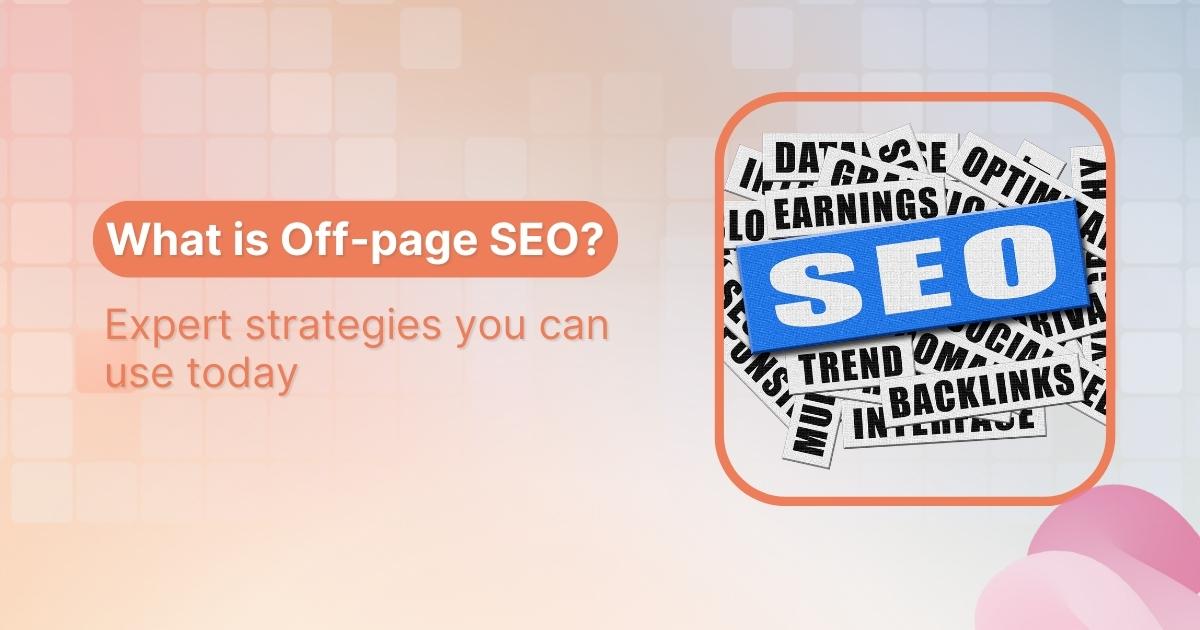
    What is off-page SEO? Expert strategies you can use today

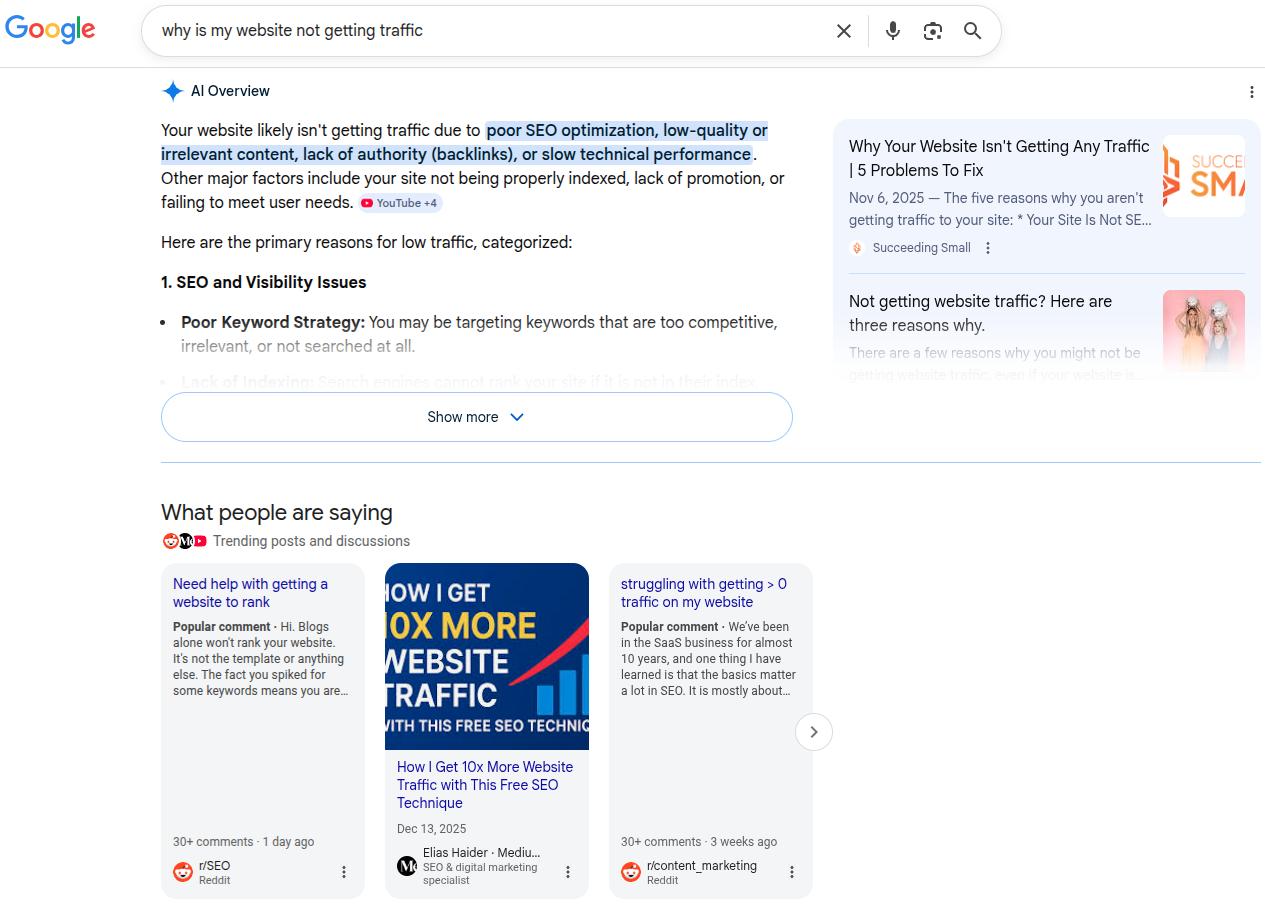
    Picture a content marketer who spends weeks planning, writing, and polishing a great blog post. The keyword research looks solid, headings are on point, and internal links are tidy. The post goes live, everyone feels proud, and then the traffic graph barely moves.

    The reason for this debacle is the lack of a proper off-page SEO strategy. 

    You can do excellent on-page SEO and still struggle to rank if other sites never talk about you, link to you, or mention your brand.

    In this guide, you will learn the off-page SEO techniques that actually move the needle right now. We will walk you through the backlink strategies, guest posting for SEO, social media signals, local SEO moves, and a simple off-page SEO checklist of best practices.

    So, let’s begin, shall we?

    What is off-page SEO and why does it matter?

    Off-page SEO optimization matters because search engines rely on external links or validation to rank pages. When trusted sites link to or mention your brand, it signals authority, relevance, and credibility beyond your own content.

    That includes:

    • Backlinks from other websites
    • User-generated content (UGC) on forums like Reddit or Quora
    • Brand mentions in articles, podcasts, and social posts
    • Awards and recognition from sites like G2 or Capterra
    • Reviews and ratings on platforms such as Google and Yelp
    • Social media activity that spreads your content
    • Appearances and features on podcasts, webinars, and industry sites

    Search engine optimization means treating these signals like votes of confidence. A backlink is a direct vote. A mention in a respected article or a wave of positive reviews is a softer vote. Together, they help search engines decide which pages deserve top spots.

    These are also the pillars of Google’s E-E-A-T framework, which looks at experience, expertise, authoritativeness, and trust. The signals help you gain visibility in AI Overviews, leading to more potential clients and organic visitors.

    Data backs this up. Studies show that about 91 percent of web pages receive no organic traffic, often because no one links to them.

    On-page vs off-page SEO: Understanding the difference

    On-page and off-page SEO work together, but they focus on very different levers. On-page SEO controls what is on your site. Off-page SEO shapes how the rest of the web responds to and talks about that site. You need both for long-term search growth.

    Here is a simple comparison to keep the difference clear.

    AspectOn-page SEOOff-page SEO
    Main focusContent and structure on your own pagesReputation, links, and signals from other sites
    Typical workKeyword research, headings, meta tags, internal links, site speed, mobile setupBacklink building, digital PR, reviews, citations, influencer work, and guest posting
    Level of controlComplete control on your sideIndirect control, based on relationships and outreach
    Core goalMake each page clear, helpful, and easy to crawlShow that your site is trusted and important in your niche

    Tools like Contentpen help with the foundation. It provides consistent, SEO-optimized content, making it much easier to run off-site SEO strategies such as outreach, guest posting, and digital PR without the extra effort.
    Solving content overload - Contentpen.ai

    If your current content and technical SEO setup already look solid but your rankings are flat, then off-page SEO is usually the missing piece of the puzzle.

    The most effective off-page SEO strategies in 2026

    Below, we will discuss the following off-page strategies that you can apply now to see organic growth for your platforms:

    • Building high-quality backlinks
    • Guest posting and collaboration
    • Using social media and influencer partnerships
    • Local SEO tactics for geographic visibility

    Think of this section as a working playbook. These off-page SEO strategies move you from theory to daily habits that build links, mentions, and visibility over time. 

    Building high-quality backlinks

    Network of backlinks connecting websites together

    Backlinks remain the core of SEO link building

    A backlink is a hyperlink from another site that points to your page. Search engines read that link as a vote of confidence in your content. Among off-page SEO types, this is the most popular one.

    Not all links carry the same weight:

    • High-authority, relevant sites pass far more ranking power.
    • Random, low-quality blogs or spammy directories can do little or even cause harm.
    • Editorial links (added by a writer because they found your content helpful) are the strongest ones.

    A digital PR style approach works very well. You can publish original research, surveys, or industry reports that contain data people in your field want to quote.

    Broken link building is another ethical and practical method:

    1. Find broken outbound links on relevant pages in your niche.
    2. Create or identify a better resource on your site that serves the same purpose.
    3. Reach out to the site owner with a friendly note and suggest your page as a replacement.

    They fix a problem on their page. You gain a new backlink. Everyone wins.

    You can also respond to journalist requests through platforms such as HARO. When you share short, helpful expert quotes, many reporters will credit you with a link.

    Guest posting and content collaboration

    Visual representation of content collaboration and partnerships

    Guest posting for SEO means writing a full article for another site in your niche. The article lives on their domain, but usually includes a short bio or contextual link back to your site. 

    This gives you both exposure to a new audience and an editorial backlink, which is one of the safer and more effective off-site optimization methods.

    You can find guest post opportunities using simple search operators. Combine your topic with phrases like “write for us” or “guest post guidelines” in Google. 

    For example: Someone in real estate could search “real estate marketing write for us” to find relevant sites that accept guest posts. Focus on sites with real traffic and real readers, rather than thin, link-only blogs.

    When you pitch, keep these tips in mind:

    • Study their content first: Know what they publish and where gaps exist.
    • Pitch-specific headlines: Offer two or three topic ideas that fit their audience.
    • Lead with value: Explain what their readers will gain, not just what you want.

    Once accepted, write a useful, well-researched blog or article, not a thin ad in disguise. That type of content earns more shares and higher trust, which in turn makes editors more open to future pitches.

    Content collaboration goes beyond single guest posts. You can:

    • Co-author reports or ebooks
    • Contribute to expert roundups
    • Share insights for another company’s guide
    • Join webinars and podcasts as a guest

    When you appear as a guest speaker, hosts almost always link to your site in show notes and event pages. Since Contentpen takes care of much of your routine blog publishing, you can put more time into these higher-impact, authority-building efforts.

    Using social media and influencer partnerships

    Social media engagement and influencer marketing visualization

    Social media likes and shares do not directly affect ranking. However, they play a strong supporting role in off-page SEO optimization in digital marketing.

    When your content spreads across LinkedIn, X, or YouTube, more people discover it, increasing the likelihood that site owners, bloggers, and journalists will link to it later. Social media signals, SEO-wise, are about amplification and discovery.

    There is also the brand voice and identity. A steady social presence helps people remember your name. When more people search for your brand directly, that pattern signals to Google that your brand is in demand.

    Influencer marketing ties into this. Instead of chasing only big names, look for micro-influencers who speak to your exact audience and have strong engagement. A smaller account with real conversations can outperform a larger account with weak interaction. 

    Common collaboration formats include:

    • Review videos or “first impression” posts
    • Sponsored or co-created posts with clear disclosure
    • Guest threads on X or LinkedIn
    • Co-branded guides, checklists, or templates

    Always aim for honest, helpful content that helps the influencer’s audience. That type of partnership leads to more clicks and a better long-term relationship.

    Local SEO tactics for geographic visibility
    Local SEO location targeting and visibility concept

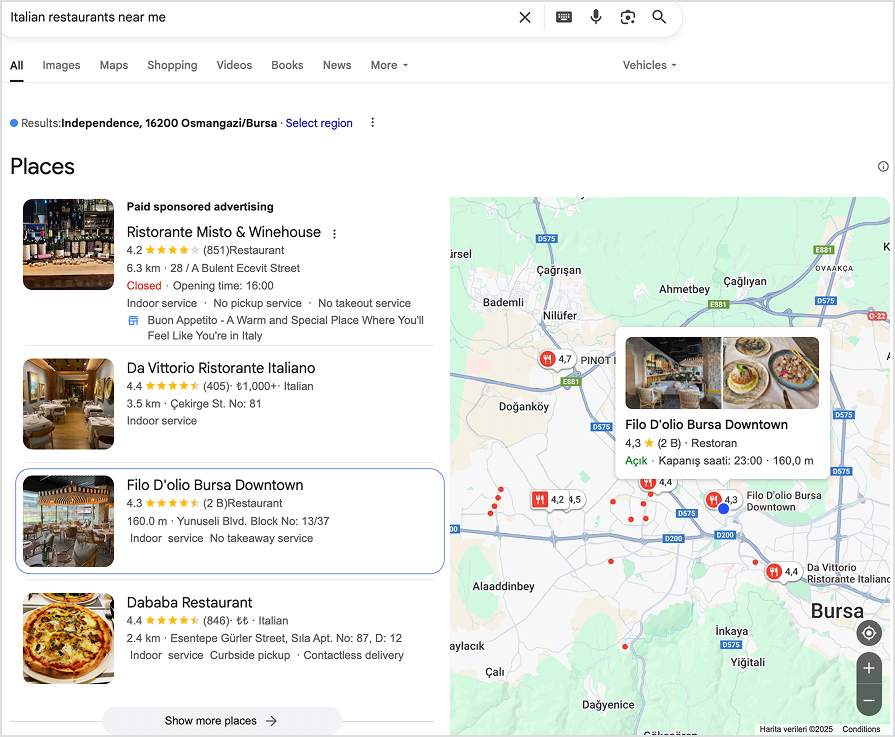
    If you serve customers in a specific city or region, local SEO is one of the most important off-site SEO strategies to focus on. It shapes how well you appear in searches that include “near me” terms or city names.

    Key steps include:

    Setting up Google Business Profile (GBP)

    Your GBP listing sits outside your website, making it a true off-page SEO factor. 

    Start by:

    • Claiming and verifying your profile.
    • Ensuring your business name, address, and phone number (NAP) are accurate.
    • Adding correct hours, categories, and photos of your location and team
    • Posting short updates with Google Posts to keep the profile fresh

    Working for local citations

    A citation is any mention of your business name, address, and phone across directories such as Yelp, the Better Business Bureau, Apple Maps, and industry-specific sites. 

    Search engines cross-check these records. If your details are messy or outdated, rankings can suffer because the data looks unreliable. Do simple audits to update your listings and keep your NAP consistent.

    Investing time and effort in user reviews

    For local companies, reviews count among the strongest off-page ranking factors. 

    Google considers how many reviews you have, how often new ones arrive, and your average rating.

    To give your business a boost:

    • Ask happy customers to leave honest reviews on Google, Capterra, G2, and other key sites.
    • Reply to every review, good or bad, with polite, helpful comments.

    All of these strategies are free to implement and can improve your local search visibility much faster than many other moves.

    Off-page SEO best practices and common mistakes to avoid

    Good off-page SEO is not only about doing more. It is about doing the right things consistently and avoiding shortcuts that can backfire. 

    Think of this as a living off-page SEO checklist you can revisit each quarter.

    #1: Focus on link relevance and quality

    A single backlink from a respected, on-topic site is far more helpful than dozens of links from random, weak domains. 

    Aim to place your content where your actual buyers and peers spend time. That mindset also pushes you toward genuine relationships instead of one-off link trades.

    #2: Mix your tactics well

    Put some effort into digital PR, some into guest posting, some into social engagement, and, if you have a local angle, some into reviews and citations. 

    This type of mix looks natural to search engines and protects you if one channel slows down. Over time, keep an eye on your backlink profile with off-page SEO tools such as Moz or SEMrush to spot patterns and remove spammy links if needed.

    #3: Work with patience

    Off-page SEO techniques are inherently slow because they rely on others’ trust. Consistent outreach, helpful content, and steady networking build E-E-A-T in a way that cannot be faked.

    When every off-page move you make shows real experience, expertise, and user care, rankings tend to follow.

    Avoid risky shortcuts, such as:

    • Buying links or joining link schemes
    • Using private blog networks
    • Spamming forums or communities with your links
    • Over-optimizing anchor text with the same keyword every time

    These strategies may work in the short term, but will cause penalties that are painful to fix.

    Also read: Search engine basics: How they work and why they matter.

    How Contentpen supports your off-page SEO success

    All strong content marketing strategies start with something worth talking about. Our SEO platform gives you that base by turning SEO briefs into clear, helpful posts at scale.

    • SEO-optimized content: When every new article follows SEO optimization techniques by default, you gain a larger pool of pages that people genuinely want to read and link to.
    • Automated publishing: Contentpen automates publishing through integration with major CMS platforms, saving you the hassle of switching tabs. You can use the saved time to focus on promotion and building authority in your niche.
    • SEO scoring and competitor insights: The platform includes SEO scoring and competitor insights, so you can see which content already wins links and plan pieces that go deeper or add missing angles.
    • Creating evergreen digital assets: Contentpen helps you develop the key assets that power digital PR and off-page SEO. These include data-heavy reports, expert guides, and reference posts that other writers love to cite.

    When you combine this content engine with consistent off-page SEO strategies, you create a system where new content and new links support each other week after week.

    Final words

    Off-page SEO is the outside proof that your site deserves attention. It covers backlinks, mentions, reviews, and partnerships that live beyond your domain yet send strong signals about your authority.

    You now have a clear set of actions to work with. Build high-quality backlinks, use guest posting and collaborations, tap into social and influencer reach, and, if you serve a region, push hard on local SEO.

    Also, consider Contentpen for reliable, SEO-rich content others can link to. When you pair strong content with thoughtful off-site optimization, search engines start to see absolute authority, and rankings begin to rise.

    Frequently asked questions

    Is off-page SEO still relevant?

    Yes, off-page SEO is still highly relevant. Search engines continue to rely on backlinks, brand mentions, reviews, and other external signals to judge a site’s authority, trustworthiness, and competitiveness in search results.

    What are off-page SEO services?

    Off-page SEO services are professional activities focused on improving a site’s authority beyond its own pages. These services typically support brand visibility, third-party validation, and external trust signals.

    What is the golden rule of SEO?

    The golden rule of SEO is to earn trust by creating valuable content for real users. Search engines consistently reward websites that demonstrate usefulness, credibility, and long-term reliability instead of shortcuts or manipulation.

    What are some off-page SEO examples?

    Common off-page SEO examples include earning editorial mentions, being cited as a source, gaining press coverage, and building recognition across authoritative platforms.

    Can I do off-page SEO without spending money?

    Yes, many effective off-page SEO techniques cost time rather than cash. You can use broken link outreach, reclaim unlinked mentions, participate in Reddit or Quora discussions, improve your Google Business Profile, and pitch guest posts to relevant blogs.
  • What is technical SEO? Your complete guide to getting started

    What is technical SEO? Your complete guide to getting started

    Are you publishing great content, building links, and still struggling to rank? In many cases, the problem isn’t what you write, it’s whether Google can properly reach and understand it.

    Answering ‘what technical SEO is’ means understanding its fundamentals to build your platforms on the right foundations. It is a part of search engine optimization that ensures search engines can find, crawl, and index your platform without any hurdles.

    If content is the message and links are the word of mouth, technical SEO is the road system that lets search engines reach everything.

    This guide walks you through the basics of doing technical SEO. It will teach you the main technical SEO optimization elements and practical steps to improve site architecture, speed, mobile experience, security, and more. 

    So, ready to get started?

    What is technical SEO?

    Technical SEO is the practice of optimizing a website’s structure, code, and infrastructure so search engines can crawl, render, and index pages efficiently. It focuses on elements such as site architecture, page speed, and control over indexing rather than on-page content.

    Understanding what is SEO and its core aspects is fundamental to grasping how technical optimization fits within the broader scope of search engine basics.

    Technical SEO lives behind the scenes, but visitors still feel it. 

    Fast pages, clean URLs, and stable layouts create a smooth experience. Slow, clunky pages with broken links or strange redirects push people away. 

    For teams, technical SEO in digital marketing is the glue between strategy and results, turning content marketing plans into real visibility and traffic.

    Core technical SEO elements

    Technical SEO covers several connected areas rather than a single one.

    • Site architecture and crawlability
    • Indexing and content visibility control
    • Page speed and Core Web Vitals
    • Mobile optimization and responsiveness
    • Website security (HTTPS)
    • Structured data and schema markup

    Let’s discuss all these core technical SEO elements in more detail.

    Site architecture and crawlability

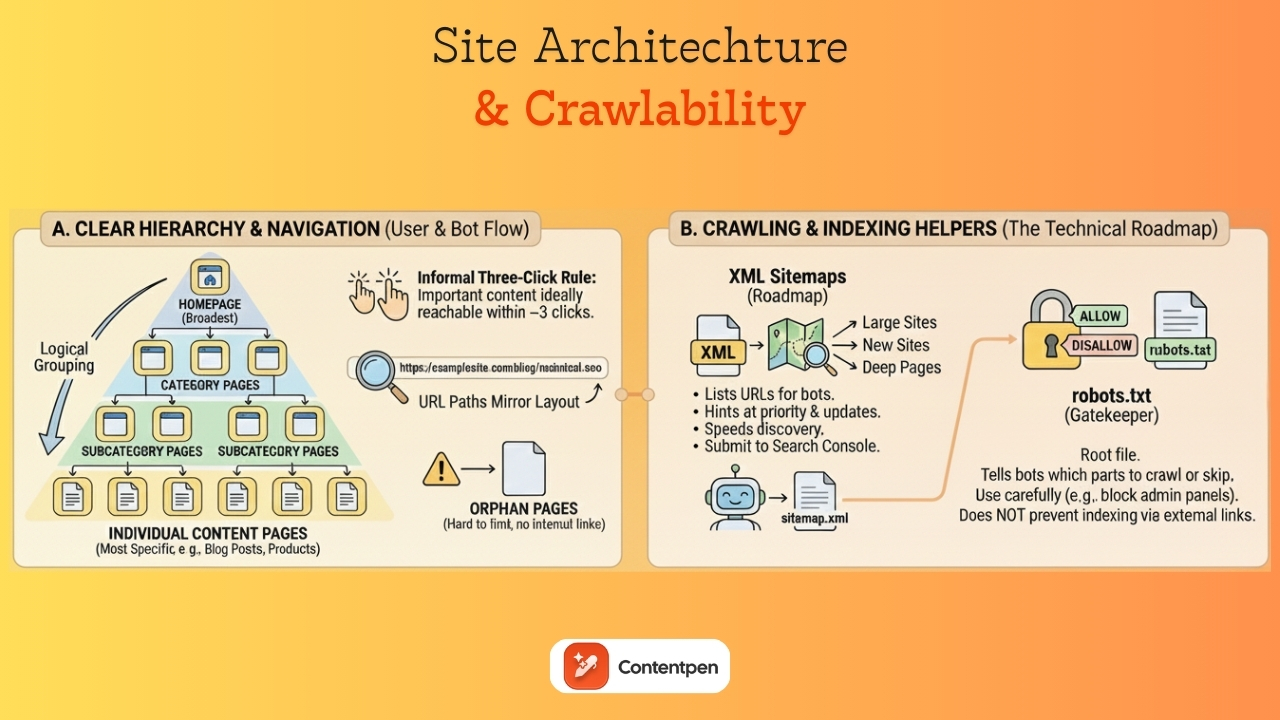
    Site architecture and crawlability - Contentpen.ai

    Site architecture is the way all your pages fit together. 

    A clear structure makes your site easier to use and easier for search engines to crawl. Think of it as a map that shows how people should move from broad topics to specific details.

    Most sites work well with a simple hierarchy:

    • Homepage at the top
    • Category pages next
    • Subcategory pages under those
    • Individual content pages, such as blog posts or product details, are at the bottom.

    An informal three‑click rule says that important content should be reachable within three clicks from the homepage. This is not a strict law, but it helps keep paths short and precise.

    Logical grouping matters. 

    Blog posts should live under a blog or resources section. Product pages should sit under category paths that make sense to visitors. 

    URL paths often mirror this layout.

    For example: A link to https://examplesite.com/blog/technical-seo for an article on technical SEO shows a clear page layout on the website. 

    When pages sit outside the structure with no internal links pointing to them, they become orphan pages, which are hard for both people and bots to find.

    If you do need to change URLs, use permanent 301 redirects from the old addresses to the new ones so both users and search engines land in the right place.

    XML sitemaps: Your website’s roadmap

    An XML sitemap is a special file that lists meaningful URLs on your site in a machine‑readable format. While users rarely see it, search engines use it as a roadmap. It hints at which pages matter most and how often they change, which can speed up discovery.

    Sitemaps are especially helpful for large sites, new sites with few backlinks, and sites where some pages are hard to reach through internal links. 

    The file usually includes each URL, the date it was last modified, and sometimes a rough priority flag. Many content management systems, including standard setups on WordPress and Shopify, automatically generate and update this file as new content goes live.

    You can often find your sitemap at a path such as https://yourdomain.com/sitemap.xml. 

    Once you have the URL, you can submit it to Google Search Console and Bing Webmaster Tools so bots can discover your content more efficiently.

    It is wise to keep sitemaps under size limits and split very large lists into several smaller files. Avoid including URLs that are blocked, noindexed, or return errors, as this might send mixed signals about your site’s actual structure.

    While an XML sitemap does not guarantee indexing, it improves site crawlability, especially when combined with clean internal linking and overall good technical health.

    Understanding and optimizing robots.txt

    A robots.txt file sits at the root of your site and gives high‑level instructions to search engine crawlers. It tells bots which parts of your site they may crawl and which sections they should skip. 

    Because robots.txt works at the folder or pattern level, it is a powerful tool that deserves careful handling.

    Typical uses include blocking admin panels, login pages, staging areas, and scripts or style folders that do not add value in the index.

    It is also essential to know what robots.txt cannot do. Blocking a URL from crawling does not always prevent it from being indexed. If other sites link to that URL, a search engine may still index a bare version of it. 

    For pages that must not appear in results, meta noindex tags or password protection are better options. 

    Google Search Console provides a robots.txt tester to help you see how bots interpret your robots.txt file. Reviewing this small text file during redesigns and migrations is an easy way to avoid sudden drops in visibility.

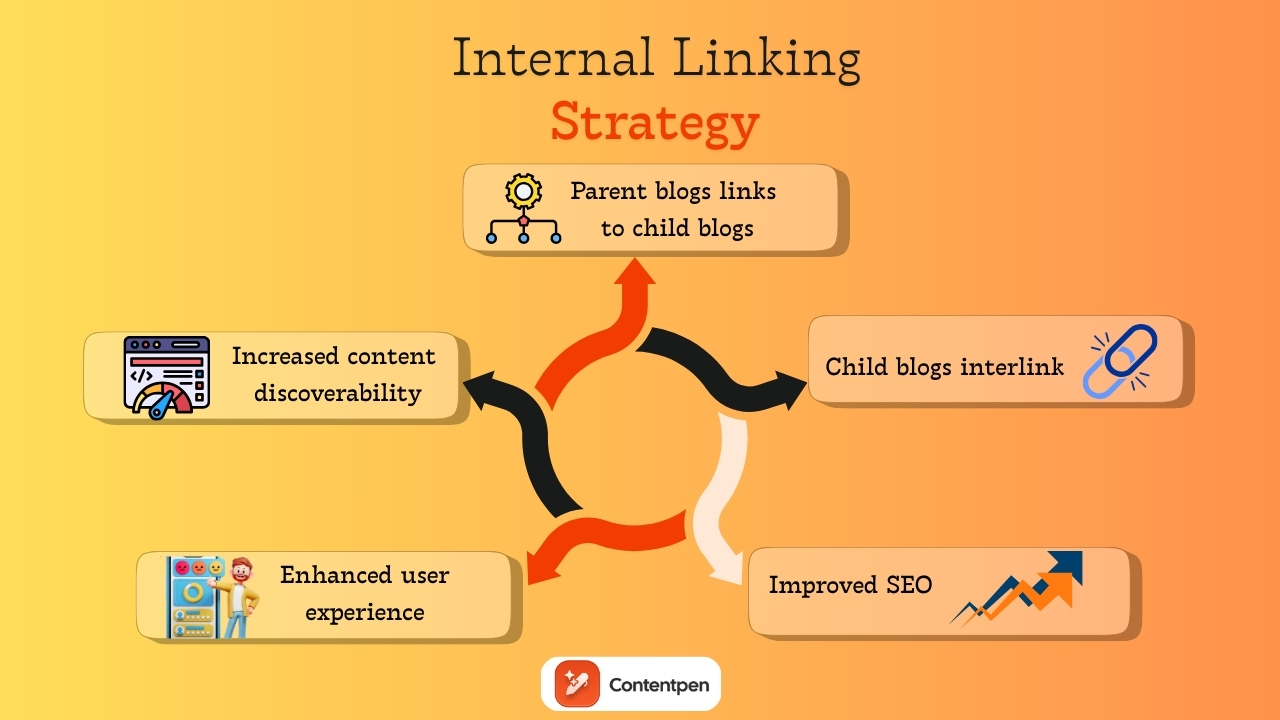
    Internal linking strategy for SEO

    Internal linking strategy - Contentpen.ai

    Internal links are links from one page on your site to another page on the same domain. They act like signposts for both users and search engines. 

    A thoughtful internal linking pattern makes it easy to move between related topics and helps spread authority from strong pages to newer or deeper ones. You can also take help from Contentpen to automate internal links for your convenience.

    From a technical SEO view, internal links help bots discover content. When every important page is linked from at least one other page, it is far more likely to be crawled. 

    Repeated links from strong sections such as the homepage, category pages, or top guides send a signal that a target page is essential. This supports rankings without needing more external backlinks.

    Managing indexing and content visibility

    Meta robots tags live in the head of a page and give search engines page‑level instructions. They tell crawlers whether they can index the page, follow its links, show a cached copy, or show a text snippet. 

    The most common directive in technical SEO basics is the noindex tag, which tells search engines not to index the page.

    Noindex is useful for pages that add little search value or should be excluded from results. Examples include thank‑you pages after form submissions, internal search results, some PPC landing pages, and certain thin or duplicate pages. 

    These tags should also be used for staging or test versions of a site that should not appear beside live content. 

    However, adding noindex by mistake to key templates such as product pages or blog posts can wipe out organic traffic very quickly.

    That is why you should not block a noindexed page in robots.txt. 

    Simple checks using the site:yourdomain.com search operator and reports in Google Search Console help you track which URLs are indexed and whether meta robots rules are behaving as planned.

    Canonical tags and duplicate content management

    Duplicate content happens when the same or very similar content appears at more than one URL. This can be caused by URL parameters for sorting and filtering, alternate versions, print views, product variations, and syndicated content on partner sites. 

    Google rarely punishes this directly, but it can create messy side effects.

    The main issue with duplicate content on websites is diluted link signals and confusion over which version to rank. 

    If half of your backlinks point to one URL and half to another that show almost the same page, each one looks weaker than it really is. Search engines may guess which page to show in results, and their guess may not match your preference.

    Canonical tags help clean this up. A canonical tag in the page’s head points to the preferred URL for that piece of content. 

    When several pages show similar content, they can all point to the main version. This tells search engines to focus on that URL for indexing and ranking and to fold signals from other versions into it.

    Solving content overload - Contentpen.ai

    Website performance and page speed

    Speed is both a ranking factor and a user experience anchor. Google has used page speed in desktop ranking for years and added mobile speed as a signal in 2018

    A slow site feels painful to use, and people rarely wait. Even a short delay can raise bounce rates and cut conversions in half, especially on mobile.

    From a technical SEO angle, faster sites also use crawl budget more wisely. When servers respond quickly, and pages render with little blocking, bots can crawl more URLs in the same time window. That means new content is discovered and updated pages are refreshed sooner. 

    On the flip side, slow timeouts and heavy resource usage can limit the number of pages a bot can reach during each visit.

    Speed ties directly to business results. Faster pages tend to see higher conversion rates, more pages per session, and better engagement. Moving from very slow to reasonably fast speed often has a bigger impact than shaving the last fraction of a second.

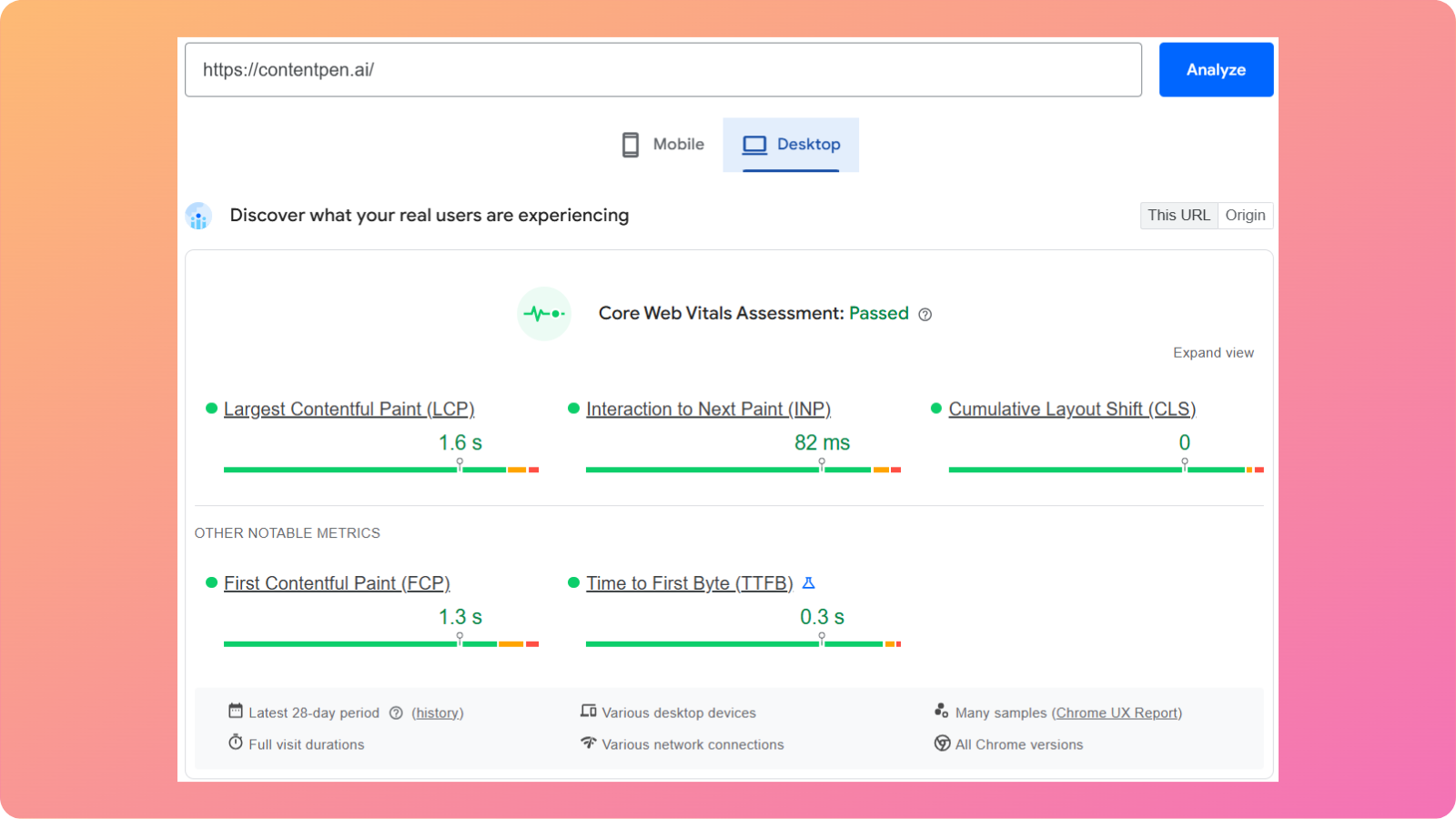
    Understanding Core Web Vitals

    Core Web Vitals are Google’s page experience metrics that measure loading speed, interactivity, and visual stability. They include:

    • Largest Contentful Paint (LCP): Measures loading speed
    • Interaction to Next Paint (INP): Measures responsiveness
    • Cumulative Layout Shift (CLS): Measures visual stability

    Let’s review these metrics in more detail and see how they inform Google’s evaluation of page experience.

    Contentpen CWV score

    Largest Contentful Paint (LCP)

    LCP measures how long it takes for the most significant content block in the viewport to load. This might be a hero image or a large text block above the fold. 

    A good LCP is 2.5 seconds or less. 

    However, large, uncompressed images, slow servers, and render‑blocking scripts are common problems that hurt this metric.

    Interaction to Next Paint (INP)

    INP replaces the older First Input Delay metric. It looks at how quickly a page responds when a user taps, clicks, or presses a key. 

    Google recommends keeping INP under 200 milliseconds for most interactions. 

    Heavy JavaScript, long tasks on the main thread, and too many third‑party tags often make sites feel sluggish here.

    Cumulative Layout Shift (CLS)

    CLS measures how much content jumps around during page load. If text shifts because an image did not reserve space or an ad drops in late, users can mis‑tap buttons or lose their place on the website. 

    A CLS score of 0.1 or less is considered good. 

    Setting image dimensions, reserving space for ads, and avoiding sudden injected content all help to keep this score under the required limit.

    You can check Core Web Vitals in Google Search Console, PageSpeed Insights, and Chrome DevTools. Reports usually group URLs into good, needs improvement, or poor categories to help you make the right changes with ease.

    Practical ways to improve page speed

    Improving speed starts with a solid look at what slows pages down. You can follow the practices outlined below to boost your site’s performance now.

    Image optimization

    This is one of the easiest wins you can get from a technical SEO aspect.

    To optimize images, you can:

    • Compress photos before uploading: Use modern formats like WebP or AVIF to reduce file sizes while preserving image quality.
    • Use responsive image markup: This lets the browser pick the right size for each screen instead of loading large desktop versions of photos on phones.
    • Lazy-load images: Enabling lazy-loading for media below the fold means the browser fetches them only when needed, reducing initial load time for users.

    Avoid features that block or reduce media interactivity for mobile users, such as horizontal scrolling and large, intrusive pop-ups.

    Reducing requests and code size

    Reducing requests and code file size starts with combining small style sheets where it makes sense, removing unused scripts or plugins, and trimming third‑party tags.

    You should also minify HTML, CSS, and JavaScript files to remove unnecessary whitespace and comments. Enabling server-side compression, such as Gzip or Brotli, further reduces file transfer sizes.

    Improving server performance

    Choosing fast, stable hosting, server‑side caching, and tuned databases reduces time to first byte. 

    If you serve users across regions, a content delivery network (CDN) can help cache static assets on edge servers closer to visitors, which significantly cuts latency.

    When in doubt, start with the changes that affect every page template, then move to smaller gains on individual sections.

    Mobile optimization and responsive design

    Responsive website image

    In practice, sites that use responsive design, where the same HTML adapts to different screens, usually handle mobile optimization well. 

    Websites with separate mobile URLs, such as m.example.com, or dynamic serving need more care to keep content and structured data in sync.

    You can see whether Google has moved a site to mobile‑first indexing through messages and reports in Search Console. 

    If the mobile version hides content, shows lighter product details, or skips schema markup included on desktop, it is wise to set those right. 

    Mobile‑first does not mean desktop visitors do not matter, but it does mean the mobile layout and content must carry equal weight in your SEO planning.

    Essential elements of mobile-friendly websites

    Mobile‑friendly design goes beyond simply shrinking a desktop layout. Responsive design uses flexible grids, fluid images, and media queries so each page looks and works well on phones, tablets, and desktops with a single code base.

    A proper viewport meta tag tells the browser how to scale content to the device width. Without it, many phones render the desktop layout zoomed out, forcing people to pinch and scroll in awkward ways. 

    Make sure the lines do not run too long, and that the contrast between text and background is strong enough for outdoor or low‑light viewing.

    Tap targets such as buttons and links need enough size and spacing so fingers can hit them without mis‑taps. This often means larger buttons, more white space, and rethinking desktop patterns such as tiny menu items in the header.

    HTTPS and website security

    HTTPS is the secure version of the Hypertext Transfer Protocol. It uses SSL or TLS certificates to encrypt the data passing between a browser and a server. 

    This extra layer of security protects passwords, contact forms, payment data, and other sensitive information from leaking.

    Google has treated HTTPS as a ranking signal since 2014. While it is a lighter factor than content quality or links, it still sends a clear message that secure sites are preferred. 

    Modern browsers also label non‑HTTPS pages as “Not secure,” especially when forms are present. That warning can scare visitors away and lower conversion rates, even if the content itself is harmless.

    From a technical SEO perspective, HTTPS is now part of basic online hygiene.

    Implementing HTTPS correctly

    Moving to HTTPS requires planning to ensure you gain security without sacrificing SEO performance. 

    To correctly implement HTTPS for your website, follow the given steps:

    1. Get an SSL or TLS certificate: Most websites offer these for free. Once installed on the server, the certificate lets your site respond over secure URLs. 
    2. Redirect all HTTP requests: Use 301 rules to redirect them to HTTPS versions.
    3. Add the HTTPS in GSC: After the redirect rules go live, add the HTTPS links in Google Search Console and submit updated XML sitemaps.

    Watching error logs, mixed content warnings, and ranking trends over the first few weeks helps you catch and fix any hidden issues before they grow.

    Structured data and schema markup

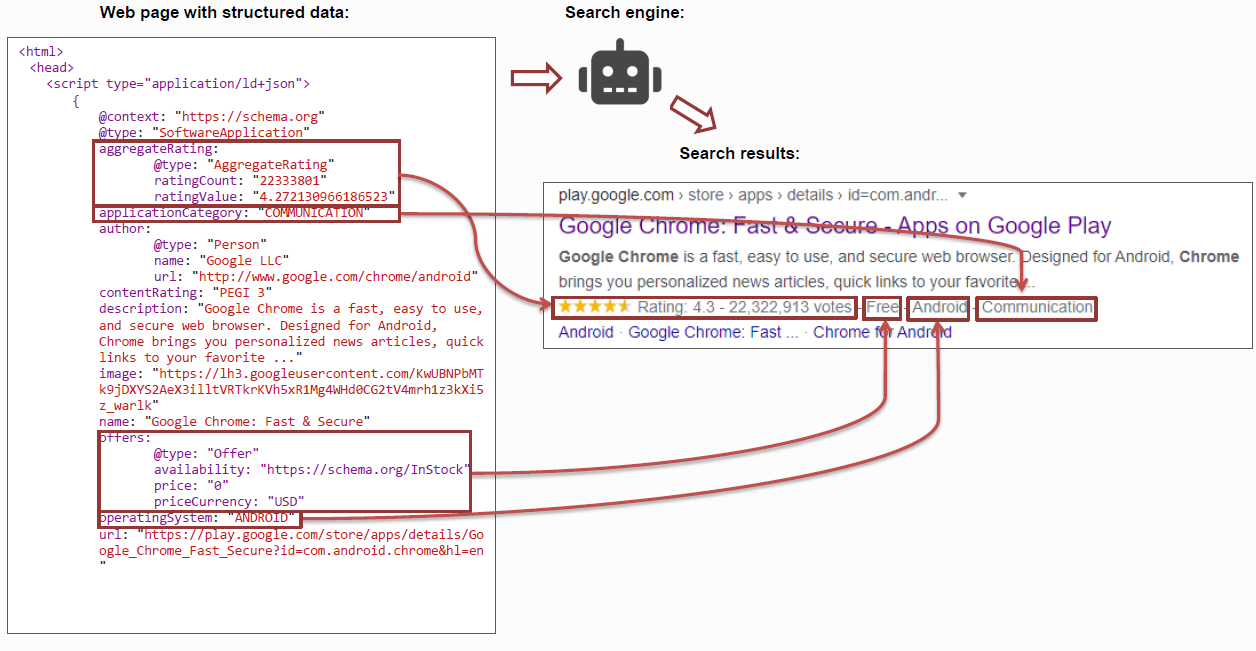
    Structured data is extra code added to a page that describes the content in a detailed, machine‑friendly way. Regular HTML tells the browser how to display text, images, and links. Structured data tells search engines what those pieces represent.

    “Schema” is the shared vocabulary most sites use for this kind of markup. It provides search engines with information about articles, products, recipes, events, organizations, reviews, and more. 

    With structured data in place, a page can tell the search engine that “this block is a recipe with a cooking time and calorie count,” or “this page is a product with a price, brand, and rating.”

    Google strongly prefers JSON‑LD format for schemas, which wraps this information in a script block separate from the visible HTML. That approach keeps things cleaner for developers and platforms.

    Structured data by itself is not a direct ranking factor, but it does make your pages eligible for rich results such as star ratings, recipe cards, and FAQ drop‑downs. 

    These upgraded snippets stand out in search results and often drive higher click‑through rates.

    Types of schema markup and their benefits

    • Article schema helps Google understand the details of blog posts and news stories. It marks up the headline, author, publish date, and sometimes the image that should appear in results.
    • Product schema applies to e‑commerce pages. It can include price, currency, availability, brand, and review ratings.
    • Breadcrumb schema shows search engines how a page fits within your site’s hierarchy. It marks up the navigation path (for example: Home > Blog > SEO > Technical SEO), helping Google understand site structure and page relationships.

    These are just some examples of types of schemas that exist. This can be a powerful way to support technical SEO in digital marketing for brands that answer complex topics with helpful content.

    Why technical SEO is important

    Technical SEO matters because search engines cannot rank what they cannot reach or understand. You can publish hundreds of strong, optimized articles and still miss most of the organic traffic you deserve if your site has crawling or indexing issues.

    In many technical SEO examples, a single misconfigured tag or directive has removed entire sections of a site from search overnight. Recovering that traffic takes time, leading to lost leads and missed earning opportunities for businesses.

    The right technical SEO strategy also protects against serious issues such as duplicate content, broken internal links, and poorly handled migrations. These can dilute link signals or send users into dead ends.

    When algorithms shift, sites with clean structure, fast page load times, and strong security tend to adapt better.

    Technical SEO vs. On-page SEO vs. Off-page SEO

    Many teams mix technical SEO with on‑page and off‑page work, making planning more complicated than it needs to be. All three matter, but they focus on different parts of the same system.

    On‑page SEO deals with what is present on each page. That includes keyword research, titles and meta descriptions, heading structure, internal links, body copy, media, and content depth.

    Our AI blog writer lives mainly in this space, helping teams create SEO‑ready articles, align them with search intent, and keep on‑page elements in good shape at scale.

    Off‑page SEO refers to signals from outside the site. Backlinks from other domains, mentions of your brand, social chatter, and overall domain authority sit in this pillar.

    Technical SEO focuses on the system that delivers the platform to users. It includes crawlability, XML sitemaps, page speed, Core Web Vitals, mobile optimization, HTTPS, structured data, redirect logic, and international setup.

    Here is a simple way to picture the three SEO pillars:

    SEO typeMain focusSimple examples
    On‑page SEOContent on each URLKeyword use, headings, meta tags, internal links
    Off‑page SEOSignals from other sitesBacklinks, brand mentions, digital PR
    Technical SEOSite infrastructureCrawlability, speed, HTTPS, structured data

    There is some overlap. Internal linking is both a content concern and a technical SEO element. Redirects touch user experience and technical health. The key is to see how these parts work together instead of picking one and ignoring the others.

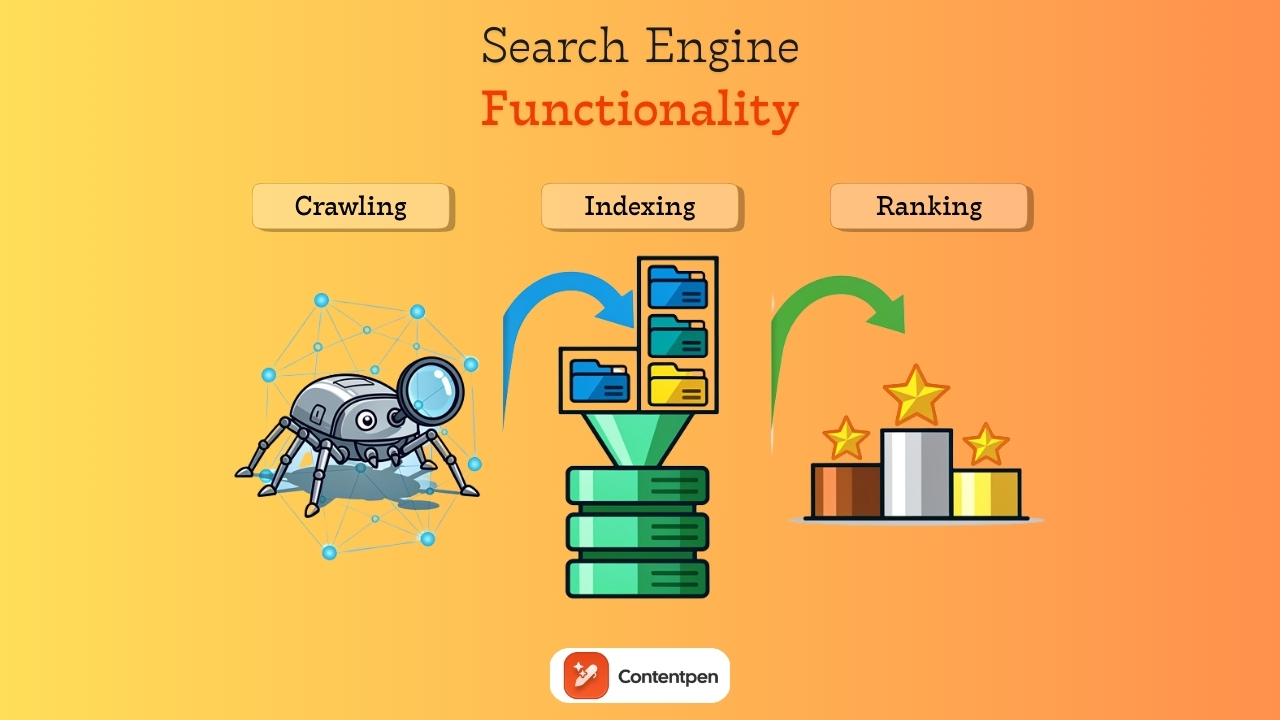
    How search engines work: Crawling, indexing, and ranking

    Search engine functionality - Contentpen.ai

    Search engines process websites in three main steps:

    1. Crawling – Bots discover pages by following internal and external links.
    2. Indexing – Pages are rendered, analyzed, and stored in the search index.
    3. Ranking – Indexed pages are evaluated and ordered based on relevance and quality signals.

    Let’s review them in more detail below.

    Step#1: Search engine crawling

    Crawling is the discovery stage. 

    Search engines send bots, such as Googlebot, to crawl links and discover new or updated pages. These bots move from page to page by following internal links within a site and external links from other sites. 

    Each domain has a crawl budget, which is the rough number of URLs a bot will check on a given visit. If your site wastes that budget on endless parameter pages or duplicate content, important pages may not be crawled as often as they should be.

    Step#2: Page indexing

    Indexing is the storage and understanding stage. 

    After crawling a URL, the search engine tries to render the page, parse the HTML, CSS, and JavaScript, and determine what the page is about. 

    Then, the crawlbot stores that information in its index, which is like a vast, connected library. Not every crawled page is added. Some pages may be skipped because they appear to be duplicates, have low value, are blocked by meta tags, or cause errors.

    Step#3: Ranking pages

    Ranking is the retrieval stage. 

    When someone searches for a phrase such as “best running shoes,” Google does not crawl the web immediately. Instead, it looks into its index, finds the most relevant pages, and shows the best pages based on many factors.

    Technical SEO work aims to keep this path smooth. Clear site architecture and strong internal linking help bots crawl deeper. XML sitemaps highlight essential URLs. Clean HTML and careful JavaScript handling make content easier to render. 

    Similarly, properly used meta robot tags and canonical tags tell search engines which pages to index and which to skip.

    Summing it up

    Technical SEO is the hidden layer that protects and promotes your search engine visibility. Without it, even the sharpest keyword research and the best‑written articles struggle to reach their audience.

    The good news is that the most essential tasks follow a repeatable pattern. You map your site structure, fix broken links, set up XML sitemaps, and keep robots.txt up to date. Over time, this becomes a practical technical SEO checklist rather than a scary set of mysteries.

    A platform like Contentpen can support your needs in this regard by generating SEO‑ready articles. It also helps score on‑page elements and frees up resources for teams to focus on the technical aspects of SEO.

    Frequently asked questions

    What is the difference between local SEO and technical SEO?

    Local SEO focuses on improving visibility in location-based searches. Technical SEO focuses on how well search engines can crawl, index, and understand a website.

    What are some technical SEO examples?

    Common technical SEO examples include setting up an XML sitemap, fixing a broken robots.txt file, and adding canonical tags to handle duplicate product pages. Shifting an entire site from HTTP to HTTPS with proper 301 redirects is another classic example of technical SEO.

    What are some technical SEO tools?

    You can use tools such as Google Search Console, PageSpeed Insights, Screaming Frog, and Lighthouse to identify and fix performance issues on your site. You can also use Usermaven to get AI-powered insights with detailed web analytics for your platforms.

    What is a technical SEO audit?

    A technical SEO audit is a systematic review of a website’s technical health to identify issues that affect how search engines access it. The goal is not to change content or build links, but to remove technical barriers that prevent search engines from understanding your platform.

    Do I need a technical SEO certification to handle this work?

    A technical SEO certification course can be helpful if you want structured learning, but it is not required for most sites. Many content and marketing managers learn through practice, guides like this, and hands‑on work with their own platforms.

  • How to do SEO: A complete step-by-step guide for beginners

    How to do SEO: A complete step-by-step guide for beginners

    Typing a question into Google is almost a reflex now. For most people, that is how virtually every online visit begins.

    However, the most challenging part for a business is landing the top positions for a topic and getting discovered by users. This is where SEO becomes essential.

    Search engine optimization can look scary from the outside. There are strange terms, constant algorithm updates, and a lot of opinions. Many beginners bounce between articles and videos, still wondering how to do SEO for a website in a simple, concrete way.

    The good news is that SEO is not about tricks. It is about clear, steady work that helps search engines understand your site and real people trust and enjoy your content.

    This guide gives a practical, step‑by‑step path for SEO beginners. By the end, you will understand how to improve your website’s ranking with minimal effort and hassle.

    So, let’s get started.

    What is SEO and why does it matter?

    Search Engine Optimization, or SEO, is the practice of improving your website so it shows up more often and in better positions in unpaid search results.

    In simple terms, search engine basics is about helping the right people find you when they type relevant questions or problems into Google.

    The main goal is to match real search needs with helpful content, in a format search engines can understand. That means clear topics, strong on-page SEO, and a site that feels safe and easy to use.

    From a business view, SEO supports several important goals:

    • Brand awareness – Showing up often in search so people recognize your name.
    • Lead generation – Bringing in visitors who are already interested in what you offer.
    • Customer acquisition – Turning searchers into paying customers or clients.

    Top organic results often get far more clicks than ads, and that traffic usually converts well because visitors are already interested in what you have to offer. Every optimized page becomes a long‑term asset that can support your goals for years.

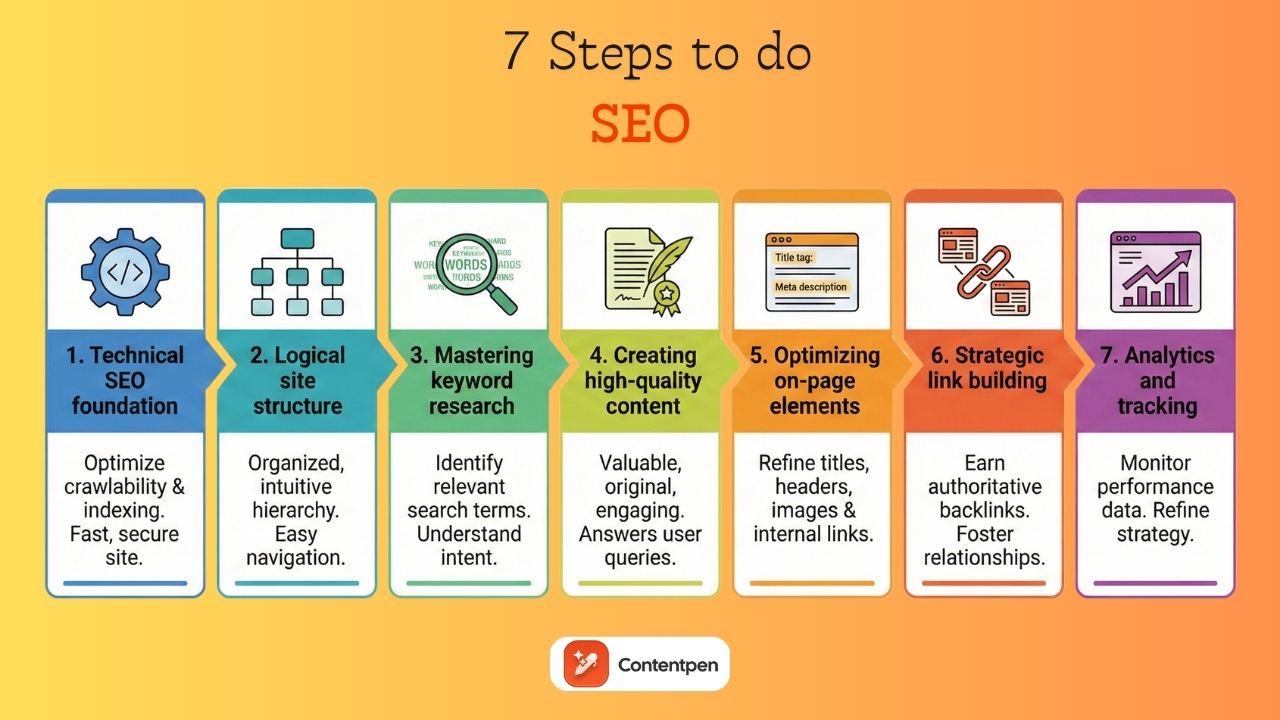
    7 steps to do SEO for a website from scratch

    Below are the seven steps for SEO beginners to start ranking their platforms in the top-ranked positions.

    • Laying the technical foundation for SEO success
    • Building a logical site structure
    • Mastering keyword research
    • Creating high-quality content
    • Optimizing on-page elements
    • Building authority through strategic link building
    • Setting up analytics and tracking progress

    We will discuss these steps in further detail.

    Step 1: Laying the technical foundation for SEO success

    7 steps to do seo - Contentpen.ai

    Technical SEO is the base that supports every other SEO effort. If this base is weak, the impact of your content and links will always be limited.

    HTTPS and site security

    People and search engines both care about safety. HTTPS encrypts data between your visitor’s browser and your server. That protects login details, payment data, and other sensitive information.

    Many hosting providers offer free SSL certificates through services like Let’s Encrypt, and setup is often just a few clicks.

    XML sitemap creation and submission

    An XML sitemap file lists the main URLs you want search engines to see. It does not control which pages rank, but it helps crawlers discover content more quickly, especially on new or extensive sites.

    Most modern platforms can automatically create this file. Once you have the sitemap, you can submit its URL in Google Search Console, so Google knows where to look.

    Robots.txt file creation

    The robots.txt file tells search engine crawlers which parts of your site they may access and which areas they should ignore. It acts as a basic set of instructions placed at the root of your domain.

    For most beginners, the goal is simple: make sure important pages can be crawled and that unnecessary or sensitive areas stay out of search results. Common sections to block include admin panels, login pages, internal search results, or staging environments.

    Fixing crawl errors and indexing issues

    Google Search Console is your central place to monitor technical issues. The Coverage report shows pages with errors, such as 404 not found responses, server errors, or blocked resources.

    Fix broken internal links so visitors and bots do not hit dead ends. If you remove content intentionally, use 301 redirects to redirect traffic to the most relevant alternative. 

    Mobile responsiveness and mobile-first indexing

    Google uses mobile‑first indexing, which means it primarily uses the mobile version of your site to determine rankings. 

    If the mobile experience is poor, your rankings suffer even if the desktop version looks great.

    Check your site on different phones and tablets, and also run it through Google’s Mobile‑Friendly Test. Menus should be easy to tap, text should be readable without zooming, and important content should not be hidden.

    Site speed and Core Web Vitals

    Page speed affects both users and rankings. When pages load slowly, people often hit the back button, which sends bad engagement signals. Google also focuses on speed through a set of metrics called Core Web Vitals that assess loading time, interactivity, and visual stability.

    You can test your site with Google PageSpeed Insights. This tool shows scores along with straightforward suggestions you can follow to improve your chances of appearing in top results.

    Step 2: Building a logical site structure and navigation

    A well-structured site makes it easier for visitors to find what they need and for search engines to understand which topics you cover.

    This area is often called information architecture. It shapes menus, categories, and URL paths. When your structure follows a clear logic, it also supports future content work.

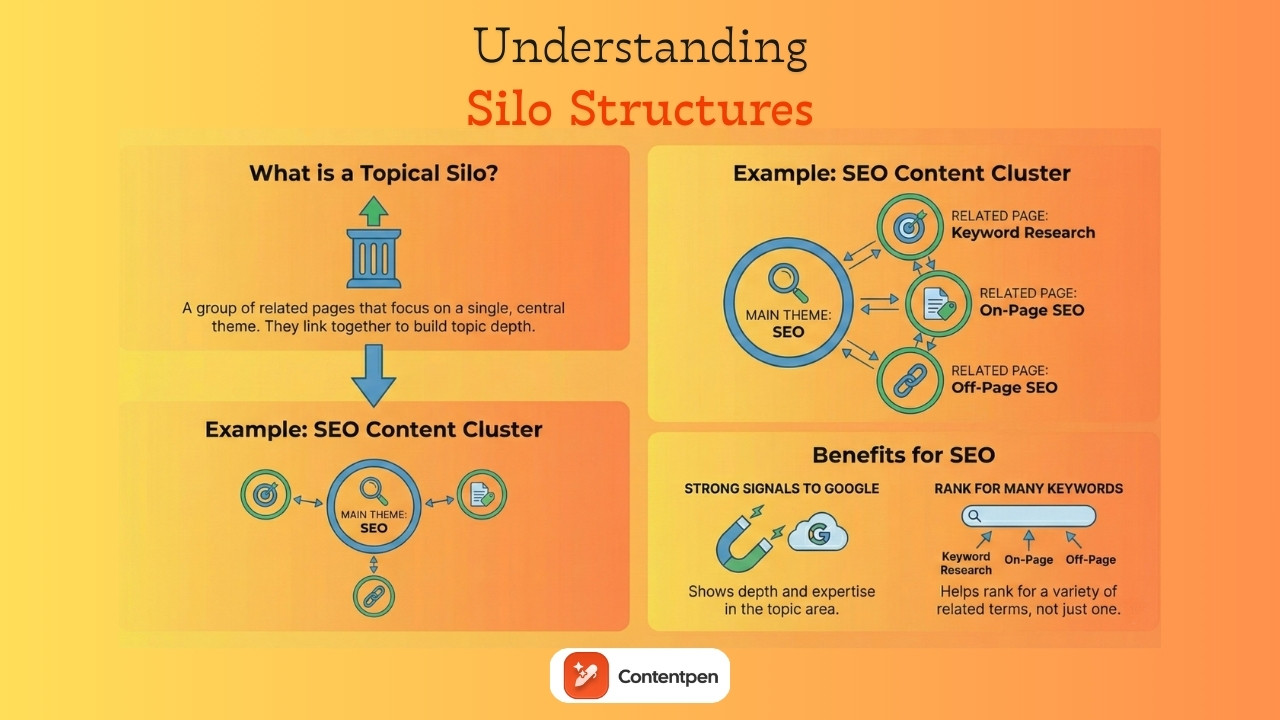
    Creating topical silos and content clusters

    Silo structures - Contentpen.ai

    A topical silo is a group of related pages that focus on a single central theme. For instance, a silo about SEO could include pages on keyword research methods, on-page SEO, and off-page SEO strategies that all link together.

    Creating content with this approach sends strong signals to Google that your site has depth in those areas. It can help you rank for many related keywords, not just one phrase. 

    URL structure best practices

    URLs are more than technical addresses. They appear in browser bars and, sometimes, in search results, as simple breadcrumbs. A good URL tells people and search engines what to expect before they click.

    Try to use short, descriptive paths like example.com/seo-keyword-research rather than codes such as example.com/p?id=8374652. 

    Use hyphens between words, avoid random numbers, and keep everything lower case for consistency.

    Plan your site to reflect your silos when possible. For example, an article about link building might live at example.com/seo/link-building-guide. That path helps show how the page fits into your overall topic map.

    Internal linking strategy

    Internal links connect one page on your site to another. 

    Contextual interlinking and structural interlinking are two core internal linking methods used in SEO:

    • Contextual interlinking: Refers to links placed naturally within the main content of a page (usually within paragraphs). These links connect related topics using relevant anchor text, helping search engines understand content relationships.
    • Structural interlinking: This involves links within a website’s layout or hierarchy, such as navigation menus, breadcrumbs, footer links, and category pages. Structural interlinking defines the site structure, making navigation easier for search engines and humans.

    A strong internal linking strategy helps visitors move deeper into your content. It also passes link equity from strong pages to others.

    Make sure your most important pages, such as key service pages or cornerstone guides, receive links from many relevant articles. 

    Managing duplicate content

    Duplicate content happens when the same or very similar content appears under more than one URL. This is not usually a harsh penalty situation, but it can waste crawl budget and split ranking signals between versions.

    Try to ensure each important page has one main URL. When you must keep multiple URLs that show similar content, use canonical tags.

    Step 3: Mastering keyword research for your niche

    Keyword research is the base of your content plan. It tells you what your audience cares about and how they phrase those needs. Without it, you risk writing content no one is searching for or content that misses the language people actually use.

    The goal is not only to list popular words. It is to understand your niche, search intent, and realistic ranking chances. 

    Understanding search intent

    Search intent is the reason behind a query. For SEO beginners, it helps to group intent into four main types:

    • Informational – The user wants to learn something (for example, “how to do SEO”).
    • Navigational – They want a specific site (for example, “Contentpen login”).
    • Transactional – They are ready to buy (for example, “buy SEO audit”).
    • Commercial investigation – Users are comparing options before buying (for example, “best SEO tools”).

    To match intent, look at the current top results for your target keyword. If they are mostly long guides, that tells you people and Google expect in‑depth content. 

    If they are product pages or comparison posts, adjust your format to line up with that pattern while still adding your own angle.

    Finding primary and secondary keywords

    A primary keyword is the main phrase a page is built around. Secondary keywords are related phrases and questions that support the primary topic. Together, they define what your page covers and help you show up for more searches.

    Start with broad seed phrases or focus keywords related to your business. Then use tools like Google Keyword Planner to explore long-tail and secondary keyword options for each topic.

    You can also explore Google Autocomplete suggestions and read the “People also ask” in related searches to come up with secondary keyword suggestions.

    Pay attention to three things while you collect ideas:

    • Search volume – How many people search for a phrase.
    • Difficulty – How hard it might be to rank.
    • Relevance – How closely a keyword connects to what you actually offer.

    Favor phrases that line up well with your products or services, even if their volume is modest.

    Analyzing keyword opportunity

    Not every keyword is worth chasing right away. Many broad phrases are dominated by powerful sites with years of authority. Targeting those first can lead to frustration and little progress. 

    To find the right keyword opportunities, search each potential keyword and look at the first page of results. Notice who ranks there and what type of keywords they have used.

    If you mostly see giant brands and government or university sites, that phrase may be too hard for now. If you see smaller blogs or sites similar to yours, you have a better shot at ranking.

    Look for content gaps where current pages miss important angles or fail to answer key questions. That is where your content can stand out.

    Balancing keyword optimization with natural writing

    Once you have target keywords, the next task is using them without harming the reading experience. Google is very good at language now.

    Include your primary keyword in the title, at least one heading, the first paragraph, and a few times where it fits. Let secondary phrases appear naturally without stuffing as you explain ideas and answer related questions. 

    A helpful rhythm is to write first for humans in simple, clear language. Then do a light SEO pass, during which you can adjust keywords in content or a heading to reflect a common query.

    SEO‑aware writing tools, like Contentpen, can help here by flagging gaps in your use of target phrases while keeping readability high for the users.

    Step 4: Creating high-quality, SEO-optimized content

    Content is where your research turns into real pages that can rank and convert. Many people focus on tricks, but over the long term, content quality is one of the strongest factors in SEO success. 

    When visitors find your pages helpful and reliable, they stay longer and share them, which supports both SEO and business results.

    The E-E-A-T framework: experience, expertise, authoritativeness, trust

    Google’s quality guidelines talk about E‑E‑A‑T, which stands for Experience, Expertise, Authoritativeness, and Trustworthiness. While this is not a single ranking score, it shapes how Google assesses content quality across many signals.

    • Experience: Show first‑hand knowledge. You might include case studies, real results, or step‑by‑step screenshots from your own work with SEO.
    • Expertise: Provide accurate explanations, correct use of terms, and clear teaching.
    • Authoritativeness: Grows as your site becomes a go‑to resource in your topic area. Publishing consistent, in‑depth content and earning mentions or links from other respected sites both help.
    • Trust: Secure pages with HTTPS and provide honest, transparent claims backed by cited sources.

    When you write with these ideas in mind, you send positive signals to both users and search engines.

    Content depth and comprehensiveness

    There is no magic word count that guarantees rankings. What matters is whether your page fully answers the query and related questions. If readers have to click back and look for another result, your content did not satisfy them.

    A practical way to gauge the required depth is to review the top results for your target keyword. Notice what subtopics they include and how detailed they are. Your goal is not to copy them but to match or exceed the helpful parts while adding your own strengths or newer data.

    Cover the main topic, common follow‑up questions, and practical next steps. On more complex topics, consider a layout where beginners get straightforward basics first and more advanced readers can dig deeper into later sections.

    Solving content overload - Contentpen.ai

    Writing scannable content

    Most visitors skim before they decide to read closely. They look at headings, bold text, and early sentences to see if a page is worth their time. 

    Your writing style and layout should make scanning easy while still delivering strong information.

    To make content easy to skim:

    • Use short paragraphs with three or four sentences.
    • Add descriptive subheadings every couple of hundred words.
    • Utilize lists when you need to break down steps or options.
    • Highlight a few important phrases in bold for fast reading.

    Write in active voice and choose simple words over jargon when possible. Hook readers early by stating what they will learn and why it matters within the first few lines. 

    Smooth transitions between sections help keep people moving through the page instead of dropping off.

    Maintaining originality and avoiding duplicate content

    Copying or rewriting content from other sites is a quick way to lose trust with both users and search engines. It adds nothing new and can violate spam policies.

    Build content from your own experience, data, and opinions. If you refer to other sources, quote only short parts, then add your analysis. 

    Explain what the information means for your reader and how they can apply it. This type of original angle turns a basic summary into a useful resource.

    Updating and refreshing existing content

    Even strong content can go stale. 

    Facts change, screenshots age, and recommendations shift over time. When that happens, rankings can slowly slide as fresher pages arrive. Treating content as living material keeps it working for you.

    Set a review schedule for your main pages, such as once a year or when you notice traffic slowing. During a refresh, update stats, replace old screenshots, fix broken links, and add any new best practices. You can also expand thin sections with clearer steps or examples.

    Contentpen can help you draft updated sections quickly while maintaining the tone and structure, so that you can focus on strategy and correctness.

    Step 5: Optimizing on-page elements for maximum visibility

    On‑page optimization is about sending clear signals to search engines about what each page covers. You have already seen how content quality matters. Now, focus on the HTML elements that wrap that content.

    You can think of this step as labeling your content so both users and bots can understand it. When titles, descriptions, headings, images, and internal links all support the same topic, you build a strong case for relevance.

    Crafting effective title tags

    The title tag is an essential part of your seo checklist and one of the most powerful on‑page signals. It appears as the main clickable line in search results and, in a browser, usually as the tab label.

    Good practices include:

    • Put your primary keyword near the start of the title.
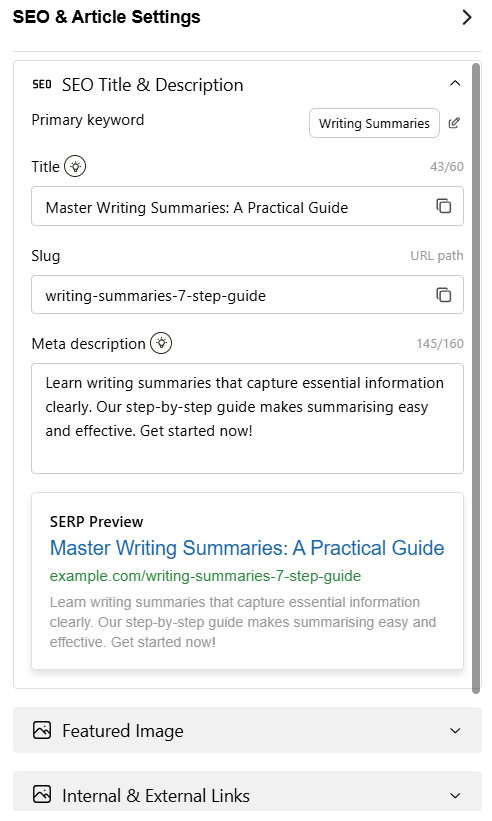
    • Keep the whole thing under about 60 characters to avoid cut‑offs.
    • Make the wording clear and specific so people know what they will get.
    • Give each page a distinct title that does not repeat across the site.

    You can also add a short brand reference at the end. An example would be “Keyword research for SEO – complete beginner guide | Contentpen.” 

    Avoid vague titles such as “Home” or titles stuffed with many repeated keywords, since both send weak or spammy signals.

    Writing compelling meta descriptions

    Meta descriptions do not directly affect rankings, but they strongly influence how many people click your result when it appears. This short snippet under the title is your chance to explain the page’s value quickly.

    Aim for one or two short sentences, roughly 150–160 characters total. Summarize the main benefit or insight, and where it fits, include your primary keyword naturally without sounding forced.

    Using header tags effectively

    Header tags (H1-H6) provide structure to your content. They break the page into logical chunks of topics and subtopics. This helps screen readers, human visitors, and search engines follow your arguments.

    Use one H1 per page for the main title, and include your primary keyword there if it makes sense. 

    Use H2 headings for major sections and H3 headings for subsections. Try to make each heading descriptive so that someone skimming the page can understand the gist of your points just by reading it.

    Question‑style headings such as “What is technical SEO?” or “How do I check my keyword ranking?” can also match common user queries and give you extra relevance.

    Optimizing images with alt text and descriptive filenames

    Images add context and make your pages easier to digest. They also give extra chances to explain your topic through alt text and file names. These small details support both accessibility and SEO.

    Use clear, descriptive file names such as seo-keyword-research-steps.jpg instead of img_1234.jpg. Then write alt text that briefly explains what the image shows and how it relates to the page.

    Strategic internal linking within content

    Internal links inside your articles guide readers toward deeper content and help search engines understand which pages belong together. When you place these links thoughtfully, you help both engagement and rankings.

    While writing, look for natural chances to point to related posts, guides, or service pages. Use anchor text that hints at the target topic instead of generic phrases.

    Aim to include a few relevant internal links in each article, primarily pointing toward cornerstone content and key conversion pages. 

    You can keep a simple list of your main pages handy, or use Contentpen as a writing hub that automatically adds consistent internal links for your convenience.

    Step 6: Building authority through strategic link building

    When another site links to you, it is like a public vote of confidence that your content deserves to rank. Google reads that as a sign that your page has value and should be considered for higher positions.

    Many beginners feel nervous about link building because they hear stories about penalties. The key is to focus on earning links with high‑quality content and honest outreach rather than tricks. Over time, this kind of link profile supports strong domain authority.

    Understanding link equity and domain authority

    Link equity is the value passed through a hyperlink from one page to another. The best links come from relevant, reputable sites in your field and are placed within the main body of the content. A link from a weak or spammy page sends little or none and can even be risky.

    Domain authority is a third‑party metric used by some tools to estimate a site’s likelihood of ranking. While Google does not use this exact number, it often reflects the strength and quality of the site’s backlink profile. Sites with many high‑value links tend to have higher scores.

    White-hat link-building strategies that actually work

    Ethical link building takes more patience, but it yields safer, more stable results. The base of all good link building is content that people actually want to reference. This can include original research, deep guides, tools, or useful templates.

    Guest posts on related sites can be a healthy source of links when done with care. You write a valuable article for another site’s audience and include a relevant link back to your own related content. Both sides gain when the article is strong and on topic.

    Other methods include reaching out to owners of resource pages that list helpful links in your niche, offering your content when it fills a gap. 

    Step 7: Setting up analytics and tracking your progress

    SEO is not guesswork. To decide what to improve, you need data on what is working, what is stuck, and where new opportunities arise. 

    Setting up tracking tools is an integral part of how to do your own SEO in a confident, planned way.

    You do not have to become a data scientist. You just need to watch a handful of key numbers over time and look for patterns.

    Essential tools to use

    To set up analytics and track your SEO progress, we have two essential tools.

    1. Google Search Console: This tool shows how Google views your site in search. After you verify ownership of your domain, you can see which queries bring impressions and clicks, which pages receive those clicks, and how your average positions change.
    2. Google Analytics: GA4 can track where visitors come from, how long they stay, which pages they visit, and whether they complete the desired action. 

    As a better alternative to GA4, you can also use Usermaven for AI-driven insights and detailed web analytics for your platforms.

    Key SEO metrics every beginner should monitor

    A few core metrics give a clear overview of your SEO health. Watching these each month helps you see early wins, plateaus, or problems.

    Here is a simple view of useful metrics:

    MetricWhat does it tell youWhere to check
    Organic trafficHow many visitors arrive from search, and whether that number is risingGoogle Analytics, filter by organic search in Acquisition
    Keyword rankingsHow your pages appear for target queries and how positions change over timeGoogle Search Console, or paid rank tracking tools
    Click‑through rateHow often do people click your result compared with how often it appearsPerformance report in Google Search Console
    Backlink growthWhether more sites are linking to you, and how strong those sites appearLinks report in Search Console or external SEO tools
    Core Web Vitals and speedHow your pages perform on loading, interactivity, and visual stabilityPageSpeed Insights and Core Web Vitals reports
    Conversions from organicHow well search traffic turns into leads or customersGoogle Analytics goals or events filtered by organic traffic

    By watching these numbers, you can answer questions like “how do I check my keyword ranking” and “is my SEO work bringing more leads” with real data, not guesses.

    Setting realistic expectations for SEO timelines

    SEO takes patience. For new sites, it often takes three to six months to see clear gains from consistent work. Competitive niches can take even longer, especially for very broad terms.

    Many factors shape your timeline:

    • Age and history of your domain.
    • Strength of your competitors.
    • Quality and consistency of your content.
    • Technical health and link profile of your site.

    Focus on steady improvement rather than overnight success. Watch for minor signs of progress, like more impressions, a handful of new keywords, or one strong backlink.

    Over time, these wins stack, and traffic growth tends to speed up as your authority grows.

    How AI tools like Contentpen streamline the SEO content process

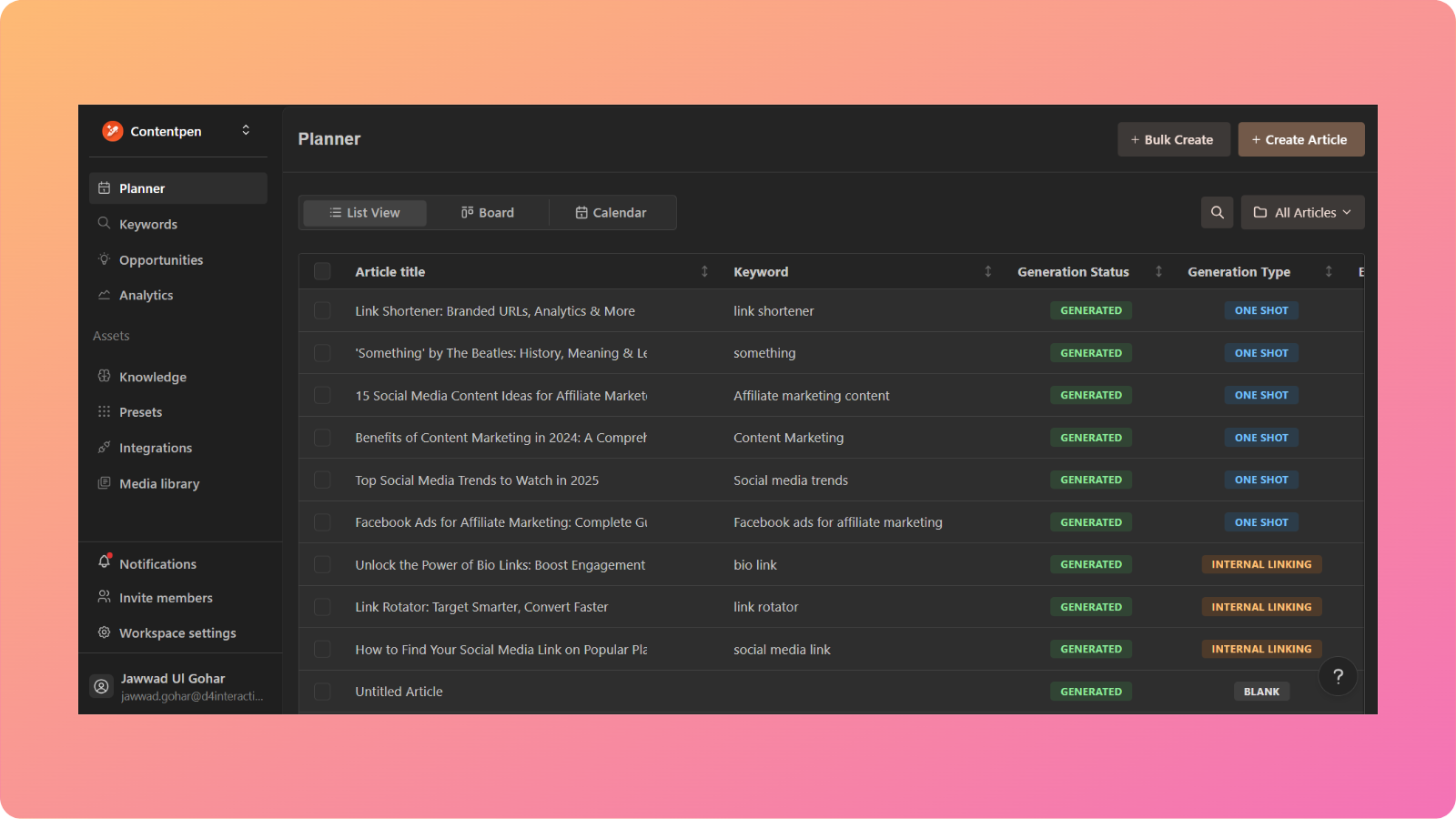
    Contentpen main screen - Contentpen.ai

    By now, it is clear that solid SEO has many moving parts. You need research, writing, on‑page optimization, updates, and tracking. 

    For solo marketers, small teams, and busy agencies, doing all this manually can feel impossible on a tight schedule.

    AI‑powered platforms exist to reduce that load. They help you handle the most time‑intensive tasks faster, so you can focus on strategy and quality control. Contentpen is one such platform, explicitly built around SEO content needs.

    How Contentpen helps beginners implement SEO best practices

    Our SEO platform brings several key Features into one workspace. It can help you:

    • Generate long‑form blog drafts based on your chosen topics and target keywords.
    • Structure articles in a way that supports strong SEO layouts.
    • Spot fundamental gaps in headings, keyword coverage, and formatting.

    While you write or refine text, SEO‑aware guidance in Contentpen highlights areas that may need a more transparent structure or better keyword use. 

    You can also keep your brand voice consistent by uploading your content guidelines into Contentpen and using it as a central place for drafts, outlines, and internal notes. 

    Reusing outlines and drafts makes it easier to publish content on a regular schedule without dropping quality.

    Staying current: How to keep up with SEO changes

    SEO does not stand still. Search systems release updates, new features appear in results, and best practices shift over time. With the popularity of AI search discovery, terms like GEO (Generative Engine Optimization) have also entered circulation.

    For someone learning SEO, the constant change can seem overwhelming at first glance. However, the reassuring part is that core principles remain the same. 

    Helpful, honest content, fast and safe sites, and natural links have been wise goals for many years. 

    What changes more often are the finer tactics and the weight given to certain ranking factors. When you keep your focus on serving users well, you are already on the right side of most updates.

    To stay informed without spending all day on the news, choose a small set of trusted sources. The Google Search Central blog and YouTube channel are good places for official guidance. 

    A few respected SEO blogs or newsletters can also help you understand what new updates mean in practice. You do not need to chase every rumor; watching clear trends is enough.

    Summing it up

    Learning SEO can feel like a big project, but breaking it into steps makes it manageable. You start by making sure search engines can find and crawl your site. Then you organize your structure, research the right keywords, and create content that genuinely helps people.

    From there, you tune on‑page elements, build authority with good links, and track progress with data instead of guesses. 

    Along the way, you must avoid common mistakes, such as chasing impossible keywords or ignoring mobile users. This steady, thoughtful work leads to real improvements in website ranking over time.

    Frequently asked questions

    Can ChatGPT do SEO?

    While AI chatbots like ChatGPT can help draft SEO content, they are not specialized tools for this purpose. On the contrary, tools like Contentpen are made for this task, helping you rank better with minimal effort.

    How long does it take to get to the top of Google?

    There is no fixed time, and no one can guarantee a number one spot. Focus less on the idea of “top of Google” and more on building many rankings across related keywords, which together bring strong traffic.

    Can I do my own SEO?

    Yes, many small businesses and creators learn how to do their own SEO with guides like this. Start with on‑page basics, make sure your site is fast and mobile‑friendly, and create content that answers real questions in your niche. 

    What is the difference between on-page and off-page SEO?

    On‑page SEO covers everything you do on your own site, including content quality, titles, headings, internal links, and technical health. Off‑page SEO focuses on signals from other sites, mainly backlinks and brand mentions.

    How many keywords should I target on one page?

    Most pages work best with one main keyword and a group of closely related secondary phrases. That main keyword sets the focus, while secondary terms cover variations and related questions.

  • What is on-page SEO? How to optimize pages for robots and readers

    What is on-page SEO? How to optimize pages for robots and readers

    Are you publishing article after article and still stuck on page three of Google? Does it sting a little when a competitor with similar content keeps sitting above you in the results?

    Many people think SEO is either a pile of code only developers touch or a game where only big brands can win.

    That belief leads to random tweaks, guessing at keywords, and asking tools to “check SEO on my site” without a clear plan. 

    On-site SEO is the part you control the most, and even basic on-page SEO tweaks can help you push through the rankings.

    In this guide, you will see a step-by-step workflow for on-site SEO optimization. You will learn how to pick smart keywords, craft title tags, and meta descriptions that quickly earn clicks.

    So, let’s dive in, shall we?

    Understanding the basics and significance of on-page SEO

    On-page SEO, often called on-site SEO, is the practice of improving individual pages on your website so they can rank higher for the right searches and attract visitors.

    It covers both what people see on the page, like headings and copy, and what lives in the HTML, like title tags and meta descriptions.

    This type of SEO includes everything on your site that you directly control, such as:

    • Content quality and depth
    • Keywords, headings, and formatting
    • URL structure
    • Internal links
    • Images and media

    Doing on-page search engine optimization also means improving the user experience, such as enhancing text readability and maintaining a simple, attractive layout. This is part of the SEO checklist that you need to consider for your publication workflows.

    On-page SEO optimization techniques to follow

    You can improve your SERP results and chances to be mentioned in featured snippets by following the given on-page SEO optimization techniques:

    • Keyword research
    • Strategic keyword placement
    • Meta title and description optimization
    • Crafting high-quality content
    • Structuring for readability
    • Building an internal linking strategy
    • Optimizing images and media
    • Improving page speed
    • Using schema markup

    Now, let’s discuss these strategies and techniques in a bit more detail.

    How to conduct keyword research for on-page optimization

    Keyword research and SEO planning materials

    Effective on-page SEO starts with understanding what your audience types into Google when they look for answers, products, or services like yours.

    The strategies for on-page search engine optimization can vary from one organization to another, depending on the niche, search intent, and the target audience they intend to serve.

    With that said, a simple, generic keyword research workflow may look like this:

    1. Brainstorm seed topics: List seed topics that connect to your offers and your audience’s pain points.
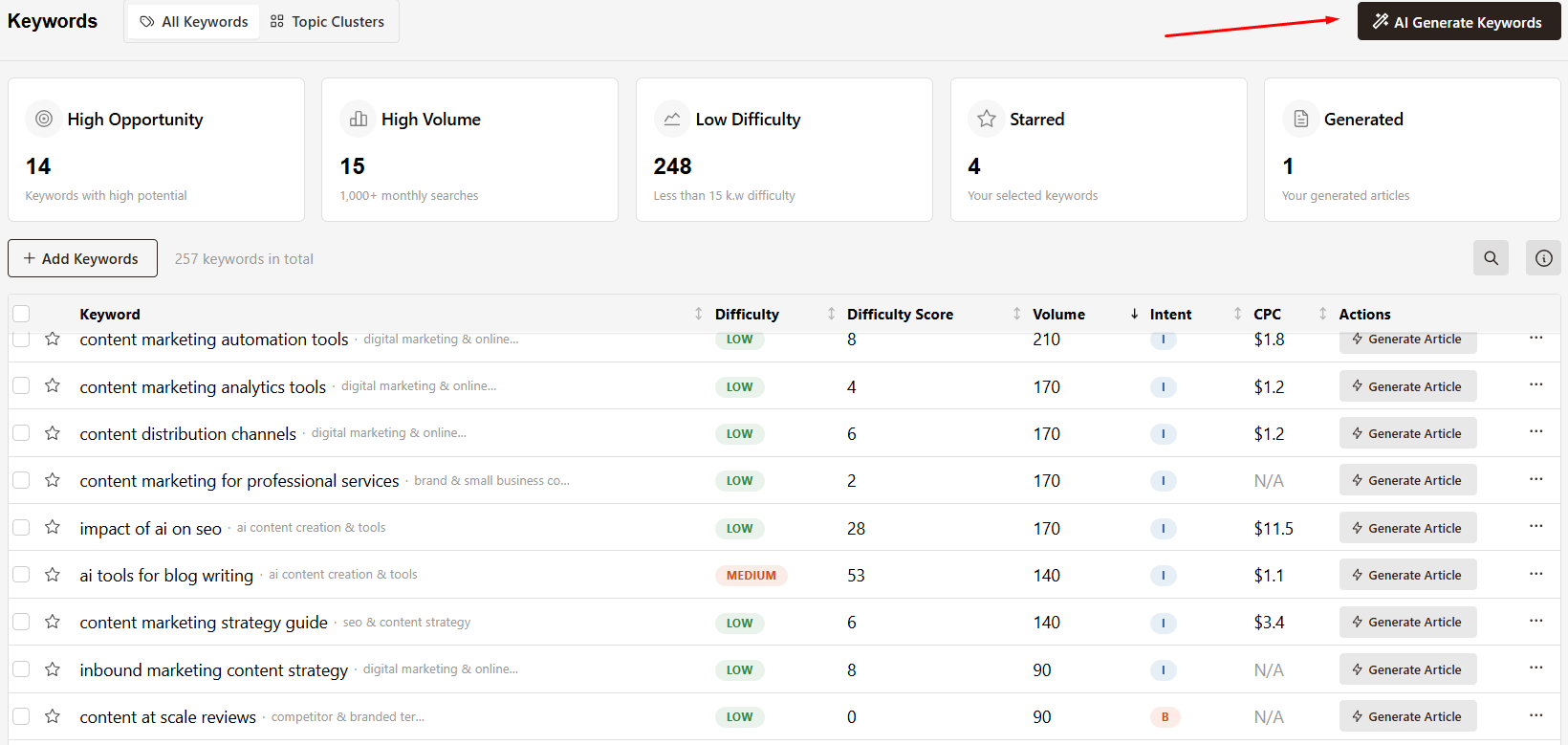
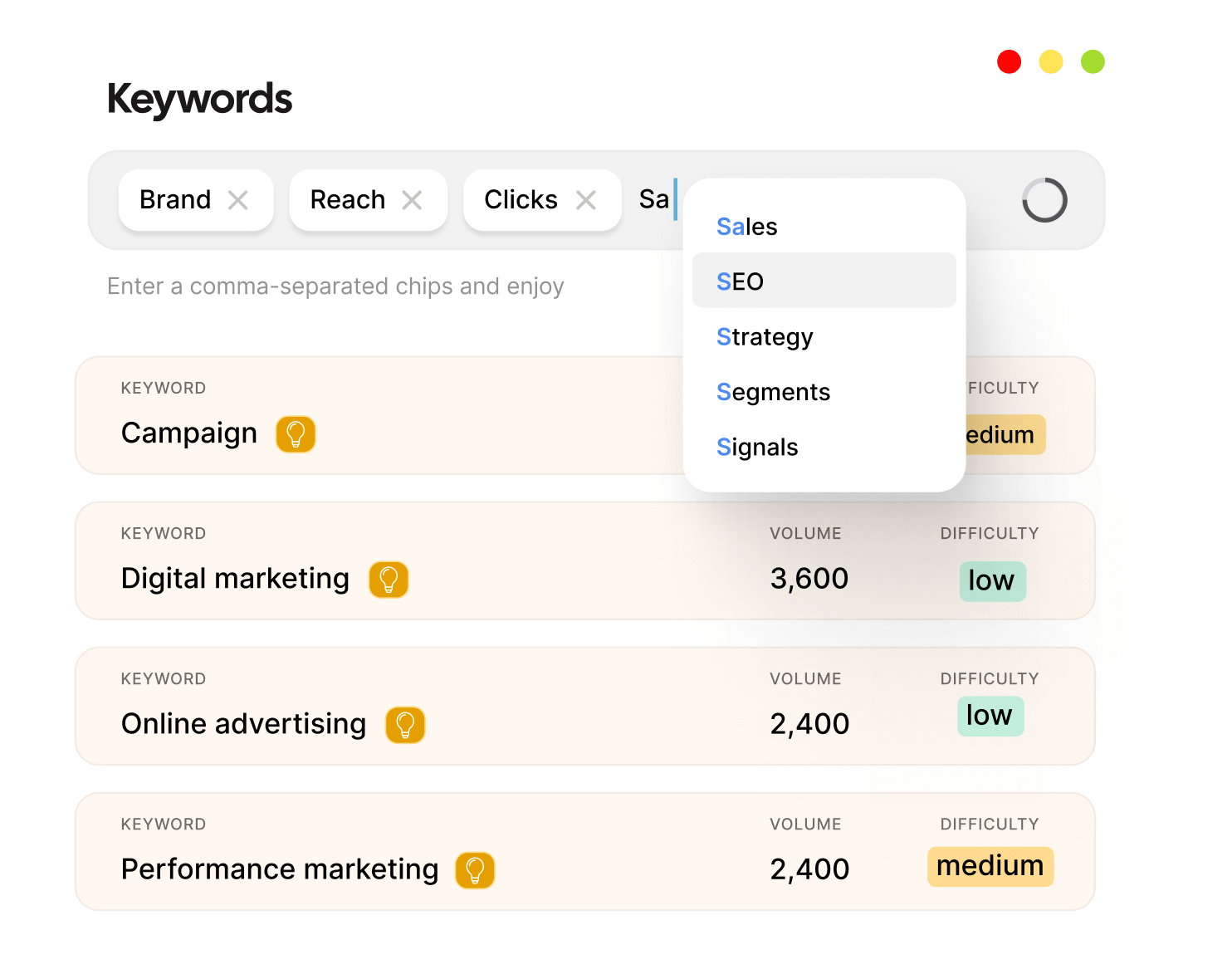
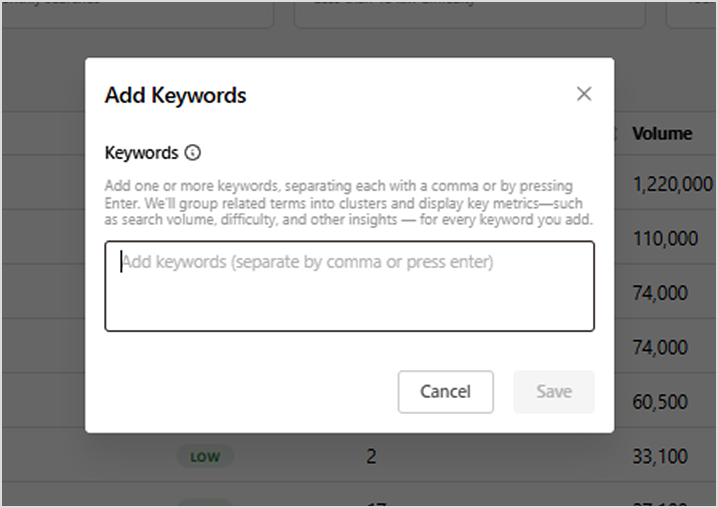
    2. Use research tools: Then plug those seed ideas into keyword research platforms like Contentpen. Its keyword module can help surface related terms, questions, and long-tail phrases pulled from real search behavior.
    3. Check volume, difficulty, and competitors: As you review suggestions, pay attention to search volume, keyword difficulty scores, and the kind of competitors already ranking for that phrase.
    4. Prioritize long-tail queries: Long-tail phrases often have lower competition and clearer purchase intent, making them great targets.

    Although looking for the volume of a keyword is essential, you must also consider the search intent relevant to it. This will help you narrow down clicks and secure a more serious audience on the platform.

    Strategic keyword placement throughout your content

    Once you know which keywords to target, the next step is to place them strategically on your website. The goal is to help Google confirm what the page is about without making the copy sound like it was written for robots. 

    There is no perfect density number to chase, but there are parts of the page where keywords matter more.

    Key placement points include:

    • H1 heading – Include your focused keyword once here.
    • Introduction – Place the primary phrase in the first 100–150 words of your content.
    • H2 and H3 subheadings – Weave in primary and secondary keywords where they fit naturally.
    • URL slug – Keep it short and readable with your primary keyword in it.
    • Body copy – Mix the target phrase with natural variations like ‘basic on-page SEO’ or ‘on-site SEO techniques’ (also known as LSI keywords).
    • Image alt text – Describe visuals clearly and add keywords only when they make sense.
    • Meta description – Include the primary keyword once in a natural way.

    Whatever you do, always avoid keyword stuffing, which is where a user repeats exact phrases so often that the text sounds forced.

    Creating title tags and meta descriptions for higher click-through rates

    Title tags and meta descriptions are tiny pieces of HTML that carry a lot of weight. They tell Google what each page is about, helping the search engine crawler to index your pages. 

    When these are written well, you can earn more clicks even before you move up in positions.

    Optimizing title tags for search engines and users

    A meta title is the clickable headline that shows in search results and in the browser tab. It acts as both a ranking signal and a mini advertisement for your content, so it needs to be clear, keyword-focused, and appealing.

    Good practices for title tags include:

    • Aiming for around 40–60 characters to avoid truncation.
    • Placing your primary keyword near the start.
    • Add helpful modifiers like ‘guide,’ ‘checklist,’ ‘fast tips,’ etc.
    • Ensure every page on your site has a unique title tag.

    One simple formula is:

    Primary keyword + modifier + clear benefit

    For example: “On page SEO guide – simple steps to rank higher in 2026.”

    Title tags set the tone for your page and help users know what to expect when they land on your platform.

    Writing meta descriptions that drive clicks

    Meta descriptions sit right under the title in the search results and give people a short preview of your page. They do not directly change rankings, but they have a big impact on whether someone chooses your page or a competitor’s. 

    A clear, honest description also reduces quick bounces, which helps your page perform better over time.

    When you write meta descriptions:

    • Aim for around 140–160 characters
    • Include your primary keyword naturally, preferably at the start
    • Use active voice and explain what the reader gets
    • Add a soft call to action

    For example: “Learn simple on-page SEO techniques that help your site rank on Google. Follow this step-by-step guide and start gaining visibility today.”

    With that said, if you are finding it tough to draft your own meta titles or descriptions, then you can take help from tools like our AI SEO blog writer. It scans your article, studies top competitors, and automatically suggests suitable metadata for your content.

    Creating high-quality content that satisfies search intent

    Creating high-quality optimized content

    On-page SEO is not just about placing keywords in the right spots. The real driver of rankings is whether the content truly answers what searchers wanted when they typed their query.

    To do this well, you need to understand search intent. Some searches are informational, while some show clear buying intent. 

    A simple view of intent types is shown below:

    Intent typeExample queryBest content format
    InformationalWhat is search engine optimizationGuides, explainers, definitions
    NavigationalContentpen loginHomepages, login pages, brand landers
    TransactionalBuy an SEO audit toolProduct pages, pricing pages, service pages
    Commercialbest AI content platformsComparisons, reviews, “best of” roundups

    To understand the right intent for your content, check the first page of Google for your target phrase:

    • Look at what content format appears most often
    • Study what questions the top pages answer
    • Spot what they miss. This is where you can add an information gain.

    For example: How to do SEO – If every top result is showing a basic step-by-step guide to this process. Then you need to take it a step further and write the dos and don’ts of SEO.

    Resolving content overload - Contentpen.ai

    Remember,  a strong copy keeps people hooked and engaged, which sends Google a positive signal that your content is worth ranking.

    Structuring content for readability and AI-powered search

    Modern search is no longer just about blue links and ten results. Large language models and features like AI overviews need to quickly extract clear, concise chunks of text that answer narrow questions. 

    That means your content must work well for both human skimmers and AI systems. For readers, a proper blog structure is what makes a long text feel easy on the eyes.

    You can use question-style headings, such as “How do I optimize my title tag,” so both humans and search engines instantly know what is coming next.

    Short, quotable sentences that stand well on their own are also more likely to be pulled into featured snippets and AI summaries.

    Building an effective internal linking strategy

    Internal linking strategy - Contentpen.ai

    Internal links are links from one page on your site to another, and they are one of the most underused parts of on-page SEO optimization.

    They help search engines understand how your content relates, spread authority from strong pages to newer ones, and guide users to the next helpful piece.

    When search bots crawl your site, they follow internal links to discover new pages and to see which pages you treat as most important. 

    A well-planned internal linking setup makes it easier for crawl bots to map your topics and helps them index deep pages faster.

    Think about your key pages first, such as:

    • High-value service pages
    • Pillar blog posts
    • Detailed guides on on-page SEO and off-page SEO

    Then look for chances across your blog and other content to link to these targets with natural, keyword-rich anchor text, not generic “click here” links. 

    Mix links from the homepage, category pages, and related posts so there are many paths leading to each critical page.

    Optimizing images and media for on-page SEO

    Images, diagrams, and videos make content far more engaging, but they can also slow down pages if you don’t optimize them. 

    Since slow pages hurt user experience, image work is a key part of on-page SEO, not just a design concern.

    To optimize media:

    • Use descriptive file names before upload (for example: on-page-seo-checklist-example.jpg instead of IMG_7890.jpg).
    • Add alt text that clearly describes the image in a short phrase, such as “screenshot of on-page SEO analysis dashboard.”
    • Keep alt text to approximately 150 characters.
    • Compress images so they are as small as possible without looking blurry.
    • Choose appropriate file formats (JPEG and WebP for photos, PNG for simple graphics).
    • Use lazy loading so images load as visitors scroll, not all at once.

    When you handle these steps, you support accessibility, protect your speed, and even open the door to traffic from Google Images.

    Improving page speed and Core Web Vitals

    Mobile and desktop page speed testing

    Page speed has a direct impact on both SEO and revenue. People do not wait around for slow pages, and Google measures that behavior through a group of metrics called Core Web Vitals.

    The main Core Web Vitals are:

    • Largest Contentful Paint (LCP) – How long does it take for the main part of your page to become visible? Aim for 2.5 seconds or less.
    • Interaction to Next Paint (INP) – How quickly the page reacts when a user first interacts. Keep this under 200 milliseconds.
    • Cumulative Layout Shift (CLS) – How much the layout jumps around while loading. Lower is better, so people do not mis-tap buttons or links.

    You can run quick checks with PageSpeed Insights or look at real user data in the Core Web Vitals report inside Google Search Console to resolve these problems. 

    Even small gains matter here as they can have a huge impact on your search engine results.

    Using schema markup for rich snippets

    Schema markup is a small extra layer of code that you add to your pages to describe their content in a way search engines can read with more precision. 

    While schema by itself does not push you up the rankings, it enables rich snippets, which are search results with extra details that can tempt more clicks.

    For content teams and marketers, the most useful schema types often include:

    • Article schema – Tells Google that a page is a blog post or news piece and provides information like author, date, and headline.
    • FAQ schema – Marks up question and answer blocks, which Google can show directly in the search results as expandable sections.
    • How-to schema – Describes step-by-step tutorials.
    • Product, Review, and Local Business schema – Share data about items you sell, ratings, prices, and business details.

    You can generate a schema by using helpers from Google and many WordPress plugins. After adding it, test your pages to confirm that Google can read the markup.

    Because many sites still ignore schema, using it on your high-intent pages can make your results stand out from others in no time.

    The role of external links in on-page SEO

    Some site owners fear that linking to other websites will drain their rankings, but that is not how search works. 

    Thoughtful external links can actually support your on-page SEO by demonstrating that you base your claims on solid sources and by providing readers with extra value.

    When you cite respected studies, industry blogs, or official documentation and link out to them, you signal that you are part of the broader conversation on that topic. 

    Readers get paths to dig deeper if they want more background, which builds trust and can keep them in your content longer. 

    Search engines also use these connections to better understand what your page is about and how it fits into the topic space.

    Keep these practices in mind:

    • Choose external sites that are relevant, trustworthy, and stable
    • Use descriptive anchor text that tells people what they will find when they click
    • Keep the number of external links balanced so they support your points
    • For links that come from sponsorships or that you would rather not vouch for, mark them with attributes like rel=’nofollow’ or rel=’sponsored’.

    By following these practices for external links, you can make sure that your content is established as an authority on the World Wide Web, favoring more clicks.

    Measuring and monitoring your on-page SEO performance

    Tracking SEO performance with analytics dashboards

    On-page SEO is not a one-time checklist you forget about once it is done. Search behavior, competitors, and even your own offerings change over time. 

    So, you need a repeatable way to track performance and decide what to improve next.

    Begin with core metrics:

    • Organic traffic – How many visitors arrive from search, and which pages draw the most attention.
    • Keyword rankings – Where you stand for important phrases such as “rank your site on Google.”
    • Click-through rate (CTR) – How often people pick your result when they see it (from Google Search Console).
    • Engagement metrics – Bounce rate, average time on page, and pages per session, which hint at how well your content matches intent.

    Plan regular content audits every quarter. Look for ways to improve your blog and consider fresh keyword research. 

    Also, during these reviews, try to update outdated stats and screenshots. Strengthen internal links and fix technical problems such as broken links or slow pages.

    The shift to generative engine optimization (GEO)

    Since generative AI systems like ChatGPT, Google’s AI overviews, and others have surfaced, generative engine optimization (GEO) has become more common.

    GEO requires you to answer user questions directly and cut out the fluff from your content. This increases the likelihood of your work being featured in snippets and AI mentions, helping you attract more traffic and eventually get more clicks and visibility.

    Focusing on SEO and GEO is what makes your pages optimized for both robots and readers. 

    Why choose Contentpen for SEO and GEO optimized content

    Contentpen helps your content look more refined, SEO-optimized, and readable for the audience. 

    It allows you to take complete control of your content by incorporating the right keywords, optimizing for organic traffic, and keeping tabs on your SEO score.

    The finalized content is not only ready for more discoverability, but is also easily read and understood by the robots.

    Boosting on-page SEO with SEO scoring

    Our tool utilizes SEO scoring to assist you in performing the right edits before you hit publish.

    It shows your content’s keyword optimization, content structure, meta details, and media optimization indicators in one place, guiding your on-page optimization strategies.

    The tool also shows details regarding the linking strategy and semantic relevance, boosting your platform’s discoverability.

    Keyword research with Contentpen

    Contentpen automatically analyzes your niche and competitors to provide you with the best keywords for ranking.

    The tool saves hours of manual research for keyword research, streamlining your workflows and boosting your productivity in no time.

    Optimizing organic traffic

    Our AI blog writer not only helps you create SEO-optimized content, but also tracks, analyzes, and optimizes organic traffic for your platforms without switching tabs.

    Contentpen is proficient in expanding your reach through smart SEO and GEO optimization tactics, leveraging SERP analysis, structure enhancer, and much more.

    Publishing content at scale also becomes easier with the Contentpen’s scheduling and bulk creation capabilities.

    Summing up

    On-page SEO sits at the heart of strong search performance, and the best part is that it is entirely in your hands. 

    By focusing on page-level details, you give every article, landing page, or product page a better chance of appearing when people search for information related to it.

    Across this guide, you have seen how to move your on-page SEO optimization from guesswork to a straightforward process.

    You can now implement these strategies to win more clicks and retain every customer in your base.

    Frequently asked questions

    What is the difference between on-page and off-page SEO?

    On-page SEO focuses on content optimization, while off-page SEO involves building authority through backlinking.

    How do I get on-page SEO keywords?

    You can use different tools to get these keywords, such as Contentpen, Ahrefs, and others. Make sure to find the ones that match your content and webpage’s intent.

    What are the 4 types of SEO?

    The four main types of SEO are on-page, off-page, technical, and local SEO. These focus on different aspects of a website, helping it reach higher rankings.

    Can I rank without backlinks if I have perfect on-page SEO?

    Great on-page SEO can help you rank for low-competition long-tail searches. However, for more competitive phrases, you usually need a mix of strong on-page work and quality backlinks to reach the top spots.

    What are the 3C’s of SEO writing?

    The 3C’s of SEO writing are content, code, and credibility. This means that you provide high-quality information (content) that is accessible to search engines (code) and is trustworthy to other users (credibility).

  • What is SEO? A practical guide for beginners

    What is SEO? A practical guide for beginners

    Search engine optimization can feel frightening for many, but it doesn’t have to be. With the right tools, strategies, and implementation, your website can achieve the visibility you want, all without much hassle.

    But, ranking a website online starts with two simple questions: ‘What is SEO? and ‘How to do SEO?’

    Getting answers to these questions helps you rank your content and reach the right audience at the right time.

    In this guide, we will walk you through what SEO is, how search engines like Google work, and how to build a practical SEO strategy from scratch. By the end, you should understand the search engine basics well enough to start improving your search rankings. 

    So, let’s get started.

    What is SEO: understanding the fundamentals

    Website traffic analytics showing organic growth

    At its core, search engine optimization (SEO) is the practice of improving a website so that search engines can place it well for people.

    So when people ask what SEO is, the short answer is that it is how a website earns visibility instead of staying hidden.

    When someone types a question or phrase into Google, SEO helps decide whether a page appears near the top, somewhere on page five, or not at all. 

    The purpose of SEO

    Good SEO optimization is less about tricks and more about making helpful content, organizing pages, and fixing technical issues that block search engines.

    The main goal is to appear as high as possible in search rankings for important keywords. The top organic spots capture most clicks, with only 0.63% searchers going beyond the top 10 results. 

    This shows why SEO in digital marketing is such a high priority for brands and agencies, especially those with tighter budgets for paid ads or PPCs.

    Difference Between SEO, SEM, and PPC

    SEO sits inside a bigger bucket called search engine marketing (SEM), which covers every way a business can gain traffic from search engines, both paid and unpaid.

    Search engine optimization focuses on earning visibility in regular, non-ad results, while PPC (pay-per-click) focuses on paying for ad placements in search results.

    Here is a simple comparison:

    AspectSEOPPC
    PaymentNo fee per click; investment is time, content, and toolsPay every time someone clicks an ad
    SpeedSlower to see results, but more durableVery fast visibility, but stops when the budget stops
    PerceptionOften seen as more trustworthy because it is organicSeen as advertising, clearly labeled
    ControlLess control over the exact positionMore control through bids, budget, and targeting

    For most brands, the smartest approach is not SEO versus PPC, but combining them. PPC can bring in fast traffic and test which keywords convert, while SEO builds long-term visibility and reduces reliance on ads over time.

    How search engines work: the three core stages

    To understand what SEO is in practice, it helps to look at how search engines like Google work behind the scenes. The details are complex, but the basic flow comes down to three steps:

    1. Crawling – discovering pages
    2. Indexing – analyzing and storing pages
    3. Ranking – ordering results for each search

    SEO is about making each of these stages as smooth and efficient as possible for both robots and readers.

    Crawling: How search engines discover your content

    Crawling is the discovery step. 

    Search engines send automated programs (often called crawlers, spiders, or bots) to move from page to page across the web.  

    Each link is a path, so when a crawler finds a link, it can follow that link to discover a new page. If those paths are broken or confusing, crawlers may miss important pages. 

    A site with clear internal links, simple navigation, and logical structure can make a lot of difference for the discoverability of your site.

    Indexing: How search engines analyze and store your content

    Once a crawler reaches a page, the next step is indexing. During indexing, the search engine reads the page, looks at text, images, video, and code, and then stores this information in a massive database called the index.

    Pages with clear titles, meta descriptions, headings, and alt text for images are easier for search engines to understand and match to the right searches.

    Ranking: How search engines determine the order of results

    When someone types a query, Google scans its index for relevant pages and uses many SEO ranking factors to decide which ones appear first.

    While there are hundreds of signals in play, focusing on quality content, solid UX, and meaningful SEO backlinks covers the main areas that affect rankings.

    The four types of SEO: on-page, off-page, technical, and local

    There are four main types of search engine optimization (SEO), often called the SEO pillars:

    These define a brand’s presence on the Internet and support each other in one way or another. 

    For instance, fixing a technical issue can help existing pages rank better. Similarly, publishing better content makes link building easier, and strong backlinks help pages hold their positions during algorithm updates.

    On-page SEO: optimizing your content and HTML

    On-page SEO covers everything the visitor sees and the HTML that describes it. This is where writers, editors, and content strategists have the most direct control.

    Key elements of on-page SEO include:

    • Writing content that answers real questions in depth
    • Using keyword research to guide topics and wording (without stuffing)
    • Structuring content with clear H1, H2, and H3 headings
    • Writing descriptive title tags and meta descriptions
    • Adding alt text to images for accessibility and image search
    • Creating clean, descriptive URLs
    • Adding internal links to relevant pages

    Many teams now use SEO tools to track an SEO score for each page and catch missing meta tags or weak headings. Platforms like Contentpen help you incorporate this guidance into the writing flow, so on-page optimization happens as content is created.

    Off-page SEO: building authority and reputation

    Off-page SEO is about how the rest of the web responds to a website. While on-page work explains what a page is about, off-page signals help show how important or trusted that page is.

    The biggest off-page factor is SEO backlinks. When another site links to a page, it acts like a recommendation. A link from a respected, relevant site carries far more weight than many links from low-quality sites.

    Proper off-page signals include:

    • Natural SEO backlinks from blogs, news sites, and partners
    • Brand mentions, even when they are not linked
    • Positive reviews and ratings on third-party platforms
    • Consistent, genuine activity on social channels that encourages sharing

    Because off-page SEO depends on internal links, it is harder to control directly. That makes high-quality content, real outreach, and long-term relationships far more valuable than quick link schemes that risk penalties.

    Technical SEO: optimizing your site’s foundation

    Technical SEO deals with the structure and performance of a site. It addresses how easily search engines can crawl and index pages and how well those pages perform on different devices.

    Core areas of technical SEO include:

    • Crawlability and indexability
    • XML sitemaps
    • Robots.txt File configuration
    • Canonical tags
    • Stable layouts (good Core Web Vitals)
    • Responsive design
    • Structured data (schema markup) for products, FAQs, events, etc.

    For many marketers, technical SEO can feel intimidating. The good news is that modern website builders, plugins, and tools do much of the hard work, or at least flag problems that you can later fix with ease.

    Local SEO: optimizing visibility in location-based searches

    Local SEO focuses on helping businesses appear in location-based searches and map results. When someone searches for “coffee shop near me” or “dentist in Austin,” Google prioritizes businesses that are physically close and relevant to that query.

    Key elements of local SEO include:

    • Google My Business (GMB) profile optimization
    • Local citations and consistency in name, address, and phone number
    • Location-specific content and keyword usage in content
    • Reviews and reputation management
    • Earning backlinks from local vendors, news outlets, or organizations

    Local SEO works best when combined with the other pillars. 

    A fast, mobile-friendly site with helpful content and strong backlinks will rank better locally than a poorly built site with just a Google Business Profile.

    As search engines evolve, optimization is no longer limited to ranking pages alone. AI-driven systems are now reshaping how information is discovered and presented.

    Your step-by-step SEO workflow

    The SEO roadmap details

    Knowing the fundamentals of SEO is helpful, but results come from following a repeatable process. 

    SEO is not a one-time checklist – it is an ongoing cycle, one that is built upon the following steps: Research, strategy, implementation, analysis, and adjustments.

    A solo writer can use this loop for a single blog post, while a large agency can apply it across hundreds of pages. Tools and platforms like Contentpen fit into this process by reducing work during manual research and content creation while also enabling batch processing.

    Step #1: Conducting comprehensive research

    A good search engine optimization starts with conducting solid research. This includes the following elements:

    1. Audience research – roles, pain points, common questions, and the language people use
    2. Keyword research – search volume, difficulty, and intent
    3. Competitor and SERP analysis – who already ranks, what they cover, and where they fall short
    4. Site audit – current rankings, thin content, broken links, and technical issues

    Conducting research is a good starting point, but it will lead you to nothing when you can’t plan and implement a proper strategy.

    Step #2: Planning your SEO strategy

    Once keyword research is completed, the next step is to plan an SEO strategy that is aligned with your business goals.

    A simple plan might look like this:

    1. Choose priority keywords – aim for terms with solid search volume, reasonable difficulty, and strong relevance to what your site offers.
    2. Set measurable goals – for example, increase organic traffic by 25% in six months, or move three key phrases from page two to page one within 90 days.
    3. Map keywords to content – decide which existing pages to improve and which new pages to create.
    4. Build a content calendar – plan when to publish new pieces and when to refresh older content.

    Make sure to document the planning process so others can repeat it without any hiccups.

    Step #3: Implementing the SEO strategy

    After you are done with the planning of your SEO strategy, it is now time to implement it for your website.

    You can do the following to put your strategies into motion:

    1. Schedule technical and off-page tasks – group fixes like site speed improvements and mobile issues into sprints.
    2. Set up monitoring and analytics – use tools like Google Analytics to track traffic, rankings, click-through rates, and conversions. Set up dashboards or regular reports to spot trends early and see which efforts are working.
    3. Commit to Ongoing SEO – Schedule regular content audits, keep refreshing outdated pages, and stay informed about algorithm updates and industry best practices.

    Review this plan regularly (quarterly works well for bulk content creation) and adjust based on new data. Repeat your set processes to reap significant rewards in the long run.

    How SEO is evolving in 2026

    Search is no longer limited to a list of blue links. In recent years, search engines and AI-driven tools have started answering questions directly. The tools summarize information and highlight sources without requiring users to click through multiple pages. 

    Understanding generative engine optimization (GEO)

    In simpler words, GEO is the type of search engine optimization that builds on the foundations of traditional SEO. The only change is in how content is surfaced and used.

    However, let’s clarify one thing here: GEO is not replacing SEO in any way possible. 

    In fact, properly SEO optimized content facilitates generative engine optimization, enabling even more discoverability for your platforms.

    Answer engine optimization (AEO) and how it works

    Similar to generative search optimization is answer engine optimization (AEO). This means modifying your content so that AI search, voice assistants (like Siri or Alexa), and chatbots (like ChatGPT) can identify and present relevant answers to the public based on the query.

    Instead of only ranking pages, generative systems may pull short explanations, definitions, or steps from multiple sources and combine them into a single answer. 

    This means that optimizing content for GEO and AEO requires:

    • Helpful, well-structured content
    • Clear explanations and intent-driven pages
    • Solid technical foundations
    • Genuine authority and expertise in responses

    As search continues to evolve, SEO is becoming less about optimizing for a single format and more about making information easy to find, understand, and trust.

    Although understanding how SEO, GEO, and AEO work is essential, real progress comes from applying these principles through a clear, repeatable process.

    Why SEO matters for your business

    SEO is not just a technical topic for specialists. It is a business decision that affects how many people discover a brand, how they feel about it, and how often they become leads or customers.

    Paid ads stop the moment a budget is paused. SEO work, on the other hand, can keep paying off for months or years as content continues to rank. That is why many teams see SEO in digital marketing as an investment rather than a cost.

    SEO also supports other channels:

    • Strong blog posts and guides can feed email campaigns
    • Helpful articles give sales teams resources to share
    • Well-structured content shared on social media

    For smaller businesses and solo creators, SEO is often the most realistic way to compete with bigger brands that dominate paid ads.

    Driving high-quality, targeted traffic

    One of the biggest strengths of SEO is the type of traffic it brings. SEO is an inbound channel. People come to a site because they are already searching for an answer, product, or service.

    Studies from BrightEdge have reported that organic search can drive more than 50% of all website traffic. 

    Even more important than volume is intent. Someone searching “best project management software for agencies” clearly has a specific need and may be close to buying. While searches like “Most common SEO mistakes” clearly indicate an informational intent.

    Compared with many social feeds, where most users browse casually, search traffic usually arrives with a clear goal. That tends to lead to higher-quality leads and more efficient conversions.

    Building trust and authority

    Appearing near the top of organic results carries strong psychological weight. When people see a brand show up again and again for important queries, they start to assume that the brand knows what it is talking about.

    Pair that with a clean design and straightforward navigation, and visitors are far more likely to stay, return, and eventually buy.

    Over time, returning visitors, positive behavior signals, and brand searches all feed back into how search engines view your site.

    Gaining visibility in different SERP features

    Modern search results contain much more than a simple list of links. For many queries, you will see:

    • Featured snippets – short answer boxes pulled from a page
    • People Also Ask boxes – related questions users often click
    • Local packs – map results for nearby businesses
    • Image and video carousels – visual results for media-friendly topics
    • AI Overviews and summaries – AI-generated answers that cite web pages

    Each of these is another chance for a brand to appear. Thus, choosing a clear structure, good headings, and concise answers in your content will increase the odds that your content will be selected for these spots.

    How Contentpen can help you write SEO-optimized content

    Contentpen features help you write search-engine-optimized content in no time. The SEO platform automates many tedious tasks associated with hunting for keywords, fixing vital SEO elements, and more.

    Keyword research using Contentpen

    Our AI blog writer helps uncover the most relevant and suitable keywords for your niche and search intent. It comes with all the up-to-date data scraped directly from the search engines, helping you implement your SEO strategies with confidence.

    AI Generate Keywords feature - Contentpen.ai

    The tool also comes with the ‘AI Generate Keywords’ feature that allows you to get the best keywords for your type of content with one click.

    Content pillars feature - Contentpen.ai

    You may also create content pillars and topic clusters to organize your SEO efforts for better outreach and visibility on user searches.

    SEO Score for quick content polishing

    Besides keyword research, Contentpen may also assist you in quickly refining your content for a better SEO score. It functions as your SEO checklist, allowing you to ramp up the production workflows and bypass any hurdles in the process.

    Review the SEO score and fix problems - Contentpen.ai

    Understanding and fixing the highlighted issues by the system can help you publish content that is ready to rule the SERP results. You might still need a bit of manual tweaking, but not too much that you’d do otherwise.

    Metadata settings for more discoverability

    Finally, our tool also helps writers, bloggers, content marketers, and businesses come up with compelling Meta titles and descriptions for their pages.

    SEO and article settings - Contentpen.ai

    In this example, the metadata for the blog ‘How to write a summary’ is automatically generated for the user. You can edit the information as per your convenience and use the SERP preview to visualize the data before finalization.

    Summing it up

    Answering the question ‘What is the SEO of a website’ starts with understanding the basics. SEO turns a website from a quiet brochure into a working asset that brings in visitors, leads, and customers around the clock. 

    Instead of relying only on ads or word of mouth, a brand with strong SEO basics can show up at the exact moment someone is looking for answers.

    SEO can feel like a lot at first, especially with new terms and tools in the market. The important thing is to start small with the simple steps so that your site doesn’t end up lost in the abyss of the World Wide Web.

    Frequently asked questions

    How long does SEO take to show results?

    SEO is not instant. For most sites, a realistic window to see clear movement is three to six months, with stronger gains often appearing between six and twelve months.

    Can you do SEO yourself, or do you need to hire an expert?

    Many people can handle a large part of SEO on their own, especially for smaller or simpler sites. Experts are most helpful for deep technical work, complex site structures, or very competitive industries.

    What is the 80/20 rule in SEO?

    The 80/20 rule states that 80% of your organic results come from 20% of your efforts (pages, keywords, backlinks, and content). It is also known as the Pareto Principle.

    How much does SEO cost?

    There is no single price tag for SEO because costs depend on many factors. You do not pay search engines for organic clicks, but you do invest in time, SEO tools, content creation, and possibly outside help.

    Is SEO still relevant with AI and chatbots changing search?

    Yes, SEO is still very important. AI overviews and chatbots rely on content from websites to generate answers. If a site is not well optimized, it is less likely to be chosen or cited by these systems.

  • How to improve your blogs for engagement, SEO, and conversions?

    How to improve your blogs for engagement, SEO, and conversions?

    Your blog isn’t performing as well as you had hoped. The traffic is stagnant, engagement is low, and conversions are practically non-existent. Sound familiar?

    The good news? You don’t need to start from scratch. With the right strategies and tools, you can learn how to improve your blogs and transform your existing content into high-performing assets that drive real results for your business.

    In this comprehensive guide, we’ll walk you through proven methods to improve your blogs for better engagement, higher search rankings, and increased conversions. Whether you’re dealing with outdated content or struggling with SEO optimization, these strategies will help you breathe new life into your blog.

    Why is improving your blogs essential

    Improving your blogs isn’t just about fixing typos or adding a few keywords. It’s about creating content that genuinely serves your audience while achieving your business goals. 

    Here’s why blog improvement should be at the top of your content strategy priority list.

    Blog improvement and its impact on SEO

    Search engines love fresh, valuable content. When you improve your blog posts, you’re sending positive signals to Google that your content is current, relevant, and worth ranking higher. By 2025, organic search will account for 53% of all website traffic, highlighting how critical SEO remains for content visibility.

    Updated blogs often see significant improvements in search visibility within weeks. In fact, refreshing evergreen blog posts can boost traffic by up to 106%.

    Consider this: a single well-optimized blog post can drive thousands of organic visitors monthly. But if that same post is outdated, poorly structured, or lacks proper SEO elements, it might barely attract a few dozen visitors. The difference between a high-performing and underperforming blog post often comes down to strategic improvements rather than complete rewrites.

    Higher retention and trust

    Readers form opinions about your brand within seconds of landing on your blog. Poor formatting, outdated information, or confusing navigation can instantly damage your credibility. When you focus on how to improve your blog content, you’re investing in trust-building elements that keep readers engaged and coming back.

    Updated blogs typically see on average:

    Quality content positions you as an industry authority, making readers far more likely to trust your recommendations and convert into customers.

    How to improve your blogs step-by-step

    You can follow this systematic approach to improve your blog posts for maximum impact. This proven process works whether you’re updating a single post or overhauling your entire content library.

    1. Audit existing blog content

    Start by analyzing your current blog performance. Look for patterns in your top-performing content and understand what makes them successful.

    Create a spreadsheet listing your blog posts with key metrics:

    • Current organic traffic
    • Average time on page
    • Bounce rate
    • Conversion rate
    • Last update date
    • Primary keywords

    This audit reveals which posts deserve immediate attention and which strategies are already working well for your brand.

    2. Update outdated information and stats

    Nothing damages credibility faster than outdated statistics or broken links. Therefore, the process of how to improve your blog’s effectiveness starts with ensuring every piece of information is current and accurate.

    Review each post for:

    • Statistics older than 12 months
    • Broken external links
    • Outdated screenshots or examples
    • References to discontinued tools or services
    • Industry changes that affect your advice

    Fresh data not only improves user experience but also signals to search engines that your content is actively maintained and trustworthy.

    Refresh content

    3. Strengthen intros, headlines, and CTAs

    Your headline determines whether people click, your introduction decides if they stay, and your CTAs drive conversions. These three elements often need the most attention when you’re working on how to improve your blogs.
    Headline optimization tips

    Your headline is your first and often only chance to capture attention. Research shows that 8 out of 10 people will read your headline, but only 2 out of 10 will read the rest of your content. Make every word count.

    • Include your primary keyword naturally
    • Promise a specific benefit or solution
    • Use numbers or specific outcomes when possible
    • Keep it under 60 characters for better search display

    Introduction improvements

    The first 50 words of your blog post determine whether readers continue or bounce. A compelling introduction should immediately address the reader’s pain point while promising a clear solution.

    • Hook readers with a compelling opening question or statement
    • Clearly state what they’ll learn or achieve
    • Use the inverted pyramid structure (most important information first)

    CTA enhancement

    Generic calls-to-action like “click here” convert 2.5 times less than specific, benefit-driven CTAs. Every CTA should clearly communicate what happens next and why the reader should care.

    • Make calls-to-action specific and action-oriented
    • Position them strategically throughout the post
    • A/B test different CTA copy and placement

    4. Add visuals, infographics, and formatting for readability

    Visual content significantly improves engagement and comprehension. When you improve your blog posts with strategic visuals, you make complex information digestible and shareable.

    Essential visual improvements include:

    • Header images that support your main message
    • Screenshots demonstrating step-by-step processes
    • Charts and graphs for data visualization
    • Infographics summarizing key points
    • Bullet points and numbered lists for scannable content

    Remember, most readers scan before deciding to read fully. Proper formatting with white space, subheadings, and visual breaks makes your content more accessible and enjoyable to consume.

    5. Check grammar, tone, and flow

    Professional, error-free content builds trust and authority. Even minor grammar mistakes can undermine your expertise and distract readers from your message.

    Use tools like Grammarly or Hemingway Editor to identify:

    • Grammar and spelling errors
    • Sentence structure issues
    • Passive voice overuse
    • Readability concerns
    • Tone consistency problems

    Ensure your brand voice remains consistent throughout the post while maintaining a conversational, engaging tone that resonates with your target audience.

    From outline to publish-ready content that fills them

    check

    Structured

    check

    Consistent

    check

    SEO-aligned

    check

    Fast

    Generate Outlines FREE
    AI SEO Interface

    How to improve your blogs for better SEO?

    SEO optimization is crucial for long-term blog success. When you improve your blogs with proper SEO techniques, you increase visibility, attract qualified traffic, and build sustainable organic growth.

    Improve your blogs for better SEO

    1. Optimize titles and meta tags

    Your title tag and meta description are the first things users see in search results. These elements significantly impact click-through rates and search rankings.
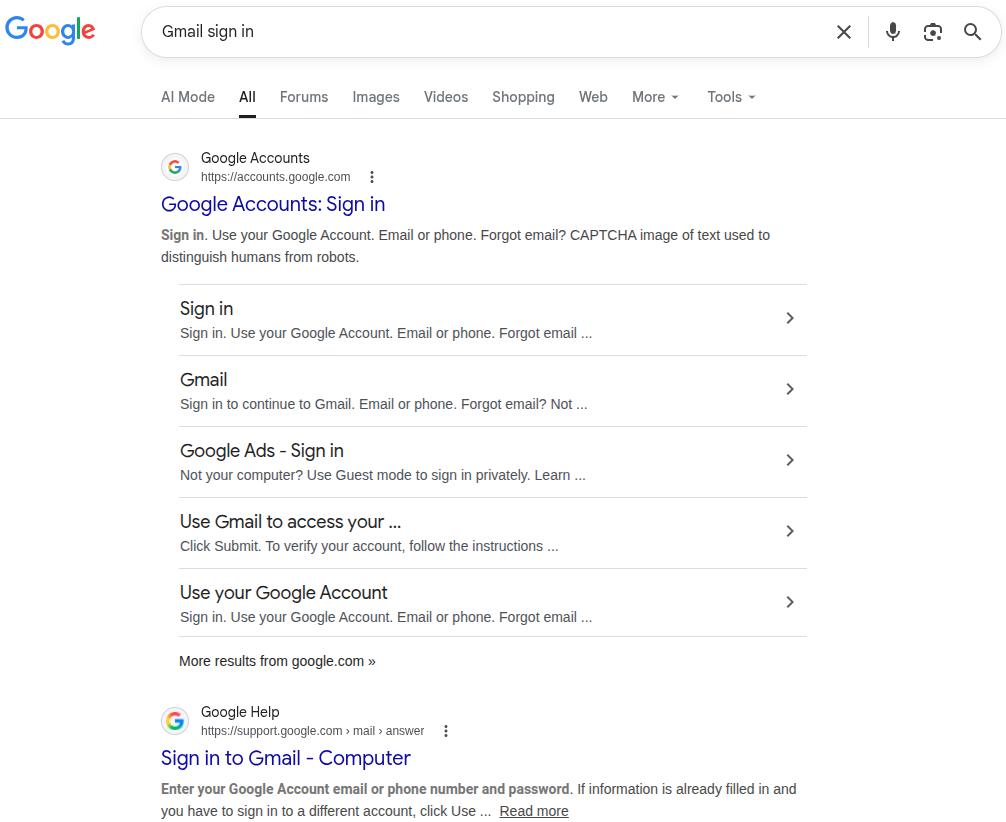
    Title tag optimization

    Your title tag is the clickable headline that appears in search results and directly impacts both your SEO rankings and click-through rates. 
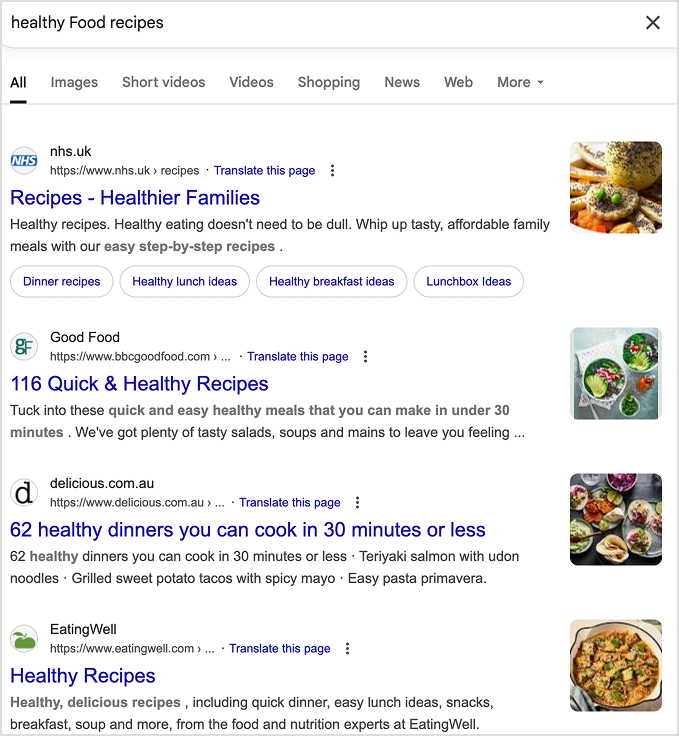
    • Include your primary keyword near the beginning
    • Keep titles between 50-60 characters
    • Make them compelling and click-worthy
    • Avoid keyword stuffing

    Meta description best practices

    Think of your meta description as a mini-advertisement for your content. While it doesn’t directly impact rankings, a compelling meta description can significantly boost your click-through rates from search results.
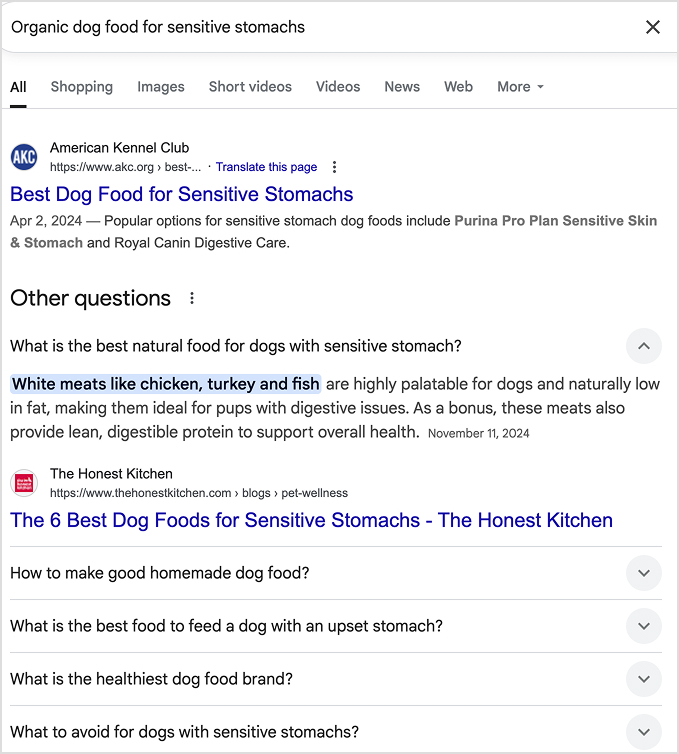
    • Summarize your content in 150-160 characters
    • Include primary and secondary keywords naturally
    • Add a clear call-to-action
    • Make it enticing enough to encourage clicks

    Related: The ultimate list of SEO writing tools that actually improve rankings

    2. Refresh internal linking and keyword targeting

    Internal linking helps search engines understand your content structure while keeping readers engaged with related topics. When you improve your blog posts, strategic internal linking can boost rankings across your entire site.

    The key is creating connections that genuinely help readers discover related, valuable information.

    • Link to relevant, high-authority pages on your site
    • Use descriptive anchor text that includes target keywords
    • Ensure links add genuine value for readers
    • Create topic clusters around main themes

    Related: How to automate internal and external linking using Contentpen?

    3. Add schema and improve page speed

    Add schema and improve page speed

    Source

    Technical SEO elements like schema markup and page speed directly impact your search rankings and user experience.

    The benefits of schema markup are:

    Schema markup is structured data that helps search engines understand your content context, leading to enhanced search result displays. Implementing schema can increase your click-through rates by up to 30% through rich snippets.

    • Enhanced search result displays (rich snippets)
    • Better search engine content understanding
    • Increased click-through rates
    • Competitive advantage in search results

    4. Use SEO tools to identify gaps

    Leverage AI SEO tools to uncover optimization opportunities you might miss manually. These tools can reveal:

    • Keyword gaps compared to competitors
    • Technical SEO issues
    • Content optimization suggestions
    • Backlink opportunities
    • Performance tracking metrics

    Regular SEO audits ensure your improved content maintains its competitive edge and continues attracting qualified organic traffic.

    How Contentpen helps improve your blogs

    Improving blogs manually can be time-consuming and technically challenging. Contentpen’s AI-powered platform streamlines the entire process, making it easy to improve your blogs without starting from scratch.

    Write better blogs in less time, without sacrificing quality.

    Let AI handle structure, clarity, and flow while you stay in control of the message.

    Try AI blog writing
    AI SEO Interface

    Refresh outdated articles with AI-powered updates

    Contentpen’s refresh existing articles feature analyzes your current content and automatically updates it with fresh information, improved structure, and better SEO optimization.

    The AI system:

    • Identifies outdated statistics and replaces them with current data
    • Improves content structure for better readability
    • Enhances keyword optimization without over-stuffing
    • Maintains your original brand voice and messaging
    • Adds relevant internal and external links

    This feature alone can save hours of manual research and writing while ensuring your content remains competitive and valuable.

    Fix tone, structure, and SEO gaps automatically

    Contentpen’s advanced AI agents work together to identify and fix common content issues that hold your blogs back. The platform analyzes your existing content for:

    • Tone consistency problems
    • Structural weaknesses
    • SEO optimization gaps
    • Readability issues
    • Engagement barriers

    Instead of manually reviewing every aspect of your content, Contentpen’s AI handles the heavy lifting while you focus on strategy and high-level content planning.

    How Contentpen helps improve your blogs

    Optimize content performance without starting from scratch

    The most efficient way to improve your blog is building on existing content rather than creating everything new. Contentpen’s optimization features help you:

    • Enhance underperforming posts with proven strategies
    • Repurpose successful content for different formats
    • Scale content improvements across your entire blog
    • Maintain consistency in quality and optimization

    Related: How to use AI for content creation?

    Common mistakes that hold your blogs back

    Even well-intentioned blog improvement efforts can backfire if you make these critical mistakes. Avoiding these pitfalls ensures your optimization efforts deliver real results.

    Keyword stuffing or weak targeting

    Many bloggers either cram keywords unnaturally throughout their content or target keywords that are too competitive or irrelevant. When you improve your blogs, focus on natural keyword integration that serves readers first.

    Keyword stuffing is one of the fastest ways to tank your search rankings and frustrate readers. Google’s algorithms are sophisticated enough to detect unnatural keyword usage, often penalizing sites that prioritize keywords over user experience.

    • Unnatural, repetitive keyword use
    • Keywords that don’t fit the context
    • Sacrificing readability for keyword density
    • Ignoring semantic variations and related terms

    Lack of structure and visual hierarchy

    Poor content structure confuses both readers and search engines. When you improve your blog posts, ensure they follow a logical flow with a clear visual hierarchy.

    Content structure is the backbone of readable, engaging blog posts. Well-structured content keeps readers engaged longer and helps search engines understand your content hierarchy, leading to better rankings and user experience.

    • Use descriptive H2 and H3 headings
    • Create scannable content with bullet points and lists
    • Add white space for visual breathing room
    • Include a table of contents for longer posts
    • Use consistent formatting throughout

    Ignoring performance metrics and feedback

    Improving blogs without measuring results is like driving blindfolded. Track key metrics to understand what’s working and what needs further optimization.

    Data-driven blog improvement ensures your efforts produce measurable results. Tracking the right metrics helps you identify what’s working, what needs adjustment, and where to focus your optimization efforts for maximum impact.

    • Organic traffic growth
    • Average time on page
    • Bounce rate changes
    • Social sharing increases
    • Conversion rate improvements
    • Comment engagement

    Use this data to refine your approach and focus improvement efforts on strategies that deliver measurable results.

    Additional tips to grow your blog

    Beyond the core improvement strategies we’ve covered, successful bloggers implement several advanced tactics to accelerate their growth. These proven methods can help you build a loyal audience, increase engagement, and establish your blog as an authoritative resource in your niche.

    Build topical authority through content clustering

    Topical authority is one of the most powerful yet underutilized strategies for blog growth. Instead of writing random posts across different topics, focus on developing deep expertise in specific subject areas. Google rewards sites that demonstrate comprehensive knowledge on particular topics.

    Create content clusters around your main themes. For example, if you run a marketing blog, develop comprehensive coverage around email marketing, social media strategy, and content creation. Write multiple interconnected posts on each topic, covering everything from beginner guides to advanced strategies.

    This approach helps search engines understand your expertise while making it easier for readers to find related content. Blogs with strong topical authority often rank higher than sites with better overall domain authority but scattered content focus.

    Leverage multimedia content strategically

    Visual content processes 60,000 times faster than text, making multimedia elements crucial for engagement. However, many bloggers add images as an afterthought rather than as strategic engagement tools.

    Strategic multimedia integration:

    • Create custom graphics that summarize key points
    • Use screenshots to demonstrate step-by-step processes
    • Develop infographics for complex data visualization
    • Add relevant stock photos that support your narrative
    • Include charts and graphs to make statistics more digestible

    Remember that multimedia isn’t just about aesthetics, it’s about making your content more accessible and memorable. Each visual element should serve a specific purpose in helping readers understand and retain your message.

    Implement content refresh cycles

    Successful bloggers don’t just create new content, they systematically update existing posts to maintain their competitive edge. Set up a content refresh calendar to review and update your posts every 6-12 months.

    Content refresh priorities:

    • Update statistics and data with current information
    • Refresh screenshots and outdated examples
    • Add new insights and developments in your field
    • Improve headlines and meta descriptions based on performance data
    • Expand thin content with additional value

    Contentpen’s refresh existing articles feature can automate much of this process, saving you hours while ensuring your content stays current and competitive.

    Build genuine community engagement

    Blog engagement goes far beyond publishing great content. The most successful bloggers actively foster community through authentic interaction and relationship building.

    Community building strategies:

    • Respond to every comment with thoughtful, personalized replies
    • Ask specific questions at the end of posts to encourage discussion
    • Share behind-the-scenes insights about your writing process
    • Acknowledge and feature reader contributions
    • Create content based on reader questions and feedback

    Building a loyal community takes time, but engaged readers become your best advocates, sharing your content and attracting new audiences through word-of-mouth recommendations.

    Optimize publishing frequency for your audience

    There’s no universal “perfect” posting schedule, but consistency matters more than frequency. Research shows that bloggers who publish 2-6 times per week report the strongest results, but quality should never be sacrificed for quantity.

    Finding your optimal frequency:

    • Start with a manageable schedule you can maintain long-term
    • Monitor engagement metrics to identify your audience’s preferences
    • Consider your niche, technical topics may require less frequent, more in-depth posts
    • Use content batching to maintain consistency during busy periods
    • Track which days and times generate the most engagement

    Remember, it’s better to publish one exceptional post per week than seven mediocre ones. Focus on creating high-quality content that genuinely serves your audience.

    Use email marketing for blog growth

    Email marketing isn’t just for sales, it’s one of the most effective ways to grow your blog audience and improve SEO performance. Email subscribers are 3x more likely to share your content on social media and generate valuable return visits.

    Email strategies for blog growth:

    • Create content upgrades for popular posts
    • Send weekly newsletters featuring your best content
    • Use email to gather feedback and content ideas from subscribers
    • Segment your list based on interests and engagement levels
    • Include social sharing buttons in every email

    Building an email list establishes a direct communication channel with your most engaged readers, thereby reducing your dependence on changes to search engine algorithms.

    Monitor and act on performance data

    To grow your blog effectively, it’s essential to make data-driven decisions rather than relying on guesswork to determine what works. Set up comprehensive analytics tracking to understand which content resonates with your audience.

    Key metrics to track:

    • Organic traffic growth and keyword rankings
    • Average session duration and bounce rates
    • Social shares and comment engagement
    • Email subscription rates from different posts
    • Conversion rates for your calls-to-action

    Use this data to identify your most successful content formats, topics, and promotion strategies. Double down on what works while experimenting with new approaches based on solid performance insights.

    Create evergreen content with lasting value

    While trending topics can drive short-term traffic spikes, evergreen content provides sustained long-term growth. Focus 70-80% of your content efforts on topics that will remain relevant for years.

    Evergreen content characteristics:

    • Addresses fundamental questions in your niche
    • Provides step-by-step tutorials and how-to guides
    • Offers timeless advice and best practices
    • Includes comprehensive resource lists and tools
    • Solves persistent problems your audience faces

    Evergreen posts often become your highest-traffic content over time, continuing to attract readers and generate leads months or years after publication.

    By implementing these advanced strategies alongside the core improvement tactics we covered earlier, you’ll create a comprehensive approach to blog growth that builds sustainable, long-term success.

    Conclusion

    By following the tips, examples, and strategies discussed throughout this article, you’ll be able to significantly improve your blogs and reach a larger audience. 

    So, are you ready to transform your blog performance? Stop struggling with manual content improvements that take forever and deliver inconsistent results. Contentpen’s AI-powered platform makes it easy to improve your blogs for better engagement, higher rankings, and increased conversions.

    Try Contentpen – your best AI blog writer online and discover how quickly you can turn your existing content into high-performing assets that drive real business results.

    Frequently Asked Questions

    What’s the best way to improve old blog posts?

    Start with a comprehensive content audit to identify your highest-traffic posts with improvement potential. Focus on updating statistics, improving SEO elements, enhancing readability, and adding fresh insights. How to improve your blog effectiveness often comes down to strategic updates rather than complete rewrites.

    Which tools can improve blog quality and SEO?

    Several tools can streamline blog improvement:
    Contentpen for AI-powered content optimization and refreshing
    Grammarly for grammar and readability
    Ahrefs or SEMrush for keyword research and SEO analysis
    Google Analytics for performance tracking
    Canva for visual content creation

    How often should you refresh your content?

    Review and update your blog posts every 6-12 months, or sooner if you notice declining performance. High-traffic posts may need more frequent updates, while evergreen content might require less maintenance. Set up a content calendar to systematically improve your blog posts over time.

    Is it better to rewrite or update existing blogs?

    Updating existing blogs is usually more effective than complete rewrites. You preserve existing search rankings, backlinks, and social shares while improving performance. Only consider full rewrites if the content is completely outdated or off-brand.

    Can Contentpen really improve blog performance?

    Yes, Contentpen’s AI-powered platform has helped thousands of businesses significantly improve their blog performance. The tool combines deep research, SEO optimization, and brand voice analysis to create content that ranks higher and converts better.

  • 20 types of keywords: Complete SEO guide for 2026

    20 types of keywords: Complete SEO guide for 2026

    Keywords are the bridge between what people search for and the content you create. Understanding the various types of keywords is therefore essential for developing an effective SEO strategy that attracts targeted traffic and converts visitors into customers. 

    In this comprehensive guide, you’ll discover the 20 most important types of keywords, learn how to find them, and understand precisely how to use each type to boost your search rankings.

    So, let’s get started.

    Why should you know about keyword types?

    Before exploring specific keyword types, let’s first understand why this knowledge is crucial for your SEO strategy.

    • Better content planning: Each keyword type requires different content formats. Informational keywords are best suited for educational blog posts, while transactional keywords are most effective on product pages.
    • Improved user experience: Matching content to search intent (the reason behind someone’s search) dramatically enhances user satisfaction and engagement metrics.
    • Strategic resource allocation: Knowing which keywords are easier to rank for helps you prioritize your content creation efforts for maximum ROI.
    • Competitive advantage: Most websites randomly target keywords without understanding intent. Strategic keyword selection puts you ahead of 90% of your competition.

    Matching each keyword type with the right content helps Google understand that your page is exactly what people are looking for when they type in that phrase in search.

    Types of keywords: Quick reference guide

    Here’s a complete overview of 20 keyword types for SEO success.

    Keyword TypeExampleBest Use CaseCompetition Level
    1. Informational“how to make coffee”Building authority, top-funnel contentLow-Medium
    2. Commercial“best coffee makers 2025”Product comparisons, mid-funnelMedium-High
    3. Transactional“buy coffee maker online”Sales pages, bottom-funnelHigh
    4. Navigational“Google sign in”Brand searches, local pagesVariable
    5. Short-tail“coffee maker”High traffic, brand awarenessVery High
    6. Long-tail“best drip coffee maker under $100”Targeted traffic, easier rankingLow-Medium
    7. Seed“email marketing”Foundation for keyword researchVariable
    8. Primary“email marketing best practices”Main page focus, content strategyMedium-High
    9. Secondary“email marketing tips”Supporting content, topic coverageLow-Medium
    10. Semantic (LSI)“email deliverability”Improving topical depth and AI contextLow-Medium
    11. Low-competition“email automation for B2B SaaS”Quick wins, new websitesLow
    12. Zero-volume“How to integrate ContentStudio with CRM”Hyper-targeted niche authorityVery Low
    13. Trending“ChatGPT for business”Early authority, viral potentialLow-Medium
    14. Branded“Mailchimp templates”Brand protection, loyaltyMedium
    15. Non-branded“email marketing software”Market expansion, new audiencesHigh
    16. Local“coffee shops Boston”Local business, geo-targetingMedium
    17. “Near Me”“coffee shops near me”Mobile traffic, immediate intentMedium
    18. Question-based“What is domain authority?”Featured snippets, voice search, AI answersVariable
    19. Problem-based“Why is my website loading slowly?”High-intent troubleshooting, trust buildingMedium
    20. Evergreen“Basic accounting principles”Long-term sustainable traffic growthMedium-High

    Pro Tip: The best way to rank higher in SERPs and AI Overviews is to combine multiple keyword types in your SEO strategy.

    Keywords by search intent: The foundation of modern SEO

    Search intent is the most efficient way to categorize keywords. Google’s algorithm prioritizes content that matches what users actually want to find.

    1. Informational keywords

    Informational keywords are search queries used by people who want to learn, understand, or research a topic rather than make an immediate purchase. These keywords help you build authority and trust with potential customers early in their journey. 

    While they don’t directly drive sales, informational keywords are ideal for attracting individuals who may become customers later and establishing your brand as a trusted resource within your industry.

    Examples:

    • “What is AI in content marketing?”
    • “How to start a blog”
    • “Coffee brewing methods explained”
    • “Why is SEO important?”

    Intent signals: Typically contain words such as “how to,” “what is,” “why does,” “guide to,” “tutorial,” or “tips.”

    Content formats: Blog posts, guides, tutorials, FAQ pages, and educational videos.

    How to find them:

    1. Use Google’s “People Also Ask” feature for your topic.
    2. Search AnswerThePublic for question-based keywords.
    3. Filter keyword tools for “informational” intent.
    4. Check forums like Reddit and Quora for common questions.
    Informational intent example from Google search

    Optimization tips:

    • Create comprehensive, well-researched content.
    • Answer the question directly in the first paragraph.
    • Include related subtopics to cover the topic thoroughly.
    • Use clear headings and formatting for easy scanning.

    2. Commercial keywords

    Commercial keywords are search queries from users who are considering a purchase but require additional information before making a decision. These keywords target high-intent users who are close to making a purchase decision and often have higher conversion rates than informational terms. They represent the crucial middle-funnel stage where prospects are actively evaluating options.

    Examples:

    • “Best CRM software for small business”
    • “iPhone vs Samsung comparison”
    • “Top 10 coffee grinders 2026”
    • Writesonic alternatives

    Intent signals: Words like “best,” “top,” “review,” “comparison,” “vs,” “alternative,” and “pros and cons.”

    Commercial keyword example

    Content formats: Product comparisons, review articles, buyer’s guides, and “best of” lists.

    How to find them:

    1. Add commercial modifiers to your seed keywords (best + [product]).
    2. Look for keywords with commercial intent flags in keyword tools.
    3. Monitor what products/services people compare to yours.

    Optimization tips:

    • Include detailed product specifications and comparisons.
    • Add pros and cons sections.
    • Use high-quality images and comparison tables.
    • Include clear calls to action toward your products.
    • Add trust signals like reviews and testimonials.

    3. Transactional keywords

    Transactional keywords are search queries from users who are ready to take action, typically making a purchase or signing up for something. These keywords have the highest conversion potential, as users searching for these terms are likely to have their credit cards ready and know what they want. They represent the bottom of the marketing funnel, where prospects are ready to become customers.

    Examples:

    • “Buy MacBook Pro 2026.”
    • “Download free SEO template”
    • “Order pizza online”
    • “Subscribe to Netflix”

    Intent signals: Action words like “buy,” “order,” “purchase,” “download,” “subscribe,” “get,” and “shop.”

    Buying items through search showcases transactional keyword

    Content format: Product pages, service pages, landing pages, and checkout pages.

    How to find them:

    1. Add buying modifiers to your product keywords.
    2. Check what transactional terms competitors rank for.
    3. Use Google Ads Keyword Planner to find high-CPC terms (indicates commercial value).
    4. Monitor your sales team’s most common customer requests.

    Optimization tips:

    • Create dedicated landing pages for each transactional keyword.
    • Include transparent pricing and purchase options.
    • Minimize distractions and focus on conversion.
    • Add urgency elements (limited time offers, stock levels).
    • Ensure fast page loading and mobile optimization.

    4. Navigational keywords

    Navigational keywords are search queries where users want to find a specific website, brand, or page. If people are searching for your brand, you want to capture that traffic. For other brands, these keywords are usually not worth targeting unless you’re creating comparison content. They’re essential for brand protection and controlling your online presence.

    Examples:

    • “ContentStudio login”
    • “Amazon customer service”
    • “Nike official website”
    • “Gmail sign in”

    Intent signals: Brand names, website names, specific page types (“login,” “contact,” “support”).

    Navigational keyword type example

    Content format: Homepage, brand pages, specific landing pages.

    How to find them:

    1. Monitor searches for your brand name and variations.
    2. Check Google Search Console for branded search terms.
    3. Use keyword tools to find “brand + modifier” combinations.
    4. Track misspellings of your brand name.

    Optimization tips:

    • Ensure your official pages rank #1 for your brand terms.
    • Create pages for familiar brand + modifier searches.
    • Optimize for voice search versions of your brand name.
    • Monitor and protect against negative SEO targeting your brand.

    Keywords by length and specificity

    The length of a keyword often correlates with its competitiveness and specificity.

    5. Short-tail keywords (head terms)

    Short-tail keywords are broad keywords with 1-3 words that have high search volume but vague intent. While challenging to rank for, these keywords can drive significant traffic and help establish your industry’s topical authority. They’re essential for long-term SEO strategy and brand visibility, though they typically have lower conversion rates due to their broad nature.

    Examples:

    • “Healthy food recipes”
    • “SEO tools”
    • “running shoes”
    • digital marketing

    Characteristics:

    • High monthly search volume (10,000+ searches).
    • Very competitive.
    • Broad, unclear intent.
    • Lower conversion rates.

    How to find them:

    1. Start with your primary business categories.
    2. Use Google Autocomplete for basic terms.
    3. Check what broad terms competitors rank for.
    4. Think about how customers describe your industry.
    Short-tail keyword example

    Optimization strategy:

    • Target them with comprehensive pillar pages.
    • Create topic clusters around these terms.
    • Focus on long-term ranking goals.
    • Ensure high domain authority before targeting.

    6. Long-tail keywords

    Long-tail keywords are specific phrases with four or more words that have lower search volume but more apparent intent. These keywords are often easier to rank for and attract highly qualified traffic, making them perfect for new websites to build authority. They typically have higher conversion rates because they capture users with particular needs and intentions.

    Examples:

    • “Best espresso machine under $500”
    • “How to optimize blog posts for SEO”
    • “Organic dog food for sensitive stomachs”
    • “Email marketing automation for e-commerce”

    Characteristics:

    • Lower monthly search volume (usually under 1,000).
    • Less competitive.
    • Specific, clear intent.
    • Higher conversion rates.

    How to find them:

    1. Use Google Autocomplete and “People Also Ask”.
    2. Check AnswerThePublic for question-based long-tail terms.
    3. Analyze your Google Search Console data for long phrases.
    4. Use keyword tools with long-tail filters.
    Long-tail keywords example

    Optimization strategy:

    • Create specific, focused content for each long-tail term.
    • Group related long-tail keywords into topic clusters.
    • Target multiple long-tail variations on single pages.
    • Use them in FAQ sections and subheadings.

    Keywords by research strategy

    These keyword types form the foundation of your research process.

    7. Seed keywords

    Seed keywords are basic terms that describe your business, industry, or topics you want to rank for. They’re the starting point for finding more specific keywords and determining what other keywords you’ll discover during research. Choosing the right seed keywords is crucial because incorrect seeds can lead to wasted time targeting irrelevant terms that don’t align with your business goals.

    Examples:

    • “Email marketing” (for a marketing agency)
    • “Yoga” (for a fitness blog)
    • “Coffee” (for a coffee shop)
    • “Accounting software” (for a SaaS company)
    • Auto repair (for windshield replacement)

    How to find them:

    1. Brainstorm core business terms.
    2. Check your website’s navigation menu.
    3. Ask customers how they describe your products.
    4. Look at competitor websites for category names.
    5. Use your industry’s common terminology.

    Best practices:

    • Start with 5-10 seed keywords per topic.
    • Include both product terms and problem-focused terms.
    • Consider different ways customers might describe the same thing.
    • Validate seeds by checking if they generate relevant keyword suggestions.

    8. Primary keywords

    Primary keywords are the main keywords you want a specific page to rank for. Each page should have one primary keyword that guides the content strategy and prevents keyword cannibalization (multiple pages competing for the same term). Having an explicit primary keyword provides focus for your content creation and helps search engines understand the fundamental topic of your page.

    Examples:

    • Primary keyword for a blog post: “email marketing best practices”
    • Primary keyword for a product page: “project management software”
    • Primary keyword for a service page: “SEO audit”

    How to choose them:

    1. Pick keywords with decent search volume (varies by industry).
    2. Ensure a manageable competition level.
    3. Match search intent with your content type.
    4. Consider business value and conversion potential.
    Primary keyword example written in Google search bar

    Optimization strategy:

    • Include in title tag, H1, and URL.
    • Mention it naturally in the first paragraph.
    • Use in image alt text and meta description.
    • Don’t overuse; focus on natural, helpful content.

    9. Secondary keywords

    Secondary keywords are related terms that support your primary keyword and help you rank for multiple variations. They enable you to cover topics comprehensively and capture additional search traffic with related intent, while also helping search engines better understand the full scope and context of your content.

    Examples: 

    If the primary keyword is “email marketing best practices,” then secondary keywords can be:

    • “email marketing tips”
    • “effective email campaigns”
    • “email marketing templates”
    • “email marketing platforms”

    How to find them:

    1. Use “People Also Ask” and “Related Searches” on Google.
    2. Check keyword tool suggestions for your primary term.
    3. Look at what terms top-ranking pages also rank for.
    4. Use Google Search Console to find terms your existing content ranks for.

    Optimization strategy:

    • Include in H2 and H3 subheadings.
    • Use naturally throughout the body content.
    • Add to image alt text and captions.
    • Use as an internal link’s anchor text.

    10. Semantic (LSI) keywords

    Semantic keywords are terms and phrases conceptually related to your primary keyword. They aren’t just synonyms; they are entities that search engines expect to see when a topic is covered comprehensively. Including these helps search engines verify that your content provides genuine depth rather than just surface-level information.

    Examples:

    If your primary keyword is “email marketing best practices,” then semantic keywords may include:

    • “email best practices for employees”
    • “B2B email best practices”
    • “email automation workflows”
    • “A/B testing emails”
    • “email deliverability”

    How to find them:

    1. Analyze the “Related searches” or “People also search for” results at the bottom of Google search results.
    2. Look at the bolded words in the meta descriptions of top-ranking competitors.
    3. Use specialized semantic research tools to identify missing “entities” in your content.
    Where to find semantic keywords on a Google search

    Optimization tips:

    • Sprinkle them naturally where they add value to the reader.
    • Avoid keyword stuffing. The goal is to build a topical map, not hit a density percentage.
    • Use these terms to help AI models (GEO) categorize your content correctly.

    Keywords by competition level and opportunity

    Understanding keyword difficulty helps you prioritize your efforts.

    11. Low-competition keywords

    Keywords that are relatively easy to rank for due to lower competition from other websites.

    Characteristics:

    • Lower keyword difficulty scores (typically under 30).
    • Fewer high-authority sites ranking.
    • Often longer, more specific phrases.
    • May have lower search volume but higher conversion potential.

    Examples:

    • “Best project management software for remote teams under 50 people”
    • “How to optimize a Shopify store for voice search”
    • “Email marketing automation for B2B SaaS companies”

    How to find them:

    1. Use keyword difficulty filters in SEO tools (set max difficulty to 20-30).
    2. Target long-tail variations of competitive terms.
    3. Look for newly trending topics before they become competitive.
    4. Focus on niche-specific terms in your industry.

    Strategic advantages:

    • Faster ranking results for new websites.
    • Higher chance of reaching page 1.
    • Often, more targeted, qualified traffic.
    • Suitable for building initial authority and traffic.

    12. Zero-volume keywords

    Zero-volume keywords are hyper-specific terms that keyword tools report as having “0” monthly searches. In reality, these terms often drive the most qualified traffic because they are so specific that they face almost no competition. They represent highly motivated users with very particular needs.

    Examples:

    • “Email marketing automation for B2B SaaS”
    • “Best organic dark roast coffee for Aeropress cold brew”
    • “How to integrate ContentStudio with CRM”

    How to find them:

    1. Pay attention to specific phrasing used in niche communities or professional Slack groups.
    2. Look at your own internal site search data to see what users are searching for on your site.
    3. Use “wildcard” searches in Google Autocomplete to find long-tail gems that tools might miss.
    Zero-volume keyword example

    Optimization tips:

    • Don’t let the “0” search volume discourage you; if it’s a real-world problem, someone is searching for it.
    • Aim to be the only comprehensive resource on the internet for that specific query.
    • Group multiple related zero-volume terms into one “Ultimate Resource” for a specific niche.

    13. Trending (seasonal) keywords

    Search terms experiencing rapid growth in search volume are often related to current events, new technologies, or seasonal trends.

    Examples:

    • “ChatGPT for business” (emerged in 2025)
    • “iOS 26 features” (seasonal around Apple releases)
    • “Sustainable packaging solutions” (growing environmental trend)
    • “Remote work productivity tools” (grew during pandemic)

    How to identify them:

    1. Use Google Trends to spot rising search terms.
    2. Monitor social media for emerging topics in your industry.
    3. Check keyword tools for terms with growth indicators.
    4. Follow industry news and technological developments.
    5. Set up Google Alerts for industry keywords.
    Google Trends shown with trending keywords

    Why they’re valuable:

    • Lower competition in the early stages.
    • Opportunity to become an authority on new topics.
    • Potential for viral content and backlinks.
    • Can establish thought leadership.

    Risks to consider:

    • Maybe temporary trends with short lifespans.
    • Could become highly competitive quickly.
    • Might not have lasting search volume.
    • May not align with your business goals.

    Keywords by brand association

    Brand-related keywords require different strategies depending on ownership.

    14. Branded keywords

    Branded keywords are search terms that include your brand name, product names, or other branded terms specific to your company. These keywords typically have high conversion rates since users already know your brand, are easier to rank for because you own the brand, and are essential for brand protection and control. They often indicate bottom-funnel traffic with strong purchase intent.

    Examples:

    • “Nike running shoes”
    • “Mailchimp email templates”
    • “Contentstudio free tools”
    • “Tesla Model 3 review”

    How to optimize for them:

    1. Ensure your official pages rank #1 for brand terms.
    2. Create pages for brand + product combinations.
    3. Monitor for negative content ranking for your brand terms.
    4. Optimize for brand + location combinations if relevant.

    Types of branded keywords to target:

    • Brand name alone
    • Brand + product categories
    • Brand + “review,” “pricing,” “features”
    • Brand + location modifiers
    • Common misspellings of your brand
    Branded keyword example - Contentpen.ai

    15. Non-branded keywords

    Non-branded keywords are generic terms that don’t include any specific brand names but relate to your industry, products, or services. They’re essential for capturing users who are unfamiliar with your brand, typically have higher search volume than branded terms, and are crucial for market expansion and establishing authority in your category. While usually more competitive, they’re essential for long-term growth.

    Examples:

    • “Email marketing software” (instead of “Mailchimp”)
    • “Running shoes” (instead of “Nike running shoes”)
    • “Project management tool” (instead of “Asana”)
    Non-branded keyword example

    Competition considerations:

    • Usually, more competitive than branded terms.
    • Require stronger content and SEO efforts.
    • May have lower initial conversion rates.
    • Important for long-term growth.

    Keywords by location

    Local and geographic keywords are crucial for location-based businesses.

    16. Local keywords

    Local keywords are search terms that include specific geographic locations, such as cities, neighborhoods, or regions. They’re essential for local businesses, often trigger Google’s local pack results, usually have high commercial intent, and face less global competition. These keywords are crucial for companies that serve specific geographic areas and want to attract nearby customers.

    Examples:

    • “Pizza delivery Manhattan”
    • “Dandelion chocolate, San Francisco”
    • “Wedding photographers San Francisco”
    • “SEO agency London”

    Types of local keywords:

    • Service + city (“plumber Boston”)
    • Service + neighborhood (“hair salon SoHo”)
    • Service + “near [landmark]” (“coffee shop near Central Park”)
    • Service + zip code (“restaurants 90210”)

    How to find them:

    1. Combine your primary services with local area names.
    2. Use Google My Business insights to see how people find you.
    3. Check local competitor websites for the location terms they target.
    4. Use local keyword research tools, or tools like the AI writer online, to help you cluster keywords by location, intent type, competition level, brand association, or SEO strategy. 

    Automated keyword research

    Work on keywords worth writing, for

    Get search terms with real ranking potential, not just high volume.

    Try Keyword Research for FREE
    AI SEO Interface

    17. “Near Me” keywords

    “Near Me” keywords are search queries where users add “near me” to find local businesses or services in their vicinity. These keywords have extremely high commercial intent, representing mobile-first searches with immediate needs that often lead to same-day visits or purchases, and are growing rapidly with the adoption of voice search. They’re invaluable for local businesses seeking to capture customers who are ready to take immediate action.

    Examples:

    • “Coffee shops near me”
    • “Auto repair near me”
    • “Gyms near me”
    • “Italian restaurants near me”

    Optimization strategies:

    • Ensure Google My Business (GMB) is fully optimized.
    • Include location information throughout your website.
    • Create location-specific landing pages.
    • Optimize for mobile and page speed.
    • Encourage customer reviews and local citations.
    Near me type of keyword example shown on Google for an Italian restaurant

    Other types of keywords you should know in 2026

    While we’ve covered the foundational SEO keywords for success in 2026, there are still some other types of keywords that you should know.

    18. Question-based keywords

    Question-based keywords are search queries phrased as direct questions. They reflect users looking for clear answers, definitions, or step-by-step guidance. These keywords are especially powerful for brands wanting visibility in Featured Snippets, “People Also Ask” boxes, and AI-generated search results.

    Examples:

    • “What is domain authority?”
    • “How does Google rank websites?”
    • “Why is my website not getting traffic?”
    • “Can you rank without backlinks?”

    Intent signals: Words such as “what,” “how,” “why,” “when,” “where,” and “can.”

    Content formats: FAQ pages, definition-style articles, structured blog posts, how-to guides.

    How to find them:

    1. Use Google’s “People Also Ask” feature.
    2. Analyze Google’s Autocomplete suggestions when typing question phrases.
    3. Browse Reddit, Quora, and niche forums.
    4. Use AnswerThePublic for question variations.
    Question-based keyword example shown

    Optimization tips:

    • Answer the question directly in the first paragraph.
    • Use the exact question as an H2 or H3 heading.
    • Keep answers concise before expanding into a deeper explanation.
    • Add FAQ schema markup where appropriate.

    19. Problem-based Keywords

    Problem-based keywords target the specific pain points your audience is experiencing before they even know your product is the solution. These are often high-conversion terms because they attract users who are actively looking for a way to fix a frustrating issue.

    Examples:

    • “Why is my website loading slowly?”
    • “How to stop coffee beans from going oily.”
    • “Computer making a loud fan noise.”

    Intent signals: Contain words like “fix,” “problem,” “issue,” “why is,” or “help with.” 

    Problem-based keyword example

    Content formats: Troubleshooting guides, fix-it tutorials, and deep-dive case studies.

    How to find them:

    1. Search industry-specific forums for common user complaints and frustrations.
    2. Ask your customer support or sales team for the most frequent issues customers report.
    3. Analyze search queries that include negative modifiers like “broken” or “not working.”

    Optimization tips:

    • Acknowledge the user’s frustration early in the content to build immediate trust.
    • Provide a clear, step-by-step solution that naturally leads to your recommended tool or service.
    • Use instructional headings that clearly describe each stage of the solution.

    20. Evergreen keywords

    Evergreen keywords are search terms that maintain consistent interest and search volume over a long period. Unlike trending keywords that spike and fade, evergreen terms provide a steady, predictable stream of traffic for years, forming the sustainable core of your SEO strategy.

    Examples:

    • “How to lose weight”
    • “History of the Roman Empire”
    • “Basic accounting principles”
    • “How to tie a tie.”

    Intent signals: Foundational topics that aren’t tied to a specific year, trend, or software version. Content formats: Ultimate guides, “What is” articles, and foundational “How-to” pages.

    How to find them:

    1. Check Google Trends for a steady, flat line over a 5-year period.
    2. Identify “timeless” pain points in your industry that don’t change with technology.
    3. Target fundamental industry pillars that beginners will always need to learn.

    Optimization tips:

    • Periodically update the content with fresh images or data to maintain its “freshness” score.
    • Use a generic URL structure (e.g., /seo-basics/ instead of /seo-basics-2025/).
    • Build a strong internal linking structure toward these pages to maintain their authority over time.

    How to find and use different types of keywords

    To have a successful SEO strategy, you need to combine all types of keywords by utilizing the following methods:

    • Google Autocomplete: Start typing your seed keyword in Google and note the suggestions that appear. These represent real searches people are making.
    • People Also Ask: Look for the expandable questions that appear in search results. Each question represents a potential keyword opportunity.
    • Related Searches: Scroll to the bottom of Google search results to find related search terms. Use these naturally throughout your content to rank better in SERPs.
    • Google Search Console: Check what keywords your website already ranks for. Look for opportunities to optimize for terms that rank on the first two pages of the search results.
    • Competitor Analysis: Visit your competitors’ websites and note the terms they use in titles, headings, and body content. Some of them might be question-based, while others can be branded, trending, semantic, and other types of keywords.
    • Use Contentpen: Our tool automatically recognizes ranking opportunities for you by analyzing your website and competitor details in the niche. You can directly use these different types of keywords together to make a high-ranking blog post immediately.

    Turn existing content into growth opportunities

    check

    Identify pages losing traffic or CTR

    check

    Find quick wins to improve clicks and rankings

    Find Content Opportunities
    AI SEO Interface

    Measuring keyword performance

    Implementing keywords is not that straightforward. You need to consistently monitor keyword positions to understand where they stand in the space and what can be done to improve or maintain them.

    Key metrics to track

    1. Rankings: Monitor position changes for target keywords to see if your optimization efforts are working. Track both individual keyword positions and overall ranking trends.

    2. Organic Traffic: Track search traffic from different keyword groups to understand which types of keywords drive the most visitors to your site.

    3. Click-Through Rate (CTR): Measure how compelling your titles and meta descriptions are by monitoring what percentage of people click on your results when they appear in search.

    4. Conversion Rate: Track which keywords drive the most valuable actions (purchases, signups, downloads) to focus your efforts on high-converting terms. Conversely, you could also take a look at the bounce rate.

    5. Search Impression Share: See how often you appear for target terms compared to total search volume, helping identify growth opportunities. This metric is also known as share of voice in the online space.

    Tools for tracking

    These are some of the most useful tools for keyword tracking you can use today to rank higher on both search engines and AI discovery platforms.

    1. Contentpen

    Keyword clusters and discovery options - Contentpen.ai
    1. This SEO platform offers AI-powered keyword discovery and content optimization.
    2. Comprehensive keyword analysis with real-time, updated search volume data.
    3. Topical cluster creation based on your needs, helping you target more keyword options.

    2. Google Search Console

    1. Free tracking of rankings, impressions, and clicks.
    2. Shows which keywords already drive traffic to your site.
    3. Identifies opportunities for improvement.

    3. Usermaven

    1. Detailed traffic and conversion tracking.
    2. Revenue attribution to specific keywords.
    3. User behavior analysis for keyword-driven traffic.
    Usermaven as a keyword tracking tool

    4. Semrush

    • Automated position monitoring for target keywords.
    • Historical ranking data and trend analysis.
    • Competitor ranking comparisons.

    5. Ahrefs

    • Ongoing opportunity identification.
    • Search volume and competition tracking.
    • New keyword discovery and trend monitoring.

    Conclusion

    A successful keyword strategy isn’t about ranking for the most keywords; it’s about ranking for the right keywords that drive qualified traffic and conversions for your business.

    The SEO landscape continues evolving, but focusing on user intent and providing genuine value will always be the foundation of effective keyword targeting. Use this guide as your roadmap, but always prioritize creating content that genuinely helps your audience. 

    Start by auditing your current content against these keyword types, first identifying gaps in your strategy, and then begin creating content that targets the most valuable opportunities for your business.

    Frequently asked questions

    What are the 4 different types of keywords?

    The four main 4 different types of keywords for SEO are commercial, transactional, navigational, and informational. 

    How many keyword types should I target on each page? 

    There is no set pattern with this. But generally speaking, focus on a single primary keyword per page, followed by a mix of secondary, semantic, and other relevant keywords where contextually relevant.

    What is keyword cannibalization?

    Keyword cannibalization occurs when multiple pages on the same website target the same keyword or very similar keywords, causing them to compete with each other in search results.

    Should new websites avoid competitive keywords entirely? 

    Not entirely, but prioritize long-tail and low-competition keywords first. As your site gains authority, gradually target more competitive terms.

    How often should I update my keyword strategy? 

    Review quarterly for major updates, but monitor performance on a monthly or weekly basis. Industry trends, seasonality, and algorithm changes may require more frequent adjustments.

    Can one keyword fit multiple types?

    Absolutely. For example, “best coffee maker 2026” is a commercial intent, medium-tail length, and non-branded term. Understanding all applicable types helps with strategic decisions and how you can use them together for better results.

    What’s the most essential keyword type for new businesses? 

    Start with informational long-tail keywords to build authority and traffic, then gradually incorporate commercial and transactional terms as your content library grows.

  • The ultimate guide to optimized content marketing for SEO success

    The ultimate guide to optimized content marketing for SEO success

    Digital marketers explore every possible route to connect with their target audience and drive more leads. Their efforts usually include a mix of SEO strategies, content marketing, and improving the design and usability of their websites. The goal? To attract, engage, and convert more users.

    But achieving real growth with SEO isn’t something that happens by luck. It requires consistent effort, strategic planning, and a lot of patience. From keyword research and high-quality content creation to technical optimization, every element on the SEO checklist plays a role in improving search visibility.

    Before we dive deeper into how content marketing supports SEO growth, let’s start by understanding the basics.

    What is optimized content marketing?

    Brands and influencers aim to capture as much attention as possible through various content channels, including blogs, newsletters, and social media. However, the attention is the result of a highly effective marketing campaign that creates waves in the industry.

    To get that sort of attention, one needs hyper-targeted, value-driven content. This is where the optimized content marketing comes in. What is optimized content marketing? You might be wondering now!

    Let’s get right into it.

    Definition and importance of optimized content marketing

    Optimized content marketing refers to the process of strategically enhancing the quality of content to increase its reach, visibility, and ranking, thereby achieving specific goals with precision and effectiveness.

    For instance, a software company might want to bring new customers on board by offering the prospects a 30-day free trial with no strings attached. This company may need to position its software as a must-have tool to accomplish the task. Therefore, this company needs to optimize its content marketing strategy accordingly.

    Here’s why optimized content marketing is important for any marketing campaign:

    1. Laser-focused consumer targeting

    The approach of “throwing it at the wall and seeing what sticks” doesn’t always work in content marketing. The laser-sharp targeting enhances your content marketing efforts, enabling brands or individuals to produce highly optimized, effective content that consistently hits the mark.

    2. Content gaps identification

    One of the reasons optimized content marketing is crucial to your digital marketing campaign is that it encourages you to identify content gaps in the space. It lays a strong foundation for your content marketing strategy, which ensures a competitive edge and market dominance.

    Also read: Top 10 AI writing tools to speed up your content creation

    3. Problem-solving content distribution

    Optimized content marketing requires a strategic approach to creating and distributing value-driven content that solves real-life issues faced by the prospective audience. When such high-quality, targeted content gets published, it’s most likely to bring better ranking, more social reach, and increased conversion rate.

    4. Analyzing marketing content performance

    An optimized content marketing campaign can’t be completed without proper monitoring and analysis of the process. It allows marketers or brands to identify weaknesses, ensuring they are addressed next time.

    Why optimized content matters for SEO and conversions

    A website or blog doesn’t stand a chance in the SERP if its content isn’t optimized for SEO, and the same goes for conversion. Let’s shed some light on the role of content optimization in SEO and how it impacts conversion rate.

    Role of content optimization in SEO

    A common perception about SEO is that backlinks, meta tags, and keyword selection are the most important aspects of SEO, which is correct to some extent. However, SEO isn’t complete without content optimization.

    Content optimization encapsulates keyword selection, sentence structuring, on-page optimization, content scanability, and problem-solving ability.

    Therefore, content optimization plays a pivotal role in the SEO growth of a website or blog, which makes it almost irreplaceable in the SEO game.

    Driving conversions with optimized content

    A misconception about high-quality content is that it drives conversion just because it’s well-crafted, grammatically correct, and easy to read. However, it’s not necessarily true that high-quality content would also be optimized for conversion.

    The point is that optimized content is fine-tuned for conversion. Not only is it well-written, but it is also written with a goal in mind. Usually, optimized content pushes the readers to take some action, such as sign up for a trial, fill out the form for a demo, access the downloadable file, or buy the product.

    It’s safe to say that optimized content is crucial for driving conversions, no matter what your niche is.

    It’s quite evident that SEOs and conversion optimization experts heavily rely on content optimization to not just grow organic traffic but also to drive conversions.

    Related: 30 recent innovative content marketing examples.

    How Contentpen supports optimized content marketing

    The outcome of an optimized content marketing campaign isn’t a fluke. It requires a plan of action that translates the content marketing strategy into a high-performance marketing campaign.

    The infusion of AI and automation in content marketing works as an icing on the cake. Let’s discuss how automation and AI-powered tools can help shape an optimized content marketing strategy.

    Here’s the breakdown of how to automate your content optimization workflow:

    1. Keywords hunting

    First things first, your keyword targeting needs to be spot on. The only caveat is that SEO analysis and keyword tracking tools are too expensive for most users. Therefore, everyone needs an affordable and effective solution to this problem.

    Contentpen is an advanced AI blog writing tool that generates high-quality, optimized articles in minutes. The best part about Contentpen is that it has a built-in keywords tracking tool, which works like an alternative to Google Keyword Planner.

    Add keywords

    All users need to do is plug in some keywords in it, and it will automatically start tracking those keywords and report back on various metrics, such as search volume, CPC rate, competition, etc.

    2. Create optimized content using AI

    Once the keywords have been identified, the next step is to create optimized content using AI. Contentpen offers an excellent AI-based article writer. Head over to the Planner tab and click on the “Create Article” button.

    create article

    A pop-up window would appear asking for the type of article to generate. 

    Choose the “Generate article with AI” option to proceed.

    Generate article with AI

    Add article details, such as title, keyword, formatting, structure, and media, to generate an optimized article. 

    Create your preset

    Once all the details have been added, proceed to the next step. 

    Double-check all the data and click on the “Create” button to generate the article.

    Create your article

    Also read: What is AI-generated content.

    3. Automate internal and external links

    Manual internal linking is hard and time-consuming. It may take hours and hours to find the relevant articles and add internal links to a handful of articles. When it comes to optimized content marketing, everyone needs a faster, reliable tool that does internal linking rapidly and accurately.

    This is where Contentpen comes in, as it allows users to generate both internal and external links with a press of a button. Adding internal and external links to an article has never been easier. 

    To add both types of links, go to the “Create Article” section and choose the “Add internal and external links” option.

    Add external or internal links

    Now provide the keyword, topic, and URLs to let the Contentpen process all the details. 

    Add keyword and topic

    At the next stage, Contentpen would ask you to paste the content. So, go ahead and paste the article. 

    Paste your Article

    It will automatically process the internal and external links and include them in your article. Furthermore, Contentpen is intelligently developed to avoid linking to your competitors. 

    Add sitemap

    Add your sitemaps for internal linking. Plus, this is where you can include and exclude websites for external links. 

    Finalize your links

    Once your links are finalized, click on the “Create” button to add links to your article. 

    This is yet another important aspect of automating the content optimization workflow.

    How Contentpen ensures SEO-friendly content every time

    Contentpen is no ordinary AI-writer that just spits out articles on the given topic. It uses technology to learn and train its system to create SEO-friendly, effective content every time the user hits the “Create Article” button.

    Behind its cutting-edge software technology, it utilizes multiple knowledge assets, such as brand voice, website details, and other text-based information about the client’s brand to keep its memory updated.

    Brand voice

    It ensures that the content it produces is SEO-friendly, value-driven, and keyword-oriented, so that every piece of content is aligned with the client’s brand.

    How to optimize content for SEO: Step-by-step checklist

    To understand content optimization, you must start with the basics. These key elements form the foundation of the entire process. Once you’re familiar with them, implementing a structured checklist becomes much easier. Let’s break it down:

    1. Understand keywords and search intent

    Content optimization starts with identifying the right keywords and aligning them with user intent. Keyword research helps uncover niche-relevant terms that guide your content strategy. Understanding search intent ensures you’re targeting the topics your audience is actively searching for. Both are vital for ranking and relevance.

    Best practice: Use your target keywords naturally within your content.

    Common mistake: Avoid keyword stuffing, as it harms readability and makes your content look spammy in the eyes of search engines.

    2. On-page and technical optimization

    Optimization goes beyond the surface. On-page SEO includes placing keywords in the title, subheadings, and early in the content. It also involves internal linking and adding relevant alt texts to images. Technical optimization includes improving page speed, mobile responsiveness, and structured data to ensure search engines can crawl and understand your site effectively.

    Best practice: Always optimize meta titles and descriptions to improve click-through rates.

    Common mistake: Avoid using misleading or clickbait headlines that don’t reflect your content. They can drive visitors away quickly.

    3. Improve user experience and readability

    A key aspect of content optimization is ensuring your content is easy to consume. This includes short paragraphs, clear subheadings, and using bullet points where necessary. These formatting choices help guide the reader’s eye and improve readability.

    Best practice: Always check the mobile version of your content after publishing.

    Common mistake: Ignoring mobile formatting can damage user experience and hurt your rankings.

    Also read: How to avoid AI detection in writing

    4. Add multimedia for engagement

    Adding visuals like images, infographics, or videos increases engagement and adds value to your content.

    Best practice: Use high-quality media to enhance understanding.

    Common mistake: Don’t overlook page speed. Heavy media files can slow down your site if not optimized.

    5. Audit your existing content

    Begin by reviewing your current content. Identify what performs well, what needs improvement, and what should be removed. Old content often holds SEO potential. You just need to refresh and optimize it.

    Best practice: Regularly update outdated content to keep it relevant.

    Common mistake: Never change URLs without proper redirects. This can cause SEO losses.

    6. Optimize for keywords and topics

    Ensure each piece of content targets a specific topic and includes relevant keywords naturally throughout the text. Don’t forget to update your image alt tags and use keywords in headings where appropriate.

    Best practice: Cover as many niche-related subtopics as possible to improve topical authority.

    Common mistake: Ignoring keyword placement in meta tags, headers, or image alt texts reduces SEO effectiveness.

    7. Refine structure and internal linking

    A clean, logical content structure enhances user experience. Use subheadings and anchor links to guide the reader. Internal links help distribute page authority and keep visitors exploring your site.

    Best practice: Use clear, descriptive anchor texts (ideally 3 to 4 words) for linking.

    Common mistake: Avoid over-linking, especially to irrelevant sources, as it can dilute SEO value.

    8. Track and measure performance

    Once your content is optimized, monitor its performance using SEO analytics tools like Google Analytics or Usermaven. Measure user behavior, traffic, bounce rate, and conversions to evaluate success.

    Best practice: Wait 2 to 3 months after optimization to assess results accurately.

    Common mistake: Neglecting performance tracking can lead to missed opportunities for improvement.

    Examples of optimized content that work

    Take a quick look at some of the examples of optimized content that work:

    Ahrefs blog keeps on pushing their conference

    There is nothing wrong with pushing your product sales or event in your content, unless it starts irritating the readers. Ahrefs is doing a decent job here:

    Ahrefs blog

    They have been covering digital marketing conference topics to mention their conference in every piece – that’s basic content marketing.

    However, what they have smartly done is that they’re strategically optimizing their recent articles to get maximum attention for their conference. Not too shabby!

    ContentStudio integrates videos into its blog

    ContentStudio is a sister-concern company of Contentpen. The digital marketing team at ContentStudio has done a pretty good job of optimizing the company’s blog for maximum exposure and search ranking.

    ContentStudio blog

    They have introduced a video section called Video Vault on the official blog and inserted the most relevant and useful videos in it. So, this integration basically optimizes their blog content and increases user engagement. Kudos to that!

    Duolingo uses its branding across its featured images

    Duolingo is a popular language learning platform that helps students learn new languages in a fun way. The language-learning app has an excellent content marketing strategy in place.

    Duolingo blog

    Besides publishing relevant articles on the blog, they utilize their branding, meaning logo, sign, and color scheme, throughout their blog featured images. It optimizes their blog from visual appearance and branding standpoints. It’s a good one!

    Strategies for digital and product content optimization

    Digital and product content optimization needs a systemic approach. Apply the following strategies to establish an empowering digital and product content plan:

    Digital content optimization for web and social media

    Digital content optimization caters to both search engine bots and human audiences. For websites, focus on keyword integration, fast loading speeds, mobile-friendliness, internal linking, and clear structure.

    For social media, use platform-specific content formats, engaging captions, strong visuals, and relevant hashtags. Monitor performance metrics like CTR, engagement rate, and shares to refine your content strategy.

    Product content optimization for e-commerce

    Product content optimization involves creating accurate, detailed, and persuasive content for e-commerce product pages. The purpose is to engage, attract, and convert the audience. Use high-quality images, keyword-rich titles, bullet points, and value-oriented descriptions.

    Include product specs, FAQs, and user reviews to build trust. Moreover, structured data also helps search engines display your product better in search results, increasing visibility and conversions.

    Building a sustainable content optimization strategy

    A long-term content optimization strategy comprises several elements. Start by auditing your existing content, setting performance goals, and using analytics to track results. Then, head over to create content guidelines, templates, and workflows to maintain consistency – whatever works for you.

    Automate routine tasks such as keyword tracking or content rescheduling with AI-integrated tools. Pay attention to regularly updating top-performing content to keep it fresh and relevant. This will allow you to build a strong, sustainable content optimization strategy.

    Leveraging AI for digital and product content optimization

    Brands and influencers heavily rely on AI to create, optimize, and analyze their content. Let’s dig deeper and understand how to leverage AI for product content optimization:

    Improving SEO and visibility

    AI can assist users by suggesting better keywords, writing optimized meta tags, and recommending content structure based on what ranks well. Tools like Contentpen, SurferSEO, and Semrush use AI to improve your SEO automatically.

    Enhancing product descriptions

    AI-based tools can generate compelling, keyword-rich product descriptions at scale to boost e-commerce sales. Not only does it help maintain consistency across listings while saving time, but it also improves conversion rates.

    Personalizing content with minimum effort

    AI can effortlessly tailor content for different user segments based on behavior, location, or preferences. As a result, companies can see higher engagement and better user experience across websites and email campaigns.

    Streamlining content creation

    Content creation has never been this easy. AI can speed up content creation and improve digital marketing campaigns without sacrificing quality. From writing article outlines to generating full social media posts, AI assists at every stage, allowing your team to focus on strategy and creativity.

    Analyzing performance and feedback

    One of the best use cases of AI in digital marketing is content performance analysis. AI-based analysis tools track how your content performs and provide suggestions for updates. Moreover, such tools identify which product pages need improvement or which blog posts can be refreshed for better results.

    FAQs about optimized content marketing

    Addressing frequently asked questions helps bring a brand and its prospective customers closer. So, let’s answer some of those questions:

    What is optimized content?

    Optimized content is a bit of a polished version of an article or website copy. It can be optimized for keywords, readability, SEO score, or internal links.

    How to optimize content for SEO?

    To optimize content for SEO, one must go through all the basic and technical aspects of SEO to improve the overall content performance. It includes improving structure, readability, meta tags, headings, paragraphing, images, internal links, external links, page speed, etc.

    What are the keys to content optimization?

    The keys to content optimization include fixing the structure, improving readability, increasing keyword score, updating the meta tags, and internally linking relevant pages.

    What is the difference between content optimization and digital content optimization?

    Content optimization is the overall process of improving any type of content, such as written, visual, or other, for better performance, readability, SEO, and engagement. However, digital content optimization specifically focuses on optimizing content for digital platforms like websites, social media, and apps, ensuring it meets platform-specific requirements and performs well online.

    Why is product content optimization important?

    The reason why product content optimization is important for the business is that it brings clarity to the brand’s message. The search engines understand the business better, resulting in the influx of organic traffic toward the site. Plus, the website reaches the right audience through SEO sources, making it easier to generate more sales.

    How does Contentpen.ai help with content optimization?

    Contentpen is an excellent AI-powered writing tool for generating fast, effective articles for brands, marketers, influencers, and bloggers. The Planner section helps in crafting AI writing, and the Keywords section keeps on tracking the given keywords, eliminating the need for a third-party keyword research tool.

  • The ultimate 15-step on-page SEO checklist for 2026

    The ultimate 15-step on-page SEO checklist for 2026

    Creating content that ranks well in search engines requires both excellent writing and strategic keyword optimization. This comprehensive on-page SEO checklist provides everything you need to optimize your blog pages for better search rankings and increased organic traffic. 

    Whether you’re a beginner or experienced marketer, these 15 essential techniques will help you maximize your content’s search visibility.

    Why does on-page SEO still matter in 2026?

    Search Engine Optimization (SEO) continues to evolve, but the on-page SEO checklist remains the foundation of any successful digital marketing strategy. While Google’s algorithms become increasingly sophisticated, the fundamental principles of creating content that both users and search engines love haven’t changed.

    In 2026, on-page SEO best practices are more crucial than ever. With billions of web pages competing for attention, your content needs to stand out through strategic optimization. 

    The good news? A Modern SEO platform like Contentpen makes implementing these strategies easier than ever, automatically handling complex SEO optimization while you focus on creating valuable content.

    This streamlined SEO checklist for beginners focuses on the 15 most impactful on-page optimization techniques that can dramatically improve your search rankings and user engagement. Unlike overwhelming, extensive point checklists, this guide prioritizes the elements that deliver the biggest SEO impact for your time investment.

    Let’s start with the basics.

    What is on-page SEO?

    On-page SEO refers to the practice of optimizing individual web pages to rank higher in search engines and attract more relevant traffic. Unlike off-page SEO, which focuses on external factors like backlinks, on-page SEO deals with elements you can directly control on your website.

    On-page SEO helps your website’s pages rank higher in search results by boosting your content’s relevance, improving user experience (UX), and signaling to search engines that your page is valuable and trustworthy.

    on-page SEO

    This includes optimizing your content, HTML source code, and site architecture to make your pages more accessible to search engines and valuable to users. When you optimize content for SEO, you’re essentially creating a bridge between what people are searching for and what your content offers.

    Key components of on-page SEO

    • Content optimization: Keyword integration, search intent alignment, and comprehensive topic coverage
    • HTML optimization: Title tags, meta descriptions, header tags, and URL structure
    • Technical elements: Schema markup, page speed, mobile-friendliness, and crawlability
    • User experience factors: Navigation, internal linking, visual content, and engagement signals
    • Search intent alignment: Matching your content to what users actually want to find

    A complete 15-point on-page SEO checklist

    This complete SEO checklist covers all essential elements you need to optimize for better search rankings. Each point includes actionable steps and best practices to improve website SEO performance.

    1. Use a clear and keyword-rich page title

    Your page title is the first thing both users and search engines see. Craft compelling titles that include your primary keyword near the beginning while staying under 60 characters to avoid truncation in search results.

    Title optimization checklist:

    • Include your target keyword naturally (preferably at the beginning)
    • Keep titles under 60 characters for full visibility
    • Make each title unique across your website
    • Write for humans first, search engines second
    • Avoid keyword stuffing and clickbait tactics
    • Use title tag modifiers like “Best,” “Complete,” “2026,” or “Ultimate.”

    Best practices for title tags:

    • Front-load your keyword for maximum impact
    • Use power words that encourage clicks
    • Include your brand name when space allows
    • Test different variations to improve click-through rates
    • Add compelling modifiers to stand out in search results

    Title tag modifiers that work:

    • Best
    • Complete
    • Ultimate
    • [Current year]
    • Checklist
    • Guide
    • Step-by-step

    Example: “Complete On-page SEO Checklist: 15 Essential Steps for 2026”

    Research shows that front-loading keywords in title tags can improve rankings, and pages with optimized titles see up to 30% higher click-through rates compared to generic titles.

    2. Write a compelling meta description

    The second most important thing in our SEO checklist is meta descriptions. They don’t directly impact rankings, but they significantly influence click-through rates. Write persuasive descriptions that include your target keyword and encourage users to click.

    Meta description optimization checklist

    • Keep descriptions between 120-160 characters (approximately 680 pixels)
    • Include your primary keyword naturally (Google often bolds matching terms)
    • Write compelling copy that addresses user intent and pain points
    • Add a clear call-to-action (discover, learn, explore)
    • Make each description unique across your website
    • Use synonyms and related terms for context
    • Clearly mention what users will get from your page

    Meta description best practices

    • Write clear, complete sentences that don’t get cut off
    • Avoid duplicate descriptions across multiple pages
    • Include your brand name when space allows
    • Use active voice for better engagement
    • Test different variations to improve click-through rates

    Note: Search engines may sometimes generate their own descriptions for your pages. Writing clear, relevant descriptions that match search intent reduces the likelihood of this happening and gives you more control over how your page appears in search results.

    The following image shows the examples of well-optimized meta titles and meta descriptions:

    Meta description best practices

    3. Use proper header tags (H1, H2, H3)

    Header tags create a logical content hierarchy that helps both users and search engines understand your content structure. Use them strategically to improve website SEO and enhance user experience.

    Header tag optimization checklist

    • Use only one H1 tag per page (your main headline)
    • Include your primary keyword in the H1, preferably near the beginning
    • Structure content with H2 and H3 subheadings in logical order
    • Place keywords naturally in headers without stuffing
    • Keep headers descriptive and user-friendly
    • Maintain proper hierarchy (H1 > H2 > H3 > H4)
    • Make headers compelling and scannable

    Header tag hierarchy and best practices

    • H1: Your main page title that clearly describes the content
    • H2: Major section headings that break up your content
    • H3-H6: Subsection headings that create a detailed structure

    Advanced header optimization:

    • Include relevant keywords naturally: Don’t force keywords, but include them where they make sense
    • Write compelling headlines: Use action words and benefits to engage readers
    • Create scannable content: Headers should allow users to quickly understand your content structure
    • Align with search intent: Ensure headers match what users are looking for

    Remember that you need to include related keywords in your headers naturally, but prioritize readability over keyword density. Well-structured headers improve user experience and help search engines understand your content topics and hierarchy.

    Also read: 12 best AI SEO tools in 2025: Tested & ranked by real users

    4. Include your target keyword early and naturally

    Place your primary keyword within the first 100-150 words of your content. This signals to search engines what your page is about and helps with topical relevance and search intent alignment.

    Early keyword placement strategies

    • Include the main keyword in the first paragraph naturally
    • Make it flow within the context of your introduction
    • Don’t force keywords unnaturally into sentences
    • Use variations and synonyms throughout the content
    • Focus on user intent over strict keyword density
    • Ensure the keyword placement makes sense to human readers

    Beyond the first paragraph

    • Natural keyword distribution: Spread your primary keyword throughout the content naturally
    • Contextual usage: Use the keyword when it adds value to the reader’s understanding
    • Avoid keyword stuffing: Don’t repeat the same keyword multiple times in close proximity
    • Use related terms: Include synonyms and semantic variations

    Remember: Google’s algorithms are sophisticated enough to understand context and related terms. Focus on creating comprehensive, valuable content that naturally incorporates your target keywords rather than mechanically inserting them.

    5. Optimize URL structure

    Next in our SEO checklist are URLs. Clean, descriptive URLs improve user experience and search engine crawling. Your URL should reflect your page’s content and include your primary keyword.

    URL optimization checklist

    • Keep URLs short and descriptive (under 60 characters when possible)
    • Use hyphens to separate words, not underscores
    • Include your target keyword near the beginning
    • Avoid special characters, numbers, and parameters
    • Use lowercase letters consistently
    • Make URLs readable and logical
    • Ensure each page has a single, canonical URL

    URL structure best practices

    • Place keywords toward the beginning of the URL
    • Avoid unnecessary parameters and tracking codes
    • Use canonical tags for duplicate content issues
    • Create a logical hierarchy that reflects your site structure
    • Make URLs human-readable and shareable

    Good example: /complete-on-page-seo-checklist 

    Poor example: /page123?id=4567&cat=seo&ref=blog

    6. Write high-quality, original content

    Content quality remains the most important on-page SEO ranking factor. Create comprehensive, valuable content that thoroughly addresses your audience’s needs and questions.

    Content optimization checklist

    • Write original, plagiarism-free content
    • Aim for 1,000+ words for comprehensive coverage (top results average 2,000+ words)
    • Include your primary keyword in the first 100-150 words
    • Maintain optimal keyword density (1-2% naturally)
    • Use LSI keywords and synonyms throughout
    • Structure content with clear headings and subheadings
    • Include relevant statistics, examples, and case studies
    • Update content regularly to maintain freshness
    • Focus on information gain – add unique value beyond existing content

    Content quality indicators

    • Original research and insights
    • Comprehensive topic coverage
    • Clear, engaging writing style
    • Proper grammar and spelling
    • Regular content updates
    • User engagement metrics (time on page, low bounce rate)
    • Multimedia elements (images, videos, infographics)

    The information gain principle: Don’t just rehash existing content. Add unique insights, original research, personal experiences, or expert perspectives that aren’t available elsewhere. This is what separates ranking content from the rest.

    Tools like Contentpen help you create high-quality, SEO-optimized content at scale while maintaining your brand voice and meeting search intent. The platform’s AI agents automatically research competitors and optimize content structure for better search performance.

    7. Use LSI and related keywords naturally

    Latent Semantic Indexing (LSI) keywords help search engines understand your content’s context. Include related keywords and synonyms naturally throughout your content to avoid keyword stuffing while improving topical relevance.

    LSI keyword optimization

    • Use synonyms and related terms throughout your content
    • Include long-tail keyword variations
    • Maintain natural language flow
    • Research semantic keywords using tools like LSIGraph
    • Study competitor content for related terms
    • Focus on user intent and context

    How to find LSI keywords

    • Use Google’s “People also ask” section
    • Check related searches at the bottom of Google results
    • Use tools like Semrush’s Keyword Magic Tool
    • Analyze competitor content for semantic terms
    • Look at Wikipedia entries for your topic

    Implementation tip: Naturally weave these terms throughout your content rather than stuffing them in artificially. Focus on creating comprehensive, contextually rich content that covers your topic thoroughly.

    8. Add internal links to relevant pages

    Internal linking helps distribute page authority throughout your site and keeps users engaged longer. Link to relevant pages using descriptive, keyword-rich anchor text.

    Internal and external linking

    Internal linking checklist

    • Link to related, valuable content on your site
    • Use descriptive, keyword-rich anchor text
    • Don’t overdo it (2-5 internal links per 1000 words)
    • Ensure links add genuine value for readers
    • Create a logical link structure and topic clusters
    • Use do-follow links for internal navigation
    • Link to both newer and older relevant content

    Internal linking best practices

    • Link to high-authority pages on your site
    • Use natural, contextual anchor text with target keywords
    • Balance links throughout your content
    • Regularly audit and update internal links
    • Create topic clusters with supporting content
    • Link to your most important pages from multiple locations

    Anchor text optimization: Instead of generic phrases like “click here” or “read more,” use descriptive anchor text that includes relevant keywords:

    9. Include outbound links to authority sites

    Linking to reputable, authoritative websites can improve your content’s credibility and provide additional value to readers. This practice can positively impact your SEO ranking factors by showing search engines your content is well-researched and trustworthy.

    Outbound linking checklist

    • Link to high-authority, relevant sites in your industry
    • Use descriptive, contextual anchor text
    • Open external links in new tabs to keep users on your site
    • Ensure linked content is current and valuable
    • Verify all links work properly and aren’t broken
    • Don’t overuse external links (2-3 per 1000 words)
    • Choose reputable sources like industry leaders, research studies, and official organizations

    Quality outbound links demonstrate to search engines that you’re providing comprehensive, well-researched content and aren’t afraid to reference other valuable resources in your field.

    Related: How to automate internal and external linking using Contentpen?

     10. Use image alt text for SEO

    Alt text helps search engines understand your images and improves accessibility. Include descriptive alt text that incorporates relevant keywords when appropriate.

    Image optimization checklist

    • Add descriptive alt text to all images
    • Include target keywords naturally in alt text
    • Keep alt text under 125 characters
    • Describe the image content specifically
    • Use relevant keywords in image file names
    • Optimize image file sizes for faster loading
    • Choose appropriate image formats (WebP, JPEG, PNG)

    Alt text best practices

    • Write for users first, search engines second
    • Avoid keyword stuffing in alt attributes
    • Don’t start with “image of” or “picture of”
    • Be specific and descriptive
    • Include context when relevant to the surrounding content

    Remember that images can also rank in Google Image Search, potentially driving additional traffic to your website. Optimized images with proper alt text and descriptive filenames are more likely to appear in image search results.

    11. Ensure mobile-friendliness

    With mobile-first indexing, your site must perform excellently on mobile devices. This is crucial for both user experience and SEO optimization.

    Mobile optimization checklist

    • Responsive design that adapts to all screen sizes
    • Fast loading times on mobile (under 3 seconds)
    • Easy navigation and readable text
    • Touch-friendly buttons and links
    • Optimized images for mobile viewing
    • Accessible forms and interactive elements

    SEO best practices

    • Test your site on various mobile devices
    • Use Google’s Mobile-Friendly Test tool
    • Optimize for Core Web Vitals
    • Ensure text is readable without zooming
    • Make buttons and links easy to tap

    Mobile traffic now accounts for over 60% of web traffic globally, making mobile optimization essential for SEO success.

    12. Improve page speed

    Page speed is a confirmed ranking factor and crucial for user experience. Slow-loading pages lead to higher bounce rates and lower search rankings.

    Page speed optimization checklist

    • Achieve loading times under 3 seconds
    • Optimize and compress images
    • Enable browser caching
    • Minimize HTTP requests
    • Use a Content Delivery Network (CDN)
    • Minify CSS, JavaScript, and HTML
    • Choose quality hosting with fast servers
    • Eliminate render-blocking resources

    Page speed impact on SEO

    • Google uses page speed as a ranking factor
    • Faster pages have lower bounce rates
    • Improved user experience signals
    • Better Core Web Vitals scores
    • Higher conversion rates and user engagement

    Pro tip: You can use PageSpeed Insights to check the speed of your web pages.

    PageSpeed Insights

     12. Use schema markup

    Use schema markup

    Schema markup (structured data) helps search engines understand your content better and can lead to rich snippets in search results. This technical SEO element can significantly improve your click-through rates and search visibility.

    Schema markup benefits

    • Enhanced search listings with rich snippets
    • Better search engine understanding of your content
    • Increased click-through rates from search results
    • Improved local search visibility
    • Better content categorization and indexing

    Schema markup checklist

    • Add appropriate schema types to your content
    • Use JSON-LD format for implementation (recommended by Google)
    • Test schema markup with Google’s Rich Results Test
    • Include relevant properties for your content type
    • Keep markup up-to-date with content changes
    • Validate structured data regularly

    Common schema types and use cases

    • Article schema: For blog posts, news articles, and editorial content
    • Product schema: For e-commerce pages with prices, availability, and reviews
    • LocalBusiness schema: For businesses with physical locations, hours, and contact details
    • FAQ schema: For frequently asked questions and answers
    • Recipe schema: For cooking instructions, ingredients, and nutrition information
    • Event schema: For dates, times, locations, and ticket information
    • Review schema: For product reviews, ratings, and testimonials

    Schema markup is an advanced but valuable on-page SEO technique that can set your content apart in search results and improve user engagement.

    13. Optimize for featured snippets

    Featured snippets occupy position zero in search results, driving significant traffic. Structure your content to answer common questions directly and concisely.

    featured snippets

    Featured snippet optimization tips

    • Use question-based subheadings
    • Provide clear, concise answers
    • Use lists and tables when appropriate
    • Include relevant keywords in answers
    • Structure content logically
    • Answer questions within 40-60 words

    Types of featured snippets

    • Paragraph snippets (most common)
    • List snippets (numbered or bulleted)
    • Table snippets (data comparisons)
    • Video snippets (step-by-step guides)

    Creating content that answers specific questions can significantly increase your chances of earning featured snippets and driving more organic traffic.

    14. Add a clear call-to-action (CTA)

    Every page should guide users toward a specific action. Whether it’s subscribing to your newsletter, downloading a resource, or making a purchase, include clear CTAs throughout your content.

    CTA optimization checklist

    • Use action-oriented language
    • Make CTAs visually prominent
    • Place CTAs strategically throughout content
    • Test different CTA variations
    • Align CTAs with user intent
    • Keep CTAs relevant to the content

    Well-placed CTAs can improve user engagement, reduce bounce rates, and increase conversions – all positive signals for search engines.

    15. Monitor SEO performance and update content regularly

    Publishing optimized content is just the beginning. Maintaining strong search rankings requires ongoing monitoring and improvements. Search engine algorithms change frequently, and so do user behaviors. Regularly updating your content ensures it stays relevant, competitive, and aligned with current SEO best practices.

    Performance monitoring checklist

    • Track keyword rankings with advanced SEO tools.
    • Monitor organic traffic trends and user engagement metrics (bounce rate, time on page, etc.)
    • Identify underperforming pages and optimize them for improved results
    • Update outdated statistics, facts, and broken links
    • Refresh content based on new trends or search intent
    • Re-optimize titles, meta descriptions, and headers if CTR drops
    • Review internal links and add new contextual ones where appropriate

    Why this matters:

    Google rewards fresh, high-quality content. Pages that are regularly updated tend to perform better in search results compared to stagnant content. Refreshing your content also increases the chances of earning featured snippets, improving user engagement, and extending the lifespan of your blog posts. And with that, our SEO checklist ends.

    Best writing tool that simplifies on-page SEO

    Contentpen

    Managing all these on-page SEO best practices manually can be overwhelming, especially when creating content at scale. This is where Contentpen becomes invaluable for modern content creators and businesses serious about SEO optimization.

    Contentpen

    Contentpen’s multi-agent AI system handles research, writing, and optimization simultaneously. While tools like ChatGPT require multiple prompts and manual SEO work, Contentpen delivers SEO-optimized content ready for publication.

    Contentpen automatically handles complex SEO optimization:

    • Advanced keyword integration: Naturally incorporates your target keywords throughout the content while maintaining readability.
    • SERP analysis and competitor research: Analyzes top-ranking pages to identify what works for your target keywords, ensuring your content meets or exceeds current ranking standards.
    • Content structure optimization: Creates properly formatted headers, meta descriptions, and URL structures that follow the latest SEO optimization checklist 2026 standards.
    • Automated internal linking: Intelligently suggests and adds relevant internal links from your website, improving site structure and user engagement.
    • SEO-friendly formatting: Automatically formats content with proper heading hierarchies, bullet points, and readability enhancements.
    • Maintain brand voice: Contentpen’s brand knowledge system ensures every piece of content aligns with your brand voice while meeting SEO requirements. 
    • Bulk content generation: You can use Contentpen’s bulk content generation to scale your content marketing efforts. 

    The following video shows the complete process of creating an SEO-optimized blog post with Contentpen:

    Additional on-page SEO factors to consider

    While the 15 points above form the core of effective on-page SEO optimization, several additional factors can further enhance your search performance:

    • Technical elements: XML sitemaps, robots.txt optimization, canonical tags, Core Web Vitals, and HTML validation.
    • Content enhancements: Regular content updates, multimedia integration, social sharing buttons, and user-generated content like reviews.
    • Advanced tactics: Featured snippet optimization, voice search targeting, local SEO elements, and E-E-A-T signals through author credentials.
    • Performance: Site uptime monitoring, accessibility compliance, cross-browser compatibility, and mobile-first design.

    Implementation priority: Focus on mastering the core 15 points first, then gradually incorporate these additional elements based on your specific industry, audience, and business goals. Not every factor will be relevant for every website, so prioritize based on your unique circumstances and resources.

    Also read: How to use AI for content creation?

    Final thoughts: Turn this checklist into your SEO habit

    This complete SEO checklist provides a roadmap for optimizing every piece of content you create. However, consistency is key to seeing results. Make these practices part of your regular content creation workflow.

    Remember these key points:

    • On-page SEO is an ongoing process, not a one-time task
    • User experience should always be your priority
    • Quality content beats keyword stuffing every time
    • Regular monitoring and updates are essential
    • SEO writing tools like Contentpen can streamline the entire process

    Start implementing the tips in this on-page SEO SEO checklist today, and you’ll see improvements in your search rankings, user engagement, and overall online presence. 

    Ready to transform your content creation process? Start your free Contentpen trial and experience how AI-powered content creation can revolutionize your SEO strategy.

    Frequently asked questions

    What should I do if Google keeps changing my meta descriptions?

    If Google frequently rewrites your meta descriptions, it usually means your descriptions don’t match search intent well enough. Focus on writing more relevant, specific descriptions that directly address what users are searching for.

    How often should I update my on-page SEO?

    Review and update your on-page SEO elements at least quarterly, or whenever you publish new content. Monitor your rankings and user engagement metrics to identify pages that need optimization improvements.

    Can I do on-page SEO without technical knowledge?

    Yes! Many on-page SEO best practices are accessible to beginners. Focus on content quality, natural keyword integration, and basic HTML elements. Tools like Contentpen automate technical aspects while you focus on content strategy.

    How long does it take to see results from on-page SEO?

    On-page SEO results typically appear within 3-6 months, depending on competition and implementation quality. Some improvements, like better user engagement and click-through rates, may be visible sooner.

  • The ultimate list of SEO writing tools that actually improve rankings

    The ultimate list of SEO writing tools that actually improve rankings

    SEO writing has come a long way from keyword stuffing to smart, data-driven strategies that drive results. Today’s best SEO writing tool supports the entire content workflow – from keyword research and SERP analysis to real-time content optimization.

    Whether you’re a content marketer, SEO strategist, or freelance writer, the right SEO content writing software can elevate your content’s visibility, engagement, and overall performance. In this guide, we’ll explore the top SEO writing tools and why Contentpen is leading the way. Along the way, we’ll break down key terms like SEO, article writing software, and content writing tools for SEO to help you choose the best fit for your needs.

    1. Contentpen.ai – All-in-one SEO writing software

    Contentpen - AI blog writing tool

    Contentpen.ai is a powerful, AI SEO content writing tool that streamlines every aspect of content creation. From generating SEO-optimized outlines to finalizing publication-ready drafts, Contentpen provides a seamless experience for content creators who want to rank higher and convert better.

    Key features

    • Brand-aligned content: Learns from your website, blogs, and uploaded documents to match tone, style, and messaging.
    • Custom brand profiles: Builds a knowledge base from your content for consistent brand voice.
    • Smart keyword targeting: Suggests keywords based on volume, intent, and competition.
    • High-CTR title suggestions: Recommends engaging titles based on SERP trends.
    • Competitor & SERP analysis: Identifies content gaps and winning angles to outrank others.
    • AI research & SEO outlines: Uses multiple agents to generate research-backed outlines with keywords, questions, and structure.
    • Automated long-form drafting: Produces SEO-optimized blog posts using your brand tone with minimal input.
    • Bulk content generation: Upload keyword lists to generate dozens of blogs at once with consistent quality.
    • Internal/external linking assistant: Automatically suggests relevant contextual links within and outside your content.
    • Real-time SEO optimization: Adds internal/external links, meta data, and alt text while checking for tone and plagiarism.
    • Ask AI: On-demand AI support to generate ideas, rewrite content, or resolve content gaps.
    • Refresh blog feature: Update outdated content automatically while preserving original intent and SEO value.
    • AI-generated visuals: Inserts featured and in-line images relevant to blog context.
    • One-click CMS publishing: Seamless export to WordPress or CMS with scheduling options.
    • Kanban-style workflow: Organize tasks, approvals, and team collaboration in one dashboard.
    • Multi-brand management: Handle multiple brands or clients in a single workspace.
    • Content sprint planning: Run entire campaigns from research to publishing in batch mode.
    • Plagiarism-free content: Generates unique, high-quality blogs every time.

    Why Contentpen.ai tops the list

    Unlike other tools that focus solely on optimization or generation, Contentpen provides a full-cycle SEO writing experience – from ideation to publication. It’s perfect for content marketers, agencies, and SEO teams looking for speed, scalability, and search visibility. Its intuitive interface makes it beginner-friendly while providing advanced features for pros.

    Whether you’re creating product pages, blogs, pillar content, or landing pages, Contentpen.ai is the best SEO writing software to make your content stand out in search engines. It combines the best aspects of SEO content writing software, SEO content editor, SEO content platform, and website content writing software functionality.

    2. Surfer

    Surfer

    Surfer SEO is a widely used SEO content writing tool, designed to help writers craft content that ranks well on Google by following real-time SERP data.

    Key features

    • SERP-driven AI content: Surfer analyzes the top 10–20 pages ranking for your keyword and provides a data-backed structure.
    • Content Editor with SEO Score: Writers receive a live content score based on keyword usage, structure, headings, and more.
    • Keyword suggestions and guidelines: Offers recommended NLP terms and phrases for semantic depth.
    • Collaboration tools: Invite team members to review and optimize content collaboratively.

    Why choose Surfer

    Surfer excels in providing highly data-driven insights. Its real-time optimization guidance ensures that your articles are not just well-written, but also highly competitive. If you’re an SEO professional or a content team looking for accurate content grading and keyword suggestions, this SEO writing software should be part of your toolkit.

    That said, while Surfer is strong on data and SERP alignment, it can feel rigid or overwhelming for non-technical writers. Tools like Contentpen.ai take a more intuitive and streamlined approach, combining deep optimization with ease of use, making it a smarter pick for both solo writers and scaling teams.

    3. Clearscope

    Clearscope

    Clearscope is a premium SEO content writing software focused specifically on optimizing existing content. It’s ideal for large teams or agencies that require scalability and precision.

    Key features

    • Content grading and scoring: Clearscope assigns a grade to your content based on its relevance and completeness compared to top-ranking results.
    • Keyword and topic suggestions: Generates a comprehensive list of LSI and NLP keywords based on real-time SERPs.
    • Advanced readability analysis: Ensures your writing is both SEO-friendly and user-friendly.
    • Google Docs and CMS integrations: Use Clearscope directly in your preferred writing platform.

    Why Clearscope is powerful

    Clearscope doesn’t just help you write better – it helps you write smarter. By enhancing semantic SEO, content depth, and topical relevance, it enables teams to outperform competitors in organic rankings. It also works well as an SEO content editor, SEO content tool, and a trusted part of many SEO content writing tools’ free trials.

    However, Clearscope’s premium pricing and focus on existing content optimization may not suit everyone, especially smaller teams or creators producing fresh content at scale. In contrast, Contentpen blends affordability with advanced features like real-time writing assistance, keyword optimization, and SERP-driven guidance, making it a more accessible and well-rounded solution for modern content teams.

    4. Semrush

    Semrush

    Semrush, best known for its keyword research and SEO tracking tools, now offers a comprehensive SEO writing toolkit. Its AI copilot and content template tool work together to streamline content creation.

    Key features

    • SEO content template: Automatically builds outlines based on top-ranking pages.
    • AI writing assistant: Suggests headlines, paragraphs, and meta tags using real-time keyword insights.
    • Content audit reports: Identifies keyword gaps, tone mismatches, and structure weaknesses.
    • Built-in plagiarism and readability checks: Helps ensure unique and accessible content.

    Ideal use case

    Semrush’s SEO content writing software is a solid choice for marketers already invested in the Semrush platform. It excels at content planning, auditing, and keyword targeting, making it a valuable asset for those managing SEO blog writing tools, SEO article writing software, SEO blog writing tool, and website content writing software all in one place.

    However, when it comes to drafting content from scratch with real-time SEO guidance, Semrush may feel more fragmented. That’s where Contentpen shines – offering an end-to-end experience that combines SERP-driven content creation, seamless writing workflows, and smarter AI assistance for modern content teams.

    5. Frase

    Frase

    Frase is a smart SEO content writing software tool that automates research and outlines. It’s ideal for content strategists and writers who want to save time on prewriting tasks.

    Key features

    • AI-generated content briefs: Save hours on research by auto-generating structured outlines.
    • SEO content editor: Optimize content in real time with keyword scoring.
    • Answer engine integration: Identify and target questions your audience is searching for.

    Why Frase is unique

    Frase simplifies the research phase of content creation, making it a standout SEO article writing software for bloggers, content marketers, and SEO specialists. Its automated outline generation based on live SERP results saves time and helps maintain topical relevance.

    It integrates well into workflows using SEO content writing tools, tools for SEO content writing, and content writer software, especially for those focused on quick research and outline building.

    That said, while Frase is excellent for speeding up research, it may require additional tools for full-scale writing, optimization, and performance tracking. For teams seeking an all-in-one solution that covers everything from idea to execution, Contentpen delivers deeper SEO integration, real-time writing assistance, and smarter optimization – all within a single platform.

    6. Jasper

    Jasper

    Jasper (formerly Jarvis) is an AI writing tool known for producing long-form content quickly. Though not built exclusively for SEO, Jasper includes features for SEO-friendly writing.

    Key features

    • SEO mode: Integrates with Surfer SEO for real-time optimization.
    • Multiple content templates: From blog intros to AIDA frameworks.
    • Brand voice memory: Ensures content remains consistent across outputs.

    Ideal for scale

    Jasper is a powerful addition to any SEO content writing software stack, particularly useful when you need to generate high-volume content fast. Known for its AI writing capabilities, Jasper excels at speed and scale but works best when paired with other SEO content tools like Surfer or Clearscope for deeper optimization.

    It’s especially effective for teams using content writing software online, incorporating SEO article writing tools, and relying on an SEO writing assistant tool to streamline production.

    However, Jasper often requires multiple integrations to deliver end-to-end SEO performance. In contrast, Contentpen offers a more unified solution – combining fast, AI-powered writing with built-in SEO analysis, SERP data, and real-time optimization, eliminating the need for juggling multiple tools.

    7. Scalenut

    Scalenut

    Scalenut is a comprehensive SEO writing software solution designed to handle everything from keyword research to content creation.

    Key features

    • Cruise mode writing: Generates a blog in minutes based on target keywords.
    • NLP term integration: Optimizes your content for semantic relevance.
    • Content reports: Shows competition benchmarks and improvement areas.

    Why use Scalenut

    Scalenut is a full-suite SEO content writing tool designed for scale, making it especially valuable for agencies managing multiple clients and campaigns. From topic planning to optimization, it streamlines content operations across the board.

    It’s best suited for users looking to consolidate the best SEO writing tools, tools for content writing, and SEO blog writing tools within a single dashboard.

    That said, Scalenut’s breadth of features can come with a learning curve, and its interface may feel overwhelming for individual creators or smaller teams. Contentpen offers a cleaner, faster alternative – combining powerful SEO insights, AI-assisted writing, and intuitive workflows, all without the bulk. It’s ideal for those who want scale without the complexity.

    8. Copy.ai

    copy.ai

    Copy.ai is a dynamic SEO content software built primarily for generating marketing copy and short-form content. Though not as robust for full articles, it’s highly efficient for ads, product descriptions, and social captions.

    Key features

    • Ad copy generation: Quickly create Google Ads, Meta headlines, and sales copy.
    • Meta descriptions and e-commerce product text: Built-in templates for fast SEO copywriting.
    • Content rephrasing and idea generation: Useful for refreshing old content or brainstorming.

    Best for

    Social media managers, paid ad specialists, and ecommerce brands. While it isn’t a replacement for full-scale SEO content writing software, Copy.ai is a solid SEO writing tool for performance copy and microcontent.

    9. Writesonic

    Writesonic

    Writesonic offers both short-form and long-form content generation tools, positioning itself as a multipurpose SEO writing assistant tool with startup-friendly pricing.

    Key features

    • Landing page copy: Includes templates for creating SEO-optimized landing pages.
    • Blog post writer: Generates intro, body, and conclusion sections automatically.
    • AIDA & PAS framework support: Ideal for writing structured and persuasive content.

    Who should use it

    Writesonic is a solid choice for growth marketers, SaaS founders, and content creators who need quick content at scale. It pairs well with SEO content writer software, content writing software, and broader content writer tool stacks.

    However, for teams looking for more editorial control, deeper SERP analysis, and real-time SEO optimization within one streamlined platform, Contentpen provides a more robust and purpose-built alternative, especially for those focused on content that ranks and converts.

    10. Anyword

    Anyword

    Anyword combines AI generation with conversion-focused optimization, making it a unique SEO content writing software for performance marketers.

    Key features

    • Predictive performance score: Anticipates how well your content will convert.
    • Audience targeting: Customize tone and message based on user persona.
    • A/B testing for copy: Test different headlines, CTAs, and descriptions for paid ads.

    Where it excels

    Anyword is especially effective for e-commerce teams and paid media specialists. Its predictive tools help optimize content for ROI, making it a great SEO blog writing tool for ad-focused strategies.

    That said, while Anyword excels at short-form and ad content, it’s not built for creating in-depth, SEO-rich blog posts or long-form articles. For that, tools like Contentpen offer a more complete solution – blending AI writing, SERP insights, and SEO optimization into one powerful platform for content teams.

    Supporting tools for SEO content writing

    To maximize your success with any SEO content writing software, it’s essential to use supporting tools that enhance research, visibility, and strategy:

    Ahrefs

    • Comprehensive keyword research tool
    • Tracks backlinks, keyword positions, and SERP features
    • Great for identifying content gaps

    Moz

    • Known for domain authority metrics and keyword explorer
    • Ideal for tracking ranking shifts and opportunities

    Google Search Console

    • Free tool to monitor your site’s organic performance
    • Provides data on CTR, impressions, indexing, and technical SEO issues

    BuzzSumo

    • Discover trending topics and viral headlines
    • Helps generate content ideas based on what’s working in your niche

    AnswerThePublic

    • Visual keyword mapping tool
    • Generates long-tail queries and question-based searches that you can target in blogs

    These tools integrate well with your SEO article writing tools, content writing tools, and broader SEO content software stack to build a robust SEO content workflow.

    FAQs about SEO writing software

    What is SEO writing software?

    SEO writing software helps writers create content that ranks well on search engines. These tools assist with keyword optimization, content structure, readability, and semantic relevance.

    Which is the best SEO writing software in 2026?

    Contentpen stands out as the best all-in-one SEO writing software for 2026. It offers keyword-first content generation, SERP analysis, real-time optimization, and plagiarism-free drafts.

    Can SEO content writer tools improve existing blogs?

    Absolutely. Tools like Contentpen, Surfer AI, and Semrush help optimize outdated or underperforming blog content by suggesting keywords, improving readability, and enhancing topical depth.

    Is there a difference between SEO article writing software and general content writing software?

    Yes. SEO article writing software is focused specifically on search engine optimization, helping your content rank better. General content writing software may support grammar and clarity, but lacks SEO-specific insights.

    What are the best SEO writing tools for beginners?

    Contentpen.ai, Writesonic, and Copy.ai are beginner-friendly tools that offer intuitive interfaces, templates, and automation to simplify SEO content creation.

    Do I need multiple tools for effective SEO writing?

    Not necessarily. A robust platform like Contenpen can cover your end-to-end workflow. However, supporting tools like Ahrefs, Moz, and BuzzSumo help deepen your strategy.

    What features should I look for in SEO content writer software?

    Look for keyword research, competitive analysis, content scoring, readability checks, internal linking suggestions, brand voice control, and integration with your CMS or Google Docs.