Author: Jawwad

  • How to do an SEO audit: A simple step-by-step guide (2026)

    How to do an SEO audit: A simple step-by-step guide (2026)

    You publish a new article. You wait. Nothing moves.

    So you publish another one. Then another. But your traffic graph still looks like a flatline, and your best content is sitting on page two with nothing to show for the effort you put into it.

    Here is the uncomfortable truth most SEO guides will not open with: the problem is rarely that you need more content. In the majority of cases, the real culprit is not doing a proper SEO audit that could help you uncover and fix issues that halt your growth.

    This guide walks you through how to do a complete SEO audit, step by step. We cover every layer: technical SEO, on-page optimization, content quality, backlinks, local SEO, and the GEO checks needed in 2026.

    So, let’s get into it, shall we?

    What is an SEO audit?

    An SEO audit is a structured evaluation of your website’s ability to appear in search results. That includes traditional search engines like Google or Bing. SEO audits are also meant to increase visibility in key SERP feature snippets, including AI Overview.

    A thorough SEO audit answers four core questions:

    1. Can search engines access and properly understand every important page?
    2. Is your content relevant, thorough, and genuinely useful for the queries you are targeting?
    3. Does your site carry enough authority to compete for those queries?
    4. Is your content structured so AI-powered engines can retrieve and cite it?

    If you can honestly answer yes to all four, you are in better shape than most. The majority of sites cannot, and so they need a series of checks to help them get the desired rankings.

    Why an SEO audit matters even more in 2026

    Search engines have changed quickly in the past few years. Google’s December 2025 core update put heavy weight on the ‘Experience’ pillar of E-E-A-T, rewarding content with genuine first-hand evidence and penalizing generic, thinly differentiated pages. 

    Sites that passed through this update had one thing in common: they had recently audited, updated, and deepened their content rather than just adding more of it.

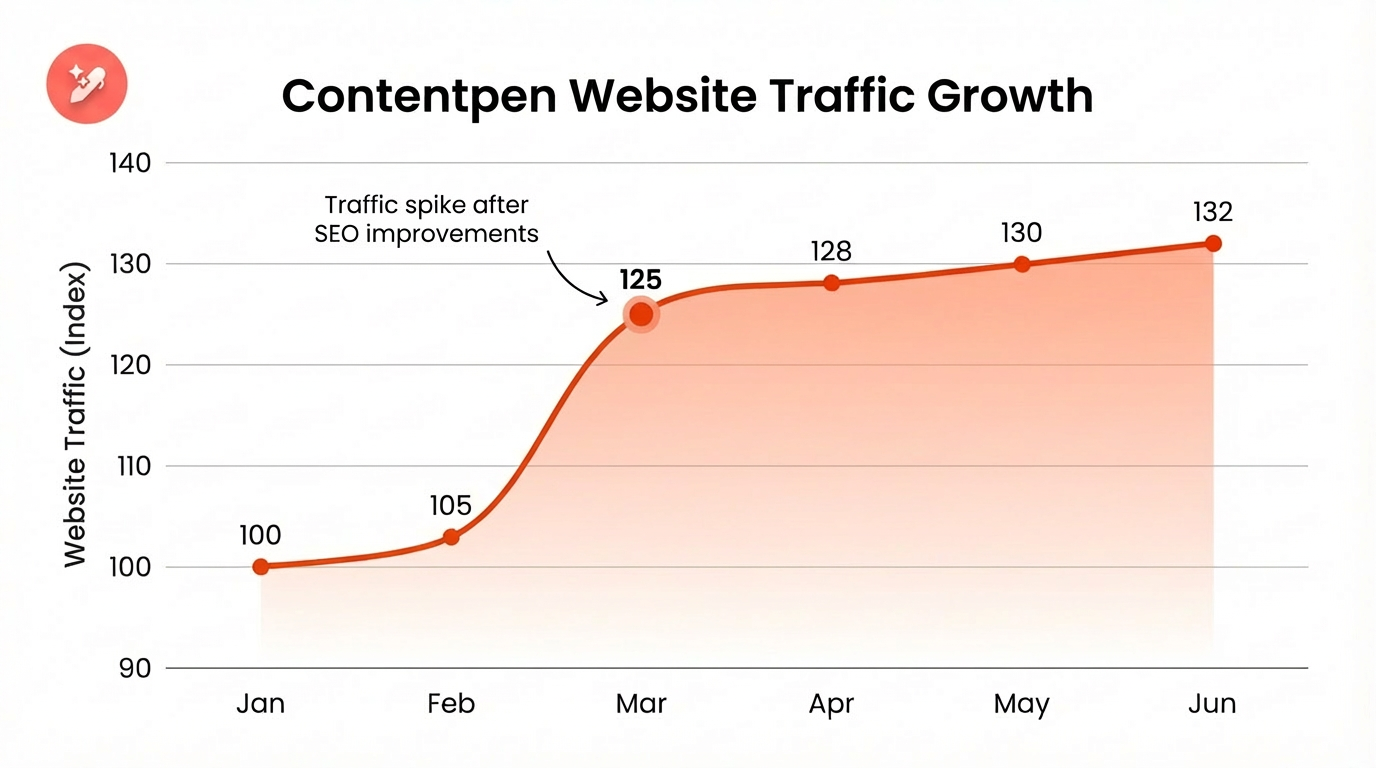
    This is why regular SEO audits are so crucial. They help you identify technical issues and thin pages early so that you can safeguard your site from Google penalties and keep the audience engaged for better CTR and ranking.

    The 5 types of SEO audits you need to know

    Before diving into the steps, understand what an audit actually covers. There are five distinct layers, each targeting a different dimension of your site’s health.

    • Technical SEO audit: Can search engines crawl, render, and index your site correctly?
    • On-Page SEO audit: Are your pages properly optimized for the right queries?
    • Content audit: Is your content current, thorough, and aligned with how people search today?
    • Off-Page SEO / backlink audit: Is your link profile helping or quietly working against you?
    • Local SEO audit: If you serve a specific geography, is your local presence set up completely?

    Now, let’s quickly learn about the tools you’ll need for the five types of SEO audits.

    Tools you’ll need for SEO audits

    Here is the practical toolkit you’ll require to complete all types of audits for your site to refresh, regain, and maintain rankings.

    Free tools:

    Paid tools:

    • Semrush or Ahrefs: Backlink analysis, keyword gap analysis, and large-scale site crawling.
    • Screaming Frog paid version: Removes the 500-URL cap for larger platforms.

    You can also use any other SEO tool you are comfortable with to complete the audit process.

    Performing an SEO audit in 16 steps

    Here’s a quick SEO audit checklist you can scan before diving into the steps:
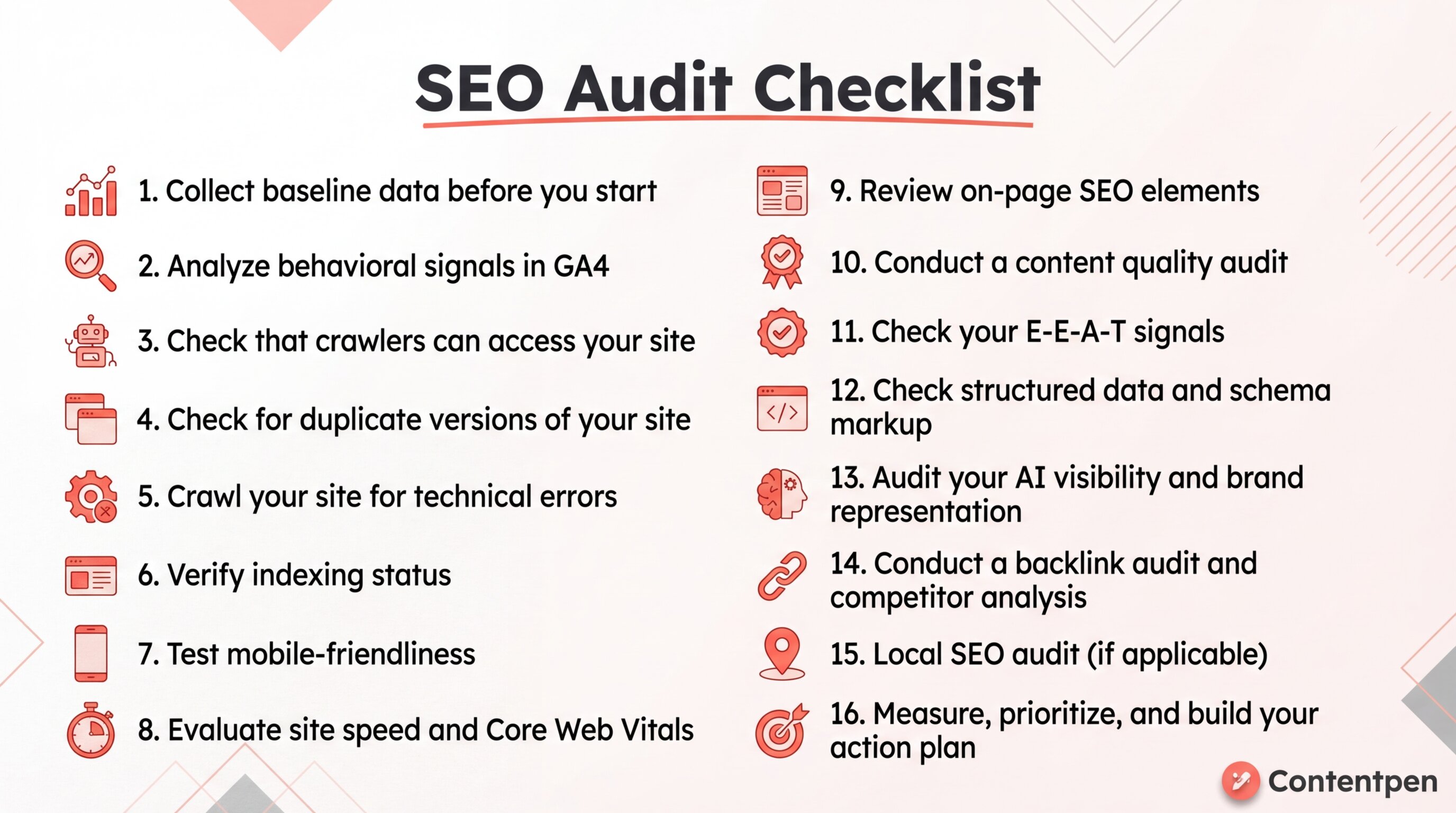
    Infographic showing all the 16 steps for a successful SEO audit in 2026 - Contentpen.ai.

    Use it as a quick reference, then follow the detailed steps below to implement each fix properly.

    Step 1: Collect baseline data before you start

    Before touching a single setting, establish where you are right now. This baseline makes the audit actionable rather than just descriptive. You need something to measure your improvements against.

    Open Google Search Console and record:
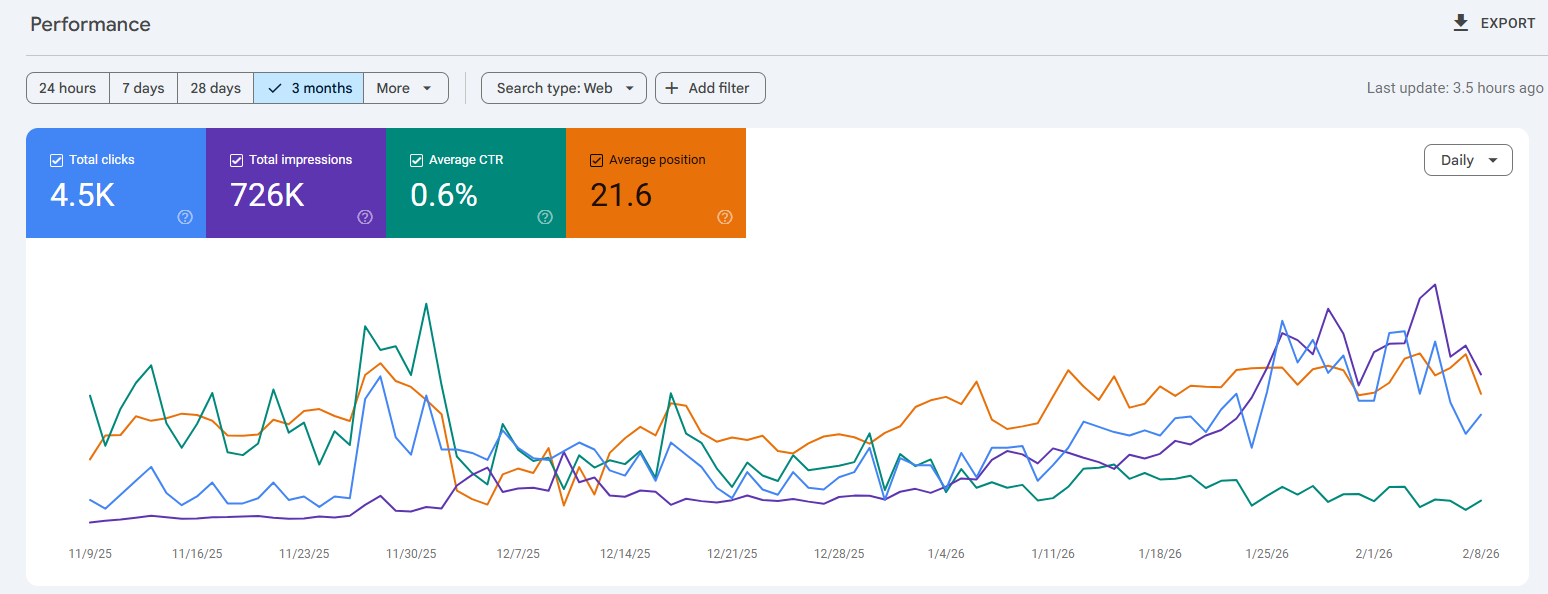
    GSC snapshot of a SaaS brand with 'Total clicks', 'Total impressions', 'Average CTR', and 'Average position' metrics.

    Screenshot or export these numbers. Every fix you implement later should be traceable back to movement in one of these baseline metrics.

    Step 2: Analyze behavioral signals in GA4

    You recorded the numbers in Step 1. The second step is about reading what those numbers are actually telling you in Google Analytics 4.

    GA4’s behavioral data reveals how real users are experiencing your site right now, which tells you something different from what Search Console shows. Search Console tells you how Google sees your pages. GA4 tells you what happens after someone clicks.

    To check behavioral signals in GA4, navigate to ‘Reports > Engagement > Pages and Screens’. Sort by page views to start with your highest-traffic pages. For each one, check:

    Engagement Rate

    GA4 replaced the old bounce rate metric with engagement rate. An engaged session is one where the user spent at least 10 seconds on the page, viewed more than one page, or triggered a conversion event. Aim for an engagement rate above 60% on your key pages.

    Average Engagement Time per Session

    This is the active time a user spends on your page, not total time on site. A low engagement time on a long-form article (e.g., under 60 seconds on a 2,000-word page) is a strong signal that the user isn’t consuming enough of your content. 

    Landing Page Performance

    Under ‘Reports > Acquisition > Traffic Acquisition’, filter by organic search. Look at which pages users land on from search and then immediately exit. These are pages where your SEO is working (Google is sending people), but your content is failing (people are leaving).

    Scroll Depth Events (if configured)

    If your GA4 has scroll depth tracking enabled, check the percentage of users scrolling past the 50% and 90% mark on your most important pages. Pages with poor scroll depth beyond the 50% mark suggest that your content loses the reader halfway through.

    Cross-reference everything you find here with the Search Console data from Step 1. Then move on to the next steps of the SEO audit checklist.

    Step 3: Check that crawlers can access your site

    Crawlability is the foundation of everything else. Search engines and AI platforms use automated bots to discover and index your content. If those bots are blocked, your site is invisible regardless of how well everything else is optimized.

    Start by entering yourdomain.com/robots.txt. Your robots.txt file tells crawlers what they can and cannot access. A file that looks like this is correct:

    User-agent: *
    
    Allow: /
    
    Disallow: /admin/

    A file that looks like this is a catastrophe:

    User-agent: Googlebot
    
    Disallow: /

    The second example blocks Google from your entire site, and not just the unwanted pages.

    In 2026, make sure you are not accidentally blocking retrieval bots like OAI-SearchBot or PerplexityBot. Blocking these types of crawlers makes your content invisible to AI platforms when they are answering user questions.

    Crawlers to verify are not blocked:

    • Googlebot: Google’s main search crawler
    • BingBot: Bing’s crawler, which also influences Microsoft Copilot results
    • OAI-SearchBot: Used by ChatGPT for real-time citations
    • PerplexityBot: Perplexity’s search crawler

    Step 4: Check for duplicate versions of your site

    Duplicate pages silently dilute SEO authority on a surprising number of sites, especially ones that have been through migrations or CMS changes.

    Your site should be accessible at exactly one URL. Test all four of these in a browser:

    • http://yourdomain.com
    • https://yourdomain.com
    • http://www.yourdomain.com
    • https://www.yourdomain.com

    Only one should load a live site. The other three should redirect automatically to a single link using 301 redirects. If multiple versions load successfully, Google may treat them as separate sites and split your authority between them.

    Also, always use the HTTPS version as your canonical. Beyond the marginal ranking benefit, it is a basic security expectation that users and browsers now treat as standard.

    Step 5: Crawl your site for technical errors

    A site crawl reveals the technical issues that are invisible in a browser but clearly visible to Googlebot. These may include broken links, redirect chains, missing title tags, orphan pages, duplicate content, and other problems that secretly diminish rankings.

    Run Screaming Frog on your site. If your site has fewer than 500 pages, the free version covers everything. The data it returns is how search engines actually experience your site, not how you see it in Chrome.

    Issues to prioritize during the Screaming Frog crawl:

    • Broken internal links (4xx errors): Internal links pointing to pages that no longer exist waste crawl budget and create a dead end for both users and search engines.
    • Redirect chains: A chain like A → B → C → D dilutes link equity with every hop and slows down crawling. Flatten anything longer than one redirect to a direct 301.
    • Orphan pages: Pages with no internal links pointing to them are rarely prioritized by search engines. Find orphan pages by comparing your sitemap URLs against what Screaming Frog discovered via crawl.
    • Duplicate title tags: Two pages with identical title tags signal to Google that your content may be redundant. Fix or differentiate each one clearly.
    • Missing canonical tag: Pages that should be consolidated under a canonical URL but are not create indexing ambiguity. Set canonicals explicitly.
    • Sitemap issues: Your XML sitemap should only contain indexable pages. Screaming Frog will flag redirect URLs, noindex pages, and broken links that have crept into your sitemap over time.

    Step 6: Verify indexing status

    Crawling and indexing are two different things. A crawler can visit a page and still choose not to index it. Open Google Search Console and navigate to the ‘Pages report’ under indexing options.

    Categorize the pages that need your attention:

    • “Crawled”: Google visited these pages but decided they were not worth indexing. This almost always means thin content, near-duplicate content, or low-value pages.
    • “Discovered”: Google found these pages but has not gotten around to crawling them yet, typically because they are considered low priority. Stronger internal links pointing to these pages often resolve this within a few weeks.
    • “Blocked by robots.txt.”: Confirm these are intentionally blocked. Accidental blocks after migrations are extremely common within websites.

    If you don’t have a lot of pages, you can run the site:yourdomain.com operator in Google and compare the result count to your actual page count. This method may take a while, but you can clearly identify any large discrepancy between the two numbers.

    Step 7: Test mobile-friendliness

    Google uses the mobile version of your site for indexing and ranking. Desktop performance is secondary. A site that looks perfect on a 27-inch monitor but breaks on a phone will underperform in search, regardless of content quality.

    Use Bing’s Mobile Friendliness Test Tool for a quick pass on any URL. Also, check the ‘Mobile Usability report’ in Google Search Console to identify site-wide issues.

    The most common mobile problems are the content text being too small to read without zooming, touch targets too close together to tap accurately, or viewport configuration errors.

    If your site is on WordPress, most modern themes are mobile-optimized by default. Custom-built sites should implement responsive design principles that serve the same HTML to all devices while adjusting the layout via CSS.

    Step 8: Evaluate site speed and Core Web Vitals

    Site speed is both a ranking factor and a user experience issue. A slow site costs you in search and in conversions. Users who click through from an AI citation and land on a page that takes five seconds to load will leave before they read a word.

    Therefore, you must run your most important pages through Google PageSpeed Insights. The three metrics to target are:

    MetricTargetWhat It Measures
    Largest Contentful Paint (LCP)Under 2.5 secondsMain content loading speed
    Interaction to Next Paint (INP)Under 200msResponsiveness to user interaction
    Cumulative Layout Shift (CLS)Under 0.1Visual stability during page load

    You can take a quick look at Contentpen’s test in Google PageSpeed Insights for a quick review of the test and its related results.
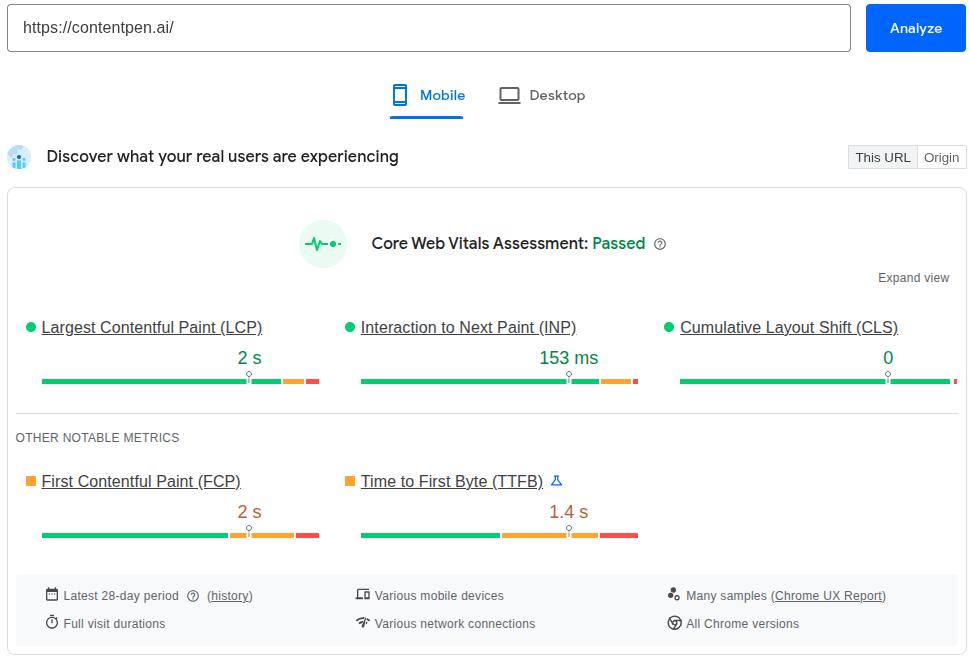
    Screenshot showing LCP,  INP, and CLS for Contentpen.ai.

    Always test on mobile settings. Chasing a perfect 100 score is not necessary. Getting your key pages into the “Good” range across all three metrics is the goal.

    Quick tip:

    For LCP, the most common culprits are unoptimized hero images and render-blocking JavaScript. For CLS, always specify explicit width and height on images and video embeds. For INP, minimize third-party script execution.

    Step 9: Review on-page SEO elements

    On-page SEO is how you communicate to search engines what each page is about. Get the fundamentals wrong, and even excellent content can underperform. Do them right, and you create a compound effect where good content becomes visible content.

    Audit these elements for every important page:

    • Title tags: Keep them under 60 characters, unique across the site, with the primary keyword near the front. Duplicate titles are often a symptom of keyword cannibalization.
    • Meta descriptions: Keep them between 130 and 150 characters. These are not a direct ranking factor, but they directly influence click-through rate. Write them like a one or two-line ad for the page, summarizing everything that you’ll cover on it in clear language.
    • Header structure: Use one H1 per page that clearly defines what the page covers, with a logical H2/H3 hierarchy throughout. Proper heading structure is one of the most reliable paths to featured snippet eligibility.
    • URL slugs: Keep them short, lowercase, hyphen-separated, and descriptive. /what-is-geo is good. /blog/post?id=4827&category=seo is not.
    • Image alt text: Every image needs descriptive alt text. This helps visually impaired users and search engines understand the image, and contributes to image search visibility.
    • Keyword placement: Your primary keyword should appear naturally in the first 100 words. Use related keyword variations for better semantic SEO and to signal topical depth. However, always avoid stuffing keywords.

    For large sites, auditing every page manually is impractical. Tools like Semrush’s On Page SEO Checker can export all of these elements in bulk so you can sort and identify issues across hundreds of URLs at once.

    Step 10: Conduct a content quality audit

    This is the step that drives the most growth and the one that most people rush through. Give it the time it deserves.

    Open Google Search Console and navigate to the ‘Search Results report’. Set the date range to the last 12 months. Sort by impressions. Look for two categories:

    High impressions, low CTR

    Your content is appearing in search, but is not getting clicked. This usually means your title tag or meta description is weak, or your result is losing to a competitor’s featured snippet. Fix the on-page elements first.

    Declining Year-over-Year (YOY) traffic

    Pages where both impressions and clicks have dropped compared to the same period last year are your decaying pages, and they are almost always the fastest opportunities to recover.

    For each priority page, ask:

    • Does this fully cover the topic, or are there subtopics that competitors address that we do not?
    • Is the data, statistics, and advice current, or has it aged out?
    • Does it match how people are searching today, or has search intent shifted since we wrote it?

    Then sort every page into one of four action categories:

    ActionWhen to take it
    UpdateGood foundation for the content; needs fresh data, new sections, or added depth
    RewriteThe premise is sound, but the execution is poor, or the intent has shifted over the years
    ConsolidateMultiple weaker pages are competing for the same keyword
    Remove + RedirectLow value with no realistic path to improvement

    Why refreshing existing content beats publishing new content

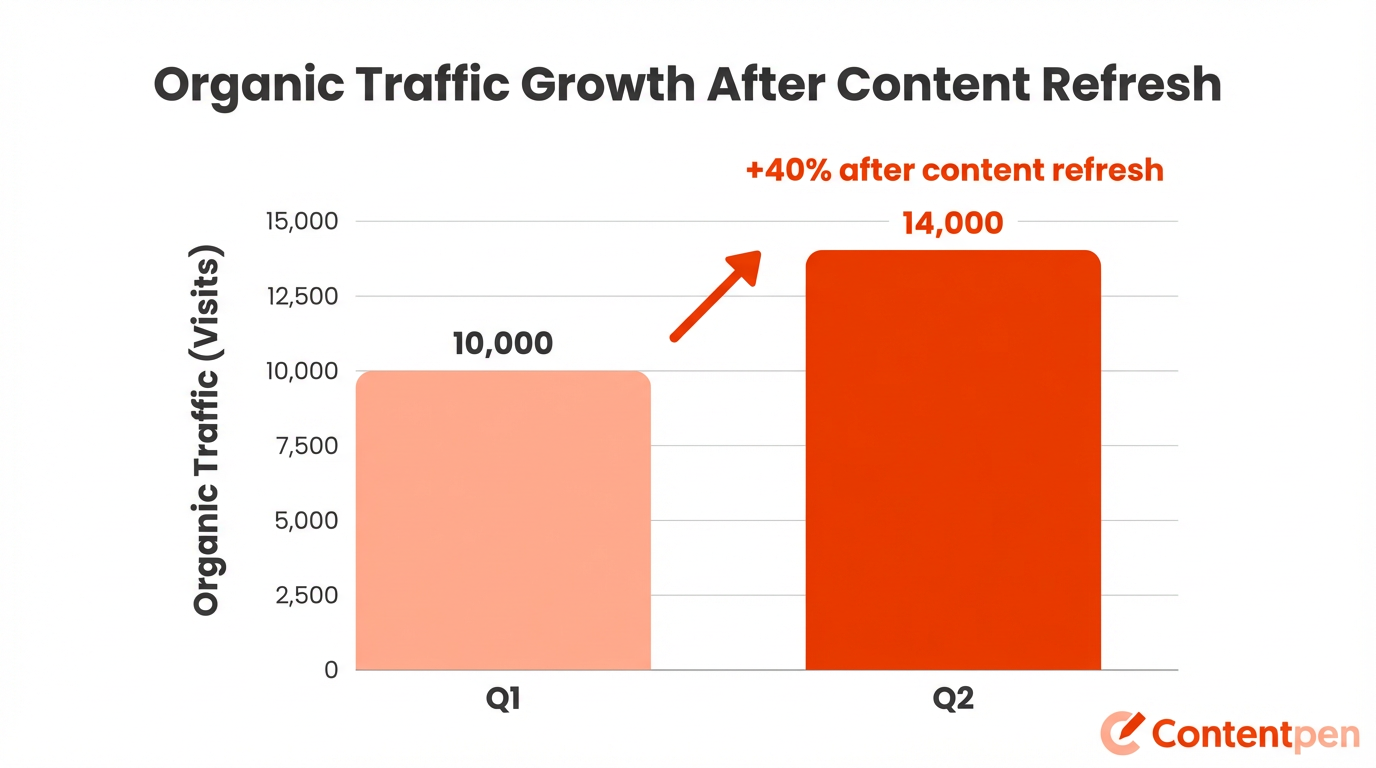
    Refreshing a page that already has some authority almost always outperforms publishing something brand new.

    A page sitting in positions 8 to 15 for a competitive keyword already has indexing history and maybe some backlinks. It often needs targeted updates, such as updating stale statistics and adding proper FAQ schema.

    You should also restructure content for featured snippets and AI citations by giving direct 40-60 word answers for questions in your blog and articles.

    This is exactly where you need an SEO platform and an AI writer like Contentpen. Our tool offers a ‘Refresh Existing Content’ mode that is built to accelerate the content updating process so that you don’t start from scratch.
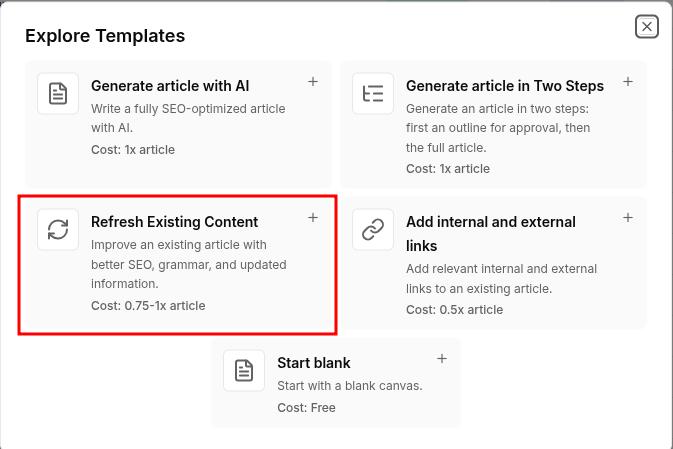
    Contentpen's content refresh option highlighted in a tab.

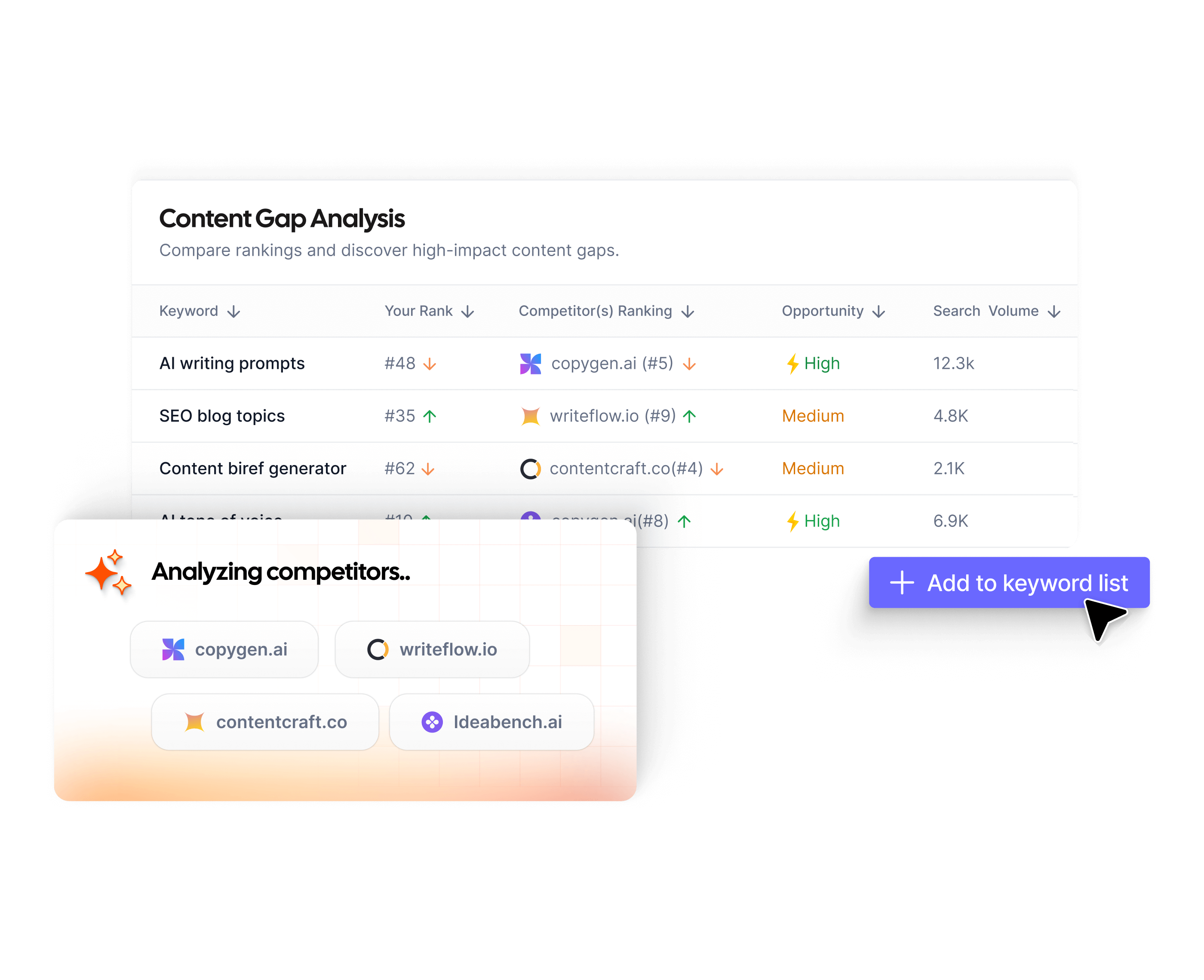
    Rather than spending hours manually combing through competitor SERPs to map the gaps, it surfaces them for you automatically. The tool also offers a 7-day free trial so that you can produce your SEO- and GEO-optimized articles with ease and see the results for yourself.
    Update existing content without rewriting it that fills them

    check

    Improve outdated posts using live URL analysis

    check

    Refresh SEO, structure, and relevance in minutes
    Try Content Refresh
    AI SEO Interface

    Step 11: Check your E-E-A-T signals

    Experience, Expertise, Authoritativeness, and Trustworthiness are the lenses Google uses to evaluate content quality, especially for sensitive industries. E-E-A-T is not a technical metric you can check with a crawler. It is a judgment call based on signals spread across your site. 

    You should mainly audit for:

    • Author credentials: Do your key articles have a named author with a bio that establishes their relevant expertise? Anonymous content or generic “Staff Writer” bylines are a weakness here.
    • Updated dates: Content without a visible last-updated date looks stale. A visible update date that reflects when you actually reviewed the content demonstrates content freshness.
    • Original data and examples: First-hand evidence is the ‘Experience’ part of E-E-A-T. Screenshots, original research, case studies, and real-life examples all signal to Google that a human who has actually done the said process wrote this content.
    • External sources: Citing authoritative external sources adds credibility. Link out to ‘.edu’ platforms or sites with high Domain Authority to genuinely help the reader and show search engines that you only consider top-authority pages to cite information.
    • About and contact information: A clear ‘About’ page, identifiable leadership, and real contact information establish the ‘Trust’ dimension.

    Step 12: Check structured data and schema markup

    Structured data is how you give search engines and AI systems explicit, machine-readable context about your content. It does not directly boost rankings, but it dramatically improves how your content is understood and represented online.

    Use Google’s Rich Results Test to validate your current implementation. The schema types that matter most include:

    • FAQPage: Marks up question-and-answer sections. This is one of the highest-value schema types for both traditional featured snippets and AI citation. Add FAQ sections to your key pages and mark them up correctly.
    • HowTo: For step-by-step guides like this one. When marked up properly, Google can display the steps directly in search results, improving click-through rate meaningfully.
    • Article: Signals content type, publication date, author, and organization. Helps AI systems accurately represent your content.
    • BreadcrumbList: Helps search engines understand your site hierarchy and often results in breadcrumb display in search results.
    • LocalBusiness: Essential for local SEO. Add with complete, accurate contact information.

    Fix any validation errors the Rich Results Test surfaces. An invalid schema implementation is worse than no schema. It generates structured data errors in Search Console and signals a poorly maintained site.

    Step 13: Audit your AI visibility and brand representation

    AI answer engines are now a meaningful traffic source. ChatGPT, Perplexity, and Google’s AI Mode are growing rapidly. If your brand or content is not being surfaced or cited accurately in these systems, you are missing an increasingly important traffic channel.

    Benchmark your AI visibility

    Manually test AI platforms with queries relevant to your business. For instance:

    • “What is [your company]?”
    • “What are the best [your product category] tools?”
    • “How do I [solve the problem your product addresses]?”

    Document whether your brand appears, how prominently, and whether the description provided by the AI platform is accurate. 

    If AI chatbots are describing your product incorrectly, the fix usually starts on your own site. Update your ‘About Us’ page, product descriptions, and homepage copy with accurate, current information that AI systems can easily retrieve.

    Check topic association

    If you sell SEO software but AI only mentions you for “content marketing tools” and never for “keyword research” or “backlink analysis,” it means you have topic association gaps. Close them by creating or updating content that clearly positions you in those missing topic areas.

    You can use Contentpen for this task, which helps in generating and publishing high-quality blogs from start to finish with the least hassle.

    From outline to publish-ready content that fills them

    check

    Structured

    check

    Consistent

    check

    SEO-aligned

    check

    Fast

    Generate Outlines FREE
    AI SEO Interface

    You can also utilize the tool’s clustering feature to create topical authority and increase share of voice in a niche.

    Structure Content for AI citation

    AI systems retrieve content in chunks. They favor content that leads with clear, direct answers. Therefore, make your content with labeled sections and digestible, quotable segments that appear directly in ChatGPT, Perplexity, Gemini, and other AI discovery platforms.

    Step 14: Conduct a backlink audit and competitor analysis

    Your backlink profile is your site’s reputation in Google’s eyes. Strong, relevant links from authoritative sources help you rank. Spammy, manipulative, or irrelevant links can suppress rankings and, in serious cases, trigger manual penalties.

    Analyze your link profile

    Pull your backlink data from Ahrefs or Semrush. Look for:

    • Anchor text distribution: A healthy profile has most links using branded anchors, naked URLs, or generic phrases. Many exact-match keyword anchors across low-quality sites look manipulative.
    • Link quality: A link from a respected industry publication carries more weight than a hundred links from content farms. Check what your link quality suggests from the respective SEO tools.

    Identify and disavow toxic links

    Use Google’s Disavow Tool conservatively. Disavowing legitimate links by mistake can hurt you. Disavow at the domain level for obvious spam sources, which may include link farms, PBNs, and unrelated foreign-language sites.

    Run a competitor backlink gap analysis

    Find sites that link to your competitors but not to you. These are your warmest outreach targets as they have already demonstrated a willingness to link to content on your topic.

    Run a keyword gap analysis

    Find queries your competitors rank for that you do not. This feeds your content roadmap directly, for both refresh priorities and new content planning.

    Monitor unlinked brand mentions

    When you find your brand mentioned online without a link, reach out. In most cases, a polite request to convert a plain-text mention into a hyperlink has a reasonable success rate and costs almost nothing. 

    You can use the [“Brand Name” -site:YourSite.com] command in the search to see your brand mentions online.

    Step 15: Local SEO audit (if applicable)

    If you serve customers in a specific geographic area, a local SEO audit is essential.

    Google Business Profile

    This is your most important local SEO asset. Audit for completeness (every field filled in), accuracy (business name, address, and phone number exactly matching your website), correct primary and secondary categories, and recent activity (posts, photos, review responses).

    Reviews and reputation

    Positive reviews improve both ranking signals and conversion rates from local results. Monitor and respond to reviews, both positive and negative. Unaddressed negative reviews signal to Google and to potential customers that the business is not actively managed.

    LocalBusiness schema

    Add the LocalBusiness schema to your website with complete, accurate contact information. It helps Google verify your business details and improves your chances of appearing in the local map pack.

    Step 16: Measure, prioritize, and build your action plan

    An SEO audit is only worth doing if it produces action. An action plan is only useful if it is prioritized. You cannot fix everything at once, and not everything is worth fixing in the same week.

    That is why you need to follow this three-tier framework to organize every issue you find and fix it without overload:

    Tier 1: Fix this week (high impact, relatively low effort)

    • Indexing errors that are blocking important pages
    • Pages accidentally blocked via robots.txt
    • Missing or broken canonical tags on high-traffic pages
    • Core Web Vitals failures on your top 10 pages
    • Critical schema errors

    Tier 2: Fix this sprint (high impact, higher effort)

    • Content refresh for high-impressions, low-CTR pages
    • Content gap fills on core topic pages
    • Redirect chain cleanup across the site
    • E-E-A-T improvements on key pages (author bios, updated dates)
    • Disavow file for confirmed toxic links

    Tier 3: Ongoing optimization (incremental, compounding)

    • Internal link architecture improvements
    • Local directory citation cleanup
    • FAQ schema additions to pages
    • New backlink acquisition outreach
    • AI brand representation monitoring

    For each item, log the URL or issue, the fix required, the expected impact, and who owns it. A 10-item prioritized list with owners and due dates will produce more ranking gains than an 80-item spreadsheet that nobody acts on.

    Revisit these baseline metrics at 30, 60, and 90 days after implementation to check the results. If the numbers are not moving after 90 days, then your next audit starts there, and the cycle repeats with sharper priorities each time.

    How often should you run an SEO audit?

    • Every quarter: Standard for most sites under 500 pages.
    • Monthly: Content-heavy publications, e-commerce sites, or any site undergoing active changes.
    • Weekly monitoring: Checking for indexing errors, crawl errors, and taking manual actions if needed in Google Search Console.

    An SEO audit schedule may vary depending on the type of business in question or the SEO professional/consulting agency performing the procedure.

    Frequently asked questions

    Can I do my own SEO audit?

    Yes, and a genuinely useful one. Google Search Console, Screaming Frog, PageSpeed Insights, and Contentpen; these tools mainly cover all aspects of SEO audits, and you can do it yourself without any problems.

    Can ChatGPT do an SEO audit?

    Yes and no. ChatGPT can help you think through content gaps, suggest title tag improvements, and analyze a piece of content for on-page factors. What it cannot do is crawl your site, pull live data from GSC, or analyze a real backlink profile.

    How much do SEO audits cost?

    A DIY audit using free tools costs only your time. Professional audits from freelancers can typically range from $100 – $1000, while comprehensive SEO audits from agencies can cost somewhere around $5000 – $30,000+, depending on the website.

    How long does an SEO audit take?

    A focused audit of a site under 50 pages can be done in 1 day. Sites with 100 to 500 pages typically take 3-4 days. Large sites with complex architectures can take 1 week or more.

    How do I do a free SEO audit of my website?

    Start with Google Search Console for the indexing status of your pages. Run Screaming Frog to crawl your site and surface technical issues. Use PageSpeed Insights for Core Web Vitals. Use the Rich Results Test for schema validation. Use Contentpen for content gap analysis and content refresh.

    What is the difference between a site audit and an SEO audit?

    A site audit typically refers specifically to the technical crawl: broken links, redirect issues, indexing problems, and similar technical health checks. An SEO audit is broader. It includes the technical crawl but also covers content quality, on-page optimization, backlinks, local SEO, and AI visibility.
  • 12 best Scalenut alternatives for SEO content in 2026

    12 best Scalenut alternatives for SEO content in 2026

    Scalenut is a capable AI SEO writer. It blends research, AI writing, and optimization in a single workflow. Yet, the AI writer falls short in some aspects, which pushes users to look for Scalenut alternatives.

    This guide walks through 12 top Scalenut alternatives for 2026 that we personally tested. You will see different tools, all of which will have their own strengths and weaknesses, making them fit for a specific use case.

    By the end, you’ll also see how Contentpen emerges as the best Scalenut alternative for content marketers, agencies, and enterprises.

    But first, let us dive deep and learn a bit more about Scalenut.

    What is Scalenut?

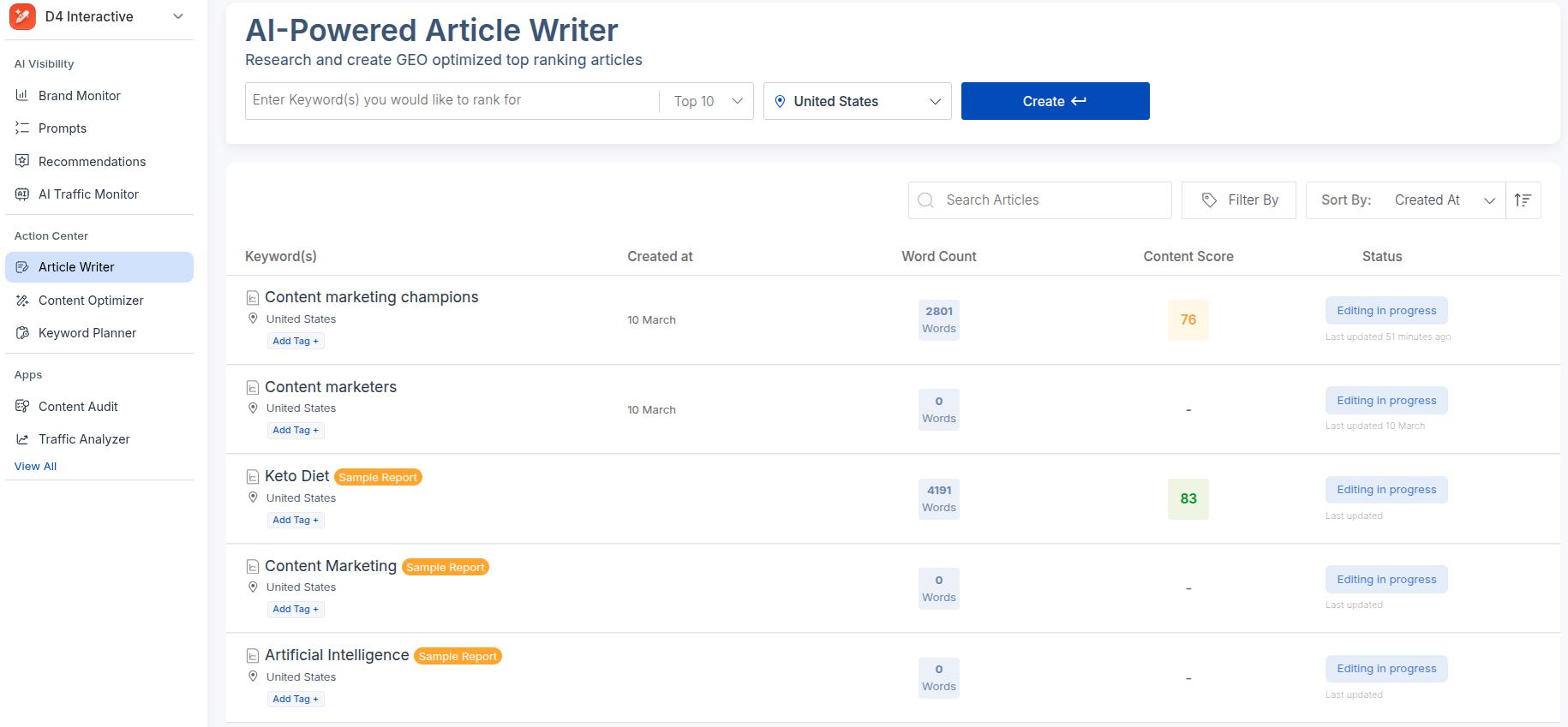
    Scalenut AI Article Writer main interface with some sample blogs generated.

    Scalenut is an AI‑powered platform for content planning, writing, and optimization. 

    It is built around Generative Engine Optimization (GEO) and Search Engine Optimization (SEO), which aims to help you rank on Google and get cited by AI systems.

    The app combines research features, an AI draft writer, and an editor that scores your content as you go.

    Scalenut benefits

    With Scalenut as your primary content driver, you get the following features and benefits:

    • Gaps/Gains: This feature allows writers to see what other SERP competitors have posted for a particular target keyword. It also enables you to add the missing angles in the content to gain a ranking boost.
    • Cruise Mode: With this mode, the tool focuses on first drafts of blog posts. You provide a topic, target terms, and a rough angle, and it returns a structured article you can refine and fact‑check.
    • Brand Monitor: The Brand Monitor tracks mentions of your brand by AI engines. It also provides a visibility ranking to show your share of voice in the niche and how you can improve it.
    • Detect and Humanize: Scalenut allows users to convert their robotic, mundane, monotone copy into something more relatable and engaging for the audience. The feature is built into the writing workflow.
    • Prompts Insights: Scalenut extracts responses from AI models based on particular prompts to show the AI sentiment of your brand. You can incorporate these insights into your content strategy for better growth.
    Scalenut AI-powered insights showing growth opportunities for businesses.

    Scalenut cons

    Even with this range, many teams start to explore alternatives because of some particular limitations.

    • Heavy editing on every draft: If writers spend most of their time rewriting AI output, then the tool feels like a rough starting point instead of a time saver. This is a recurrent problem with Scalenut.
    • Missing visuals: Output often arrives without images, charts, or embeds, so you still need to add design elements and social proof by hand.
    • Lack of cohesive brand voice controls: Agencies and larger brands want strict tone and style control with an easy-to-use interface, which Scalenut fails to provide, especially for bulk content creation.
    • Pricing and limits: Even with a Scalenut free trial (7-days), users are restricted from using specific GEO features. Also, moving into higher tiers can be a stretch for small teams and freelancers, with the ‘Professional’ plan being $199/month.
    • Narrower needs: Some users only need research and briefs, while others care more about social copy or on-page SEO. For focused, restricted use cases, a smaller, task‑specific tool often wins.

    With these Scalenut pros and cons in mind, let’s explore the 12 best Scalenut alternatives available today.

    Top 12 Scalenut alternatives worth your consideration

    Below, you’ll find our list of the best Scalenut alternatives on the market, based on their features, integrations, use cases, and pricing.

    1. Contentpen – Best for automated content workflows with SEO and GEO-optimization

    SEO-ready blogs - Contentpen.ai.

    The reason we rate Contentpen so highly is that it competes with Scalenut directly on all fronts while bringing some new features to the table.

    FeatureContentpenScalenut
    Automated internal + external linking✅ Yes❌ No
    Multiple content planner views✅ List View, Kanban Board, and Calendar❌ Generic content planner
    CMS integrations✅ WordPress, Ghost, Wix, Webflow, and Shopify❌ Only WordPress and Ghost
    Strict brand voice control✅ Yes❌ Outputs can feel adrift from the customized voice
    SEO scoring✅ Yes✅ Yes
    Web analytics✅ Yes✅ Yes
    Keyword planner✅ Yes✅ Yes
    AI media library✅ Yes✅ Yes

    In our testing of the two tools, we found Contentpen focusing more on generating SEO and GEO optimized content with clarity, coherence, and simplicity. 

    Every option inside the workflow serves a clear purpose, and outputs received feel genuinely readable and conversational without the buzzwords.

    Why Contentpen stands out:

    • End-to-end content workflow: Unlike Scalenut, Contentpen automates the complete content workflow. You don’t need to hop on another tool to see analytics or utilize SEO ranking opportunities.
    • Full access to features in free trial: Unlike Scalenut, our AI writing tool provides complete access to all features in the free trial, which allows users to deeply explore the platform before purchasing.
    • Creates content that actually delivers: Unlike other Scalenut alternatives, Contentpen-generated blogs deliver consistent results that you can measure and optimize if needed without any problems.

    Write content that’s built to rank, not just read

    Create search-optimized blogs aligned with SEO and GEO signals, so your content performs well across search and AI-driven discovery.

    Try SEO Blogging FREE
    AI SEO Interface
    • More control at a lower price: Contentpen starts at just $27/month, which is nearly half the price of Scalenut’s ‘Starter’ plan ($59/month) with more functionality.

    Pricing:

    Contentpen offers three pricing plans for its users. The options below are billed annually.

    • Starter: ($27/month)
    • Premium: ($55/month)
    • Agency: ($139/month)

    2. Jasper – Best for brand voice control and content templates

    Landing page for Jasper AI, one of the leading AI writers in the market.

    Jasper is an AI writer built for marketing teams and agencies that care about brand voice across channels. It can produce blog posts, ads, emails, and more from one shared brand knowledge.

    Standout features:

    • Features like ‘Brand IQ’ and ‘Content Pipelines’ let you upload style guides, tone rules, and key facts once, then keep content aligned across writers and clients.
    • Collaboration tools help teams manage campaigns, group assets, share context, and review drafts in one place.
    • 50+ content templates allow users to create different types of content without facing writer’s block or missing crucial deadlines.

    Limitations:

    • While Jasper is a powerful tool, it does not beat Scalenut in terms of Generative Engine Optimization features.
    • Jasper isn’t a proper SEO tool. This is one of the few reasons why users look for a solid Jasper.ai alternative.

    Pricing:

    Starts at $59/seat/month (billed annually), which is costly compared to other tools on the list.

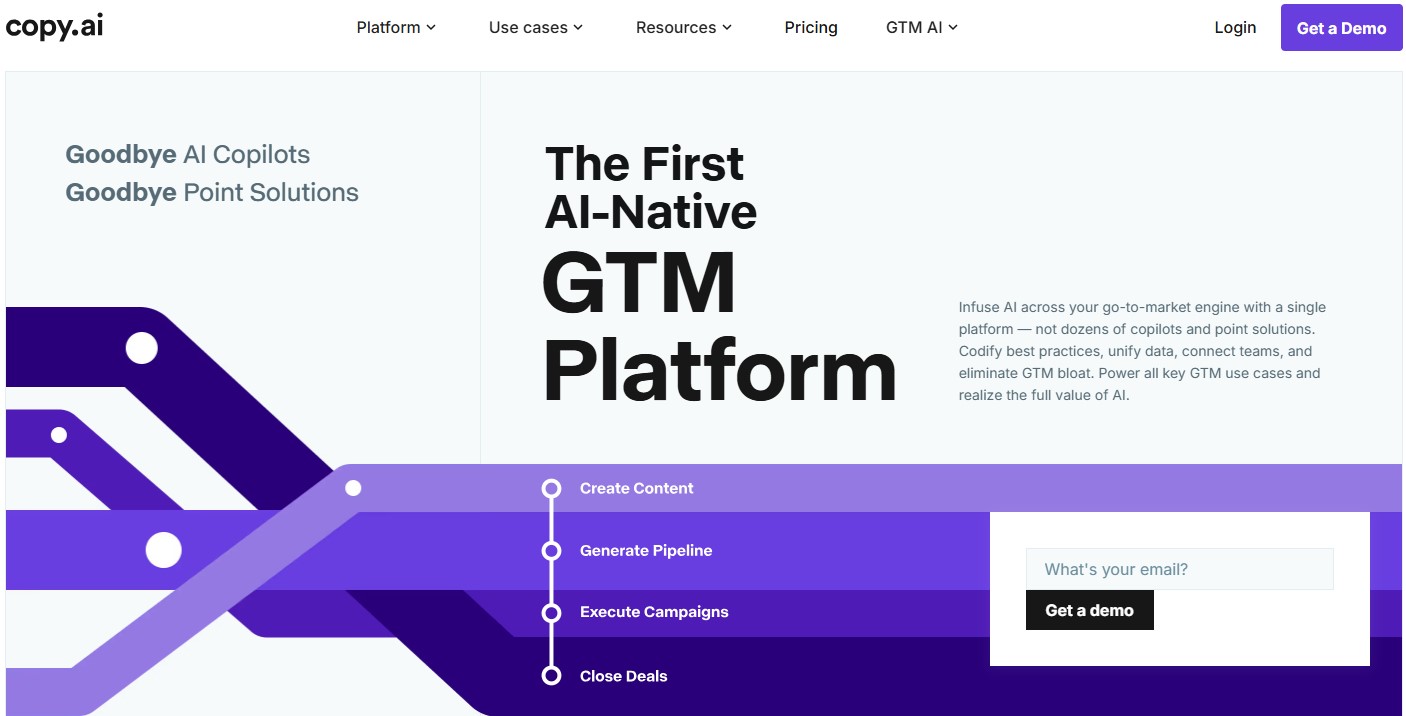
    3. Copy.ai – Best for GTM-workflows

    Copy.ai landing page: A GTM platform.

    Copy.ai targets marketing teams that need many campaign assets quickly. It leans on guided flows for outbound emails, product launches, and social calendars.

    Standout features:

    • Instead of a blank canvas, you choose a workflow. Then, Copy.ai asks a few questions and generates a full set of related assets.
    • Copy.ai provides over 90 content templates that cover a wide range of channels so you can spin up headlines, posts, and messages in minutes for rapid testing and implementation.
    • AI-powered Lead Scoring helps you analyze data signals to identify promising prospects. It covers sales angles that other AI content creation tools like Scalenut simply don’t.

    Limitations:

    • Weaker in GEO capabilities, which can result in missed AI mentions.
    • A mix of sales, marketing, content creation, forecasting, and other verticals can confuse first-time users.

    Pricing:

    Pricing starts at $29/month. SEO and GEO options are limited, so you might need to pair this tool up with an AI SEO optimization software.

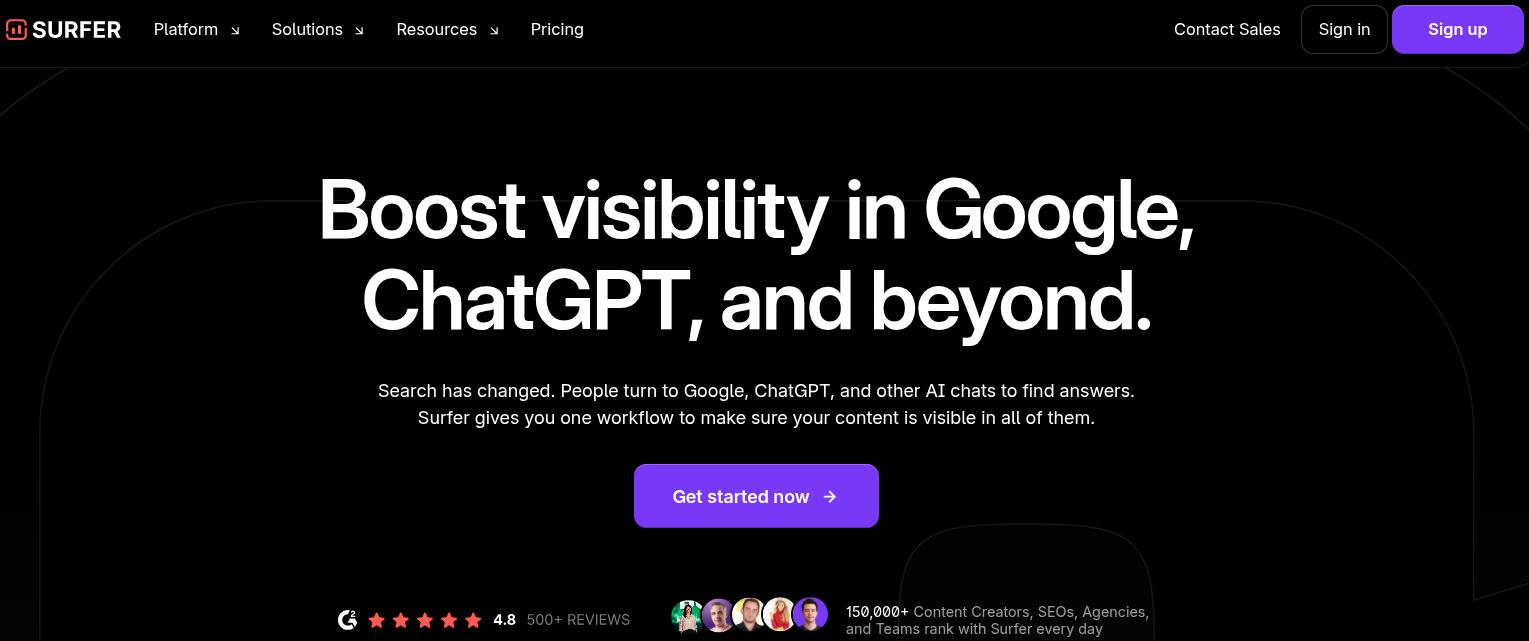
    4. Surfer SEO – Best for on-page SEO optimization

    Surfer SEO landing page.

    Compared to Scalenut, Surfer SEO focuses on on‑page optimization and content scoring. It plugs into your editor to show how your draft compares with competitors, providing AI-powered suggestions for better ranking.

    Standout features:

    • ‘AI Search Visibility’ monitoring assists marketers in analyzing their visibility in AI discovery platforms. The insights help you win buyer trust by allowing you to take control of your AI mentions.
    • Surfer also offers audits and a content planner that nudges you toward related topics and quick wins.
    • Powerful SEO audit feature helps identify underlying problems with your site and provides AI-powered recommendations for quick fixes.

    Limitations:

    • Even though Surfer SEO is a great Scalenut alternative, it falls short in terms of its long-form content creation at scale.
    • Surfer SEO is one of the most expensive alternatives to Scalenut, which is why many individuals and small businesses seek Surfer SEO alternatives.

    Pricing:

    Pricing starts at $99/month (billed annually).

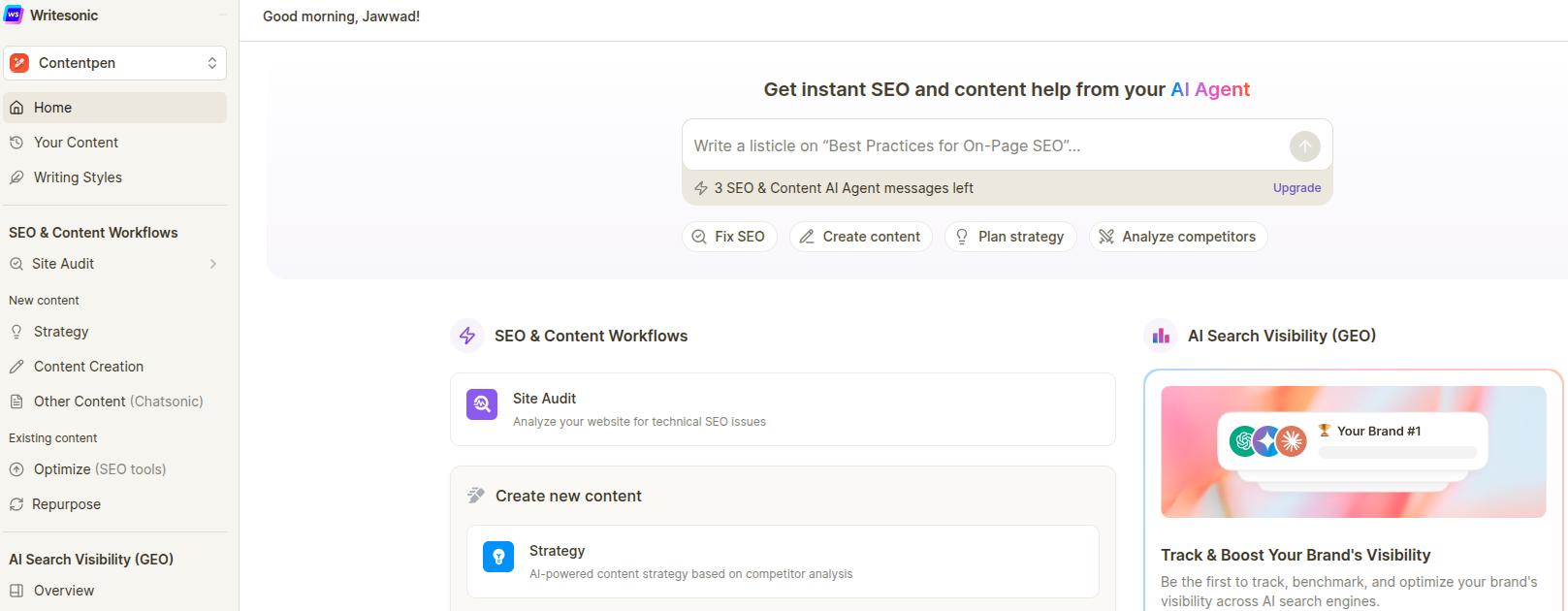
    5. Writesonic – Best for overall content creation and optimization

    Writesonic main interface for SEO and content workflows.

    Writesonic is a flexible AI content platform that covers blogs, ads, product copy, and more. In our experience, Writesonic suits teams that want one general tool instead of several specific ones.

    Standout features:

    • The interface offers many ready‑made templates: pick the use case, give a short brief, and quickly get the first draft.
    • Writesonic provides GEO‑style features and SEO guidance, including keyword ideas and readability tips for long‑form content.
    • Chatsonic, the built-in AI assistant, helps optimize and enhance the generated content with ease.

    Limitations:

    • Writesonic is one of the most expensive Scalenut alternatives on our list, which is why it is important to consider some Writesonic alternatives if budget is your concern.
    • Unlike Scalenut, you cannot find the ‘Social Engagement’ features in the basic plan in Writesonic.

    Pricing:

    The pricing starts at $199/month.

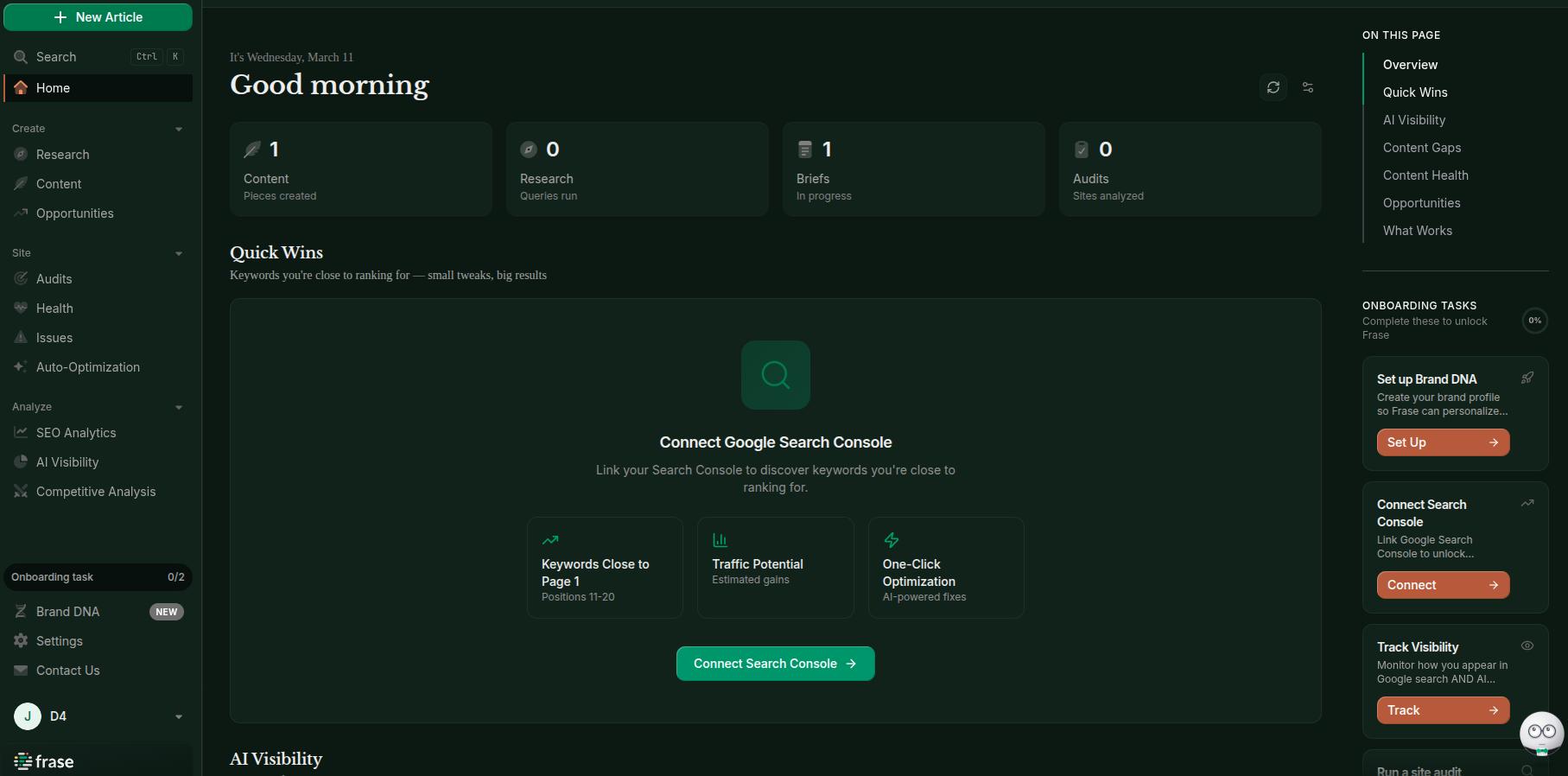
    6. Frase.io – Best for competitor analysis and brief generation

    Frase.io main interface with options for keyword research, outline drafting, and SEO opportunities.

    Frase.io combines SERP analysis, briefs, and AI drafting in one tool. It helps teams research and outline faster, then create drafts based on that research to create comprehensive pieces that rank and convert.

    Standout features:

    • The research view pulls headings, questions, and stats from top results so you can drag items into an outline with a few clicks.
    • Its editor lets you write or generate text in the same space while watching an optimization score.
    • Frase.io’s image generator helps you create meaningful visuals along with written content.

    Limitations:

    • Compared with Scalenut, Frase.io doesn’t provide a built-in humanize option.
    • Frase’s integrations are also limited, compared to tools like Scalenut or Contentpen.
    • Long‑form output can feel thin without strong prompts or manual rewriting,

    Related read: Frase.io alternatives.

    Pricing:

    The pricing starts at $39/month (billed annually) in the ‘Starter’ plan, with the ‘Scale’ plan offering maximum functionality at $239/month.

    7. NEURONwriter – Best for semantic SEO and content optimization

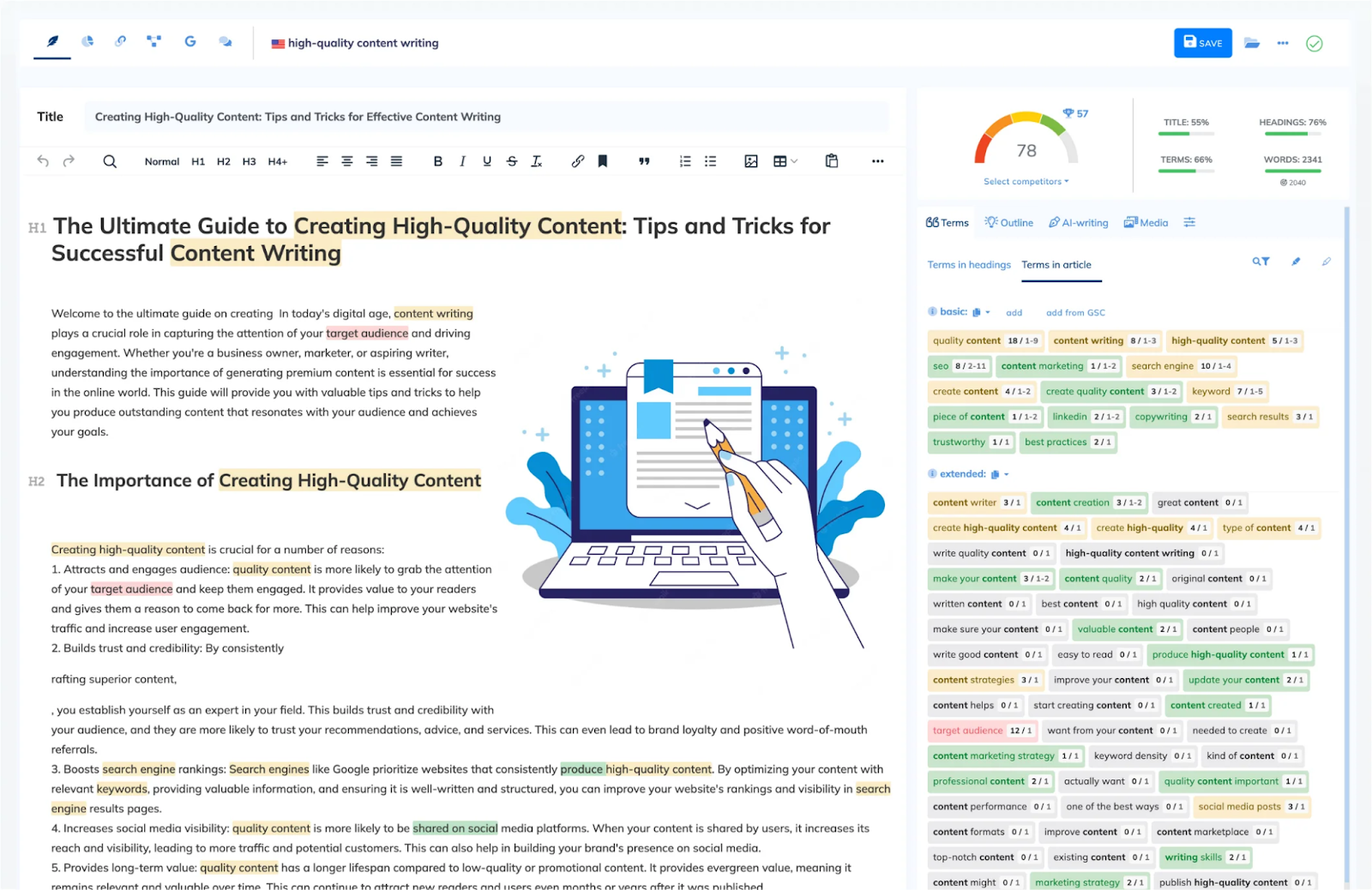
    NEURONwriter main interface loaded with sample article.

    NEURONwriter sits in a sweet spot between a research tool and an AI writer. It leans heavily on semantic SEO analysis, pulling NLP terms and competitor data to help you build content that search engines can actually parse and rank.

    Standout features:

    • NEURONwriter’s internal linking suggestions are always contextual and relevant, allowing you to create a strong internal site structure with ease.
    • The SERP analysis view breaks down competitor headings, word counts, and term usage side by side so you can spot structural gaps before you write.
    • NEURONwriter allows you to rank your platform in different countries, depending on your business type and needs.

    Limitations:

    • The UI feels cluttered once you have several projects running. Navigating between content plans, drafts, and audits takes more clicks than it should, which slows down high-volume workflows.
    • Unlike Scalenut, there is no built-in GEO or AI visibility monitoring, which is a gap worth considering if AI citation tracking matters to your strategy.

    Pricing:

    Pricing starts at $23/month, making it one of the more affordable alternatives on this list for teams that primarily need optimization over full content generation.

    8. MarketMuse – Best for content strategy and topic authority planning

    MarketMuse landing page.

    MarketMuse takes a top-down approach to content. Instead of helping you write one article at a time, it maps your entire domain’s topical authority and tells you exactly where to invest content effort for the highest return.

    Standout features:

    • The ‘Competitor Analysis’ feature analyzes all your rivals with one click. This gives content strategists a clearer picture of where authority gaps exist across the whole domain and how to capture an angle with ease.
    • Content briefs generated by MarketMuse are genuinely detailed. They include target topics, related questions, recommended word counts, and suggested internal links.
    • The personalized difficulty score is unique. It adjusts based on your domain’s existing authority, so you are not chasing the same difficulty benchmarks as a brand-new site would.

    Limitations:

    • MarketMuse is not built for speed. The platform feels more suited to monthly strategy sessions than production-level content publishing.
    • Compared to Scalenut’s Cruise Mode, there is no fast-draft feature that takes a brief and returns a full article. You still need a separate writing tool to execute the strategy MarketMuse builds.
    • The free plan is extremely restricted, with only ten queries/month, which makes it difficult to evaluate the tool properly before committing to a paid plan.

    Pricing:

    The free plan covers basic usage. The exact figure is not mentioned for paid plans. In general, the tool is targeted at large-scale enterprises.

    9. Anyword – Best for performance-driven copy and predictive scoring

    Anyword writing tool landing page.

    Anyword predicts how well a piece will perform with a specific audience before you publish it, rather than focusing on SEO structure. We liked its conversion-focused approach, which is unique among Scalenut alternatives.

    Standout features:

    • The tool rates each variation of your copy based on audience data. It gives you a tangible signal to choose between headline or CTA options without running a full A/B test.
    • Anyword’s ‘Data-Driven Mode’ lets you connect existing ad performance data, so the AI learns from what has actually worked for your brand rather than generating generic output.
    • The blog post wizard produces structured long-form drafts with keyword research, which covers a reasonable portion of what Scalenut’s Cruise Mode does, though with less SEO depth.

    Limitations:

    • The SEO capabilities are noticeably thinner compared to Scalenut. There is no SERP competitor analysis built into the writing workflow, which means you are optimizing for conversions more than rankings.
    • Anyword works best for short-to-mid-length copy. Long-form blog content at scale can feel inconsistent, requiring heavier editing passes than you would ideally want.

    Pricing:

    Pricing starts at $39/month (billed annually) for the Starter plan.

    10. Clearscope – Best for content grading and editorial team alignment

    Clearscope landing page.

    Clearscope has built a reputation as the go-to content grading tool for editorial teams. It is not trying to write content for you. It is designed to make whatever you or your writers produce rank better.

    Standout features:

    • The content grading system is clean and immediate. Paste or write your draft, and Clearscope highlights which NLP-relevant terms are missing, overused, or well-covered.
    • Clearscope integrates directly with Google Docs, Google Search Console, and WordPress. It allows you to see web analytics directly in one place without switching tabs.
    • The keyword discovery reports surface related terms and topic clusters that help writers expand thin content into comprehensive pieces. Clearscope also helps create targeted, locally focused content.

    Limitations:

    • Compared to other Scalenut alternatives, Clearscope is very expensive. We also believe that you don’t get the value with this tool, as you only get 20 monthly drafts at a marginally higher price than others.
    • Unlike other tools on the list, there’s no unique angle to Clearscope. It isn’t an AI writer that stands out due to its GTM workflows, on-page SEO, or any other feature set.

    Pricing:

    Pricing starts at $129/month, with the ‘Enterprise’ plan also available to support bulk content generation and high-volume workflows.

    11. Dashword – Best for teams that need fast content briefs

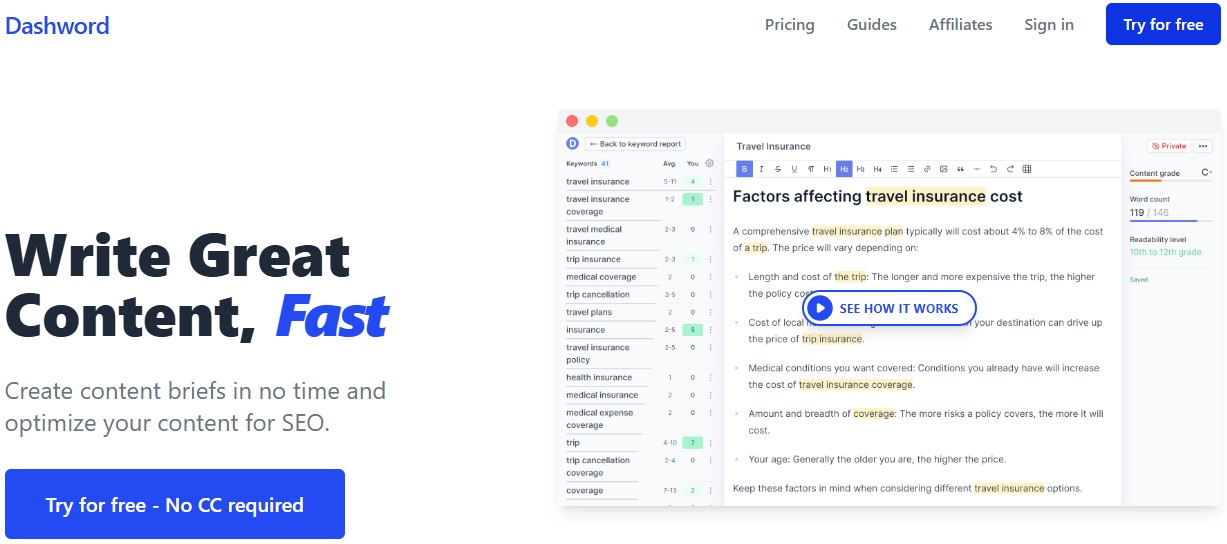
    Dashword AI writer.

    Dashword strips content optimization down to the essentials. In our testing, we appreciated Dashword’s simplistic UI. You enter a keyword, and the tool immediately returns a content brief and optimization report that you can use.

    Standout features:

    • The keyword rank tracker identifies low-hanging fruit to help you quickly capture a target market with ease.
    • Real-time feedback makes it convenient to make the required changes as you write the content. The result is publishable content that requires the least editing and hassle.
    • The simple interface means onboarding a new writer takes minutes, not days. There are no feature menus to navigate or settings to configure before someone can produce their first optimized piece.

    Limitations:

    • Dashword’s AI writing output is basic. Unlike Scalenut, Dashword’s generation layer feels like a supplement rather than a core feature.
    • There is no brand voice control, content calendar, or GEO monitoring. For agencies managing multiple clients, the lack of organizational features quickly becomes a friction point.

    Pricing:

    Pricing starts at $99/month for up to 30 content reports, making it a reasonable fit for small teams with a predictable, moderate publishing workflow.

    12. Conductor – Best for cross-team content intelligence

    Conductor AEO platform main landing page.

    Conductor is built for enterprise marketing teams that need SEO data, content performance insights, and cross-department collaboration rolled into one platform.

    Standout features:

    • The Content Guidance feature surfaces keyword opportunities and content recommendations directly inside a workflow that connects to your broader site performance data.
    • Conductor’s reporting layer ties content performance to business outcomes, giving marketing leaders the kind of revenue-linked visibility that justifies SEO investment at the executive level.
    • The platform includes strong integrations with enterprise CMS platforms, which reduces the data silos that typically slow down large content teams.

    Limitations:

    • Compared to Scalenut’s self-serve setup, Conductor requires a significant onboarding investment. The platform is not something a solo marketer or small team can pick up and run.
    • Pricing is not publicly listed, which is a common friction point for teams trying to evaluate it against more transparent competitors.

    Pricing:

    Conductor does not publish pricing publicly. You will need to contact their sales team for a custom quote.

    The comparison table for the 12 best Scalenut alternatives

    Below is a table for all the details we’ve discovered and discussed so far for the Scalenut alternatives.

    ToolIdeal Use CaseKey LimitationStarting PriceG2 Rating
    ContentpenContent marketers and agencies that want end-to-end automation from keyword to publicationLimited 7-day trial period$27/month4.9/5
    JasperMarketing teams that need consistent, on-brand output across blogs, ads, and emailsNo native SEO or GEO features without third-party integrations$59/seat/month4.7/5
    Copy.aiSales and marketing teams that need multiple campaign assets generated from a single workflowWeaker GEO capabilities$29/month4.7/5
    Surfer SEOWriters who want real-time feedback on drafts against competitor benchmarksExpensive for small teams$99/month4.8/5
    WritesonicTeams that want one platform for blogs, ads, product copy, and basic content optimizationOne of the most expensive options on the list$199/month4.7/5
    Frase.ioResearchers and writers who need fast, data-backed outlines before draftingNo humanize feature and limited third-party integrations$39/month4.6/5
    NEURONwriterFreelancers and small teams that need solid on-page optimization without the enterprise price tagCluttered UI at scale$23/month4.9/5
    MarketMuseEnterprise teams building long-term authority across large content librariesNo fast-draft featureCustom pricing4.6/5
    AnywordConversion-focused marketers who want data-backed copy decisionsThin SEO capabilities and no GEO monitoring$39/month4.8/5
    ClearscopeIn-house editorial teams that need precise NLP scoringPremium price for a tool that covers only the optimization stage of the workflow$129/month4.9/5
    DashwordSmall teams or solo creators that need quick briefs without a learning curveBasic AI writing output with no brand voice control$99/month4.6/5
    ConductorEnterprise marketing teams that need SEO data tied directly to revenue and business outcomesSteep onboarding commitmentCustom pricing4.5/5

    How to choose the right Scalenut alternative for your needs

    With so many Scalenut alternatives and other SEO writing tools available in 2026, it can become difficult to choose the right tool. Feature lists blur together, and every site promises faster content and higher rankings. 

    But there’s a better way to select the best AI writer online. That is by matching each option to your biggest bottleneck.

    1. Start with your primary goal: If the top priority is organic traffic at scale, Contentpen is the best option you can choose. When the main need is brand‑consistent copy, then Jasper stands out.
    2. Decide the automation level: Hands‑on strategists often enjoy MarketMuse and similar platforms, whereas most content marketers enjoy Contentpen, Writesonic, and Frase.io for complete automation.
    3. Consider who will use the tool: Non‑technical freelancers and solo founders often do well with Copy.ai. Experienced SEO specialists may care more about Surfer SEO, Clearscope, or Contentpen.
    4. Set a firm budget: Always have a clear budget in your mind when evaluating tools. If budget is a concern, you can consider cost-effective options, including NEURONwriter, Anyword, and Contentpen.

    Pro tip: Do not choose a tool based on features alone. Choose the one that fixes the workflow problem that hurts your results the most.

    Similar to Scalenut’s free trial, most tools offer their demo versions for testing. Utilize the free versions to get a better idea of how the AI writer behaves in day-to-day writing workflows before making the final decision.

    Final thoughts

    Scalenut remains a solid choice for many content teams, but it is far from the best option available on the market. This is why it is necessary to review some Scalenut alternatives.

    In this post, we saw the 12 best Scalenut alternatives in 2026. We learned that some tools focused on automation, while others prioritized brand voice control, research depth, or maximizing price-to-performance ratio.

    Although each tool on the list had something unique to offer. Still, Contentpen emerged as the best Scalenut alternative due to its ability to match Scalenut on all fronts while also providing some additional features.

    Frequently asked questions

    Is there a Scalenut alternative that is better for SEO professionals specifically?

    Surfer SEO and Clearscope are the strongest picks for pure SEO professionals. Surfer SEO plugs directly into your writing workflow and scores your draft against live competitor data in real time, while Clearscope goes deeper on NLP term coverage and editorial alignment.

    Which Scalenut alternatives are best for generating complete blog posts automatically?

    Contentpen, Writesonic, and Frase.io are the strongest options for fully automated blog post generation. Contentpen handles the entire workflow from keyword research to a publish-ready draft, including internal linking and SEO scoring.

    Can I replace Scalenut with a free tool?

    There is no free tool that replicates Scalenut’s full feature set. However, several alternatives, such as NEURONwriter and Contentpen, cover the most functionality compared to Scalenut while being cost-effective.

    Which Scalenut alternative is best for agencies managing multiple clients?

    Jasper and Contentpen are the two strongest choices for agency use. Jasper handles brand voice management, while Contentpen goes further by combining brand voice controls with a full content calendar, multiple CMS integrations, and built-in analytics.

  • Alt text examples for better SEO and accessibility

    Alt text examples for better SEO and accessibility

    94.8% of homepages have accessibility errors, and missing or inaccurate image descriptions make up more than half of those issues. That is a huge chunk of visitors running into silent images, broken context, and a poor experience. 

    For most content creators, marketers, SEO specialists, and small business owners, this is low-hanging fruit. A few words in the right place can support web accessibility guidelines such as WCAG and give you an image SEO boost for better visibility.

    With this post, we aim to help you write the right image descriptions by sharing 12 real-world alt text examples covering different use cases and platforms. 

    By the end, you will be able to look at any image on your site and know exactly what to write in the alt attribute without any doubts.

    So, let’s get to it, shall we?

    E-commerce product image alt text examples

    Many online businesses and agencies use images to represent their products on popular E-commerce platforms, such as Shopify, WooCommerce, and others. 

    However, most of them fail to write suitable image descriptions, which results in poor image SEO and weak content accessibility for screen reader users. 

    Under WCAG Success Criterion 1.1.1, every non-text element on a page must have a text alternative that serves an equivalent purpose. Therefore, vague descriptions like “bag” or “promotional banner” do not meet that bar.

    The good news is that you can follow a simple alt text formula that most content teams never use: 

    [Product type] + [Brand if relevant] + [Key attribute] + [Color/Material] + [Variant detail if applicable]

    Let’s review some quick e-commerce image examples to help you grasp the way to apply the above formula.

    1. Main product shot (the hero image)

    This is the image that appears in search results and at the top of the product page. It needs to communicate what the product is and what distinguishes it.

    ✅ Good: ‘Matte black leather laptop bag with gold zip pulls and padded shoulder strap.’

    Matte black leather laptop bag with gold zip pulls and padded shoulder strap.

    ❌ Bad: ‘A matte laptop bag.’ [The bad alt text doesn’t describe any of the essential details of the bag, for instance, its color, zipper style, brand name, angle of shot, etc.]

    2. Variant/color selector images

    If you have an image with product variants in different colors or sizes, then your alt text must be able to specify that. Otherwise, screen readers and Google will miss out on this critical detail.

    ✅ Good: ‘Men’s linen shirts button-down in navy, olive, white, and terracotta.’

    Men's linen shirts button-down in navy, olive, white, and terracotta.

    ❌ Bad: ‘linen shirts (repeated on 4 colors.)’ [Define what colors or sizes are available so that you have a better chance of selling your items.]

    3. Images with text (promotional graphics, sale banners)

    For promotional images, include the full text from the image in the alternative description. This is the one case where your alt text might be longer than usual.

    ✅ Good: ‘A blue-white banner for SprintX, reading: Summer Sale: 30% off all shoes. Offer ends July 31. Use code SUMMER30 at checkout.’

    A blue-white banner for SprintX, reading: Summer Sale: 30% off all shoes. Offer ends July 31. Use code SUMMER30 at checkout.

    ❌ Bad: ‘Promotional banner for SprintX.’ [You lose the chance of telling search engines and screen readers what you offer in the promotion.]

    Social media alt text examples by each platform

    When it comes to social media, each platform has different character limits and different conventions for writing alt texts. Some apps will automatically write an alt text for you, but these are mostly not fit for use. 

    1. Alt text examples for Instagram

    Instagram’s auto-generated alt text is notoriously vague (“may contain: one person, smiling, outdoors”). Always override it. You have 100 characters to work with, so prioritize subject + action + context.

    Let’s take an example of how to write alt text for art, or in this case, a quote graphic posted on IG.

    ✅ Good: ‘Quote: “Alt text is the cheapest SEO win most teams ignore.”’

    Quote: “Alt text is the cheapest SEO win most teams ignore."

    ❌ Bad: ‘Person typing on a laptop with an opened notebook on the desk.’ [Focuses on unnecessary elements.]

    Pro tip: Instagram Stories currently don’t support native alt text. For stories, you need to use the text overlay feature to add a written description directly onto the story to boost engagement.

    2. Alt text for LinkedIn

    LinkedIn may auto-generate alt text, but its descriptions are frequently inaccurate. The platform has a professional context, so alt text should reflect exactly that. 

    The alt text character limit for LinkedIn is debatable. However, it is always a better idea to keep your image descriptions to less than 125 characters, as screen-readers typically don’t read past this point.

    ✅ Good: ‘Torbjørn Flensted, founder of SEO.ai, speaking at SEO conference SEOday.’

    Torbjørn Flensted, founder of SEO.ai, speaking at SEO conference SEOday.

    ❌ Bad: ‘Torbjørn Flensted speaking on a stage to other SEO professionals.’ [Again, this bad alt text example focuses on irrelevant details, missing the key context of the image.]

    Pro tip: LinkedIn alt text cannot be added or edited after a post is published. So, write it well enough before posting.

    3. X / Twitter (1,000 character limit)

    X gives you far more room than any other platform, but that doesn’t mean you should use it all. Most posts need 1–2 sentences. Use the extra allowance for genuinely complex images like detailed charts or diagrams.

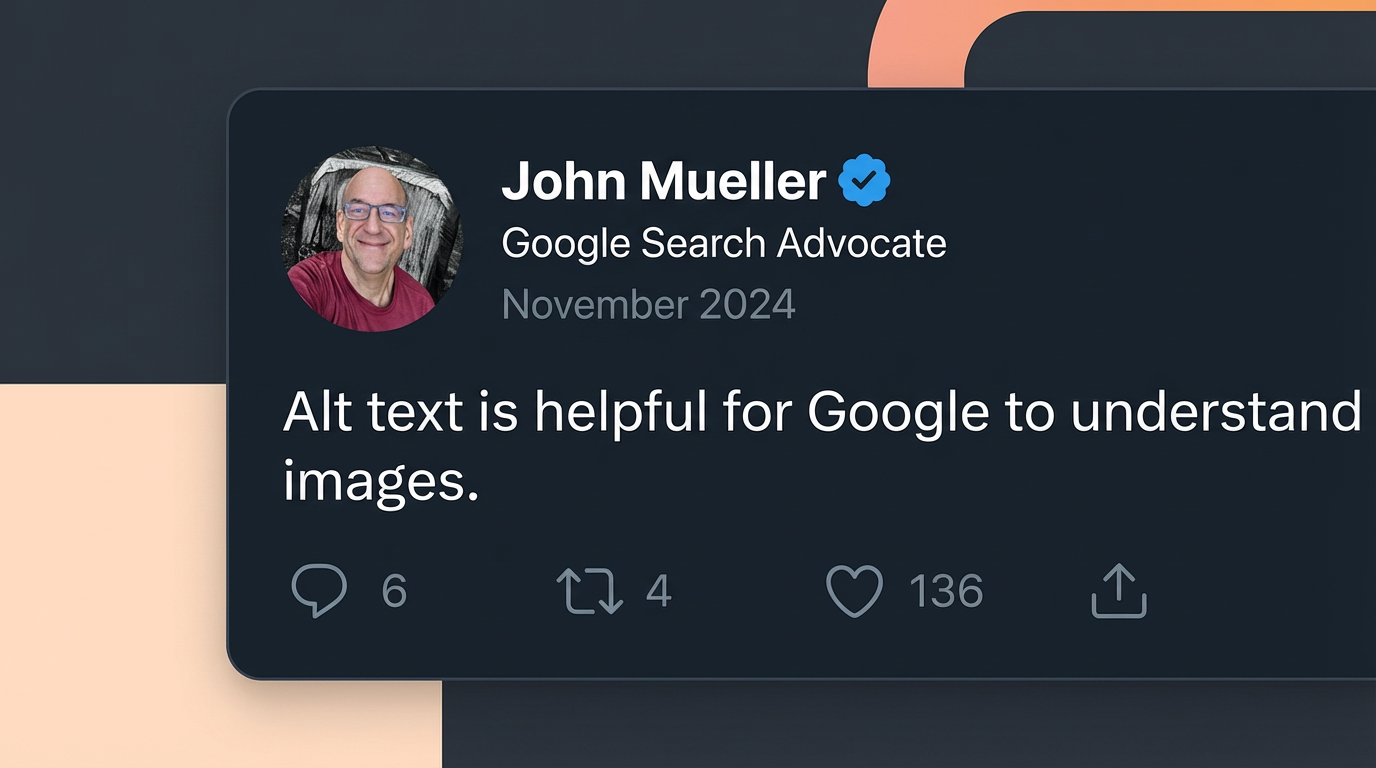
    Right now, we will show you a screenshot example for alt text, which discusses one of the key points mentioned by John Mueller regarding alt text.

    ✅ Good: ‘Screenshot of a tweet by John Mueller reading: “Alt text is helpful for Google to understand images.” Posted November 2024.’

    Screenshot of a tweet by John Mueller reading: "Alt text is helpful for Google to understand images." Posted November 2024.

    ❌ Bad: ‘John Mueller Tweet on alt text.’ [Alt text for screenshots must explain what they say to the audience directly. This nuance is really important for Google Image SEO.]

    Pro tip: X requires you to enable alt text in your “Accessibility Settings” before the option appears when uploading images. It’s off by default.

    4. Facebook (100 character limit)

    Facebook also auto-generates alt text using AI, but again, the output is not very useful. Therefore, you should always write custom alt text, especially for brand content.

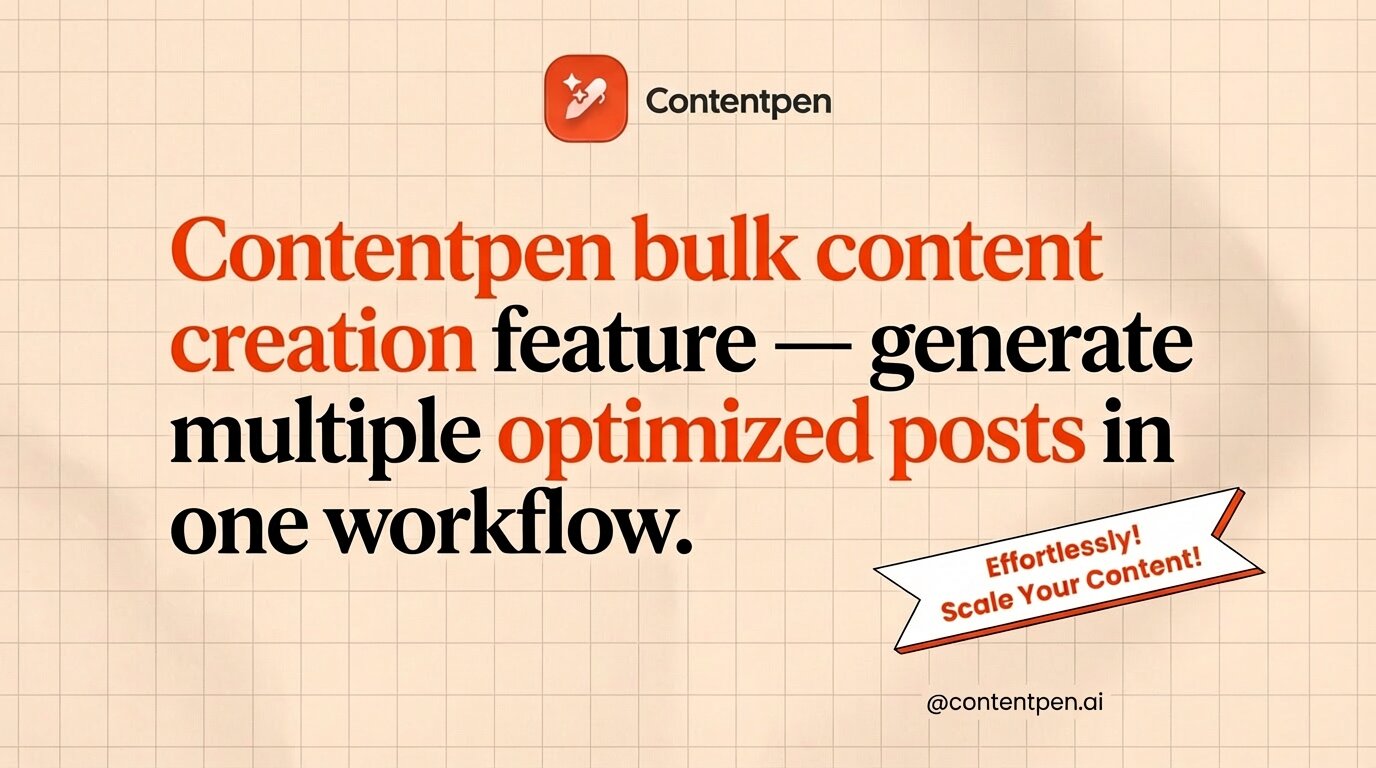
    ✅ Good: ‘Contentpen bulk content creation feature – generate multiple optimized posts in one workflow.’

    Contentpen bulk content creation feature - generate multiple optimized posts in one workflow.

    ❌ Bad: ‘Contentpen new feature.’ [The alt text for Facebook should explain what the image communicates, especially if it’s a product or feature announcement.]

    Alt text examples for common content types

    Alt text requirements shift depending on the kind of image you use, and the best alt text varies image to image. 

    Below are some alt text examples that you can use in daily life, helping you to enhance content inclusivity and engagement on your platforms.

    1. Simple photograph

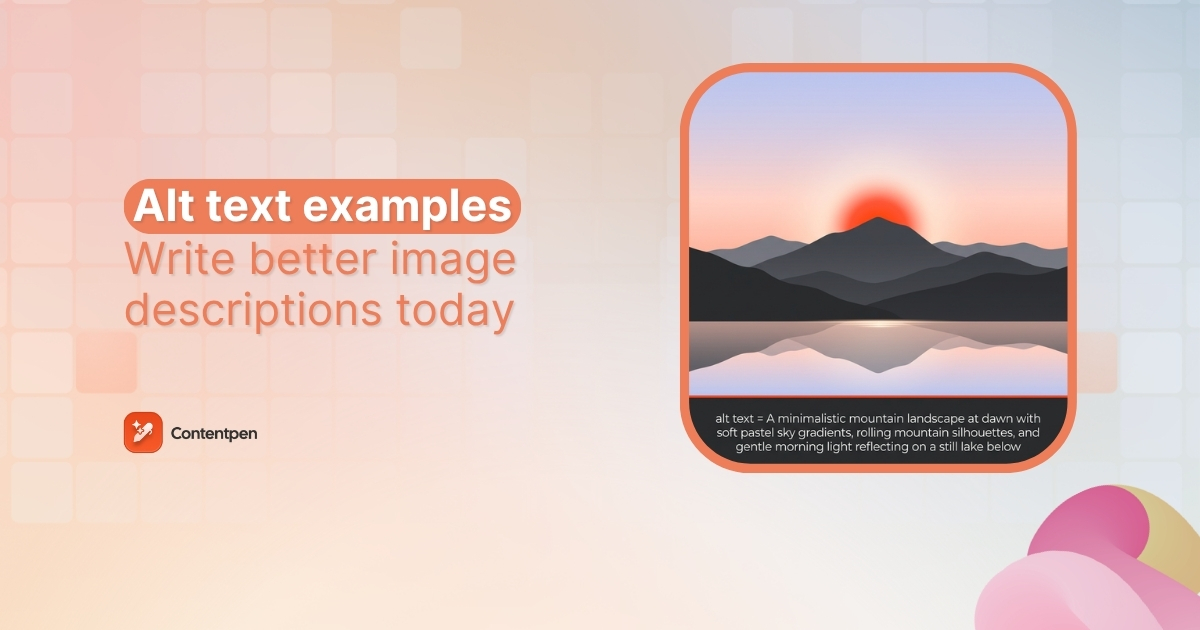
    Better alt text: ‘Child drawing with crayons at a kitchen table on a rainy afternoon.’

    Child drawing with crayons at a kitchen table on a rainy afternoon.

    Weak alt text: ‘Child making a drawing.’

    2. Headshot or portrait

    Better alt text: ‘Jack Martinez, Senior Content Strategist at OpusMedia.’

    Jack Martinez, Senior Content Strategist at OpusMedia.

    Weak alt text: ‘A man with a smile.’

    On a team page with headshots, the important details are the person’s name and role. So, the good alt text example gives visitors exactly what they need to know without any fluff.

    3. Logo

    Many sites still use alt=”logo” on brand marks, which does not help anyone. You should, at the very least, mention the brand name in the alt text for logos.

    Better alt text: ‘Contentpen logo.’

    Contentpen logo.

    Weak alt text: ‘Logo.’

    If the logo links to the homepage, you can use alt=”Contentpen home page” so screen reader users know where the link goes.

    4. Icon used as a button

    For a search icon, some teams write alt=”magnifying glass”, which describes the look but not the function of the interactive element. Consider the example below to help you with these types of images.

    Better alt text: ’Download the free SEO content guide book.’

    Download the free SEO content guide book.

    Weak alt text: ’An opened book.’

    Here, the action is what matters. This kind of descriptive alt text makes navigation clear for people using keyboards or screen readers.

    5. Charts or graphs

    Bar charts, graphs, and other complex infographics and visuals need a detailed description to help the users understand their purpose. However, this is where things can get a little interesting.

    LevelAlt text
    Too vague‘Bar chart.’
    Too literal‘A bar chart with blue and orange columns showing numbers from January to June.’
    Correct (conveying the right context)‘Bar chart showing share of voice growing from 10% in January to 30% in June, with the sharpest gain in March, going from 15-25%.’
    Bar chart showing share of voice growing from 10% in January to 30% in June, with the sharpest gain in March, going from 15-25%.

    TL;DR: Do not be too short or too literal in your way of explaining a complex image. Briefly mention the key numbers and dates to the audience so that they can visualize the right type of graph or chart when they read your image description. Leave the details for body content.

    Concluding thoughts

    Alt text is more than a checkbox for accessibility audits. For most sites, it is an overlooked way to make content readable for everyone and to send clear signals to search engines about what each page covers.

    That said, writing alt text at scale can feel heavy, especially if you already have countless images live. That is where Contentpen steps in. It generates context-aware alt text automatically for every image in your workflow and ships it directly to your CMS.

    If you are publishing content at any kind of scale, try Contentpen free and see how much faster your workflow moves to help you rank on Google with ease.

    Frequently asked questions

    What images should have alt text?

    Every image that contains some valuable data, information, or context that supports the main body content must have alt text. You can leave the alt attribute empty if the image is only decorative, for instance, an arrow or a line separator used for page aesthetics.

    Why do chart alt text examples summarize instead of listing data?

    Because screen readers need the takeaway, not raw data. Full details should be provided elsewhere on the page.

    How do you handle alt text for images that already have captions?

    If the caption explains the image fully, alt text can be shorter or even empty to avoid repetition for screen reader users.

    Should alt text examples describe everything in the image?

    No. Good alt text focuses only on what matters for the page, not every visual detail.

  • 12 best Rytr alternatives for smarter AI writing

    12 best Rytr alternatives for smarter AI writing

    Rytr is a smart starting point as an AI writer. It is affordable, easy to use, and helpful for creating short-form content like ads, emails, and blog snippets. The only problem with it is long-form content.

    If you want lengthy, detailed articles that rank, a consistent brand voice across channels, and smoother workflows, then it is time to consider some Rytr alternatives.

    This guide breaks down 12 alternative options across multiple use cases. You will see enterprise AI platforms, SEO-focused tools, affordable AI text generators, and editing assistants. By the end, it will be much easier for you to choose the right tool that fits your workflows.

    So, let’s get started.

    Why look for a Rytr alternative in 2026?

    Ryter.me main landing page.

    Rytr does a solid job for quick tasks, and many writers discover AI writing through Rytr.me. Though as demands grow, some limits with the tool start to slow teams down. That is the point where a more advanced AI writing assistant starts to make sense.

    Several pain points come up again and again when people move from Rytr to other tools:

    • Generic output is the first issue many notice as they move into serious content work. The copy can feel surface-level and similar from draft to draft. Extra editing is needed to add voice, depth, and real insight.
    • Long-form content is another weak spot. Rytr is aimed at short pieces, so long blog posts or guides often mean stitching together many small outputs. Writers spend time fixing structure, repeating ideas, and building smooth transitions by hand.
    A reviewer sharing how Rytr produces very few words for content.

    Source: G2.

    • SEO and AEO need to keep growing in 2026. Rytr has only basic SEO help and no deep SERP research or Answer Engine Optimization for tools like ChatGPT, Perplexity, or Gemini.
    • Workflow and collaboration features are limited. Agencies and content teams want content pipelines, approvals, and better integrations with tools such as WordPress, Google Docs, and SEO platforms. Rytr was not built for those bigger processes.
    • Output consistency can feel shaky on high-volume work. Some drafts come out strong while others miss the brief or drift off topic. That makes it risky as the main content engine for agencies or brands with tight quality standards.

    Seeing these limits does not mean Rytr is a bad tool. It just means that the content scene has evolved significantly in the past few years. You now need better Rytr alternatives to stay competitive in your niche and receive the returns you anticipate.

    What to look for in an AI writing tool? (Our Rytr alternative evaluation)

    Before jumping to the next shiny AI text generator, you need to know what actually matters for your team or business. A clear checklist saves money and avoids bouncing between tools every few months.

    Below, we have shared our criteria for evaluating the Rytr alternatives in our list and how you can select the right tool for yourself.

    1. Content quality

    First, take a look at what type of AI models are being used by the AI writer and if the outputs are genuinely readable and enjoyable or not.

    Also, understand that some tools shine as an AI blog post generator or long-form AI writer, while others are better for ad copy, emails, or product pages. 

    So, it is important that you look at real samples for the exact formats your team needs before making the tool decision.

    2. Customization and brand voice 

    Customization starts to matter as soon as content goes beyond quick drafts. The best AI content tools let writers steer style, tone, and structure so every article still sounds like the same brand but with more creative juices flowing around.

    Having the liberty of deep customization and brand voice consistency keeps editing time low and trust with readers high.

    3. SEO and AEO features

    In 2026, search engine optimization alone isn’t enough. You need AEO (Answer Engine Optimization) as well to be able to appear in AI Overviews and mentions to instill brand trust and improve share of voice in a niche.

    Strong Rytr alternatives often include SERP research, on-page SEO scoring, topic suggestions, and Answer Engine tracking for AI search engines. This turns a plain AI article writer into a real content creation partner.

    Related read: Rytr vs. Contentpen.

    4. Integrations 

    Since Rytr’s API connections are limited and difficult to manage, integrations are a big concern for us when evaluating Rytr alternatives.

    We checked the AI writing platforms to see if they work with WordPress, Shopify, Webflow, Google Docs, Slack, or your favorite SEO tools. Fewer copy-paste steps mean more time spent on strategy and less on wondering how you’ll publish your next piece.

    5. Scalability and collaboration 

    Collaboration matters the most for agencies and in-house teams. Shared workspaces, version history, comments, and roles keep everyone on the same page. 

    In our testing, we specifically looked for scalability and collaboration features to promote productivity and enable smoother workflows.

    6. Ease of use and depth 

    Our biggest concern was to get a smart AI writing software in 2026 that should feel simple on day one but still offer advanced controls for power users. Most importantly, it should at least be parallel to Rytr in terms of usability and user experience.

    Amongst many Rytr alternatives that we reviewed, some did fulfil this criterion, while others were accepted only due to their ability to perform other tasks well.

    7. Pricing 

    Pricing is a big concern when it comes to AI writing tools, especially for small businesses and freelancers.

    A slightly higher-priced tool can still be a viable Rytr replacement if it cuts editing time in half and eases content production workflows.

    Quick summary of the top Rytr alternatives

    ToolBest forKey advantage
    ContentpenContent teams & agenciesStrategy + high-quality long-form content
    JasperEnterprise teamsStrong brand voice + content workflows
    Copy.aiMarketing & sales teamsGTM automation workflows
    WritesonicSEO & AEOAI search visibility + fast content
    FraseSEO professionalsSERP-driven content briefs
    AnywordPaid ads & conversionPredictive performance scoring
    Hypotenuse AIE-commerceBulk product content generation
    AirOpsAdvanced teamsCustom AI workflows & integrations
    WordtuneEditing & rewritingSentence-level improvements
    GrammarlyEveryday writingGrammar + tone + clarity
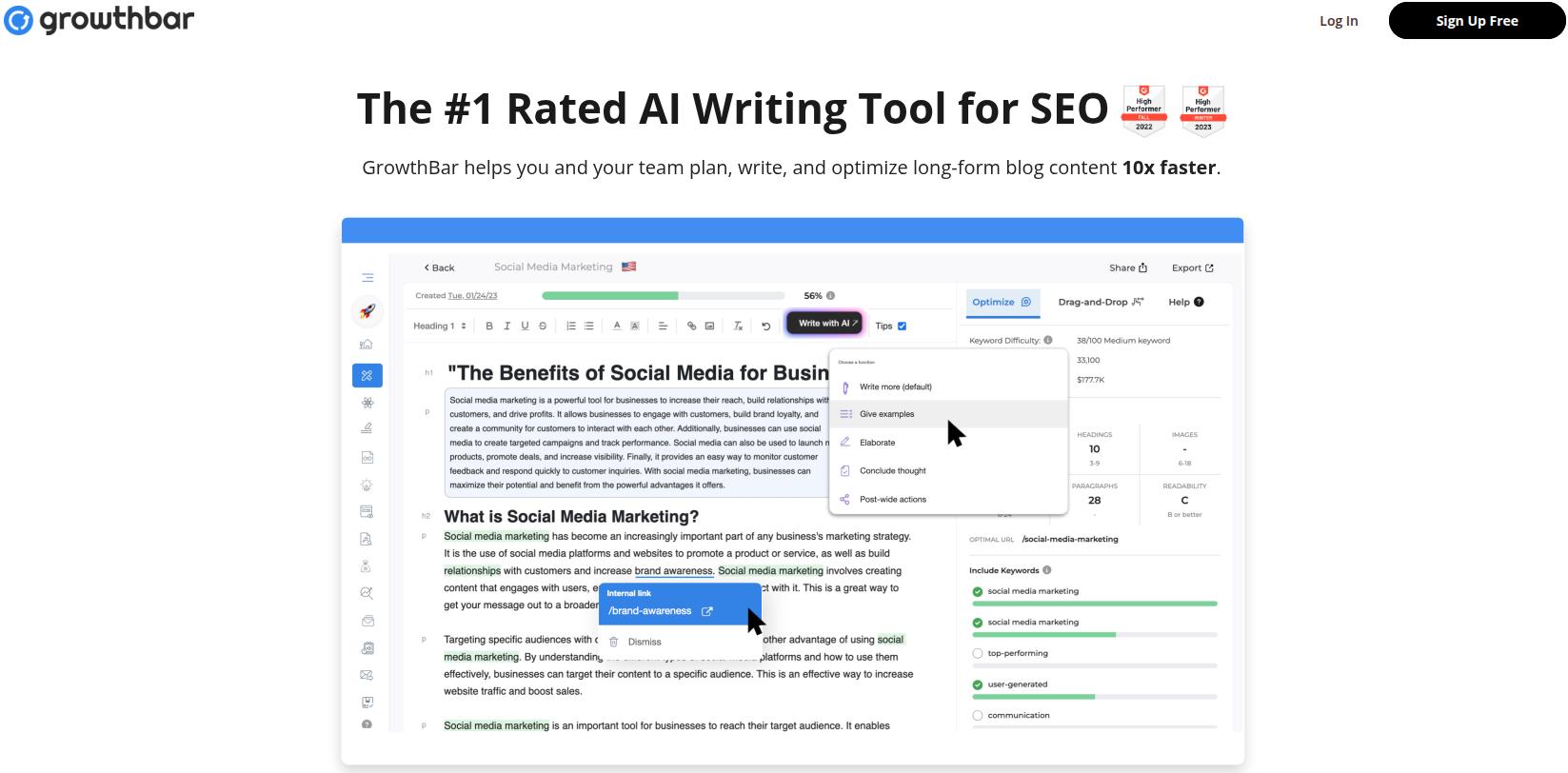
    GrowthBarSEO writersSEO data + writing in one place
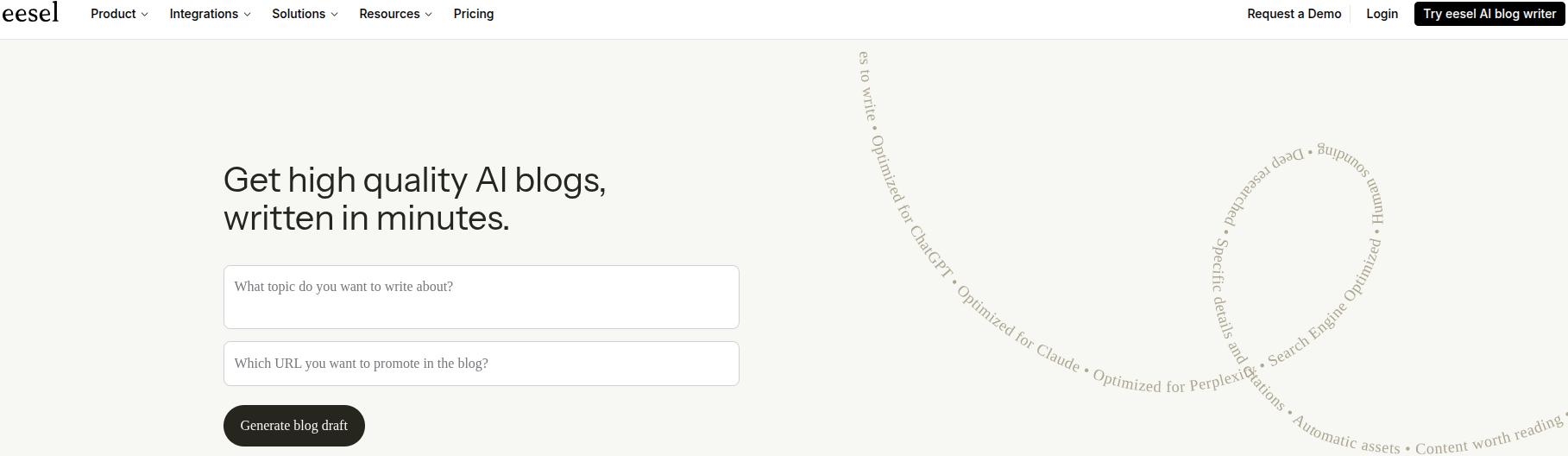
    Eesel AIBloggersNear publish-ready blog posts

    The 12 best Rytr alternatives for smarter AI writing in 2026

    The tools below cover a wide mix of needs, from full AI content generators to SEO research helpers and editing assistants. Some work best as a direct Jasper AI alternative, Copy.ai alternative, or Writesonic alternative, while others sit alongside those tools.

    1. Contentpen – Best for content-first teams and agencies

    Contentpen for AI and SEO optimized content - Contentpen.ai.

    Contentpen leads this list because not only does it provide users with high-quality, SEO- and GEO-optimized content, but it also comes with a built-in AI Assistant, image generator, linking automation, and bulk content creation.

    Compared to Rytr, this AI SEO writer also performs one-click publishing by connecting directly to Ghost, Wix, Webflow, WordPress, and Shopify. It also connects with Google Search Console to bring you all the website analytics in one place.

    Contentpen is much more than Rytr. It is a complete, end-to-end content automation platform that helps content-first teams and agencies dominate a niche to reap greater returns.

    Create rank worthy content at scale

    check

    Faster

    check

    Consistent

    check

    SEO-ready

    check

    Efficient

    Try Bulk Content Creation
    AI SEO Interface

    Price starts at $27/month (billed annually) with 10 articles per month and 30 AI images. You can also get 100 articles per month and 300 AI images in the ‘Agency’ plan.

    2. Jasper – Best for enterprise content pipelines

    The landing page for Jasper, one of the most popular AI content writing tools on the market.

    Jasper has grown from a basic AI writer into a serious content system for large teams. Many companies now treat it as their central AI writing hub.

    The tool stands out with its brand voice settings, content pipelines, AI agents, and a Surfer SEO integration inside a familiar editor. It suits enterprise teams and agencies that run big campaigns and want strong control in every draft. 

    Even though Jasper is a staple in the AI writing niche, the price point is too high for small businesses and individuals. This is one aspect where we feel that Rytr, at just $9/month, takes the edge.

    Prices start at $59/seat/month, and Jasper also offers a custom plan for businesses and enterprises.

    3. Copy.ai – Best for GTM workflow automation

    Copy.ai shifted from simple copywriting to a broad Go-to-Market (GTM) platform. Instead of only writing, it now helps connect sales, marketing, and operations tasks in one place.

    The tool uses a workflow builder, an Infobase for company data, and brand voice settings to create repeatable GTM flows. Copy.ai works best for teams that want AI to help with lead handling, account-based content, and similar projects instead of only singular blog posts. 

    Compared to Rytr, Copy.ai is also useful for short-form content. However, Copy.ai’s outputs are slightly more polished, consistent, and controllable for bulk creation.

    Pricing starts at $24/month (billed annually), which is a fairly decent point for both SMBs and large enterprises to consider this Rytr alternative.

    4. Writesonic – Best for AEO and AI search visibility

    Writesonic main interface showing different content templates available.

    Writesonic positions itself as an AI search visibility tool with content generation on top. For many teams, it is the first step toward Answer Engine Optimization (AEO).

    The platform offers AEO tracking for ChatGPT, Gemini, and Perplexity, plus AI visibility analytics and the Photosonic image generator. 

    Writesonic is suitable for SEO specialists and marketers who want both an AI content generator and clear data on how often their brand appears in AI answers. This is one angle where it completely takes the edge on Rytr, making it a strong Rytr alternative.

    You can try Writesonic for free or buy the ‘Basic’ plan for $199/month. You can also get the ‘Growth’ plan at $399/month for more articles per month.

    5. Frase – Best for SEO-driven content research

    Frase main interface with options for SEO analytics, AI visibility, content audits, opportunities, and research.

    Frase is built first as an SEO research tool and then as an AI assistant. It starts with SERP data and competitor pages before any writing happens, which is the right approach to head with in 2026.

    In our testing, Frase consistently produced better content than Rytr due to its ability to pull topics, headings, and questions from top-ranking pages to build detailed content briefs.

    Similar to the case of Writesonic vs. Rytr, Frase also makes it easy for you to appear in search results and AI discovery platforms and offers features that Rytr simply doesn’t.

    It is a strong fit for content marketers and SEO pros who want to base every article on clear data instead of guessing. 

    Frase offers a free trial, after which you can either pay $49/month, $129/month, or $299/month for the ‘Scale’ plan.

    6. Anyword – Best for high-converting ad copy

    Anyword tool landing page.

    Anyword focuses on performance marketing rather than general content. Its big promise is predicting how well a line of copy will work before launch.

    Similar to Rytr, Anyword is useful for short-form content, but it edges Rytr when it comes to providing copy intelligence reports on existing assets.

    That makes it a smart pick for paid media teams, growth marketers, and direct response writers who live and die by click and conversion rates. 

    A 7-day free trial covers light use to get used to the platform, and the starter plan sits at $49/month.

    7. Hypotenuse AI – Best for e-commerce content at scale

    Hypotenuse AI writing tool main landing page.

    Hypotenuse AI is built around the needs of online stores. Instead of one-off blog posts, it shines when a catalog has numerous items or SKUs, and you need a fitting product description or page copy for each.

    The tool is a serious Rytr alternative as it helps e-commerce marketers and retailers keep descriptions fresh while staying on brand and avoiding copy clashes across large catalogs. 

    The starter plan, ‘Entry’, is $19/month, which is a fairly decent pricing point for small businesses and agencies.

    8. AirOps – Best for custom AI content workflows

    AirOps main workflow interface with columns for article creation and linking.

    AirOps is a flexible system for teams that want to design their own AI flows. It connects many models, SEO tools, and content systems under one roof, allowing endless content workflow possibilities.

    With its drag-and-drop builder, knowledge bases, and links to tools such as Semrush, DataForSEO, and common CMS platforms, AirOps can support very specific content and SEO processes that others on the list don’t.

    It is best for growth and marketing teams that treat AI as part of a larger data stack instead of a stand-alone writer. 

    That said, if we look at AirOps vs. Rytr, we can see that AirOps is a much better option for customizability, but poor when it comes to quick AI text generation. Therefore, you must understand the pros and cons of AirOps before making the switch from Rytr.me.

    AirOps offers a free 14-day trial and three custom pricing plans: ‘Solo’, ‘Pro’, and ‘Enterprise’.

    9. Wordtune – Best for rewriting and refining existing content

    Wordtune content editor landing page.

    Wordtune is primarily not an AI content generator. It acts more like a smart editor that sits beside a draft and helps polish every sentence.

    The tool suggests fresh rewrites, shifts tone between casual and formal, and lets writers shorten or expand sentences with a click. 

    Out of all the Rytr alternatives on the list, Wordtune is the closest to Rytr in terms of its functionalities and pricing point. Neither tool is able to write complete, long-form content effectively, but they enhance, expand, shorten, or refine content in their own ways.

    Wordtune is ideal for freelancers, editors, and in-house writers who prefer to draft themselves but want help making text sharper and clearer. 

    The tool provides a free plan that grants 10 rewrites and 3 AI summaries. Paid plans start at $6.99/month (billed annually).

    10. Grammarly – Best for AI-powered grammar and communication

    Grammarly app main interface with some untitled docs showing in history.

    Grammarly began as a grammar checker and has grown into a wider writing assistant. It now supports teams as well as individual users.

    The app checks spelling and grammar, suggests better phrasing, tracks tone, and offers shared style guides for teams that care about brand voice. 

    It works well for anyone who writes often, from students to content teams, and helps keep Slack messages, emails, and articles clear and on point. Grammarly also offers plagiarism and AI checks to its users to ensure that every piece is fresh, unique, and ready to publish.

    As a Rytr alternative, Grammarly does well to solidify its position in the market with reasonable pricing and high value to the users.

    The core product is free, while premium plans start at $12/month with extended grammar support and access to 2000 AI prompts.

    11. GrowthBar – Best for SEO professionals who write

    Growthbar main landing page.

    GrowthBar by SEOptimer blends SEO data with AI writing in a single place. Many SEOs use it inside their browser while building content in their favorite editor.

    It offers a Chrome extension, GPT4-based content generation, and a dashboard for keyword research, rank tracking, and backlink checks. 

    That mix helps SEO specialists who write their own content stay focused instead of switching between many tools. 

    Plans start at $36/month, with the ‘Agency’ plan offering 300 AI content outlines, 25 keyword roadmaps, and 25 blog to audio/video conversions at $149.25/month.

    12. eesel AI Blog Writer – Best for publish-ready long-form blog posts

    Eesel AI blog writer main landing page.

    Eesel AI Blog Writer is a tool used to create full, media-rich blog posts from a simple keyword. The tool pulls in images, infographics, YouTube clips, and quotes from trusted sources while keeping SEO and AEO needs in mind. 

    In terms of the Rytr alternatives landscape, eesel is a much newer entry, but a powerful tool, nevertheless. If we talk about long-form content generation, eesel is much better than Rytr, along with the 100+ integrations it offers.

    However, Rytr’s large library of content templates does make it a viable option, especially with a much lower entry price.

    Eesel works well for content teams and bloggers who want near publish-ready drafts instead of starting from a blank page every time. 

    When it comes to pricing, eesel AI blog writer offers two plans: Early Bird ($99/month) and Standard ($299/month).

    A detailed comparison table of Rytr alternatives

    Below, you’ll find all the details of Rytr alternatives that we’ve discussed so far.

    ToolBest forStarting price*Standout feature or focus
    ContentpenContent-first teams and agencies$27/monthEnd-to-end content creation workflow
    JasperEnterprise content pipelines$59/seat/monthBrand voice and multi-step content pipelines
    Copy.aiGTM workflow automation$24/month (billed annually)Workflow builder tied to sales and marketing tasks
    WritesonicAEO and AI search visibility$199/monthAnswer Engine tracking and AI visibility analytics
    FraseSEO research and content briefs$49/monthSERP-based briefs and live SEO scoring
    AnywordHigh-converting ads and landing pages$49/monthPredictive performance scores for copy
    Hypotenuse AIE-commerce content at scale$19/monthBulk product descriptions with Shopify integration
    AirOpsCustom AI and SEO workflowsVaries (usage-based)Drag-and-drop builder across many AI models
    WordtuneRewriting and editing existing drafts$6.99/monthHigh-quality sentence rewrites and tone control
    GrammarlyEvery day writing and team communication$12/monthCross-platform assistant with team style guides
    GrowthBarSEO pros who also write content$36/monthSEO data plus AI writing in one place
    eesel AI Blog WriterPublish-ready long-form blog posts$99/monthKeyword to media-rich, SEO-aware blog posts

    *Prices can change, so always confirm on each product site.

    How to choose the right Rytr alternative for your needs

    With so many AI writing tools and content creation options, it is easy to feel stuck. The good news is that the right pick depends more on role and workflow than on tiny feature differences.

    • For bloggers and content strategists, it makes sense to focus on long-form quality and SEO help. Contentpen sits at the center of all the content processes, so it becomes our hot pick for this category. It keeps strategy, outlines, writing, and publishing together.
    • For marketing and sales teams, conversion and repeatable processes matter most. Copy.ai, Anyword, and Jasper support GTM flows, ad testing, and brand-safe copy across emails and landing pages.
    • For e-commerce businesses, scale is the main issue. Hypotenuse AI and Writesonic can handle bulk product descriptions, social posts, and promotions, often with direct store integrations, making them a pick for this use case.
    • For enterprise teams, security, scale, and integrations are key. Jasper, Contentpen.ai, Copy.ai, and AirOps support multiple users, access controls, and links to tools such as CRMs and CMS platforms, making them ideal for this category.
    • For freelancers and solo creators, an affordable AI writing tool with a short learning curve is more helpful than a large, complex platform. This is where tools like Wordtune, Writesonic, and Grammarly shine as they offer quick wins in writing speed and polish.
    • For SEO specialists, research and visibility matter more than raw word count. Frase and GrowthBar both offer SERP data, topic ideas, and AEO tracking alongside writing support, making them suitable for this use case.

    To narrow choices without wasting days in trials, you can:

    1. Shortlist three tools that match your main use case.
    2. Run the same small project through each one, such as a 1,000-word blog post or email sequence.
    3. Compare first drafts, editing time, and how natural the workflow feels for your team.

    Whenever possible, start with a free trial or free plan before moving a whole team to the next tool. The best Rytr alternatives are the ones that slide into daily work without adding friction.

    Concluding thoughts

    Rytr helped many writers and teams take their first steps with AI copywriting tools. For quick emails and short ads, it still does a fair job. 

    Though in 2026, content often needs more depth, better SEO help, stronger brand control, and smoother collaboration than Rytr can offer on its own.

    The good news is that there are Rytr alternatives for nearly every need and budget. Enterprise groups lean toward Jasper, Copy.ai, or AirOps, while SEO-minded teams and individuals can choose between Frase, Writesonic, GrowthBar, and eesel AI Blog Writer as their go-to option.

    However, with considerations to integrations, pricing, features, and usability, Contentpen comes out as one of the best Rytr alternatives online. It offers long-form content creation that beats other tools in terms of quality, coherence, and SEO+GEO optimization.

    From outline to publish-ready content that fills them

    check

    Structured

    check

    Consistent

    check

    SEO-aligned

    check

    Fast

    Generate Outlines FREE
    AI SEO Interface

    Frequently asked questions

    What are the best Rytr alternatives?

    Several tools offer strong options, such as Wordtune, Grammarly, Copy.ai, and Anyword. However, Contentpen stands out as the best Rytr alternative due to its high-quality first drafts and quick time to publish.

    Is Rytr better than ChatGPT for content writing?

    Rytr and ChatGPT serve slightly different roles. Rytr offers preset templates that push writers toward certain marketing formats, while ChatGPT is solid for everyday usage. In recent user reviews, people highlight that they prefer ChatGPT over Rytr due to its more flexibility and solid first drafts, given that the AI chatbot is properly prompted to do so.

    Which are the top 5 AI writing tools in 2026?

    For many teams, the top five right now are Contentpen, Jasper, Writesonic, Copy.ai, and Frase. All of these tools offer some features that Rytr isn’t able to provide, filling the content gap needed to rank in SERPs and AI Overviews today.

    Are there any affordable Rytr alternatives for small teams?

    Yes, several options work well as affordable AI writing tools for smaller businesses. Wordtune, Grammarly, and Hypotenuse AI all offer better features than Rytr at around the same pricing point. For a slightly higher price, you get premium options such as Contentpen and Copy.ai.

  • How to write alt text: A practical guide for content teams in 2026

    How to write alt text: A practical guide for content teams in 2026

    A lot of content teams know they should write alt text. Far fewer actually do it, or do it consistently well. The result is a site full of images that screen readers can’t describe, search engines can’t index, and visitors see as broken boxes when images don’t load.

    Writing good alt text is not hard. It takes a few seconds per image and follows a small set of rules. The difficulty is knowing which rule applies to which image, understanding why context changes everything, and building the habit before publishing.

    This guide covers practical tips for writing alternative text for all image types in 2026. It will also cover how Contentpen can help you with alt text so that your images are accessible for all types of readers.

    So, let’s get started.

    Quick recap: What alt text actually is

    Alt text is a short description inside an image’s HTML alt attribute. When a screen reader reaches an image, it reads this description aloud instead of the visual. 

    Browsers use alternative text to explain an image when it fails to load on a webpage. Search engines use the image description to understand what it is about. Therefore, using alt text in 2026 is non-negotiable both for humans and bots.

    Let’s consider the example below to understand how alternative text for images works:

    Bar chart showing a 40% increase in organic traffic from Q1 to Q2 after a content refresh - Contentpen.ai.

    <img src=”data-chart.png” alt=”Bar chart showing a 40% increase in organic traffic from Q1 to Q2 after a content refresh.”>

    The above line does three jobs at once: it serves accessibility, supports SEO, and provides a fallback for broken images.

    According to the WCAG Guideline, all non-text content should have alt text that serves its purpose in explaining the visual. Doing so also makes your content inclusive for all types of audiences.

    What to consider before writing alt text

    Before touching the alt attribute, you need to answer one question: Does this image add information that a visitor would miss if the image were not there?

    The mental test is to imagine removing the image entirely. If the page still makes complete sense without it, the image is decorative and does not need a description.

    If removing the visual would leave a gap, for instance, a missing data point, an unclear reference, or a link with no label. Then the image is informative or functional and needs a description.

    The techniques of writing alt text can change from one photo type to another, depending on the purpose the visual fulfils (more on this later).

    The context rule: Same image, different alt text

    This is the most important thing most alternative text guides skip entirely. The correct alt text for an image is not a fixed property of the image. It depends entirely on why you put it on that specific page.

    Consider a photo of a campus building. In an article about spring weather on campus, the relevant alt text might be: 

    “Students sitting in brightly colored chairs outside Hollis Hall on a sunny afternoon.” 

    Students sitting in brightly colored chairs outside Hollis Hall on a sunny afternoon.

    In an article about the history of that building, the alt text might be: “Hollis Hall, a red brick colonial building in the center of Harvard Yard.”

    Same photo. Two completely different alt texts, because the reader needs different information in each context. 

    Tip: A good alt text answers the question: ‘What does a reader gain from this image, in the context of what surrounds it?’

    This is also why AI-generated alternative text is unreliable as a final output. A model can describe what it sees in the image. But it cannot read your mind about why you included it in the first place.

    Alt text best practices: The core principles

    So far, we know the basics of alt text and how they change based on context. But how about actually writing them? Below are 6 key practical tips for writing alt text that will help you out.

    1. Be specific about what matters, not everything

    Describe the key subject, the action, and any details that are relevant to the page topic. You do not need to describe every element in the frame, just the ones that carry meaning.

    Example:

    Weak alt text: “People outside.”

    Good alt text: “Three colleagues reviewing printed documents at an outdoor table.”

    Three colleagues reviewing printed documents at an outdoor table.

    The second version tells a screen reader user something specific. The first tells them almost nothing.

    2. Skip ‘image of’ and ‘photo of.’

    We’ve previously discussed this with our ‘What is alt text’ blog as well. Do not use generic fillers in image descriptions.

    Since screen readers already announce that they have reached an image element, starting with ‘image of’ or ‘photo of’ wastes the first words, which are the most crucial.

    Therefore, you should start with the most important word. If the image shows a bar chart, start with ‘A bar chart.’ If it shows a founder, start with their name, designation, and relation to the content on the page.

    3. Frontload the most important information

    People using screen readers cannot skim the way sighted readers do. They hear alt text sequentially, and many will stop listening partway through. 

    Hence, you should make it a habit of writing useful alt text by putting the single most useful piece of information at the beginning.

    Example:

    Less effective: “In a modern office setting with large windows and plants in the background, a content manager reviews an SEO report on a laptop.”

    More effective: “Content manager reviewing an SEO report on a laptop in a bright, modern office.”

    Content manager reviewing an SEO report on a laptop in a bright, modern office.

    4. End with a period

    Screen readers pause slightly at the end of a sentence when they hit a period. Without it, the alt text runs directly into the next element, which makes it harder to follow. 

    This is a small detail that meaningfully improves the listening experience and makes your content more inclusive.

    5. Keep it to one or two short sentences

    Most images need a single sentence. Complex diagrams may need two. If you find yourself writing a paragraph, you need to stop and analyze if the information belongs in the body copy or the image description. 

    Also, you should keep your alt text around 125 characters, though this is not a strict technical limit.

    6. Use keywords when they fit naturally

    You can write alt text for SEO if the image genuinely relates to your target keyword and a natural description includes that phrase. If you are forcing a keyword into an image description where it does not belong, leave it out. 

    Keyword stuffing in alternative text is a known spam signal and hurts your rankings rather than helping them.

    How to write alt text for images based on various types

    Alt text varies depending on the type of image involved.

    Photographs and standard editorial images

    When writing alt text for photographs and editorials, it is generally a good idea to describe the subject, the action, and any contextually relevant details. However, this formula can change from one photo type to another.

    For instance, setting shots must describe what the scene communicates or its feel rather than the subject or action. Therefore, considering the purpose of a photograph is very important to describe it well.

    To learn this in more detail, check out the table below for each image type and its good and bad alt text examples.

    Photo typeWeak alt textStrong alt text
    Team photo❌ A photo with a bunch of people✅ Four-person marketing team reviewing campaign results on a whiteboard
    Portrait❌ Headshot of Jawwad Ul Gohar✅ Jawwad Ul Gohar, SEO content writer and author at Contentpen
    Setting shot❌ Book on a chair✅ Cozy armchair with an open book resting on the seat and a blanket draped over the side.
    Event photo❌ Panelist photo in a conference✅ Panelist Mr. Abraham at a content marketing conference, discussing AI writing tools on stage

    For photos of people, only mention identifying characteristics (race, gender, age, physical descriptors) when those characteristics are the reason the image was included.

    Functional images: buttons, icons, and linked images

    For any image that does something when clicked, the alt text must describe what will happen, not what the image looks like.

    • An Instagram logo linking to a profile: “Visit the Contentpen Instagram page” – not just “Instagram logo.”
    • A printer icon: “Print the event schedule” – not just “a printer icon.”

    If a text label already sits next to the icon and they link to the same destination as the label, then the icon should use an empty alt attribute.

    Charts, graphs, and diagrams

    The goal with data visuals is not to transcribe every number, but it is to communicate the main takeaway. 

    To put charts, graphs, and diagrams into the users’ perspective, start by naming the chart type first, then summarize what it shows.

    Example: “Line chart showing a 25% increase in quarterly website traffic from Q1 to Q2, with the sharpest growth in March.”

    Line chart showing a 25% increase in quarterly website traffic from Q1 to Q2, with the sharpest growth in March - Contentpen.ai.

    For complex diagrams where one sentence is not enough, pair short alt text with a full data table or detailed explanation in the body copy nearby. The alt attribute stays concise; the surrounding content carries the detail.

    For infographics, summarize the core message. Individual data points belong in an adjacent text section and should not be stuffed into the alt attribute.

    Images that contain text

    Screenshots, infographics, logos, and illustrated quotes often contain words that are part of the image. Include any text that is important to understanding the image in the alt description.

    Example: “Screenshot of the Contentpen SEO scoring dashboard showing a blog post getting a score of 83 out of 100.”

    Screenshot of the Contentpen SEO scoring dashboard showing a blog post getting a score of 83 out of 100 - Contentpen.ai.

    You do not need to transcribe every word in a dense screenshot. Just focus on what matters and what is crucial to convey to the audience.

    Decorative images

    Decorative images include stock photos used purely for visual texture, page dividers, background patterns, and any image that does not add information beyond what the text already says.

    For these, use an empty alt attribute: alt=””. Do not write anything between the quotes. This tells screen readers to skip the element entirely.

    Never omit the alt attribute altogether. If the attribute is missing, some screen readers will read the image file name aloud (e.g., “IMG_4892_FINAL_v3.jpg”), which can be disorienting to say the least.

    When possible, handle purely decorative images as CSS background images rather than HTML img tags. That keeps them out of the document structure entirely.

    Who should write alt text, and when

    This is a process question most teams never ask, and it causes most of the problems.

    Alt text written long after publication is usually weaker than alt text written at the time the image was chosen. This is because the person who selected the image knows why they chose it in that moment. By the time the audit happens, that context is mostly forgotten.

    Therefore, what we suggest is a better workflow:

    1. Content writers: Write alternative text for editorial images as soon as you draft the post, because this is the time you know what the visual illustrates.
    2. Designers: Create alt text for icons, logos, and UI elements as soon as you finalize wireframes or design specs, not when the developer is implementing the assets on the site.
    3. Developers: Implement the alt text for the media as soon as you receive it from the design and writing teams.

    Even though this workflow sounds too tiring, in reality, it isn’t. 

    Once you have the habit of writing/publishing alt texts alongside your images, the whole process will barely take another second. And just like that, you’ll make your images more accessible and SEO-friendly.

    The alt text decision tree: A quick reference

    When you are looking at an image and are not sure how to approach it, this sequence of questions covers most situations that you might face:

    1. Does the page make full sense without this image? → Decorative. Use alt=””.
    2. Does the image do something when clicked? → Functional. Describe the action or destination.
    3. Does the image add meaning not in the surrounding text? → Informative. Describe what it communicates in context.
    4. Is the image very complex (dense chart, infographic, diagram)? → Write a short summary, then add a full text explanation nearby.
    5. Is there text inside the image that matters? → Include it in the alt text.
    Decision tree showing which alt text to use and when - Contentpen.ai.

    The above decision tree will help you decide what type of alt text you should use in every situation without any hassle.

    Common alt text mistakes

    Though writing alternative texts is easy, many content marketers and SEO teams commit the following mistakes that can be easily avoided.

    MistakeWhy it’s a problemWhat to do instead
    Using the filename as alt textFile names can be meaningless and off-putting to readersWrite a short description that matches the image and its context
    Leaving the alt attribute out entirelyScreen readers read the file name aloud (IMG_4892_v3.jpg)Always include alt=”” at a minimum
    Reusing the same alt text on every imageEach image on the page has a different purpose. Identical descriptions break the listening flowWrite unique alt text for each image based on its role
    Keyword stuffingLooks spammy to search engines, frustrating to screen reader usersUse keywords only when they naturally describe the image
    Leaving functional icons without alt textCritical UI elements become invisible to screen reader usersDescribe the action: ‘Search’, ‘Open menu’, ‘Download case study.’
    Copying the surrounding body textForces screen reader users to hear the same information twiceUse alt=”” if the image is redundant to the text
    Writing too vague or too longSingle words give no context; long paragraphs are exhausting to listen toAim for one specific, context-driven sentence

    While realizing your common mistakes with alt text is essential, you still have one more thing to do.

    Testing your alt text before you publish

    Writing image descriptions is only half of the job. Testing it before the page goes live is the other half, and most teams skip it entirely.

    To test out your alt text, use the following methods:

    • Read it aloud in the context of the sentence or paragraph surrounding it. If it sounds out of place or adds nothing, revise it.
    • Use a browser extension like WAVE from WebAIM. It overlays alt text on images so you can see every description in context without using a full-screen reader.
    • Test with a real screen reader. NVDA (free for Windows 8.1 or above) and VoiceOver (Mac/iOS, built-in) let you navigate your page the way a blind or low-vision visitor would. Turn off the monitor and try to follow the content.
    • Disable images in your browser to see what alt text displays in place of each image. This is the fastest way to check alt descriptions of images manually.

    If possible, have someone with low or no vision test your pages before launch. Their feedback will surface problems that no checklist will ever catch.

    How Contentpen handles alt text

    Contentpen generates alt text automatically for every in-article and feature image as part of the content creation workflow. 

    It follows the best practices covered in this guide to create concise, context-aware descriptions that support both accessibility and image search indexing.

    You can review and edit the generated alt text before publishing, and it ships directly to your CMS with one-click publishing.

    Publish content directly to your CMS, without copy-pasting

    Move from draft to live post in a single step. No hassle, no errors!

    Try One-click Publishing
    AI SEO Interface

    Our AI writing tool online ensures that there is no copy-pasting, no separate alt text sprint, and no missed images from your scope.

    Final thoughts

    Writing good alt text comes down to three habits: understand what type of image you are dealing with, describe what it communicates in the context of the page, and do it at the time the image is added.

    The next time you add an image to a post, pause for ten seconds and apply the principles we discussed in this post. This small habit will make a meaningful difference in the inclusivity of your content and how well your content performs in image search.

    If you are tired of manually adding and auditing alt texts, try Contentpen today. Put your content production on autopilot and instantly enhance productivity.

    Frequently asked questions

    What is an example of good alt text?

    A good example of alternative text can be ‘Snow leopard resting on a rocky ledge, blending into its mountain surroundings.’ The description clearly illustrates a picture in the mind of the reader and tells them exactly what it is about.

    Can AI write alt text for me?

    Yes. AI tools, such as ChatGPT, Gemini, or Perplexity, can produce a useful first draft for the alt text, especially for simple informative images. However, these tools may struggle with defining functional or complex images.

    What is the difference between alt text and a caption?

    A caption appears visually below the image and is part of the page for all visitors. Alt text is inside the HTML, read by screen readers and search engines, but invisible in the normal page view. Both can coexist but serve different purposes.

    What is alt text in Amazon A+ content?

    In Amazon A+, alt text is used for product images and modules so shoppers using screen readers can understand every visual. Brands must add clear, keyword-aware descriptions for each image to support both accessibility and on-platform search.

  • Top 10 best AirOps alternatives for content teams in 2026

    Top 10 best AirOps alternatives for content teams in 2026

    We tested 10 AirOps alternatives to see which AI writing tool delivers publishable content the quickest without the unnecessary complexities. Our rigorous testing revealed that Contentpen delivers SEO and GEO-optimized blogs 6x faster than AirOps.

    Don’t get us wrong; AirOps is a powerful tool for content automation. However, it handles content workflows like an engineering project: too much to do and process, defeating the whole purpose of AI.

    Due to such reasons, it is imperative to look for some solid AirOps alternatives that can handle content, media creation, SEO scoring, and publishing more efficiently.

    In 2026, we have selected 10 alternatives to AirOps that you must try to boost productivity and simplify content workflows.

    So, let’s get to them, shall we?

    Top 10 AirOps alternatives at a glance

    Below is a comparison table showing all the alternatives to AirOps, along with their top strengths, best use cases, and starting price.

    ToolBest ForEase of Use (1–5)Starting PriceAvg. Production TimeTop StrengthBiggest Weakness
    AirOpsTechnical teams, heavy workflows2.5$199/mo2–3 hrsWorkflow flexibilityComplex, pricey
    ContentpenPractical content teams4.8$39/mo15–30 minSimple, results‑drivenLimited trial period
    ContentMonkHigh‑quality long‑form content4.5$49/mo<1 hrOutput qualityLimited deep workflows
    JasperBrand voice at scale4.4$69/seat/mo45–90 minTone consistencyTeam cost adds up
    Copy.aiSales and GTM workflows4.5$29/mo1–2 hrsCRM integrationsStrong features on high tiers
    Hypotenuse AIE‑commerce catalogs4.2$29/mo1–1.5 hrsBatch product contentWeak long‑form content
    WritesonicGEO and AI search tracking3.5$249/moVariesAI search visibilityGEO plans expensive
    AveriStartup content engines4.0$99/mo<1 hrEnd-to-end workflowNot for larger campaigns
    Surfer SEOOn‑page SEO depth4.0$119/moVariesData‑driven guidanceNot a full content stack
    WRITERRegulated enterprises3.0$39/mo<1 hrGovernance and securityHigh budget required
    Relevance AICustom AI agents3.0$29/moVariesFlexibilityNeeds technical skills

    Problems with AirOps

    While AirOps is a powerful content automation platform, it has three major drawbacks that we need to talk about.

    #1: Workflows are too complicated

    The first time we tested AirOps, we ended up spending more than 2 hours trying to create a publish-ready piece. Why? Because everything about AirOps screams, “I need a prompt engineer/content automation expert to operate.”

    AirOps main workflow interface.

    After going through dozens of G2 reviews, we concluded that this problem wasn’t just for us. AirOps IS too complicated for many content marketers, agencies, and freelancers to operate.

    In our testing, a simple blog post workflow with AirOps required 8 steps: keyword research -> brief generation -> article creation -> internal links -> external links -> media inclusion -> SEO optimization -> final article.

    Whereas Contentpen only requires 3 steps: Input instructions -> article generation (using the one-shot mode) -> final output. The result is a 6x faster content production workflow than AirOps.

    The blog creation process is further simplified if you have your Contentpen presets set up for the preliminary settings, such as tone, audience, target country, formatting, structure, and media. At the end, you can create a blog post in less than 10 minutes.

    #2: Repetitive, generic AI writing

    Another problem that we faced with AirOps is its AI generic slop. The content was mediocre at best, with phrases like ‘Here’s the thing’ and ‘Let’s be honest’ repeated very often, making the analysis shallow.

    The content also had some quality gaps that we noticed:

    • Weaker transitions from one section to another
    • Vague CTAs for product placement
    • Weird selection of anchor texts for internal and external linking

    Now, to be fair, AirOps’ custom content Ops setup does allow you to eliminate a lot of these content problems. But it would require immense time and resources to do so.

    #3: Prices can scale too fast, too quickly

    One of the biggest frustrations with tools like AirOps isn’t just the price; it’s the uncertainty behind it.

    AirOps uses a task-based pricing model, where every action (research, prompting, generation, refinement) consumes credits. 

    A screen showing pricing plans for AirOps.

    In practice, this quickly becomes hard to track and even harder to control. Based on real-world usage, generating a single 2,000-word article can consume anywhere from 2,500 to 4,000+ tasks, often resulting in content that still needs significant manual editing.

    That creates two problems:

    • Unpredictable costs (you don’t know how many articles you’ll actually get)
    • Inefficient output (more time spent editing than expected)

    Contentpen takes a fundamentally different approach: clear, output-based pricing instead of task-based consumption. You can either get 10 articles/month for $39, 30 articles/month for $79, or 100 articles/month for $199 in the ‘Agency’ plan.

    This gives you something AirOps doesn’t: predictability. You know exactly how many articles you can produce each month, with no hidden credit drain or unexpected limits mid-workflow.

    How we selected our AirOps alternatives

    Every tool on our list of AirOps alternatives went through the same rigorous hands-on testing process, so the comparison you’re reading is based on actual usage.

    Here’s exactly how we evaluated each tool:

    Ease of use and setup time 

    The first thing we timed was how long it took to go from a blank screen to a publish-ready draft. AirOps took us over two hours for a single article. Every alternative was benchmarked against that baseline. 

    If a tool still required heavy configuration, prompt engineering, or multiple platform switches to get a usable output, it scored lower, regardless of how impressive its feature list looked.

    Content quality out of the box 

    We ran each tool on the same brief and compared outputs. We weren’t just looking for grammatically correct content. We were looking for coherent arguments, smooth transitions, natural keyword usage, and CTAs that actually made sense in context. 

    During our testing, we also looked out for generic AI tells, such as repetitive phrasing or buzzwords (landscape, supercharge, etc).

    SEO and GEO capability 

    Given that this is fundamentally a content production comparison, we paid close attention to how each tool handled search optimization. 

    Did the tool do keyword research natively? Did it score content against SERP data? Did it think beyond Google toward AI search visibility? These were the questions that we had in our minds when evaluating each tool.

    Pricing transparency and predictability 

    AirOps’ task-based credit model is one of the most common complaints we found across G2 reviews, and we experienced it firsthand. 

    So we specifically looked at whether each alternative gave you a clear, predictable sense of what you’d actually produce each month for a given budget. Tools with opaque credit systems or aggressive tier jumps were flagged accordingly.

    Publishing and workflow integration 

    We checked whether each tool could connect to the CMS and platforms that real content teams actually use. These include WordPress, Webflow, Shopify, HubSpot, Salesforce, and others.

    Actual use cases

    Some tools on this list are purpose-built for e-commerce teams, some for enterprise compliance, while some are more suited for GTM and sales workflows. 

    Therefore, we considered each tool’s use cases along with their features and functionalities so that you have a clear framework to apply each AirOps alternative in real life.

    The result is the list you’re reading: 10 AirOps tools that each solve a real problem, ranked and described honestly based on what we actually experienced using them.

    1. Contentpen: The best AirOps alternatives

    Contentpen main interface.

    While AirOps is difficult to operate, Contentpen takes a different route. It is an AI writing tool that requires minimal human input and generates pieces that truly rank in search engines and SERPs.

    The biggest upside with Contentpen is its automated search engine optimization: from keyword research to SEO scoring, SERP analysis, and web analytics, all in one place.

    From outline to publish-ready content that fills them

    check

    Structured

    check

    Consistent

    check

    SEO-aligned

    check

    Fast

    Generate Outlines FREE
    AI SEO Interface

    Its automated linking assistant, media generation, and alt text creation show that it takes care of every single aspect of on-page SEO. The types of keywords it utilizes in the content flow naturally without the AI buzzwords that many AI writers fail to replicate in their output.

    Notable features

    • Custom brand voice setting: With this AI SEO writer, you get the ability to set up your own brand knowledge and brand voice. The blog outputs follow your tone consistently, helping you establish yourself in the niche.
    • Ask AI assistant: Haven’t got the output you hoped for? No problem. Contentpen provides you with its ‘Ask AI’ assistant to help rephrase existing text, shorten, or expand some portions to your liking with custom prompts that you can set up in the workspace.
    • Direct publishing: The biggest pain point for any user is to publish their blogs directly to their webpage. Contentpen solves this by integrating directly with Ghost, Wix, Webflow, Shopify, and WordPress, ensuring one-click multi-platform publishing.

    Pros

    • Helps scale content production with ease.
    • Robust customer support that actually listens and solves problems.
    • Assists in improving share of voice in your niche with consistent, high-quality, SEO- and GEO-optimized content.
    • SEO opportunities allow quick wins, identifying decaying pages, and fixing problems with AI-powered suggestions.

    Cons

    • The trial period expires after only 7-days.
    • No backlink data directory available.

    Pricing

    • Starter: $39/month
    • Pro: $79/month
    • Agency: $199/month

    2. ContentMonk – Best for long-form content with less hassle

    ContentMonk main tool interface.

    ContentMonk simplifies the problem with AirOps: no more complex workflows. You can get a publish-ready article with 3-clicks, which saves a considerable time and effort for your content teams trying to meet tight deadlines.

    In our testing of AirOps alternatives, what we liked about ContentMonk is that you don’t have to leave your editor to do any tasks. You can create a brief, edit as you want, and finalize the content in one place.

    Notable features

    • AI-editing power-ups: The tool makes it very easy to optimize content for clarity, style, and tone. The AI agents speed up this process immensely, enabling you to get to the final content draft quickly and effectively.
    • Efficient content repurposing: ContentMonk truly shines when it comes to content repurposing. It is quite easy to convert a long-form blog to a LinkedIn post or a leadership piece to gain more authority in your niche.
    • Customizable knowledge base: With ContentMonk, you can easily create and edit your knowledge base. The tool will use the insights from this database in your writing to give you that topical expertise you desire.

    Pros

    • Significantly cuts down content production with an easier interface.
    • Supports different content types.
    • Can retain context and writing tone in long-form content.
    • Useful and affordable for individuals, small businesses, and enterprises.

    Cons

    • Lacks the ability to create complex, customized workflows like AirOps.
    • No extended SEO or analytical features that other tools, such as Contentpen, offer.

    Pricing

    • Free: $0/month (1 article free)
    • Starter: $79/month
    • Pro: $199/month

    3. Jasper – Best for maintaining brand voice at scale

    Jasper landing page.

    Unless you’ve been living under a rock, you’ve almost certainly heard of Jasper. It’s arguably the most recognized name in AI writing, and there’s a reason for that: Jasper doesn’t just write content; it learns how you write and replicates it across everything.

    Also read: Jasper vs. Contentpen.

    The idea is simple. You train Jasper on your existing content, including blog posts, ad copy, emails, etc., and it absorbs your brand voice. From that point on, every piece of content it generates sounds exactly like you.

    Notable features

    • Surfer SEO integration: Jasper utilizes Surfer’s Content Score directly into your editor so you can track keyword coverage and NLP-driven optimization without leaving the platform. You’ll still need a separate Surfer subscription for it, though.
    • 50+ content templates: Unlike AirOps, Jasper isn’t trying to be a content automation engine. Instead, it provides users with 50+ marketing templates to allow flexibility and efficiency while generating different types of content.
    • Multi-model routing: Rather than relying on a single LLM, Jasper automatically picks between GPT-4, Claude, and Gemini based on the task. This adds a layer of output reliability, though you don’t control which model fires when.

    Pros

    • It produces a more consistent tone than AirOps, with minimal setup.
    • Strong for multi-channel content (not just blogs or articles).
    • Saves time on rewriting and tone adjustments.

    Cons

    • Lacks the affordability of other AirOps alternatives, therefore not too suitable for small businesses.
    • Long-form output still needs a meaningful editing pass before it’s publish-ready.

    Pricing

    • Pro: $69/seat/month
    • Business: Custom

    4. Copy.ai – Best for sales and GTM workflows

    Copy.ai landing page.

    Copy.ai has evolved from a basic copy generator into a go-to-market (GTM) workbench where content, sales automation, and CRM data operate in the same workflow. 

    The native Salesforce and HubSpot integrations set it apart from most AirOps alternatives, so you can pull live prospect data into copy and push outputs back into your sales pipeline without leaving the platform.

    Notable features

    • Workflow automation: The tool supports multi-step automated sequences for outbound email, lead research, and sales follow-ups. It has that ‘content-meets-sales’ capability that most pure AI writing tools don’t touch.
    • Multi-LLM access: Copy.ai pulls from OpenAI, Anthropic, and Gemini without you managing API keys, giving you model variety across paid plans without added friction.
    • Copies that convert: Unlike AirOps, Copy.ai provides its users with web copies that actually help them convert visitors to prospects and eventually, buyers. Its generated outputs are very convincing, which is something that other AI writers miss.

    Pros

    • Great for connecting content with revenue workflows.
    • Saves time on outreach and email sequences.
    • Easier to set up than AirOps for GTM use cases.
    • Flexible for marketing and sales teams working together.

    Cons

    • Long-form content often feels stitched together.
    • Advanced automation features are locked behind higher plans.

    Pricing

    • Chat: $29/month (5 seats)

    5. Hypotenuse AI – Best for e-commerce content at scale

    Hypotenuse AI writing tool.

    Hypotenuse AI is one of the few tools that doesn’t try to compete with AirOps head-on. Instead, it dominates a specific use case: bulk product content generation.

    If you’re running an e-commerce store with hundreds (or thousands) of SKUs, this tool can save an enormous amount of time. You can upload a spreadsheet and generate descriptions, meta tags, and even images in bulk.

    Compared to AirOps, it skips the complexity entirely. No workflows, no pipelines, just straight outputs that you can use for your online stores.

    Notable features

    • Bulk generation via CSV: Hypotenuse AI allows you to upload a product catalog as a CSV file. The tool then generates content for every row in the CSV, which helps e-commerce store owners set up their pages with confidence.
    • AI image generation: The tool produces product-aligned images alongside the said copy in the same workflow, which is useful for supplemental visuals without jumping to a separate tool.
    • Brand voice customization: Hypotenuse AI allows you to set a brand voice according to your needs. The AI writer strictly obeys this tone in its writing, showcasing a high level of consistency.

    Pros

    • Removes a genuinely painful bottleneck for e-commerce teams wanting content without any complex workflow setup.
    • Reduces your tool stack meaningfully compared to an AirOps-based setup.
    • Pricing is straightforward and predictable.

    Cons

    • The tool may lag a bit when generating content.
    • Limited depth and variety of ideas in copies make it a less viable option for creative agencies.

    Pricing

    The following pricing plans are for the ‘Marketing & SEO’ category:

    • Entry: $29/month
    • Essential: $87/month
    • Blog Pro: $230/month
    • Blog Custom: Custom

    6. Writesonic – Best for GEO and AI search visibility

    Writesonic main interface.

    Like Contentpen, Writesonic is one of the more forward-looking AirOps alternatives, especially if you care about AI search visibility (GEO).

    While AirOps focuses on workflows, Writesonic focuses on where your content shows up in AI-driven search engines like ChatGPT, Perplexity, and Google AI results.

    Also read: Writesonic vs. Contentpen

    During testing, its GEO features felt genuinely useful for understanding visibility beyond traditional SEO.

    Notable features

    • Chatsonic with real-time web access: Unlike assistants relying on static training data, Chatsonic pulls live information from the web, reducing hallucination risk meaningfully for time-sensitive content.
    • SEO AI agent: The tool automates the process of keyword research and content planning, allowing you to reach the top of SERPs with ease.
    • Prompt Explorer: With Writesonic, you can discover real user queries tied to your niche, which enables you to create relevant, engaging content for your audience.

    Pros

    • Helpful insights into AI-driven traffic sources.
    • More strategic than AirOps for search visibility.
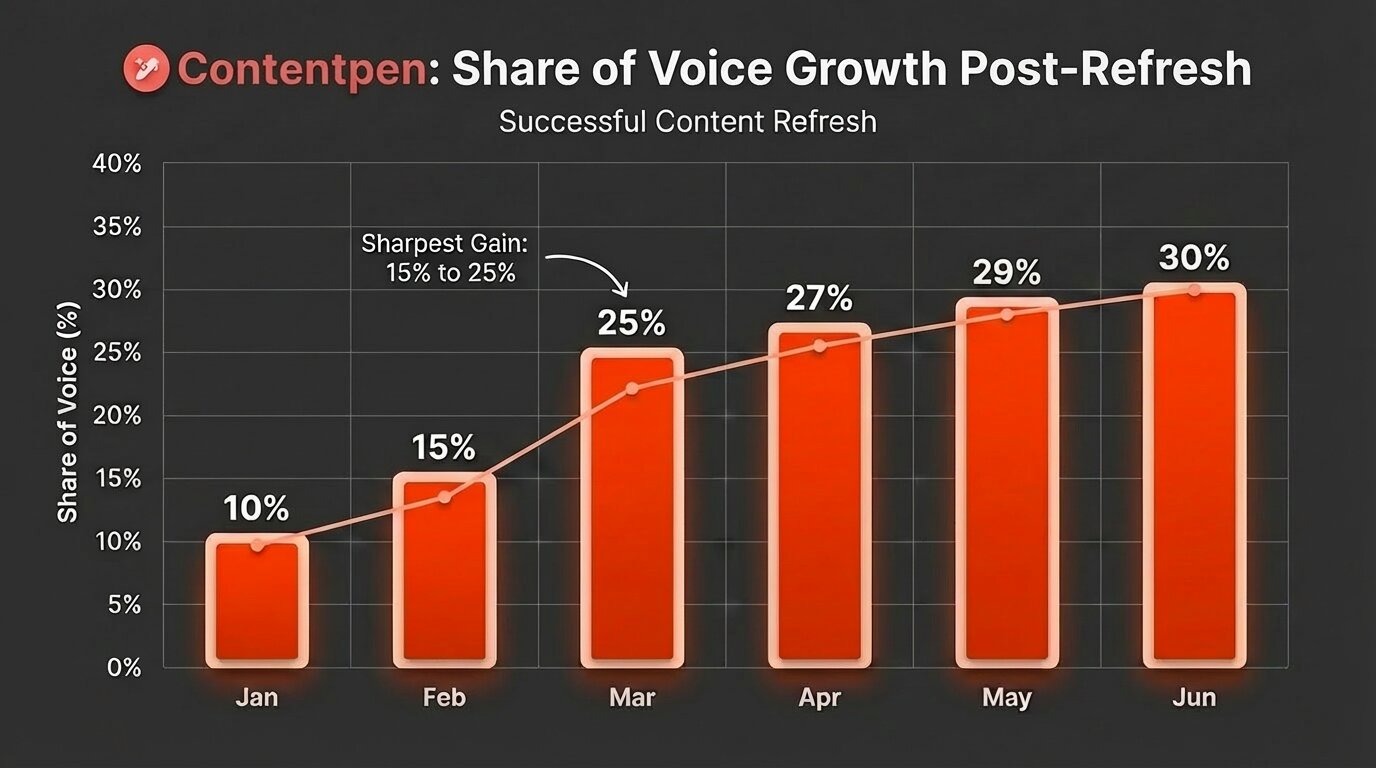
    • Real-time data access improves content relevance.
    • More than 50+ content templates available for users.

    Cons

    • The tool is expensive for small teams and SMBs.
    • The interface can feel busy and less intuitive for beginners.

    Pricing

    • Basic: $249/month
    • Growth: $499/month
    • Enterprise: Custom Pricing

    7. Averi – Best for startups needing a full content engine

    Averi main landing page.

    Where AirOps hands you a blank canvas and says, “build your workflow,” Averi builds it for you. Point it at your website, and it reads your brand, generates a content calendar aligned to your growth goals, handles drafting, and tracks performance.

    Publishing integrations with WordPress, Webflow, and Framer mean you can go from idea to live post without touching a separate CMS.

    Notable features

    • Brand-aware content generation: Averi ingests your website and existing content to build a working brand model that carries into every topic suggestion, outline, and draft, without re-prompting your brand context every session.
    • Performance tracking: The tool tracks how published content performs and feeds that data back into future recommendations. Over time, the suggestions sharpen rather than staying static, which is rare at this price point.
    • Automated topic suggestions: Averi suggests topics relevant to your niche and plans your content calendar accordingly.

    Pros

    • Great for lean teams with limited resources.
    • Feels more intuitive to use than AirOps.
    • Provides a powerful performance-feedback loop to create high-ranking pieces.

    Cons

    • Less granular editorial control than most other AirOps alternatives.
    • Not ideal for large-scale or programmatic workflows.

    Pricing

    • Solo Plan: $99/month (1 article free)
    • Team Plan: $199/month
    • Agency Plan: $399/month

    8. Surfer SEO – Best for on-page optimization depth

    Surfer SEO landing page.

    Surfer SEO isn’t trying to replace AirOps or be your primary AI writer. What it does, and does better than AirOps, is tell you exactly what a piece of content needs to rank while you’re still writing it. 

    The tool comes with a Content Editor that scores your draft in real time based on what’s actually ranking for your target keyword.

    Notable features

    • Topical map builder: The tool helps you plan content clusters around a core topic, identifying authority gaps and suggesting supporting posts for teams building long-term SEO campaigns.
    • SERP Analyzer: Surfer provides deep competitive analysis showing exactly what top-ranking pages for any keyword are doing structurally. This includes their word counts, headings, and keyword usage, so you know how to write a competitive piece.
    • Real-time Content Score: Surfer scores your draft continuously as you edit, showing exactly where you’re hitting and missing keyword targets, heading structure, and NLP term coverage.

    Pros

    • Improves the ranking potential of AI content.
    • Clear, data-driven guidance.
    • Works well alongside tools like Contentpen.
    • Helps reduce guesswork in SEO.

    Cons

    • Not a complete content workflow tool.
    • Prices can scale steeply with heavy usage.

    Pricing

    • Standard: $119/month
    • Pro: $219/month
    • Peace of Mind: $359/month

    9. WRITER – Best for content in regulated enterprise environments

    WRITER landing page.

    WRITER runs on proprietary Palmyra LLMs, which means your content isn’t processed through public OpenAI or Google endpoints. This is a critical distinction needed for healthcare, finance, and other industries where data handling isn’t negotiable. 

    The platform also offers SOC 2, HIPAA, GDPR compliance, and audit trails for every output, which makes it a very unique AirOps alternative.

    Notable features

    • Custom LLM for business writing: WRITER’s proprietary models process content on isolated infrastructure, keeping your data out of public model training pipelines.
    • Governance and compliance layer: Style guides, terminology enforcement, claim detection, and content audit trails are built into the platform. Every output is checked before it leaves the system, which provides a critical level of oversight on the content.
    • Connection to data sources: WRITER connects to your internal data sources, such as documents, databases, and CRM records, and grounds AI outputs in accurate, current business information rather than general training data to avoid hallucinations.

    Pros

    • Ideal for regulated industries (finance, healthcare, legal).
    • Ensures consistent and compliant content.
    • Strong security and audit capabilities.
    • Integrates well with enterprise workflows.

    Cons

    • Expensive and not beginner-friendly.
    • Not optimized for fast content production.

    Pricing

    • Starter: ~$39/month (14-day free trial)
    • Enterprise: Custom

    10. Relevance AI – Best for building custom AI agents for content workflows

    Relevance AI landing page.

    Relevance AI is the closest competitor to AirOps in terms of technical flexibility, but it goes even deeper.

    Instead of giving you a pre-built system, it lets you create custom AI agents and pipelines from scratch. You can connect APIs, route tasks between models, and automate internal processes. That makes it powerful, but also difficult to use for non-technical teams.

    Notable features

    • Custom AI agent builder: The tool facilitates its users with a visual, no-code interface for designing multi-step agents that go well beyond content, from research automation and lead enrichment to internal QnA bots, and more.
    • Pre-build agent marketplace: Relevance AI provides 400+ agents to clone and customize operations across sales and marketing.
    • Bring-your-own API key: Connect your own OpenAI, Anthropic, or other model keys on paid plans, bypassing Relevance AI’s vendor credits entirely. For teams with existing API relationships, this significantly stabilizes your cost.

    Pros

    • Extremely flexible for custom workflows.
    • Suitable for technical teams and developers.
    • Can automate complex internal processes.
    • More customizable than AirOps in some cases.

    Cons

    • Steep learning curve for non-technical users
    • The split pricing model (actions + vendor credits) can produce unpredictable monthly bills at volume.

    Pricing

    • Free: $0/month (200 actions)
    • Pro: $29/month (2500 actions)
    • Team: $349/month (7000 actions)
    • Enterprise: Custom

    When to choose each AirOps alternative?

    After testing and reviewing all the AirOps alternatives, it becomes clear to us that no AI writer is necessarily “bad.” You just have to choose which one suits you the best.

    Choose Contentpen if you want the best AirOps alternatives for SEO and GEO-optimized content with no quality compromises. It is also a suitable tool for you if you need predictable per-article pricing instead of AirOps-style credit guesswork.

    Choose ContentMonk if your priority is long-form quality content with minimal effort, and you want to repurpose content into LinkedIn or other formats easily.

    Choose Jasper if brand voice is your biggest concern, you manage content across multiple channels (blogs, emails, ads, social), and want consistency without constantly refining prompts.

    Choose Copy.ai if your focus is not just on content but on revenue workflows, such as outbound emails, lead nurturing, and CRM-driven campaigns. If your team lives inside tools like Salesforce or HubSpot and needs AI to support GTM execution, then Copy.ai is a good fit.

    Choose Hypotenuse AI if you run an e-commerce business and need to generate product descriptions at scale or need quick turnaround for large catalogs without building complex systems.

    Choose Writesonic if your strategy involves SEO and GEO. It’s a good pick if you want to understand how your brand shows up in tools like ChatGPT or Perplexity and optimize content accordingly.

    Choose Averi if you’re a startup or small team that doesn’t want to manage content manually. If you prefer a tool that suggests ideas, creates drafts, and tracks performance with minimal input, then Averi can be your pick.

    Choose Surfer SEO if your main gap isn’t content generation but ranking performance. It’s best used alongside another writing tool to refine and optimize content based on real SERP data.

    Choose WRITER if you operate in a regulated industry and need strict compliance, governance, and brand control. It’s built for enterprises where security and consistency matter more than speed.

    Choose Relevance AI if you have a technical team and want to build custom AI agents and workflows from scratch. It’s powerful, but only worth it if you actually plan to use that level of flexibility.
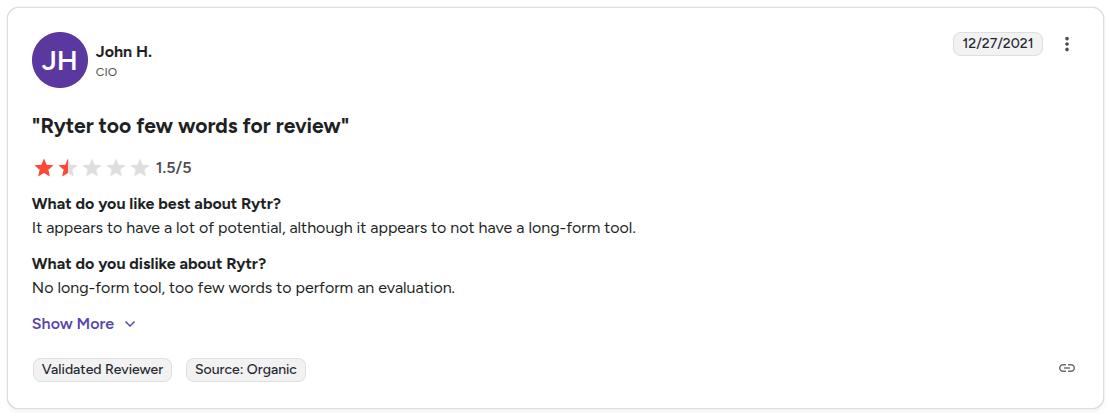
    If you’ve made it this far, the pattern is pretty clear: most AirOps alternatives either simplify content creation or specialize in one part of the workflow.

    Contentpen is one of the few that actually does both, without adding more complexity.

    Write content that’s built to rank, not just read

    Create search-optimized blogs aligned with SEO and GEO signals, so your content performs well across search and AI-driven discovery.

    Try SEO Blogging FREE
    AI SEO Interface

    If you’re tired of juggling workflows, tracking credits, and fixing AI output, try Contentpen and go from keyword to publish-ready article within minutes.

    Frequently asked questions

    Why is Contentpen considered to be the best AirOps alternative?

    Contentpen handles keyword research, internal linking, media, and SEO scoring all in one place. It also provides the opportunity to build custom workflows with a webhook.

    Can I use ChatGPT instead of AirOps?

    Yes, you can use ChatGPT in place of AirOps for content generation and SEO optimization. However, AI chatbots, such as ChatGPT, Gemini, and others, are not too effective for managing automated content workflows, which AirOps and other alternatives, like Relevance AI, do.

    Is AirOps useful for in-house teams?

    Yes. AirOps is beneficial for in-house teams as it helps with repetitive content workflows, bulk content generation, and content editing.

    Can I edit content on AirOps itself?

    Yes. AirOps does offer a built-in content editor that you can use to modify the generated output according to your needs. The editor is not as advanced as the other tools on the list, but it’s good enough to perform basic functionality.

  • What is alt text? A simple guide to accessible images

    What is alt text? A simple guide to accessible images

    Alt text (alternative text) is a short written description added to an image’s HTML code that helps screen readers and search engines understand what the image or graphic element shows. It improves both accessibility and SEO by making visual content readable in text form.

    Despite being an integral part of the SEO landscape, alt text is often ignored by a lot of content marketers and professionals. By not crafting proper alt text, you lose the ability to engage a diverse audience and the ranking potential to competitors.

    In this post, we will learn everything about alt text: what it is, why it is important in SEO, and how to write it properly for your images. We will also discuss some 2026 alt text best practices so that your content is never lost again on search engines.

    So, let’s begin, shall we?

    Basics of alt text: How does it work?

    To explore the basics of alt text, we need to start with HTML. Every image on a page uses an img tag. Inside that tag, the alt attribute holds a short description. That string of text is the alternative text for the image, usually called alt text.

    In code, alt text looks like this:

    <img src=”dog.jpg” alt=”A golden retriever puppy running on a beach.”>

    A golden retriever puppy running on a beach.

    In the above example, the part inside the quotes is the alt text. A screen reader will read that description aloud, and a search engine crawler will use it to understand what the image shows and how it relates to the context of the content.

    Alt text vs title attribute: What’s the difference?

    Alt text and the title attribute are often confused because both are added to images in HTML. However, they serve very different purposes in accessibility and SEO.

    The alt attribute describes the content of an image, while the title attribute provides additional, optional information that may appear as a tooltip when a user hovers over the image.

    Here’s a simple comparison:

    FeatureAlt textTitle attribute
    PurposeDescribes the image contentProvides extra context or a tooltip
    AccessibilityEssential for screen readersNot reliably read by screen readers
    SEO impactImportant ranking signal for imagesMinimal to no direct SEO value
    VisibilityUsed when the image doesn’t loadVisible on hover (desktop only)
    HTML usage<img alt=”description”><img title=”extra info”>

    Example in HTML

    <img src=”team.jpg” alt=”Marketing team collaborating in a meeting room” title=”Contentpen marketing team meeting – Q1 strategy”>

    In this example:

    • The alt text explains what is happening in the image.
    • The title attribute adds extra context but is not essential.

    Which one should you prioritize?

    Always prioritize alt text.

    If you had to choose between the two, alt text should never be skipped because it directly affects accessibility and how search engines understand your images.

    The title attribute, on the other hand, is optional and should only be used when it adds meaningful supplementary information that is not already covered in the alt text or surrounding content.

    Best practice

    Avoid repeating the same text in both attributes. If your alternative description already explains the image clearly, adding the same sentence in the title attribute creates redundancy without adding value.

    Why is alt text important for accessibility and SEO?

    As we’ve mentioned above, alt text supports both people and search engines at the same time.

    Alt text for accessibility

    When someone with low or impaired vision uses a screen reader, the software moves through the page and announces each element. When it reaches an image, it cannot see pixels or colors, so it reads the alt text instead.

    That is why good image alternative text is an accessibility issue, not just a technical detail. A short description lets a visitor who cannot see the screen understand what the image adds to the story. This can be a product angle, a data point in a chart, or the face behind a founder profile.

    Accessibility standards such as the Americans with Disabilities Act (ADA), Section 508 in the United States government framework, and the WCAG guidelines all call for text alternatives for meaningful images.

    Browsers also rely on alt text. 

    If an image fails to load because of a slow connection, then the browser may display the alt text instead, so visitors can still get what the image is about.

    Alt text in SEO

    Search engines also cannot see photos or icons. Crawlers read code. When they reach an image, they use the alternative description, file name, and nearby copy to figure out what the visual content shows.

    Alt text for SEO is basically descriptive HTML that explains to search engines what is going on in a visual.

    If your description uses natural language and includes a relevant keyword, your image has a better chance of appearing in Google Images for that particular topic.

    How to write alt text? Best practices for 2026

    Once you understand what alt text is and why it matters, the next step is writing it well. Let’s follow these best practices for better alt texts.

    #1: Be specific and concise

    Aim for 1-2 short sentences that focus on what matters most in the image. You do not need to overthink this part at all, and simply write to explain what is occurring in the visual.

    Consider this example:

    A group of friends walking in the park on a sunny morning with sunglasses on.

    The alt text for this image is “A group of friends walking in the park on a sunny morning with sunglasses on.” As you can see, this is exactly what’s happening in the image: nothing more, nothing less.

    #2: Skip phrases like “image of” or “picture of.”

    Screen readers already announce that the element is an image. So, when you write the alt text with something like ‘An image of XX item in YY setting’, then you are repeating the image element to the reader. This can be annoying for the audience and represents bad UX.

    Therefore, the best approach is to go straight to the subject. What do you see, and what should the search engines, screen readers, and other audiences see to retain the context of the image?

    #3: Include important on-image text

    Logos, screenshots, illustrations, and infographics often contain words that matter. Use any key text in the alt description so all types of visitors understand the important data that these types of visuals may cover.

    You can write the alt text of an image with something like, ‘an illustration of …’ or ‘a cartoon sketch of …’ This practice helps the search engines and screen readers also understand the visual type.

    Example:

    A cartoon sketch of a businessman seated behind a desk interviewing a candidate in a suit who has scruffy hair and a long white beard.

    Alt text: ‘A cartoon sketch of a businessman seated behind a desk interviewing a candidate in a suit who has scruffy hair and a long white beard.’

    #4: Use proper punctuation

    End the alt description with a period. Many screen readers pause at the end of a sentence, which makes the alt text easier to follow and separates it from what comes next.

    Also, capitalize the first word of your alt text and use other types of punctuation where necessary.

    #5: Use empty alt text only for decoration

    Some visuals are there for style only, such as divider images or fillers. For those visual assets, set alt=”” so assistive tools skip them and focus on real content.

    #6: Audit alt text regularly

    In most content audits, missing alt text is one of the most common SEO gaps that we regularly see. Therefore, make it a habit of improving your existing image alt texts. Correct any misspelled words and optimize for better readability.
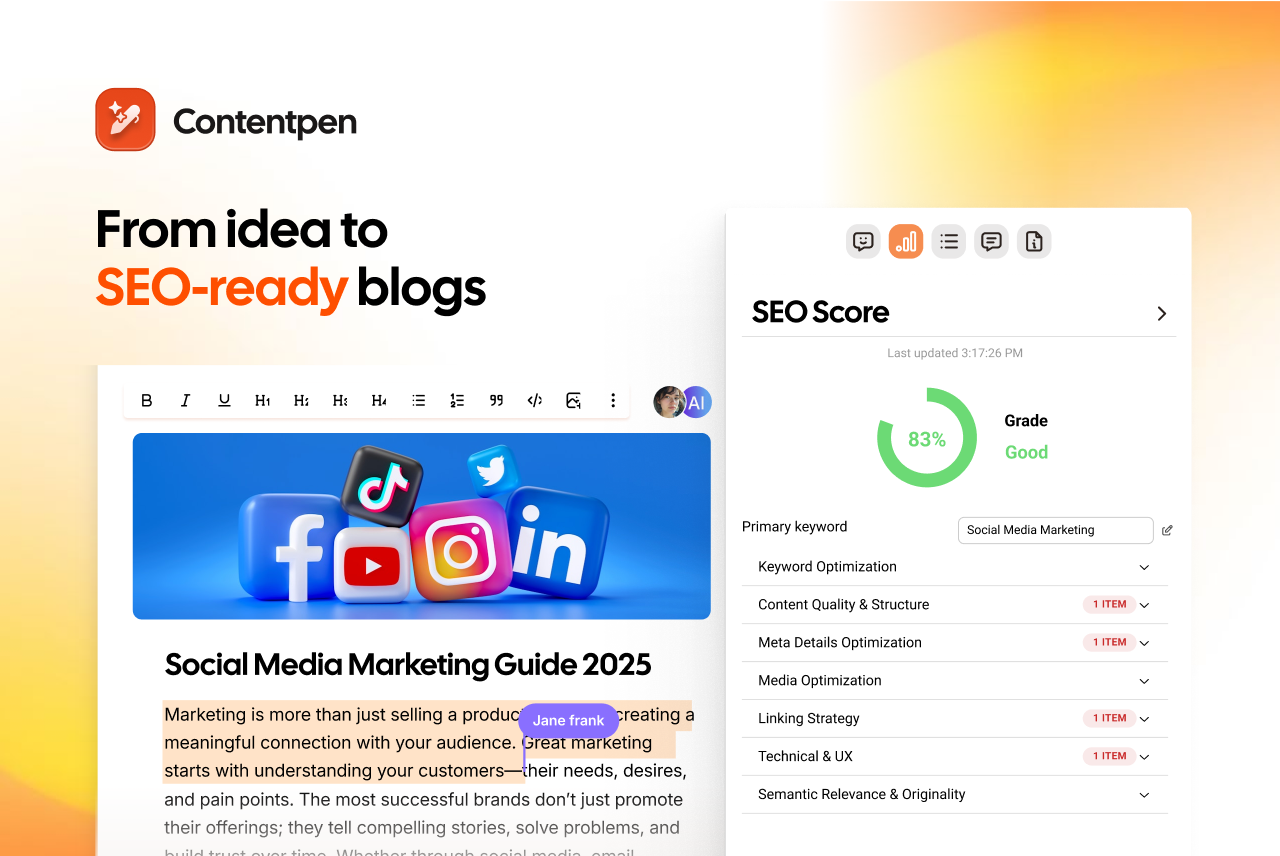
    Alt text examples by image type

    Examples help when you move from theory to real pages. The table below shows poor and better options for common image types, based on the same alt text best practices above.

    Image typePoor alt textGood alt text
    PhotographImage of peopleTwo colleagues review a marketing report at a standing desk in a modern office.
    Logo linked to homepageLogo imageContentpen logo with red and orange color theme
    Chart or graphA bar chartBar chart showing a 25% increase in quarterly website traffic from Q1 to Q2.
    Decorative imageDecorative linealt=””

    Add an alternative description for every icon asset on your site. Also, include alt text for the CTA buttons you leave on each webpage with the action that you intend for the user to take. For example, ‘download the SEO content template’ or ‘Search.’

    For complex images such as dense charts or full infographics, keep the alt attribute short and give only a summary. Place a full text explanation nearby in the body copy or on a linked page so every bit of data is available without forcing the alt text to become a long paragraph.

    Diagram of Soil Layers on Earth, from top going down: organic layer, topsoil layer, subsoil layer, parent rock layer, and last bedrock layer, as explained by Harvard.

    Source: Harvard.

    Common alt text mistakes to avoid

    Even when you know what alt text should do, it is easy to slip into habits that hurt users or SEO. Many sites repeat the same problems. Watch for these traps so your work stays helpful.

    • Skipping the alt attribute is the most serious problem. When the attribute is missing, a screen reader may read the raw file name, which is almost never helpful. Always include alt on every img tag, even if the value is empty for decoration.
    • Using vague placeholder text wastes a valuable field. Labels such as “image,” “photo,” or “graphic” do not explain what the picture adds to the page, and search engines gain nothing from them. Use specific nouns and simple verbs that describe the content.
    • Stuffing keywords into alt text does more harm than good. A line such as “SEO image optimization best practices 2026 guide” sounds like a tag list, not a sentence. It frustrates people listening with a screen reader and can look spammy in search tools.
    • Copying the surrounding body text creates repetition. If a paragraph already explains everything in the image, repeating it as alt text forces assistive tools to say the same thing twice. In that case, a null alt attribute (alt=””) is better.

    How to set up alt text?

    You can set up alt text on almost all types of word editing software and content management systems (CMS).

    For example, let’s consider WordPress for now. If you want to add alt text for an image in WP, simply add the visual using the ‘Image’ block in the Gutenberg editor. 

    Once the image is placed into the content, open settings or press Ctrl + Shift +, and go to ‘Block’ -> ‘Settings’ -> ‘Alternative Text.’

    Contentpen WordPress panel showing a blog with an image being edited for alt text.

    Here, you can also change the aspect ratio of the image and the alt attributes connected to custom fields or other dynamic data.

    How does Contentpen help with alt text?

    Contentpen automates everything, from keyword research to content generation, SEO-scoring, web analytics monitoring, and more.

    Amongst its many abilities, such as automating linking, media generation, etc., the AI SEO content writer also generates suitable alt text for images on autopilot.

    Contentpen auto-generated alt text example showing a woman planning blog niche and content strategy at a desk with notes and sticky boards.

    Contentpen does it for every in-article or feature image so that you always get indexed at the top of Google Images, while making your content accessible and easily understandable. It follows all the best practices for alt text we mentioned earlier, greatly simplifying your workflow.

    You can also edit the alt text if required and send all the img tags along with their alt attributes directly to your favorite CMS with one-click publishing

    Publish content directly to your CMS, without copy-pasting

    Move from draft to live post in a single step. No hassle, no errors!

    Try One-click Publishing
    AI SEO Interface

    This convenience makes your content pipelines smooth and productivity maximized without friction.

    Final thoughts

    Alt text is an essential consideration for all bloggers, website owners, and content marketers. Good alt text is specific, contextual, and concise. It focuses on why the image is on the page, avoids keyword stuffing, and stays out of the way when a picture is only for style.

    It is important to keep alternative text at the center of your content audits. Check if your current content has proper image descriptions. If not, add them to help your platforms be more inclusive for all audience types and surface on top of SERPs with better search engine indexability.
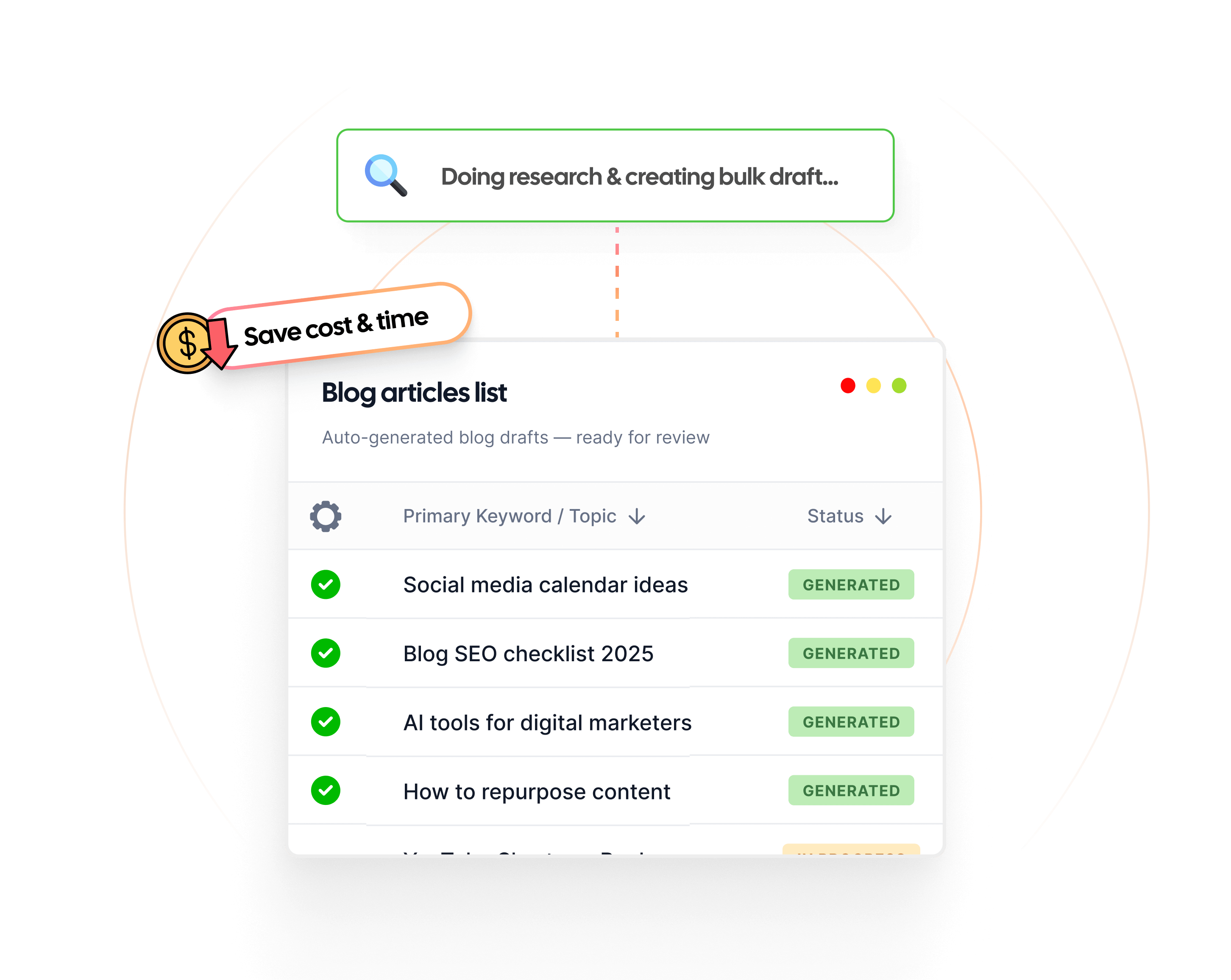
    For smoother content workflows without the constant to and fro, choose Contentpen. Publish more. Publish confidently. Scale limitless.

    Frequently asked questions

    What is alt text on Instagram?

    Alt text on Instagram is the same as alt text on any online platform. The only difference is how you add it. During the final step of creating a post, tap ‘More options’ -> Accessibility -> ‘Write alt text’ and add the alt text to your images.

    How to add alt text in Word?

    To add alt text in Microsoft Word, simply add an image to a blank document. Then, right-click the image and press the ‘Format Picture’ option. From there, navigate to ‘Layout & Properties’ -> ‘ALT TEXT’ and add the title and alternative description of the image. 

    Can we write alt text in Excel?

    Yes. You can go to the Format -> Accessibility settings and add the alt text for charts, infographics, illustrations, and other types of pictures directly from the given ‘Alt Text’ option.

    How long can an alt text be?

    There is no general limit to how long alt text for images can be, as long as the description clearly states what’s in the picture and its context within the article. That said, in most cases, keeping the alt text around 125 characters is a smarter move.

    Should we consider alt text as a major ranking signal?

    According to Google’s John Mueller, alt text helps search engines understand the pictures better. It is part of on-page SEO and is considered an important ranking signal by many SEO specialists in the industry.

    Is alt text similar to anchor text?

    No. Alt text is the concise description added to images to convey their meaning with context. On the other hand, anchor text is the text on which an internal or external link is placed. Both types of texts serve different purposes, but help structure the overall user experience and boost SEO.

  • Wordtune Alternatives: 10 Best Tools to Try in 2026

    Wordtune Alternatives: 10 Best Tools to Try in 2026

    Wordtune is a great AI writing tool, but it’s not for everyone. 

    While it does have its upsides, such as Chrome extension availability and direct integrations with platforms like Notion, Slack, WhatsApp, and others, it also has a few problems.

    We love tools that can help us write better. Wordtune does that, but you may need a tool that is cheaper, faster, and overall better suited to your unique needs.

    In today’s post, we will help you look at the 10 best Wordtune alternatives to help you get your tech stack sorted. We will cover all tools in detail: their key strengths, limitations, pricing, and why you should choose them over Wordtune.

    So, let’s get started.

    What is Wordtune, and what is it used for?

    First, let’s understand what Wordtune is and why people love using it as their daily driver.

    Wordtune is simply an AI rewriting tool equipped with a grammar checker, a text proofreader, and, to some extent, an AI humanizer.

    Key features

    Its key features include:

    • Shorten/Expand modes: By default, you get ‘Shorten’ and ‘Expand’ modes in Wordtune, allowing you to modify your text according to the need at hand.
    • Tone changer: You can change the tone of your content to formal, casual, academic, and more.
    • AI-powered contextual suggestions: AI suggestions can help improve your clarity, fluency, and style. You can also ask the built-in AI to add examples suited to the scenario, counterarguments, emphasis, and more.
    • Grammar checker: The tool will help you fix your grammatical errors, including typographical, punctuation, tense usage, and word choice anomalies.
    • AI text detector: Wordtune also detects AI-written text and suggests changes to make it sound more human, conversational, and natural for the audience.

    While these are strong features for an AI tool, Wordtune does come with its own set of limitations:

    Limitations

    Below are some of the limitations that we found with Wordtune:

    • No content templates: Unlike Jasper, which offers more than 50 ready-made templates, Wordtune does not provide users with any content-generation presets.
    • Not suited for long-form content: Wordtune is merely an AI rewriting tool and not a full-fledged AI text generator like Contentpen. Users will have to write between lines to complete a document, which is not 100% content automation.
    • No SEO features: If you compare Wordtune with Contentpen, Surfer, or other tools in the space, you will be highly disappointed to find little to no SEO support. This means it has no topical clustering, SEO scoring, web analytics, or any other feature of the sort.
    • No automated publishing pipelines: Unlike Contentpen, Wordtune does not provide you with any API connectivity with famous CMS platforms, such as WordPress, Ghost, Webflow, etc., which means you will not get one-click publishing with it.

    Although Wordtune does have the AI text translator, paraphraser, proofreader, and other features (as discussed earlier), the limitations are resounding. 

    Pricing

    Finally, let’s discuss pricing.

    Wordtune provides its users with three different pricing plans:

    • Basic: $0.00/month
    • Advanced: $13.99/month
    • Unlimited: $19.99/month

    On paper, Wordtune is one of the cheapest options on the market, with Rytr being the closest one in pricing (starting at $9/month). However, this figure does not mean that it provides you with the most value as well. 

    You need something better to rank in SERPs and AI Overviews, which is why, in 2026, it has become necessary to look for Wordtune alternatives.

    Comparison table: Best Wordtune alternatives at a glance

    Below are the top 10 best Wordtune alternatives that we think you should use in 2026.

    ToolBest ForStarting PriceG2 Rating
    ContentpenSEO and GEO optimized blogging and content optimization$39/month4.9
    GrammarlyGrammar and style correction$12/month4.7
    JasperContent templates and long-form content$69/seat/month4.7
    Surfer SEOSEO and GEO-optimized content optimization$119/month4.8
    RytrBudget-friendly AI writing$9/month4.7
    QuillBotText paraphrasing and grammar correction$9.95/month4.4
    Frase.ioSEO content workflows$49/month4.8
    WritesonicQuick and efficient AI content generation$249/month4.7
    WordAiAI-powered text paraphrasing and rewriting$57/month3.8
    Copy.aiShort-form marketing copy creation$29/month4.5

    Now, let’s discuss how we considered these Wordtune alternatives in more detail.

    How we evaluated each Wordtune alternative

    Wordtune is a solid AI rewriting tool, but it was never designed to be a full content production platform. As we discussed earlier, the tool mainly focuses on sentence-level improvements such as rewriting, tone adjustment, grammar correction, and clarity suggestions.

    That approach works well if your goal is to polish existing text. However, once you move into more demanding content workflows, like SEO blogging, long-form content generation, or automated publishing pipelines, you quickly start to notice the gaps.

    These limitations make it difficult to use Wordtune as a primary content creation tool, especially for marketers, agencies, or businesses trying to scale content production.

    Because of that, we evaluated each Wordtune alternative based on the features that modern content teams actually need in 2026.

    Rewriting quality

    Since Wordtune’s core strength lies in rewriting and improving sentence clarity, the first thing we evaluated was how well each alternative tool performs at paraphrasing or rewriting text.

    Some tools in this list, such as Quillbot and WordAi, focus heavily on rewriting, while others like Jasper and Contentpen generate content from scratch but still provide strong editing capabilities.

    Ease of use

    AI writing tools should simplify the writing process, not complicate it.

    We looked at how intuitive each platform feels when generating or editing content. Tools with clean interfaces, simple prompts, and structured workflows ranked higher in our evaluation.

    Content automation

    One of the biggest limitations of Wordtune is the lack of content automation.

    Many modern AI platforms now support full workflows, including topic ideation, content generation, editing, optimization, and publishing. We prioritized tools that support these end-to-end workflows.

    Integrations

    Content rarely lives in isolation. Writers often need to move between tools such as Google Docs, CMS platforms, SEO software, or marketing automation platforms.

    We evaluated how well each Wordtune alternative integrates with existing workflows, including browser extensions, document editors, CMS platforms, and automation tools.

    Pricing and overall value

    Finally, we compared the pricing structures of each tool relative to the value they provide.

    Some tools are designed for enterprise teams with larger budgets, while others focus on affordability for freelancers and small businesses. Our goal was to include a balanced mix of both so readers can find a tool that fits their needs and budget.

    With these criteria in mind, let’s take a closer look at the best Wordtune alternatives available today.

    1. Contentpen

    SEO-ready blogs - Contentpen.ai

    Best overall Wordtune alternative

    Contentpen is the best AI writing tool on the market. It is a powerful and the most viable Wordtune alternative as it covers the entire content pipeline: from keyword research, ideation, to content creation, publishing, and optimization.

    The tool performs in-depth SERP analysis to provide you with SEO opportunities to overtake your competitors. It also boasts GEO-optimization to help increase your share of voice in a niche without too much hassle.

    Key features

    Besides the features we’ve already mentioned, Contentpen also comes with the following upgrades over Wordtune:

    • Built-in media library: Unlike Wordtune, our tool provides you with a built-in media library that categorizes and manages all your AI-created assets. This includes the images that the tool creates for you and the ones you upload to the platform.
    • Keyword research: The tool is capable of conducting a thorough keyword research on its own. It will help you make topical clusters that you can target for easy traffic gain and identification of keywords that bring the most benefit.
    • Automated linking: Contentpen automatically places internal links and external links in your content. This feature helps you make a proper site hierarchy, which helps increase the dwell time of your platform and SERP rankings.
    • Automated publishing: Unlike Wordtune, this tool connects with famous CMS platforms and also supports Webhooks to create custom automated content workflows.
    • Built-in AI assistant: Not happy with a generated blog section or a generated infographic? Simply use the ‘Ask AI’ feature to help you rephrase, rewrite, summarize, or emphasize a certain angle for better clarity in content.

    Although Contentpen is a potent Wordtune alternative, it also has some limitations.

    Limitations

    The following are the Contentpen limitations:

    • Limited trial period: Contentpen only offers a 7-day free trial period, which might not be enough for a lot of users to test the tool completely.
    • Learning curve: Because the SEO content writer generates comprehensive drafts, it works with a multi-stage input process, which can be confusing for beginners to understand.

    That said, there are guides available for the tool usage, for instance, ‘how to create a blog in less than 10 minutes’ to help users get started.

    Pricing

    Contentpen offers the following monthly pricing plans to its users:

    • Starter: $39/month
    • Premium: $79/month
    • Agency: $199/month

    Your plan choice depends on the flexibility and the number of options you need to fulfill your content needs. For instance, the ‘Starter’ plan has 10 articles/month and 30 AI images, whereas the ‘Agency’ plan contains 100 articles/month and 300 AI images.

    2. Grammarly

    Grammarly app main interface

    Best for: Grammar, style, and readability enhancement 

    In recent years, Grammarly has become synonymous with grammar-checking and content refinement. The biggest attraction of this tool is its ability to integrate within existing workflows through a Chrome extension or as a plugin to Microsoft Word, making work easy for users.

    Key features

    • Accurate grammar correction: Grammarly is a very accurate grammar checker. It is a much better alternative to Wordtune since the suggestions are on point and according to the type of English dialect (American, British, Australian, Canadian, Indian) you choose.
    • Strong clarity improvements: The grammar-checking and AI rewriting tool provides contextually relevant clarity suggestions in your writing. It also learns as you write and allows you to create a style knowledge base so that you can create content as you like.
    • AI rewriting suggestions: Grammarly’s text rewriter enables users to convey the same thought more convincingly. Compared to Wordtune, its rewriting suggestions sound more fluent and effective in the greater scheme of things.
    • Plagiarism and AI checks: The tool innately offers a plagiarism and AI content checker that can help you recognize the portions in your content that need more work for originality.
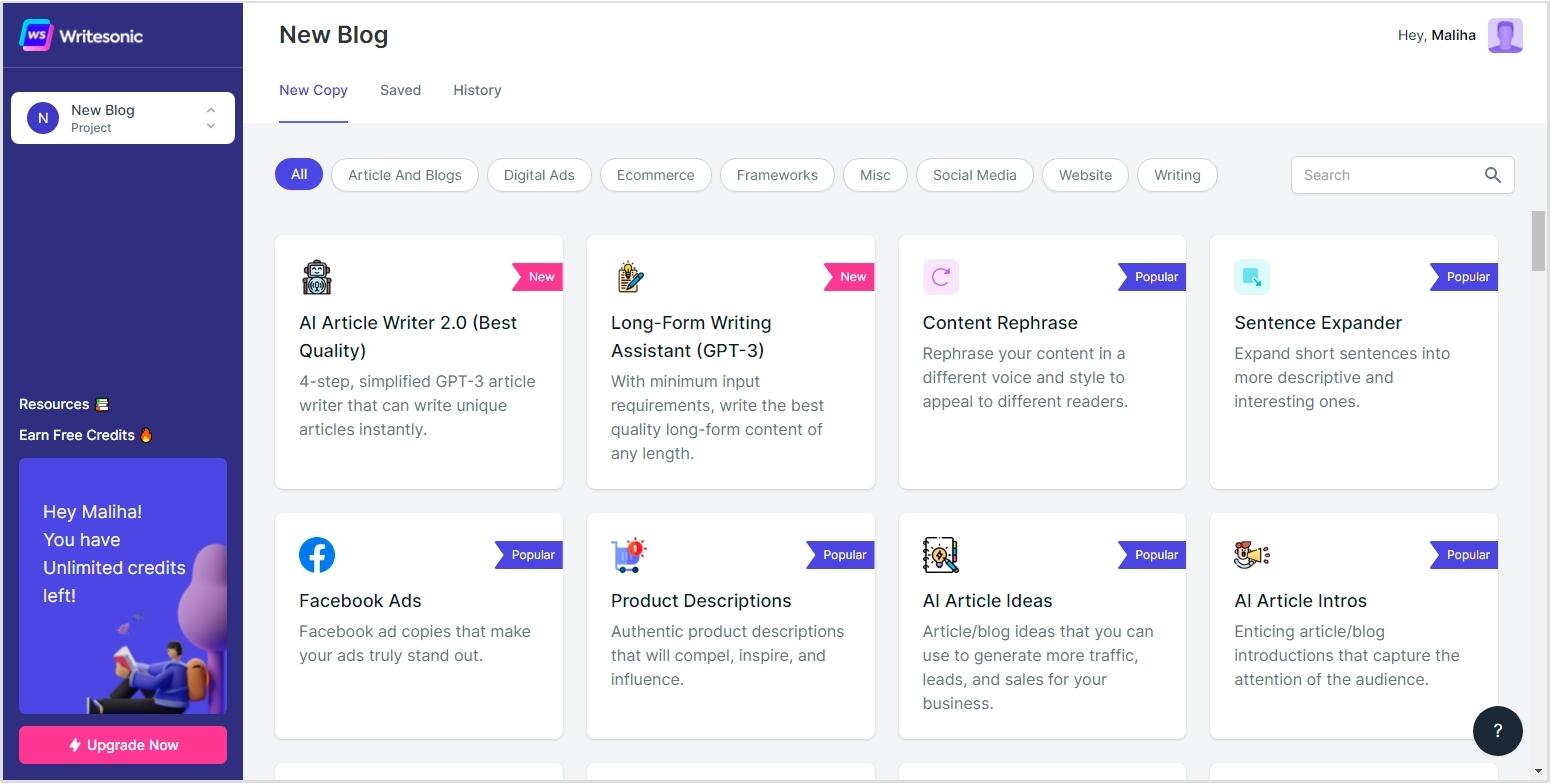
    Limitations

    • The free version is error-prone: Compared to its premium, the free version is ‘average’ at best. Just like other AI tools, it can hallucinate and bug the users for corrections, even if the content is pristine.
    • Limited integration options: Other than a browser extension and Microsoft Word integration, there is not much that you can do in terms of automating the publishing of the content.

    Pricing

    The following are the pricing plans Grammarly offers to its users:

    • Free: $0/month
    • Pro: $12/month
    • Enterprise: Custom

    3. Jasper

    Jasper landing page

    Best for: Scalable long-form AI content creation with structured templates 

    Jasper is one of the most famous AI writing platforms and a solid alternative to Wordtune if you want something that goes beyond simple rewriting. 

    While Wordtune focuses on polishing existing text, Jasper is built to generate content from scratch using structured workflows and templates.

    Key features

    • Brand voice control: You can train Jasper on your brand voice so that it writes consistently across different formats. This feature is particularly useful for teams managing multiple writers or content contributors.
    • Long-form content editor: The document editor allows you to generate long sections of content with commands and prompts. Compared to Wordtune’s sentence-level editing, Jasper enables full article creation.
    • Marketing workflow integrations: Jasper integrates with tools like Google Docs, Surfer SEO, and Zapier, making it easier to plug AI writing into existing marketing workflows.
    • Vast template library: Jasper offers more than 50 templates for common content types such as blog posts, product descriptions, email campaigns, and landing pages. These templates significantly reduce the time needed to create structured drafts.

    Limitations

    • Higher pricing: Compared to Wordtune and other lightweight tools, Jasper’s pricing can feel expensive, especially for individual creators or small teams.
    • Requires prompt optimization: Jasper works best when you know how to guide the AI properly. Poor prompts can lead to generic outputs, which means there is still a learning curve involved.

    Pricing

    The following are the Jasper pricing plans:

    • Pro: $69/seat/month
    • Business: Custom

    Also read: Top Jasper alternatives in 2026.

    4. Surfer SEO

    Surfer SEO landing page

    Best for: Data-driven SEO content that is built to rank 

    Surfer SEO is not a writing assistant in the traditional sense; it is more of a content strategist baked into a writing editor. We included it here because if your main frustration with Wordtune is that it does nothing for your rankings, Surfer is the most direct answer to that problem.

    Surfer analyzes the top-ranking pages for your target keyword and tells you exactly what your content needs to compete with other pages: word count, NLP terms, heading structure, internal links, and more.

    Key features

    • Content editor with real-time SEO scoring: Surfer scores your content as you write against top-ranking competitors. You can see exactly which terms you are missing, where your structure is weak, and how close you are to a publishable score.
    • Keyword research and topical clustering: Surfer helps you build topic clusters by grouping keywords that belong together. This is especially useful if you are trying to build topical authority in a niche rather than chasing one-off rankings.
    • SERP analyzer: The tool gives you a breakdown of what is already ranking and why. You see average word counts, backlink profiles, and content structures of competitors, all at a glance.
    • Content auditing: You can run audits on existing pages to identify missing keywords, weak headings, or structural gaps that may be hurting rankings. The tool helps you maximize your ranking potential for better visibility and organic traffic.

    Limitations

    • Not a full AI writer: Surfer is best used alongside a proper writing environment like Google Docs or a CMS. On its own, it does not replace a content creation workflow; it just enhances one to a certain degree.
    • Steep pricing: With a higher entry bracket, this tool is not made for solo users or small businesses.

    Pricing

    The following are the pricing plans Surfer SEO offers to its users:

    • Standard: $119/month
    • Pro: $219/month
    • Peace of Mind: $359/month

    5. Rytr

    Ryter landing page

    Best for: Budget-friendly AI writing for simple content tasks 

    Not everyone needs a $69/month seat. If you are a freelancer, a student, or a small business owner who just wants decent AI writing help without spending a fortune, then Rytr is worth a serious look. It is fast, clean, and genuinely capable for the price it charges.

    Wordtune’s free plan runs out quickly and nudges you toward upgrades constantly. Rytr, even on its free tier, gives you more room to actually get work done.

    Key features

    • 40+ use case templates: Rytr covers blog ideas, product descriptions, email outreach, interview questions, SEO meta descriptions, and more. The breadth of templates means you are not locked into one type of content as you would be with Wordtune.
    • Tone options: The tool lets you pick from 20+ writing tones, including convincing, inspirational, humble, and formal. For marketers managing multiple brand voices, this level of control is genuinely useful.
    • Built-in plagiarism checker: Rytr includes a plagiarism check inside the editor, which saves you from jumping to a separate tool every time you want to verify content originality.
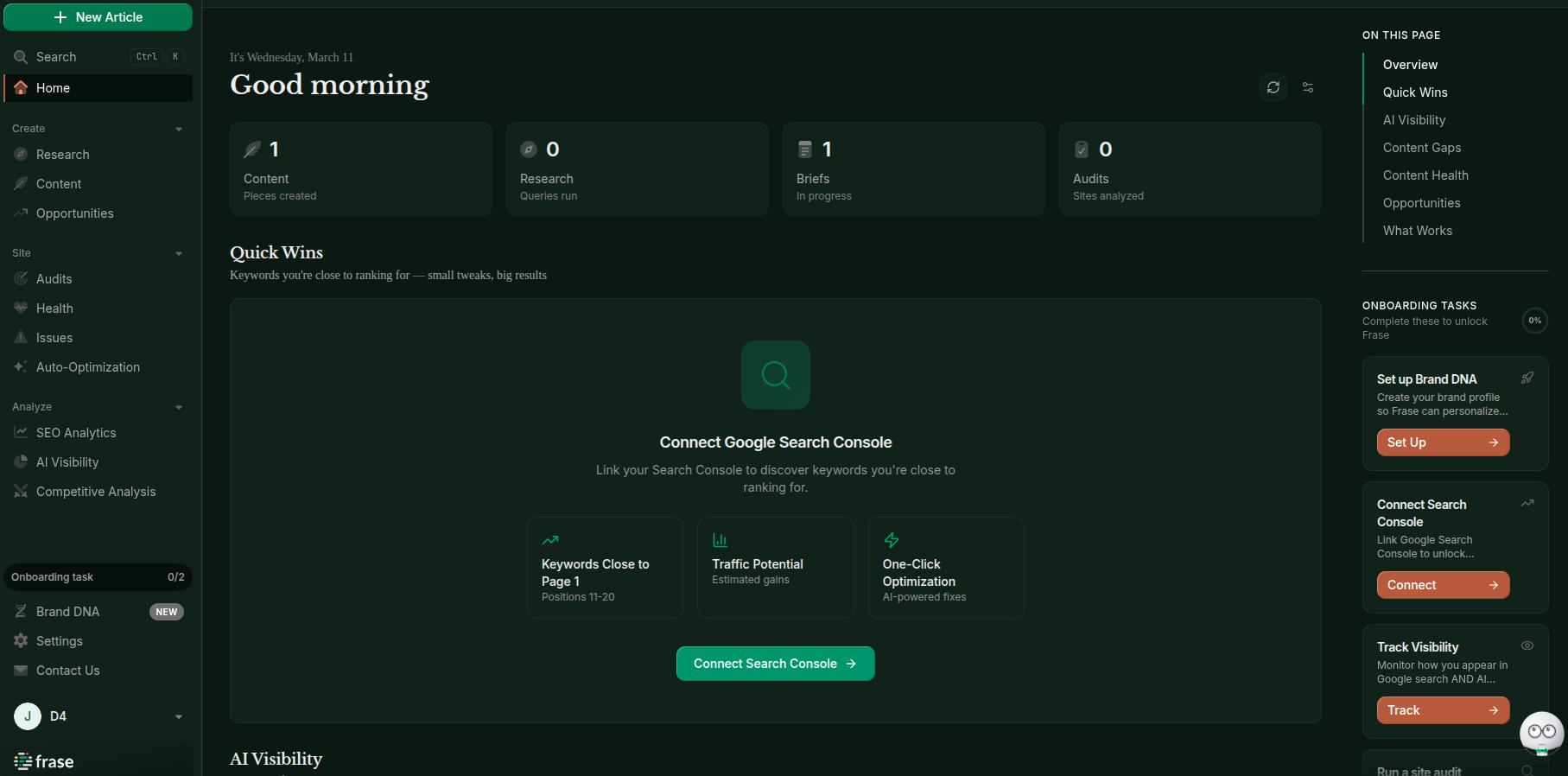
    • Multi-language support: Rytr supports over 30 languages, which makes it a practical option for teams writing content for international audiences.

    Limitations

    • Struggles with long-form content: Rytr works well for short to mid-length pieces, but when you push it toward 2,000+ word articles, the quality starts to dip. You will often find repetition, thin paragraphs, and a lack of depth in longer outputs.
    • Limited voice customization: You cannot train Rytr on your brand voice the way you can with Jasper or Contentpen. The content it produces is decent, but it can feel generic if you have a distinct tone you are trying to preserve.

    Pricing

    Rytr does provide a free plan to its users. The paid plans are also quite affordable for everyone:

    • Free: $0/month
    • Unlimited: $9/month
    • Premium: $29/month


    Also explore: Rytr vs. Contentpen.

    6. QuillBot

    QuillBot main interface

    Best for: Paraphrasing, summarizing, and polishing existing text 

    QuillBot is probably the closest direct competitor to Wordtune on this list. It does one thing really well: rewriting. Whether you are paraphrasing a dense paragraph, summarizing a lengthy report, or cleaning up a rough draft, QuillBot handles it smoothly without any fuss.

    We picked it over Wordtune here because it gives you more control over how your text is rewritten, and the free plan is actually usable, unlike other options on the market. It is still technically an AI text generator as it provides a text-expanding feature like Wordtune.

    Key features

    • Multiple paraphrasing modes: QuillBot offers modes like Standard, Fluency, Formal, Creative, Shorten, Expand, and Academic. You can switch the mode you like, which gives you a level of nuance in content that Wordtune’s basic tone slider does not match.
    • Synonym suggestions: This is a small but powerful feature. You control how aggressively QuillBot swaps out words and uses synonyms in content. This controlled approach helps you keep your original voice in content while trying creative rewrites.
    • Summarizer tool: QuillBot can condense long articles, research papers, or documents into key takeaways in seconds. If you regularly digest a lot of reading material, this alone makes the tool worth having.
    • Grammar checker integration: The built-in grammar checker runs alongside the paraphraser, so you are not just rewriting; you are also cleaning up errors in the same workflow.

    Limitations

    • Limited content generation capabilities: Like Wordtune, QuillBot cannot draft content from scratch with just a prompt or some parameters. It only works with text you have already created and want polished.
    • Free version restrictions: The free plan limits the number of words you can paraphrase at once and restricts advanced modes.

    Pricing

    The following are the pricing plans for QuillBot, besides its free plan:

    • Pay annually: $4.17/month
    • Pay quarterly: $6.65/month
    • Pay monthly: $9.95/month

    7. Frase.io

    Frase writing interface

    Best for: SEO-first content research and workflow

    Frase is designed for marketers who want to streamline the entire content research and writing process. Instead of simply rewriting text like Wordtune, Frase helps you research topics, generate outlines, and optimize content for search engines and AI Overviews.

    Key features

    • AI-powered content briefs: Frase generates detailed content briefs by analyzing the top search results for your target keyword. You get suggested headings, questions people are asking, and key topics to cover, all before you write.
    • SERP research dashboard: The tool pulls in data from top-ranking pages and organizes it cleanly inside the editor. You can see what competitors are covering, which angles they are missing, and use this information to your benefit.
    • Answer engine optimization: Just like Contentpen, Frase.io is one of the few tools actively built around optimizing content for AI-driven search results and featured snippets.
    • Question discovery: Frase pulls common questions from search engines and forums, which helps you create content that matches user intent and drives better organic traffic.

    Limitations

    • Limited content templates: Compared to tools like Jasper, Frase focuses more on research than on pre-built marketing templates.
    • Interface complexity: The number of research features can make the platform slightly overwhelming for new users.

    Pricing

    Frase.io provides the following pricing plans for its users:

    • Starter: $49/month
    • Professional: $129/month
    • Scale: $299/month

    Also explore: Frase vs. Contentpen.

    8. Writesonic

    Writesonic main interface

    Best for: Fast, high-volume AI content generation across multiple formats 

    Writesonic is built for speed. It is the kind of tool you reach for when you need a lot of content produced quickly across different formats, including blogs, landing pages, product descriptions, Google ads, and social posts. 

    It is a legitimate Wordtune alternative for anyone who has outgrown rewriting and needs to actually produce content at scale.

    Key features

    • Chatsonic (AI assistant): Similar to Jasper Chat or Contentpen’s Ask AI, Chatsonic is Writesonic’s AI interface. It can search the web, generate images, and answer follow-up questions inside a single chat thread with reasonable contextual retention.
    • Marketing copy templates: The platform offers various templates for ads, landing pages, emails, product descriptions, and social media posts. It covers the marketing verticals to allow content marketers to easily create and distribute content.
    • Brand voice settings: Similar to Jasper and Contentpen, this tool also allows you to save your brand voice so outputs stay consistent with different writers and content types.
    • SEO integrations: The platform integrates with SEO tools to improve keyword optimization and content structure.

    Limitations

    • The pricing can scale quickly: Writesonic can become expensive for heavy users, depending on usage and word limits for the content you require. 
    • Occasional repetitive outputs: Some generated content may require editing to avoid repetitive phrasing.

    Pricing

    Writesonic comes with 3 pricing plans:

    • Basic: $249/month
    • Growth: $499/month
    • Enterprise: Custom pricing

    Also explore: Writesonic vs. Contentpen.

    9. WordAi

    WordAi landing page

    Best for: Deep AI-powered article rewriting

    WordAi is one of the older AI rewriting platforms and focuses heavily on transforming existing content into unique variations. Unlike Wordtune’s sentence tweaks, WordAi performs deeper structural rewriting using its NLP algorithms.

    From our testing, WordAi works best for repurposing existing articles, breaking writer’s block, or generating alternative versions of content to explore more angles.

    Key features

    • Human-like rewriting model: The tool attempts to maintain context and meaning while restructuring sentences. The outputs sound very human and natural, which makes it a strong alternative to Wordtune.
    • Bulk rewriting: WordAi allows users to rewrite multiple articles simultaneously, which is helpful for large content workflows.
    • API access: You can implement WordAi into existing workflows using its API access. This makes it practical for teams with custom content pipelines.
    • Multiple rewrite variations: With this tool, you can generate several rewritten versions of the same article, giving you creative freedom.

    Limitations

    • Not for original content: We found that WordAi only works with content you already have. There is no blank-page-to-draft functionality here, which means that you will need a separate tool to write your content from scratch.
    • Lower G2 rating for a reason: At a 3.8 rating on G2, the feedback reflects a common complaint. The outputs can feel mechanical on complex topics, which makes it necessary for a human to perform manual edits in content before publishing.

    Pricing

    The following are the pricing plans WordAi offers to its users:

    • Monthly: $57/month
    • Yearly: $27/month
    • Enterprise: Custom

    10. Copy.ai

    Copy.ai landing page

    Best for: Short-form marketing copy and sales content 

    Copy.ai excels at short-form marketing copy. Think product descriptions, email subject lines, CTA text, sales pages, Instagram captions, and cold outreach. If that is your primary content concern, then Copy.ai is a far better choice than Wordtune.

    Key features

    • AI brainstorming tools: The platform helps generate ideas for blog topics, product positioning, and marketing angles.
    • Strong collaboration: With this tool, teams can share projects and collaborate on content within the platform.
    • Infobase: You can store brand information, product details, tone guidelines, and audience notes in Copy.ai’s Infobase. The AI references this when generating content, which keeps outputs on-brand without constant manual prompting.
    • Workflow automation: Copy.ai allows you to set up multi-step content pipelines. For example, pulling a product URL, generating descriptions, and formatting for multiple channels, all without writing a single line of code.

    Limitations

    • Weak for long-form content: In our testing, we found that Copy.ai is good for 100–500-word outputs. If you push it toward full blog posts, then you will see the quality of content dropping significantly. Therefore, it is not the tool for long-form SEO content or in-depth editorial writing.
    • Outputs can feel formulaic: Because the templates are so structured, content can start to have a certain pattern after a while. Heavy users often report that briefs need to be very specific to get outputs that feel fresh and distinct.

    Pricing

    The following are the pricing plans for Copy.ai:

    • Chat: $29/month

    Final verdict: Which AI tool is the best Wordtune alternative?

    At the end of the day, the “best” alternative to Wordtune depends on what you actually need from an AI writing tool.

    If your goal is simply to fix grammar and polish your writing, then tools like Grammarly are more than enough. If you mainly rewrite or paraphrase content, then QuillBot gives you more control and flexibility than Wordtune ever did.

    But here’s the reality: most writers in 2026 don’t just need rewriting anymore.

    They need tools that can help with:

    • Generating full articles
    • Optimizing for SEO and AI search
    • Scaling content production
    • Automating parts of their workflow

    And this is exactly where Contentpen stands out as the strongest overall choice.

    It doesn’t just help you rewrite content, it helps you:

    • Find the right keywords
    • Build topical authority
    • Generate long-form content
    • Optimize for rankings
    • And even automate publishing

    So instead of stacking multiple tools together, you get everything in one place.

    Write content that’s built to rank, not just read

    Create search-optimized blogs aligned with SEO and GEO signals, so your content performs well across search and AI-driven discovery.

    Try SEO Blogging FREE
    AI SEO Interface

    Frequently asked questions

    Is there a completely free AI writer?

    Yes. Tools like Grammarly offer a completely free plan for you to create and optimize content for better clarity, tone, and style, but without any SEO options.

    Which is better, QuillBot or Wordtune?

    QuillBot is better than Wordtune for paraphrasing because it offers multiple rewriting modes, synonym control, and more flexibility in how content is transformed. However, Wordtune is slightly better for quick sentence-level edits and tone adjustments.

    Is Wordtune or Grammarly better?

    Grammarly is far better than Wordtune in terms of correcting punctuation problems, typographical errors, and polishing content for excellence.

    What are the best Wordtune alternatives for students?

    QuillBot and Grammarly are two of the best Wordtune alternatives for students. These tools show you how to write properly and paraphrase or summarize without losing the essence of the original text: a useful skill for students to learn.

    Are Wordtune alternatives better for SEO?

    Yes. Tools like Contentpen are much more powerful Wordtune alternatives for search engine and AI Overviews. It can help you increase your share of voice in a niche and bring in more visitors on your platforms.

  • Top 12 Frase alternatives in 2026: Honest, reviewed, and tested

    Top 12 Frase alternatives in 2026: Honest, reviewed, and tested

    Frase.io has quickly become one of the most significant AI content creation and optimization platforms today. The tool’s affordable pricing, along with its reasonable performance, gives businesses a decent starting point for showcasing themselves online to customers.

    However, Frase’s limited content templates, keyword research options, and third-party integrations cause users to naturally look for Frase alternatives.

    In today’s post, we will review the 12 best Frase alternatives that you can use to rank higher in SERPs and AI Overviews with the least manual input. By the end, we hope you can choose the right tool for your workflows and easily maximize productivity gains.

    So, let’s get started.

    Best Frase alternatives at a glance

    The table below highlights the best Frase alternatives in 2026 before you dive into the detailed reviews.

    Use caseSuited toolWhy it stands out
    Best overall Frase alternativeContentpenComplete AI SEO workflow with research, writing, optimization, and one-click publishing
    Best for on-page SEO optimizationSurfer SEOReal-time SEO scoring and NLP keyword suggestions
    Best for fast blog generationSEO Writing AIOne-click long-form article generation
    Best for marketing teamsJasperAdvanced brand voice and campaign workflows
    Best for content researchContent HarmonyDeep SERP analysis and detailed content briefs
    Best for automated SEO workflowsArvowCampaign-based article automation and keyword clustering
    Best for all-in-one SEO content managementScalenutGuided long-form content creation with Cruise Mode
    Best budget AI writerRytrExtremely affordable AI writing with many templates
    Best AI marketing suiteWritesonicAI agents for SEO, marketing, and content generation
    Best enterprise SEO optimizerClearscopePremium keyword grading and content optimization insights
    Best for affiliate bloggersKoalaWriterAmazon-powered product article generation
    Best for content strategyMarketMuseAI topic modeling and content gap analysis

    Now, we’ll explain how Frase works and what features matter most when choosing an alternative.

    What is Frase.io?

    Frase main interface with all options

    Frase is an AI-powered SEO content platform that helps marketers research topics, generate briefs, write articles, and optimize content for search engines.

    The tool handles your ideation, brief generation, and content creation from scratch. It also provides advanced site audit, health, and auto-optimization features to quickly fix issues and surface your pages in SERPs.

    Its key features include:

    • Research and briefs: Analyze top-ranking content, identify gaps, and generate optimized outlines
    • AI content generation: Write full articles optimized for SEO and GEO (Generative Engine Optimization)
    • Content optimization: Get competitor-based suggestions to improve existing content for SERP ranking
    • AI Visibility Tracking: Monitors how ChatGPT, Claude, and Perplexity cite your brand.
    • Site audits: Find technical issues in your site, halting its growth.
    • Analytics integration: Connects Google Search Console for performance insights
    • Brand DNA: Establish detailed brand guidelines to maintain a consistent brand voice.

    What to look for in a Frase alternative and why?

    Frase writing interface

    If you are trying to switch from Frase.io, you need to focus on the following aspects, as these are the areas where Frase lacks the most:

    • Content templates: Since Frase AI writer offers limited templates, you should always consider the number of content templates and options you get with Frase alternatives.
    • Writing quality: Is the Frase alternative writing conversational and engaging? This is crucial to help you expand your share of voice in the niche and gain substantial online traffic on your site.
    • Integrations: Does the tool easily integrate with your desired tech stack? If not, it is better to choose another Frase alternative.
    • Keyword management: Most importantly, does the Frase competitor manage keywords natively? Are there any options for targeting low-difficulty, high-volume keywords directly within the same ecosystem without switching tools?

    Answering these questions and looking at these aspects is crucial to choosing the right Frase.io competitor as your daily driver.

    12 best Frase alternatives in 2026 (compared)

    Below are the top 12 Frase alternatives, along with their key advantages, starting prices, and G2 ratings.

    ToolBest forKey advantageWhy is it a good Frase alternativeStarting priceG2 rating
    ContentpenEnd-to-end AI blog creationFull AI SEO workflow from research to publishingAutomates linking, media handling, and publishing better than Frase$27 per month4.9/5
    Surfer SEOContent optimization teamsData-driven keyword recommendations while writingProvides deeper real-time optimization insights than Frase$39 per month4.8 / 5
    SEO Writing AIFast SEO blog generationOne-click long-form article creationGenerates complete SEO articles faster and at a lower cost$14 per month4.6/5
    JasperMarketing teams managing brand voiceAdvanced brand voice and campaign workflowsSupports multi-channel marketing beyond SEO content$59 per seat each month4.7 / 5
    Content HarmonySEO strategists and agenciesDeep SERP research with structured briefsOffers stronger research and content planning capabilities$99 per month4.8 / 5
    ArvowAutomated SEO blog workflowsAI campaigns with keyword clustering and automationSimplifies large-scale SEO article generation$39 per month4.5/5
    ScalenutFull SEO content lifecycle managementGuided long-form article creation with Cruise ModeAdds structured workflows and social visibility tracking$59 per month4.7 / 5
    RytrFreelancers and beginnersExtremely affordable AI writing toolLower cost and simpler interface for quick content draftsFree or $7.50 per month4.7 / 5
    WritesonicAI marketing content creationAI agents for SEO and marketing automationProduces multiple marketing formats beyond blog posts$39 per month4.8 / 5
    ClearscopeEnterprise content optimizationPremium keyword grading and SERP analysisProvides highly accurate SEO recommendations for large teams$129 per month4.9 / 5
    KoalaWriterAffiliate and niche bloggersAmazon data-driven product article generationGenerates affiliate and review content quickly$9 per month4.5/5
    MarkeMuseEnterprise SEO strategyAI topic modeling and content gap analysisHelps build topical authority at a large scale$99 per month4.6 / 5

    Each Frase alternative listed above focuses on different strengths. Some tools specialize in AI writing speed, while others prioritize SEO optimization, content research, or large-scale content strategy.

    1. Contentpen – All-in-one content creation, optimization, and publishing solution

    Contentpen managing blogs with SEO scoring

    Contentpen is a powerful AI writing tool that helps you create SEO- and GEO-optimized content without sacrificing writing quality. Its built-in topical clustering, content scheduling, and one-click multi-platform publishing ensure successful sprints and more output with less effort.
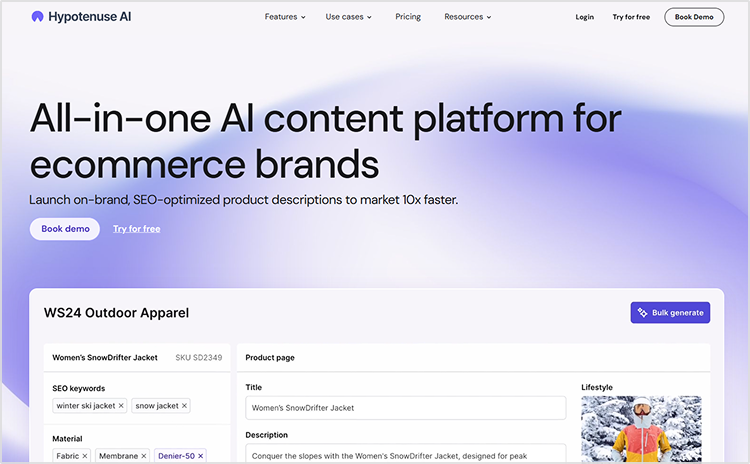
    Besides that, the tool also facilitates its users with website analytics and SEO opportunities that allow them to capture quick wins and identify decaying pages to take instant action.

    Key features:

    • Built-in media library: Contentpen provides a built-in media library that contains all uploaded photos and image assets in one place. It also contains the saved visuals that the tool creates for your articles.
    • Keyword research: The AI writer online automatically researches and finds the most relevant keywords according to your niche. You don’t need to use separate keyword finders like Semrush or Ahrefs, saving hours of hassle and significant resources.
    • SEO scoring: Contentpen facilitates its users with a constant SEO score and suggestions to improve it for better SERP results.
    • Bulk content creation: Generate as many blogs as you want to scale your operations and capture your market with confidence.

    Create rank worthy content at scale

    check

    Faster

    check

    Consistent

    check

    SEO-ready

    check

    Efficient

    Try Bulk Content Creation
    AI SEO Interface

    Why is it a good alternative to Frase?

    While Frase.io and Contentpen are quite similar in functionality, Contentpen is a better alternative because it automates internal and external links more effectively and processes media more efficiently than Frase.

    Also, Contentpen supports integration with Shopify, Google Search Console, Google Ads, WordPress, Ghost, Wix, Webflow, and other custom interfaces through webhooks. On the other hand, Frase.io only supports a handful of these options, which can limit functionality for users.

    Pricing:

    7-day free trial available. Paid plans start at $27/month (billed annually).

    Also read: Frase vs. Contentpen.

    2. Surfer SEO – Data-driven on-page optimization

    Surfer SEO landing page

    Surfer SEO is one of the most popular tools for optimizing content based on real search engine data. Instead of guessing which keywords or headings to include, Surfer analyzes top-ranking pages and gives real-time suggestions to improve your article’s SEO score.

    The platform is widely used by SEO teams and agencies that want detailed optimization guidance before publishing content.

    Key features:

    • Content Editor: Real-time SEO scoring with keyword and structure recommendations for the users.
    • SERP analyzer: Break down top-ranking pages to understand ranking patterns and implement them in your content.
      Content planner: Generate topic clusters around a core keyword so that your pillar-cluster model can be easily implemented.
    • Audit tool: Optimize existing pages with highly accurate data-driven suggestions. 

    Why is it a good alternative to Frase?

    Surfer SEO focuses heavily on data-driven on-page optimization, making it ideal for teams that want detailed keyword recommendations and SEO scoring.

    While Frase offers strong content briefs, Surfer provides deeper optimization insights and real-time editing suggestions, helping writers refine content while they write.

    Pricing:

    Plans start at around $39/month (billed annually), which is exactly the same as Frase.io.

    3. SEO Writing AI – Fast long-form SEO article generation

    SEO Writing AI one-click article generation screen

    SEO Writing is a dedicated AI writing platform designed specifically for generating SEO-optimized articles quickly. The tool focuses on simplicity, allowing users to generate full blog posts with minimal manual setup.
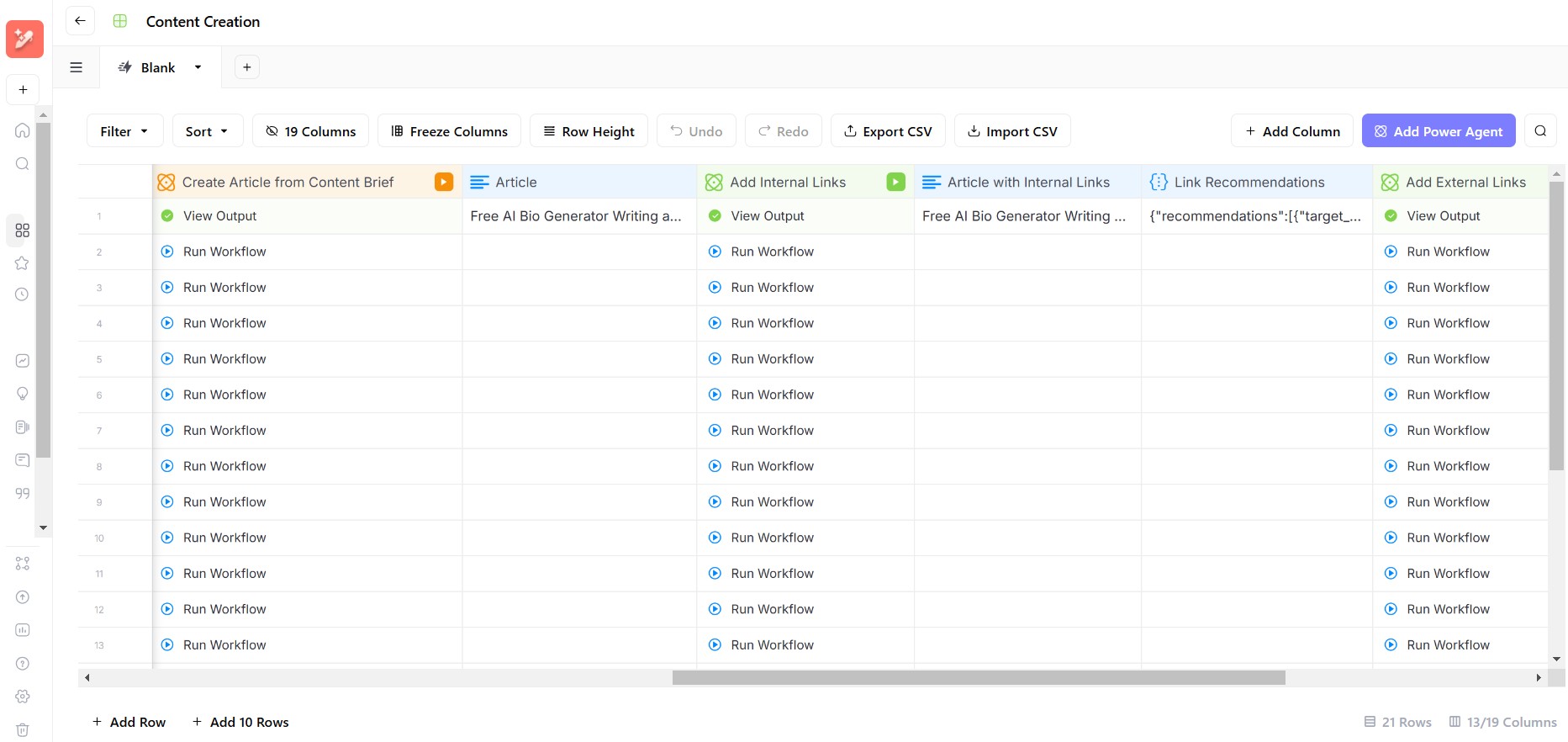
    It is particularly popular among bloggers and affiliate marketers who want to scale content production effectively.

    Key features:

    • One-click article generation: Create long-form blog posts instantly by just entering your title and main keyword.
    • Video embedding: Unlike Frase, SEO Writing automatically surfaces the most suitable YouTube video and embeds it in context to help users understand the content better.
    • Super Page creation: The tool allows users to create a full CTA page based on SERPs, something not many tools do in this space.
    • Automatic keyword optimization: SEO Writing offers built-in NLP keyword generation to fully cover the breadth of a topic, providing you with authoritative leverage in your niche.

    Why is it a good alternative to Frase?

    SEO Writing AI excels at speed and scalability. Users can generate multiple SEO articles in minutes without complex workflows.

    Unlike Frase, the platform leans heavily on making content readable and presentable to the audience. The one-click content generation mode boosts productivity for marketers, allowing them to finish their tasks with ease. Plus, it is way cheaper than Frase.io.

    Pricing:

    Free plan available. Paid plans start at only $14/month (billed annually).

    4. Jasper – AI content creation platform for marketing teams

    Jasper landing page

    Jasper is a powerful AI writing platform built for marketing teams that need a consistent brand voice across multiple channels.

    Unlike many AI writing tools that focus only on blogs, Jasper supports a wide range of content formats, including social media posts, ads, landing pages, email campaigns, ecommerce listings, etc.

    Key features:

    • Brand voice system: The tool maintains multiple brand voices for a single entity, ensuring consistent messaging across marketing channels.
    • Marketing templates: 50+ content templates available for ads, blogs, emails, and other unique use cases.
    • Team collaboration: Jasper enables users to share workspaces, work proactively, and achieve results together.
    • Campaign workflows: The tool allows users to create multi-channel campaigns without any hassle.

    Why is it a good alternative to Frase?

    Jasper is ideal for organizations that require brand-focused AI content creation across different marketing verticals.

    While Frase primarily focuses on SEO content, Jasper provides broader marketing functionality, which is useful for teams managing multiple campaigns.

    Pricing:

    No free plan. Paid plans start at $59 per seat each month (billed annually).

    Also read: Jasper vs. Contentpen.

    5. Content Harmony – Advanced content briefs and research

    Content Harmony landing page

    Content Harmony specializes in deep content research and content brief generation. The platform analyzes SERPs and aggregates research data to help writers create comprehensive, well-structured content.

    It is often used by SEO strategists and agencies that prioritize keyword strategy and content planning before writing.

    Key features:

    • SERP analysis: Understand ranking patterns and search intent
    • Automated content briefs: Generate detailed outlines and topic suggestions
    • Keyword research insights: Identify important semantic terms
    • Visual research tools: Collect sources and references easily

    Why is it a good alternative to Frase?

    Content Harmony is particularly strong at content research and brief development. Compared to Frase, it offers deeper research insights and structured planning, helping SEO teams build highly authoritative articles on their own, with strong research already performed through AI.

    Furthermore, the visual content analysis is a big win over Frase.io. The tool helps your writing and design teams understand the type of visual content that Google expects to see for a specific search term and add that to your content to give it an edge over competitors.

    Pricing:

    Paid plans start at 99/month for 12 content workflows (billed annually).

    6. Arvow – AI SEO content automation platform

    Arvow dummy article with videos and images

    Arvow is an AI-powered SEO content platform that recently entered the AI blog-writing market. It is designed to automate the creation of search-optimized articles with convenience.

    It combines keyword research, topic clustering, and AI writing into a single system, making it easier for users to quickly produce optimized blog posts for their websites.

    Key features:

    • LLM brand monitors: The tool helps you understand how LLMs discuss your brand, giving you insight into your company’s online reputation.
    • Knowledge base creation: You can get your articles generated from your own knowledge base, which you can create by adding documents, videos, and websites.
    • Automated workflows: Arvow makes it easy to streamline content creation processes. The campaigns automatically generate or publish blogs depending on your input.
    • AI Assistant: The tool ships with a dedicated AI assistant that helps you remove or rewrite specific portions of your generated blog for better clarity or flow.

    Why is it a good alternative to Frase?

    Arvow focuses on automation and workflow efficiency, helping users create multiple SEO articles with minimal effort. Compared to Frase, it simplifies building topic clusters and generating optimized articles at scale without the unnecessary complications.

    Pricing:

    Paid plans start at $39/month (billed annually).

    7. Scalenut – All-in-one SEO content management platform

    Scalenut competitor outline scraping

    Scalenut is a comprehensive SEO and content marketing platform that helps teams manage the entire content lifecycle, from research to monitoring and optimization.

    It’s popular Cruise Mode allows users to generate long-form SEO content in just a few guided steps. The tool also includes backlink suggestions you can follow to boost your brand name in SERPs and AI Overviews, thereby providing search engines with trust signals.

    Key features:

    • Prompts: Scalenut captures the relevant prompts that users ask Google or other search engines. It helps you align the answer with the question and allows you to understand changing user behavior, making your audience targeting precise.
    • Topic clusters: Plan content strategies around semantic and LSI keywords so that your ranking chances are increased for SERPs and AI mentions.
    • Brand and traffic monitor: The tool helps brands understand their visibility ranking on AI discovery platforms and their organic traffic to better plan their content marketing strategies.
    • Social UpReach: Users can select different subreddits, competitors, and secondary keywords for their brand to see their social signals and performance. You can also directly reply to Reddit comments from Scalenut to maintain your brand image.

    Why is it a good alternative to Frase.io?

    Scalenut offers a complete SEO content workflow, making it useful for marketers who want both strategy and writing tools in one platform. 

    While Frase focuses primarily on briefs and optimization, Scalenut adds structured workflows and automated article creation. Scalenut also offers social and brand monitoring, which Frase.io does not have entirely.

    Pricing:

    7-days free trial available. Paid plans start at $59/month (billed annually). Limited-time offers can push the price down to as low as $30/month.

    8. Rytr – Budget-friendly AI writing assistant

    Ryter main writing interface with tone and language options

    Rytr is a lightweight AI writing tool that focuses on simplicity and affordability. The platform provides dozens of writing templates for short-form copy, making it easier for beginners to break through writer’s block and get their first drafts in with confidence.

    It is particularly popular among freelancers, small businesses, and novice content creators who prefer simplicity over complicated interfaces.

    Key features:

    • Multiple writing templates: Blogs, emails, ads, job and product descriptions, newsletters, and more.
    • Simple interface: The tool is easy to use, with no complicated options or overlays.
    • Tone and language selection: With Rytr, you can choose your own writing tone and write in more than 35 global languages.
    • Context retention: Just like ChatGPT, Gemini, or other AI chatbots, Rytr saves everything you say across all chats so that you can refer to them later.

    Why is it a good alternative to Frase?

    Rytr is one of the most affordable AI writing tools available. While it lacks the advanced SEO analysis of Frase, it works well for users who need a simple, solution-oriented tool that does the job with less flair but more substance.

    Plus, the chat history option makes Rytr far better than Frase, which treats each content creation or refresh command as new and doesn’t take into account your previous actions.

    Pricing:

    Free plan available. Paid plans start at just $7.50/month.

    Also read: Rytr vs. Contentpen.

    9. Writesonic – An AI marketing content suite

    Writesonic main interface

    Writesonic is a versatile AI writing platform designed for marketers who need to produce multiple types of content quickly.

    It includes more than 25 project templates, including GEO-specific content brief and strategy, custom blog writing, website optimization, and marketing copy generation.

    Key features:

    • Deep competitor analysis: Writesonic gives you competitor top-traffic page data so you can see what your rivals are winning at and define a better content strategy.
    • Comprehensive content coverage: The tool lets you create a social media post, write an email series, and generate a Twitter thread, while also allowing you to create articles.
    • SEO and content AI agent: With Writesonic, you can create automated marketing campaigns using live data from Ahrefs or Google Search Console.
    • Customized writing style: Similar to Frase.io, Writesonic also lets users customize the writing style and tone to suit varying needs.

    Why is it a good alternative to Frase?

    Writesonic offers broader content marketing capabilities, making it useful for teams that produce blogs alongside other marketing assets.

    Compared to Frase, it offers more content formats and AI tools on a single platform. Its LinkedIn agent is a clear win over Frase.io, as it is designed specifically for professionals who want better reach on the platform.

    Pricing:

    Free plan available. Paid plans start at just $39/month, the same price as Frase.io.

    Also read: Writesonic vs. Contentpen.

    10. Clearscope – Premium content optimization platform

    Clearscope landing page

    Clearscope is a high-end SEO content optimization platform trusted by many enterprise teams and large publishers. The tool analyzes top-ranking pages and assigns a content grade based on keyword usage and topical coverage.

    Unlike the others on the list, Clearscope has no free plan. You have to subscribe in order to enjoy the tool’s perks.

    Key features:

    • AI and search visibility tracking: Clearscope monitors your AI mentions and search engine citations to help you strategize your next moves with clarity.
    • Intent-driven recommendations: The tool provides its users with clear guidance based on real user intent and language patterns. This helps you get your message across with conviction, leading to better conversions.
    • Sharing and collaboration: What we like about Clearscope is that it helps users to share their content with their teams with ease, paving the way for collaborative work.
    • Query awareness: Similar to tools, such as AnswerThePublic, Clearscope helps you see how topics expand into related questions and prompts. This allows you to write better, more helpful content in line with the EEAT principles.

    Why is it a good alternative to Frase?

    When we see Clearscope vs. Frase, the main difference is Clearscope’s ability to provide extremely accurate keyword recommendations and optimization insights

    Compared to Frase, Clearscope is often preferred by large teams that prioritize high-quality SEO optimization and content performance analysis at scale. However, Clearscope’s premium pricing does not make it a viable option for startups or individual users.

    Pricing:

    No free plans available. Paid plans start at just $129/month.

    11. KoalaWriter – AI blog writer for niche sites

    Koala Writer main interface

    KoalaWriter is a niche-focused AI blog writing tool designed primarily for affiliate and content sites. The platform is transparent about the AI models it uses and allows users to generate articles powered by models such as Claude and ChatGPT.

    Key features:

    • Active Discord community: Unlike other AI writers, Koala AI has an active online community that enables users to get the best AI chat experience possible.
    • Real-time data access: KoalaWriter creates and optimizes your content for search engines and generative tools based on real-time data from the web. This allows you to write more accurately and precisely for your niche, giving you an edge over other pages.
    • Automated internal and external linking: Similar to Contentpen, the tool accesses your site and automates internal and external linking. It places your links with the right anchor text so your content is helpful to both search engines and human readers.
    • Affiliate articles: With KoalaWriter, you can create affiliate articles in minutes by using Amazon data, including user reviews.

    Why is it a good alternative to Frase?

    KoalaWriter is particularly useful for affiliate marketers and niche website owners who need to produce large volumes of blog content for a targeted audience. Compared to Frase, it focuses more on quick SEO article generation that provides measurable results.

    Pricing:

    Free plan available. Paid plans start at just $9/month (billed annually).

    12. MarketMuse – AI content strategy platform

    MarketMuse landing page

    MarketMuse is an advanced AI platform that helps businesses build strong topical authority by analyzing large sets of content and identifying crucial gaps.

    It is often used by enterprise SEO teams to develop long-term content strategies that help them build traffic magnets.

    Key features:

    • Topic modeling: The tool helps you identify the top topics in your niche and write with the search intent in mind to drive more organic clicks.
    • AI-generated content briefs: MarketMuse generates comprehensive content briefs that allow you to plan and execute your marketing strategies better.
    • Competitor analysis: Among other content marketing tools, MarketMuse stands out for its detailed competitor analysis. It tells you in which direction you need to focus to capture a niche and your target audience.
    • Site inventory: With MarketMuse, you can store your pages and their related content. You can evaluate the performance of existing content and improve where decay is occurring.

    Why is it a good alternative to Frase?

    MarketMuse excels at content strategy and topical authority analysis. While Frase focuses on individual content pieces, MarketMuse helps organizations build large-scale SEO strategies and topic dominance.

    Pricing:

    Free plan available. Paid plans start at just $99/month ($999 billed annually).

    How to choose the right Frase alternative for your workflow

    With so many capable tools available, choosing the right Frase alternative comes down to how you create and manage content in your daily workflow. 

    Some platforms focus heavily on SEO optimization, while others prioritize automation, marketing versatility, or content strategy at scale.

    Below are a few practical factors to consider before making your decision.

    1. Consider how much content you plan to produce

    If your team produces large volumes of blog posts regularly, you need a tool that can handle content creation, optimization, and publishing without requiring multiple platforms.

    Tools like Contentpen, Scalenut, and SEO Writing AI focus on fast long-form article generation, allowing marketers and bloggers to scale their content output efficiently.

    2. Decide whether you need deep SEO optimization or simple AI writing

    Not every user needs the same level of SEO analysis.

    For example:

    • Surfer SEO and Clearscope are excellent choices for teams that want data-driven on-page optimization and detailed keyword recommendations.
    • Rytr and SEO Writing AI work better for users who want quick drafts and affordable AI writing assistance, without the need for complicated SEO dashboards.

    If SEO performance is your primary goal, tools that combine keyword insights with content optimization will give you the best results in the long run.

    3. Evaluate your broader marketing needs

    Some teams use AI tools for more than just blog posts.

    If your workflow involves email campaigns, landing pages, social media posts, and marketing copy, then platforms like Jasper or Writesonic should be your choice.

    These tools are especially useful for marketing teams that manage multi-channel campaigns alongside SEO content.

    4. Think about long-term content strategy

    For organizations that prioritize topical authority and large content ecosystems, strategic tools such as MarketMuse or Content Harmony can be valuable.

    They focus heavily on SERP research, topic modeling, and content gap analysis, which helps teams build long-term search visibility rather than simply producing individual articles.

    Our final recommendation for choosing the right Frase.io alternative

    If you want a tool that fully replaces Frase, choose a platform that combines content research, AI writing, SEO optimization, and publishing in a single workflow.

    Best Frase alternatives summarized:

    • Best overall: Contentpen
    • Best for on-page optimization: Surfer SEO
    • Best for fast blog writing: SEO Writing AI
    • Best for content strategy: MarketMuse

    For most teams, Contentpen provides the most balanced solution because it combines keyword research, topical clustering, SEO scoring, and publishing in one place.

    Write better blogs in less time, without sacrificing quality.

    Let AI handle structure, clarity, and flow while you stay in control of the message.

    Try AI blog writing
    AI SEO Interface

    Contentpen makes it easier to move from idea to live article without unnecessary friction.

  • Semantic SEO guide: Boost rankings with topic depth

    Semantic SEO guide: Boost rankings with topic depth

    Publishing blog posts that tick every keyword box and still sit on page three of Google can feel pretty painful. The title looks right, the main keyword is in all the “right” places, yet traffic barely moves. That is the gap semantic SEO is meant to close.

    Semantic SEO shifts focus from stuffing in phrases to helping search engines understand what your page actually means

    Instead of only matching exact keywords, Google now looks at topics, context, and intent to serve results to users. That is why it is necessary to learn everything about semantic SEO in this article.

    By the end, you will know what to change in your SEO strategy and how tools like Contentpen can help you do it faster and more consistently.

    So, let’s begin, shall we?

    What is semantic SEO, and how does it work?

    Semantic SEO is a search engine optimization approach that focuses on satisfying the topics, context, and user intent, rather than targeting singular keywords or phrases in content. 

    The goal is content relevance at the topic level, not only at the keyword level.

    Traditional SEO often meant repeating a phrase such as “best running shoes” in the title, headings, and body again and again to rank. However, this approach no longer works.

    In modern SEO, you must cover related ideas in your content for the target keyword. For instance, for the keyword “best running shoes,” these thoughts can be related:

    • Injury prevention
    • Shoe cushioning types
    • Running styles and experience levels
    • Popular shoe brands and product lines

    All of this gives search engines many more clues about what your page means, so it can serve the results appropriately when needed for a particular query.

    A core concept inside semantic SEO is the idea of entities. An entity is a person, place, thing, or idea that is clearly defined, such as Apple, iPhone, New York City, or semantic SEO Koray when people refer to Koray Gübür’s work on the topic. 

    What is semantic SEO - Contentpen.ai

    Google stores entities and their relationships in the Knowledge Graph. When someone searches for “Apple,” the engine uses surrounding entities on the page to decide whether you mean the company or the fruit.

    Pro Tip: Content shouldn’t just mention an entity (e.g., Running Shoes), but should define its attributes (e.g., weight, drop height, pronation support) to help search engines build a more confident “knowledge triple.”

    These words and entities are then turned into numbers called embeddings. In this numeric vector space, related word meanings sit close to each other to provide the most suitable outcome to the searcher.

    So, if your article sends signals that match the same cluster of meanings as a search query, you win on the keyword without stuffing it everywhere in the content.

    Evolution of semantic SEO

    Over the years, several algorithm updates pushed search toward semantics and semantic search optimization. Here is a quick overview of where we started from vs. where we are today:

    Update nameRelease dateMain impact on search understanding
    Caffeine2010A much faster way to crawl and index the Internet
    Hummingbird2013Focus on the full query and intent rather than single words
    RankBrain2015Machine learning to guess the meaning of new or unclear queries
    BERT2018Better reading of natural language and word order inside queries
    MUM20211,000 more powerful than BERT at understanding and generating language
    AI Overviews2024-2025Generative AI is creating answers from semantically rich sources

    Pre-2013 is often considered the “keyword era” with keyword stuffing being very common. The post-2013 era is considered the “semantic era” for Google, where writing helpful, human-first content, in line with the EEAT principles, results in better rankings.

    Why semantic SEO matters for your rankings

    Why semantic SEO matters - Contentpen.ai

    Semantic SEO matters because it aligns with how modern search engines evaluate pages.

    #1: Semantic SEO affects the organic traffic of your platforms

    Before Google’s Hummingbird update, you could create different pages for similar phrases and pull the traffic across them.

    For instance, making four pages with the following focus keywords each: ‘tastiest burgers’, ‘best burger recipe’, ‘best recipes for burgers’, and ‘tastiest burger recipe’ to get visitors from each.

    However, in 2026, this approach no longer works. Now, Google shows nearly identical results for similar phrases and keywords and actually prefers pages that comprehensively answer all the related queries and subqueries for a topic.

    This means a single page can rank for many related searches at once, helping boost brand awareness and share of voice in your niche.

    #2: Semantic SEO content fits better into modern SERP features

    Featured snippets, People Also Ask boxes, and rich search results depend on clear answers and structured content. 

    When your page is well organized around a topic and has semantic depth, it is more likely to appear on users’ screens and drive more organic clicks.

    #3: Semantic SEO helps build topical authority

    Semantic SEO also supports topical authority and E‑E‑A‑T. When a site covers a subject through connected pillar pages and clusters, and the content is correct and helpful, Google is more likely to trust it on related searches. That leads to more stable rankings across many queries.

    #4: Semantic SEO supports generative engine optimization (GEO)

    AI-powered search makes semantic SEO even more important. AI Overviews and other AI semantic SEO experiences pull from pages that use natural language, clear headings, and complete coverage. 

    Natural language processing SEO is at the heart of those systems, so pages written in a clear, human way have an advantage over those that rely on jargonated terms to convey their thoughts.

    From a user side, semantically complete content tends to match search intent better. People find what they need faster, stay longer, and interact more deeply with the site. Those behavioral signals also help rankings over time.

    How to do semantic keyword research and build topic clusters

    Semantic SEO starts with understanding the topic space around your main keyword. Instead of a flat list of phrases, you want a map of related terms, questions, and entities. Then you group them into clusters that match how users think.

    Finding semantically related keywords and LSI keywords

    LSI keywords, or Latent Semantic Indexing keywords, are a popular industry phrase for terms that often appear together with your main keyword. These terms share context, not just wording.

    For example, for a page about semantic SEO, LSI-style keywords might include:

    • Topic clusters
    • Entity-based SEO
    • Structured data
    • Search intent optimization

    When you use these terms in a natural way, you help search engines see the full context.

    You can also find many of these with free Google features, which are very helpful to dig up LSI keywords:

    • Start typing your topic into the search bar and watch Google Autocomplete. The phrases that drop down show how real users extend your seed term.
    • Open a few top results and look for bolded words in snippets, since those highlight what Google sees as semantically close.
    • Scroll to People Also Ask after a search. These boxes show real questions you should answer in your content, often as subheadings, headings, or otherwise.
    • Check Related searches at the bottom of the SERP as well to spark ideas for extra sections or future articles.

    This simple practice already gives you a strong list of semantic SEO keywords that you can use today to rank well for multiple phrases at once.

    You can also use Google Search Console data from your own site to find queries your pages already rank for and expand those into new content. The key is to move from a single primary phrase to a wide web of related concepts around your topic.

    Building a topic cluster strategy

    Once you have your list of semantic keywords, the next step is to group them into topic clusters

    A topic cluster is a set of pages that cover one broad subject from many angles. This structure is a strong base for semantic web SEO and helps search engines read your site like a map.

    Most teams use a pillar and cluster model:

    • The pillar page gives a broad overview for a mid-tail phrase such as “semantic SEO.”
    • Cluster pages then dive deep into subtopics such as “semantic search optimization,” “structured data SEO,” and “topic clusters SEO.”
    • Each cluster links back to the pillar, and the pillar links out to each cluster. The clusters link with each other.

    This internal linking pattern signals to Google that all those pages are in the same topic family.

    Here is a simple example of a pillar with clusters:

    Pillar topicTypeExample cluster pages

    Content marketing
    FundamentalsWhat is content marketing
    StrategyContent marketing strategy
    ToolsContent marketing tools
    ExamplesRecent content marketing examples

    When you map and implement your pillar-cluster model in this manner, it shows the search engine that you’ve covered the topic completely.

    However, manually implementing the pillar-cluster model can be a lot of work, especially when you have all the content to manage for yourself.

    This is where tools such as Contentpen can help your cause. Our AI SEO content writer not only automates topical clustering but also content creation, optimization, and publishing.

    Create topical authority, not isolated posts that fills them

    check

    Group related content into SEO-friendly clusters

    check

    Strengthen rankings with internal relevance

    Try Topical Clustering
    AI SEO Interface

    With built-in SEO scoring, SEO opportunities, and web analytics, you are bound to uncover CTR gaps and win a niche in no time.

    Practical tips to create semantically optimized content

    Practical tips to create semantically-strong content - Contentpen.ai

    To win with semantic SEO, every piece needs strong intent alignment, topical depth, and clean on-page SEO optimization.

    #1: Write for intent, depth, and natural language

    Start each article by focusing on the main search intent. Ask yourself what the reader really wants to do. Is the phrase informational, like “what is content marketing,” or more transactional, like “best content marketing tools”?

    When you know the intent, you can decide how much education, comparison, or conversion content to include.

    #2: Focus on making language conversational

    Write in clear, conversational language that fits natural language processing SEO systems. 

    Also, aim for depth instead of word count. For each key page, try to:

    • Cover core definitions and key terms
    • Explain practical steps and workflows
    • Call out common mistakes and myths
    • Add at least one concrete worked example

    Use People Also Ask questions as subheadings and answer them directly in the following paragraph. This helps with featured snippets and makes your content easier to skim.

    #3: Use structured data, internal linking, and on-page optimization

    Words are not the only way to send semantic signals. Structured SEO data uses schema markup to tell search engines what kind of content is on the page. 

    There are different markups for blog posts, FAQ, articles, breadcrumbs, and How-To guides. Although using schema markups isn’t a direct ranking factor, it can trigger rich results such as FAQ dropdowns or user reviews, which lift your click-through rate.

    Internal linking is another key aspect of SEO semantics. When internal linking, use descriptive anchor text to spread authority through your topic cluster and guide users properly through your pages.

    For on-page SEO optimization, do the following:

    • Place your primary topic and a semantic variant in the title tag.
    • Use them naturally in the meta description, early in the introduction, and in at least one H2.
    • Rename image files with simple descriptive names and add alt text that reflects the topic with a few related terms.
    • Refresh older posts with new entities, updated examples, and fresh PAA questions to maintain high content relevance.

    Over time, this mix of content, structure, and markup makes your pages easier for both users and search engines to understand.

    How Contentpen helps you execute semantic SEO at scale

    How Contentpen helps create semantically-rich content

    Building semantic SEO across a whole site can feel heavy without the right tools. Contentpen allows you to rank on Google by implementing semantic SEO practices into your daily workflow.

    The platform runs automatic competitor analysis so you can see which entities, topics, and keywords top pages cover. 

    Built-in SEO scoring then checks each draft for semantic richness, structure, and alignment with intent before you hit publish. Contentpen also adapts to your brand voice, keeping the tone steady across all your pages. 

    Because you can perform content research, AI-assisted writing, and one-click publishing in one workspace, content teams can move faster without juggling separate tools.

    Final thoughts

    Semantic SEO changes how you think about rankings. Instead of chasing single phrases, you focus on user intent, entities, and full topic coverage. That shift lines up with how Google and other engines read pages.

    The path is clear. Start with smarter semantic keyword research and topic clusters. Turn those clusters into comprehensive, well-structured articles that answer real questions.

    Doing this across a whole site can seem like a big project, especially for lean content teams. Therefore, you must begin with one pillar page and a small set of clusters, then build from there upon. 

    Frequently asked questions

    What’s the difference between semantic SEO vs. traditional SEO?

    Traditional SEO focuses on exact-match keywords, keyword density, and on-page placements. Whereas semantic SEO looks at topics, entities, context, and search intent. Semantic SEO usually holds more stable rankings over time than traditional SEO.

    What are the best semantic SEO tools?

    Helpful semantic SEO tools include Contentpen for research, drafting, and SEO guidance, LSI Graph for LSI-style keywords, Semrush for topic research, Ubersuggest for keyword variations, and Google Search Console for real query data.

    How does structured data help with semantic SEO?

    Structured data provides search engines with extra context about your page’s type and key details. It can trigger rich snippets such as reviews, FAQs, or recipe cards, which improves visibility and click rates even if rankings stay the same.

    What are some semantic SEO examples?

    Semantic SEO examples include using related topics and entities around a main keyword instead. For instance, a page on “email marketing” may also cover related terms such as email campaigns, subscriber lists, and automation workflows.

    What are semantic SEO keywords?

    Semantic SEO keywords are terms that share context with your main keyword instead of being exact copies. They include LSI-style keywords, related entities, and question-based variations that users type into search to find answers.